thats good to know, thanks. i was never sure about which option was best
you think it would be dumb to run the dn2 and m in mono? is that like an insane move?
the reason im asking versus trying at the moment is because im too busy with school to dive into troubleshooting at the current moment, but i didnt want to forget to pursue this possibility in case it is the problem
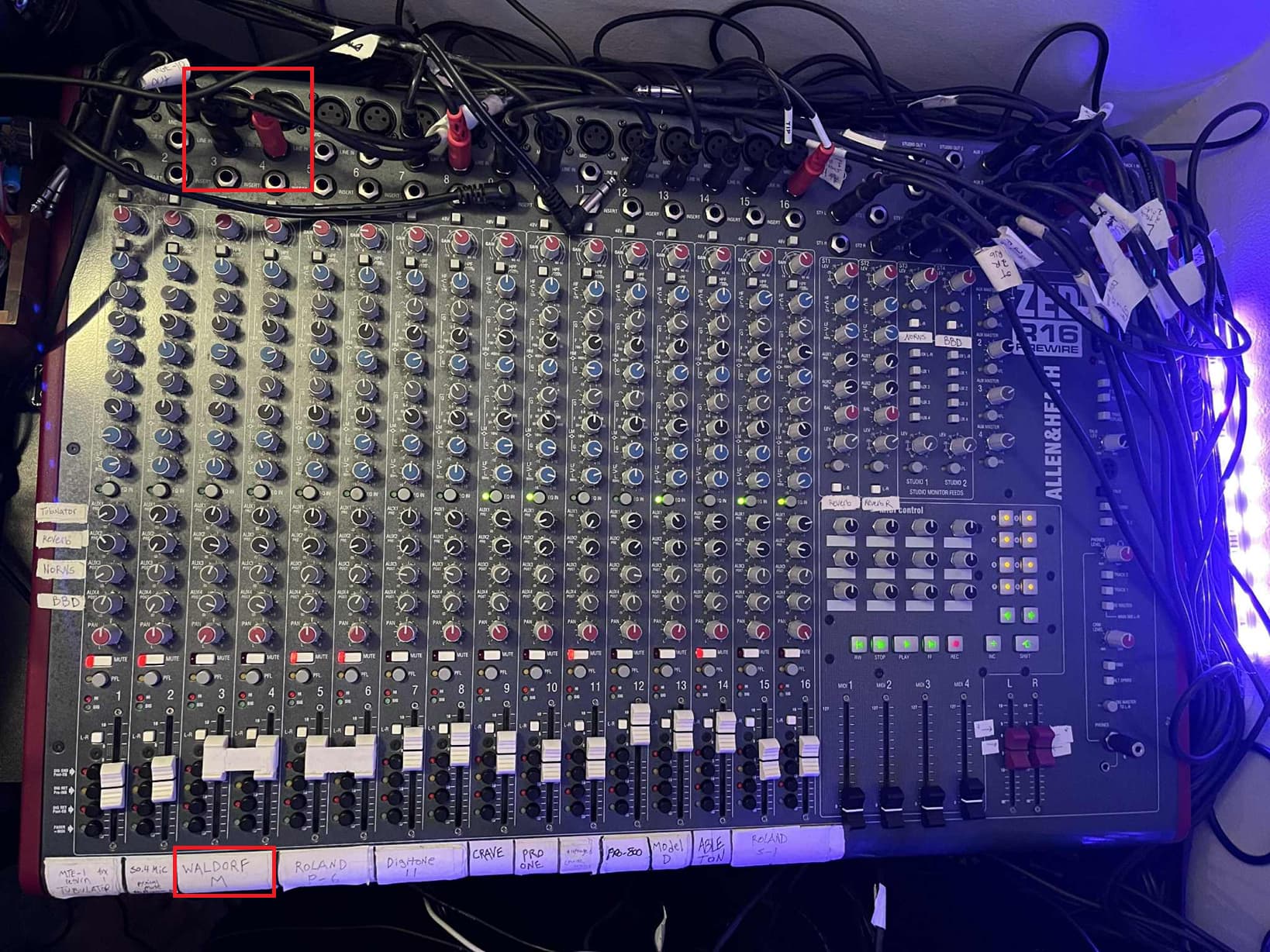
Something is up with your mixer, can you post a photo of the mixer with the M plugged in and note which channels it is plugged into? I want to see what your settings are. If you are using headphones, whether you plug directly in to the M or listen to it through the mixer, it should sounds basically identical.
there are some issues with it. sometimes certain points are a little scratchy. i got it used and had to deoxit some internals, but mostly it sounds great. i love the way the mixer sounds overall
im guessing it either has to do with how im dealing with the 2 channels together, OR something after the mixer
my headphones in this setup come out of my Audient EVO 16 interface
synths>mixer> mixer main xlr outs to octatrack C D thru machine(might change this to DIR ins for clearer signal? but does utilize VERY careful gain staging at every point)>split via hosa mini patchbay between art pro vla 2 and 1010 bento>art pro vla goes into inputs 1 & 2 of Evo 16 interface>headphone out 1 to ath-m40x headphones
if you run your synths into the mixer in mono, you’ll mostly be missing out on stereo fx and panning modulation. stereo fx are easy to compensate for if you have pedals, etc. but really shouldn’t be a drop in sound quality.
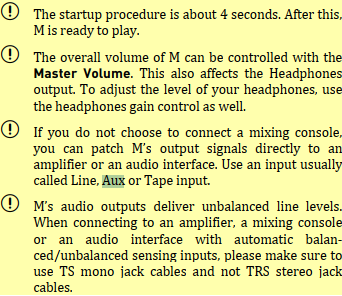
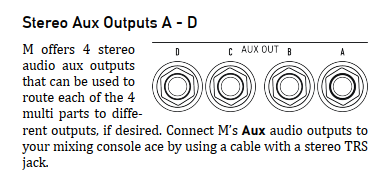
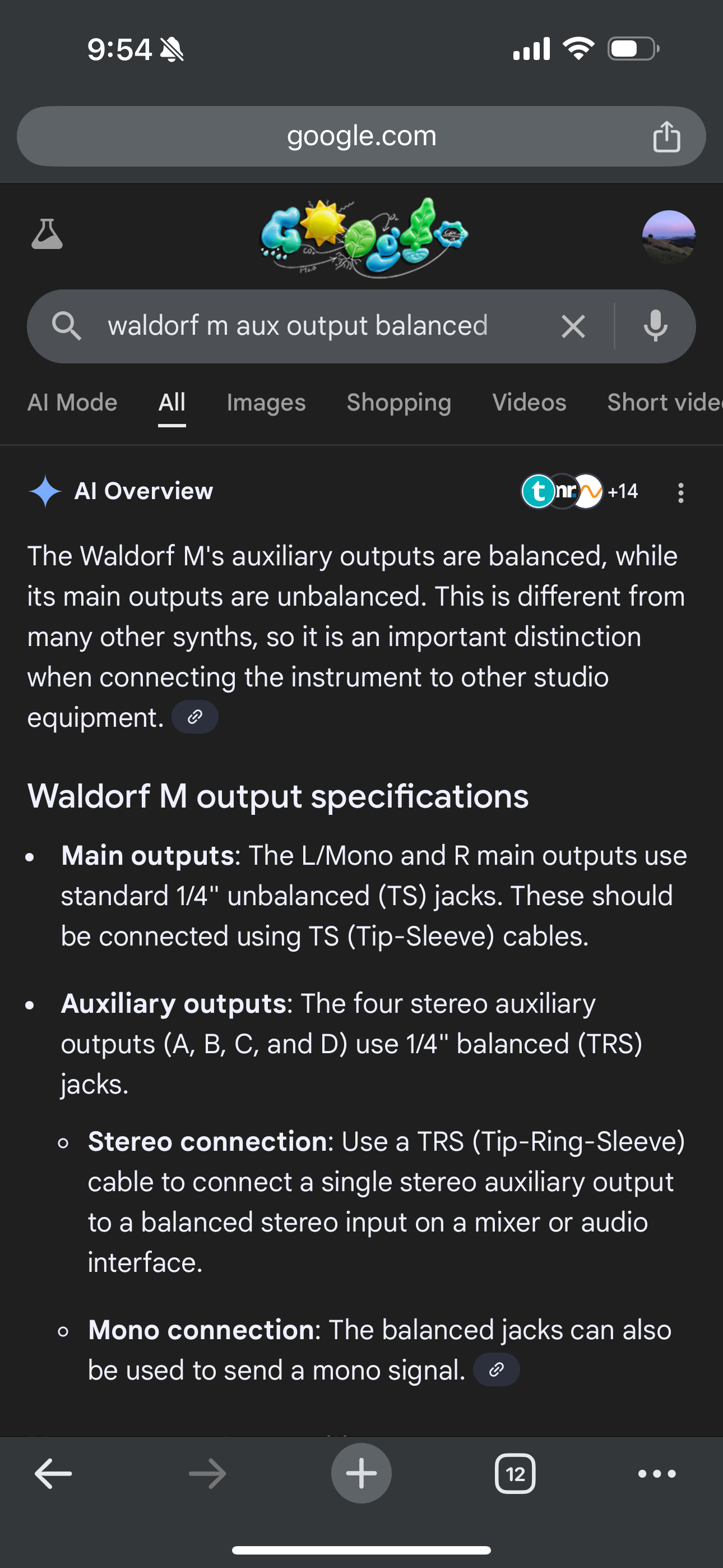
might be worth doing a little research into the synths on what kind of cables to use. if your mixer has balanced inputs, it might be worth a shot to use the balanced aux outputs on the m to see if it gives you the sound you want. and you’re monitoring the mixer via the headphone output as well? missed that part if you said earlier…
yeah i have many times in the past monitored straight from the mixer with headphones to test, but it’s been a while so i’ll have to re-check that
wait a second, so you can run a stereo signal from one of either of the 4 aux ports via a single trs cable, like a headphone output? i’m not sure that would make a difference plugged into a balance mono channel of the mixer, but thats pretty cool
this was just off a quick search - i haven’t used a m though. interesting that you think the dn2 isn’t sounding properly either - are there other synths you use in the mixer that sound fine? you really should be able to get a solid sound without a DI.
also to compare the straight synth headphone out, you should be comparing with headphones on the mixer as well. too many monitoring variables if you’re switching from headphones to monitors
oh nice, sorry i did actually ask google’s ai as well, but in a less useful way
monitors arent part of this equation. i know ive tested the mixer itself with headphones, just not recently. but ill try now.
yes, the mono synths sound great, the roland s-1 sounds pretty much identical to when its plugged straight into the synth with headphones, the pro-800 is a mono signal ( i got this one very recently) and thats probably what first made me consider this because its my only non stereo polysynth. that one also sounds just fine as well but i havent spent much time with it outside of this setup
Yeah definitely recheck direct from the mixer directly… could be your output cables from the mixer causing stereo cancellation. Worth turning off all the fx sends durning testing also. If there are any 1/4 to 1/8 inch converters in your signal chain worth double checking they are all good also.
its actually sounding pretty good as it is now. maybe im just going insane
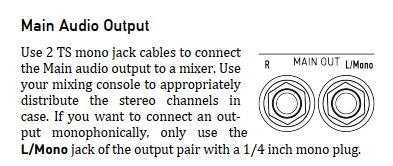
i tried mono out from the aux, which was weird probably because i was using a stereo trs signal in a mono mixer jack. then i tried just L/mono out from the M with a single TRS cable ( i know its not TS, but there isnt a massive difference in my experience) and i set “Stereo Width” to MONO in the settings page, and that sounded much too narrow for me. not the same at all, so that wasnt going to work. i should have tried it before even asking
but then i switched back to regular dual trs from L&R and it sounds pretty good right now. its been a while though, so maybe im not hearing the difference i normally do. i did also bring up the trim knob to 0db from where it was slightly attenuated before. this sounds obvious, but even with the faders at unity, i can barely bring the master volume past 12 o’clock without getting distortion/clipping. that seems to have helped too. all things ive tried before with varying combinations but its working out at the moment
side note, the resonant eq from the Zed R6 on the M sounds so good for not only boosting the low mids, but a high resonance 4k boost on the M sounds so gorgeous, like a ps-3100 or something
Also, i actually do think that the DIR mixer-in signal on the octa sounds clearer than the thru machine, even though there are no fx on it currently. I also disabled the master 8 track comp and echo freeze delay (which i usually use for scenes), so that may have helped. but i might have to forget about using thru machines, which is a little unfortunate
i appreciate all the help. If the problem persists, im not noticing it now. but if i do encounter it later, i have a bunch of troubleshooting tips to try now
If I remember correctly there is something kind of funny about the setting for master volume in system settings vs volume on the knob. Every time you start it up it starts at the menu setting instead of knob position. You can go full right then full left and then set the knob on start up or go into the menus and set it up how you like and then mostly ignore the master knob. There might be a way to change this behavior also. My memory is a little fuzzy on it but it can definitely cause some moments of confusion.
fwiw, there’s a page of MULTI MODE TIPS & TRICKS in the “M add ons” text document of the new 1-11 firmware download zip. (The document is in the DOCS subfolder.)
I don’t see mention in that document of any new bug fixes for Multi, but Vladi does outline exactly what to expect from Multi-Mode and some things that can go wrong in use.
Microtuning, linear FM between wavetable oscillators, FM algos making that mode worthwhile… Three of my biggest long-term hopes there!
Microtuning was mentioned at launch four years ago so it’s especially great to see that finally turn up
Hi guys and gals.
The new and final in terms of features firmware is DONE!!!rockout smileyrockout smileyrockout smiley
What was implemented from our known list of features, from those features which were approved by Waldorf Music :
first and major improvement - the M now supports micro tuning! One can load scales from SD card, send and receive MTS realtime messages
linear FM modulations from Osc1 to Osc2 for the Modern mode
4 new algorithms (now 8 algorithms) for MVA mode including 2 Operators FM and 2 Operators FM with Feedback and Variable Noise oscillator
Implemented modulator for Glide Time (for all modes)
Implemented software resonance drop compensation (as a new “Resocomp” digiVCF type. It is not compensate a drop fully, but provides some slight -3dB loudness compensation, tracks actual resonance of the analog VCF
Fingered portamento as new voice allocation mode for monophonic patches
MPE pitch bend override and settings for using Master Channel PitchBend together with notes pitch bends.
Lot of bugfixes for multitimbral mode + “Part’s Mode” guard.
What was NOT implemented from APPROVED features: ( because I populated the ROM fully, preserving place for bugfixes only)
MPE support in multi mode. Sorry, it requires lot of new adding to the code, and potentially leads to new bugs. So I decided to not implement it.
Exponential FM for oscillators - I did it, but M’s DSP has not enough power to provide it for all 8 voices, so linear FM only was implemented.
Fingered glissando - again, M DSP has not enough power to implement it properly + I do not understand really how it should work for microtonal tuning.
Calibration for “VCA leak issue”. This one WILL be implemented separately if it will be possible. I need to have access to the M with this issue because it is not reproduce on my! Will try to check it out with real M of real user. Actually I spent lot of time trying to reproduce it and even discussed it via WhatsApp with some users, but it just don’t happened on my M! Still, I am thinking that it could be hardware problem of improper components tolerances (5% instead of REQUIRED 1% was installed by producing boards)
Parameter to link analog cutoff poti to digital filter - this one was approved but I ran out of free reserved parameters for sound. If somebody wants, I can implement it as a global option, here I need your opinion. But new sound parameters (i.e. per patch) are not possible to add anymore.
OSC as a mod source - impossible to implement it properly, due to performance restrictions of the Ms DSP too.
Just to remember, what was NOT approved by Waldorf Music, and, hence will be not implemented:
-save multi + singles together on SD card
-ability to rename user wavetables
-patch category
-indication current / default value of sound parameters
-setting for inverse lite-on of LEDs on buttons
-indication of the OSC mode on display
-using two parts in modern mode on 16 voices MsFacepalm smiley
-knobs “catch” mode
-some graphics for the digiVCF.
Give me two days for documenting all new features properly including all new MIDI sysexes from 1.09-1.10 too. My wife gonna kill me if I will not help her with Christmas table right nowCop smileyCop smileyCop smiley
I will return at 28 or at 29 December with new firmwares and documentation. Stay tuned.
Merry Christmas to all of you and your families! Love and light!
The large amount of bugfixes for multi mode is mentioned in previous Vlad’s post on previous page.
The Tips & Tricks for multi are not related to the bugs in any way, they are there to correct some misunderstanding and wrong expectations people might intuitively have about how the multi mode works.