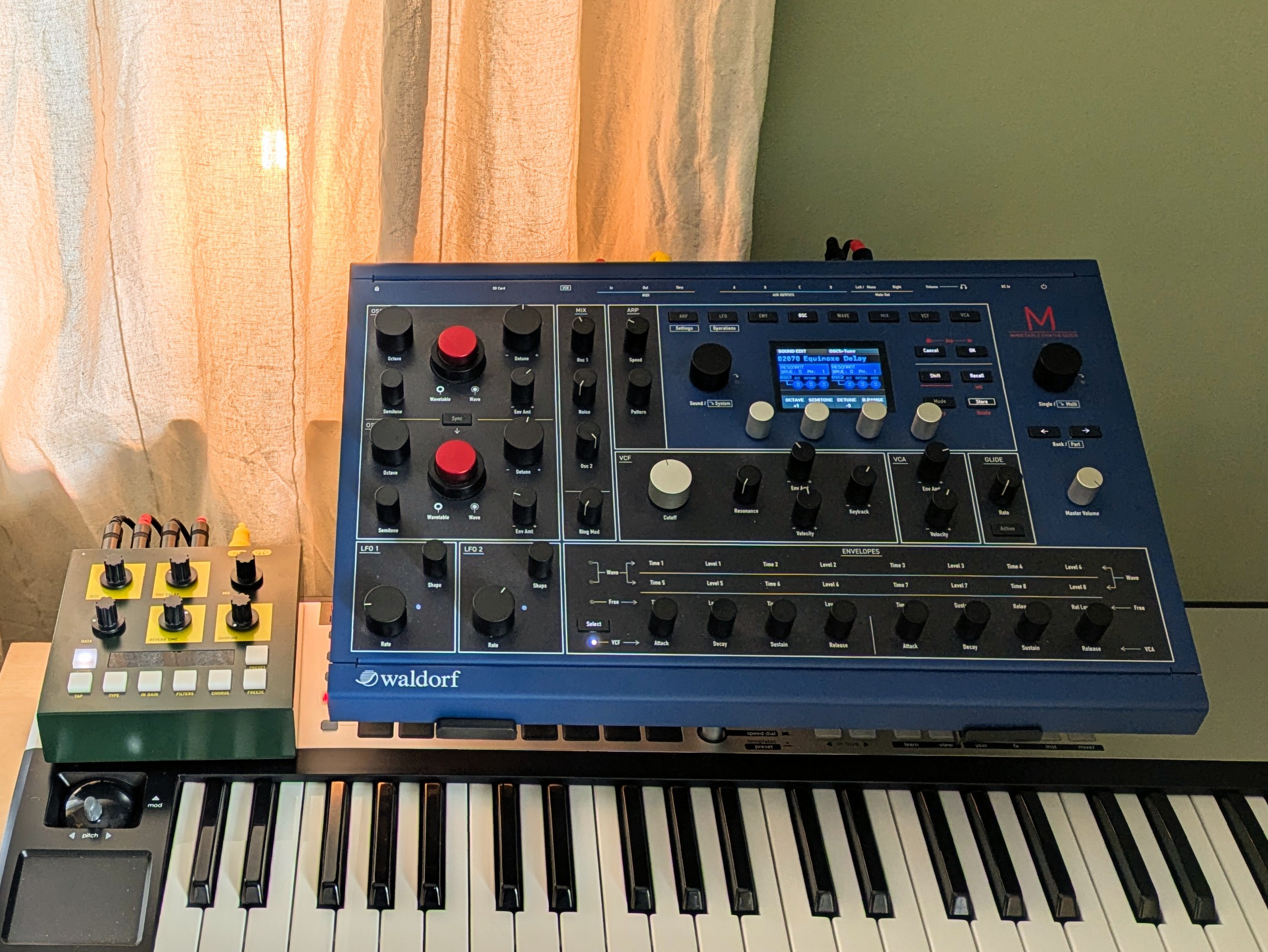
I mean it’s very different so I guess the answer to the question of using it like a Digitone is no. I used it live for a while as a multitimbral synth and thought it worked better for me than Digitone mainly because of hands on access to more controls.
They are however mostly not endless encoders like on Digitone and the knobs are obviously not moving when you change patches so you have to use catch or jump as on most synths.
As I understand it, there is no way to recall the last preset you had prior to powering off. Is that correct? Is there anyway to force the M to remember it - kind of the same way it remembers the System Settings? I don’t understand how it can do that but not the preset. Or, why not let the user save the last preset to the SD card via a button combo? Seems like such a pain to navigate the 100s of presets to get back to where you were. Even worse if you’re coming back to a track from weeks / months earlier.
I suppose it forces you to commit to recording so there is some crazy benefit…
Should be ok with external controller that gives you independent physical controls for each part. Keep in mind that only a rather small subset of controllers has CCs, so you will have to do the details on the M itself.
I’m more interested in how it feels to work on four different patches at the same time while a sequence is running. It’s not so much about performing. Is it just one button press to switch between the different parts?
yes, watch the video I’ ve shared a few posts above. it’s as simple as it can be. two buttons on the right jump between parts. the active screen stays active - i.e. OSC section, third screen will stay on and you jump between parts showing that screen of each part.
I’ve got the 8 voice expander on the way and plan to dig in to multimode for layered patches a lot more. I have not really touched mulitmode that much to this point and am trying to understand the voice allocation menu. The manual doesn’t really define the parameters for the “Voice steal” options (M.Late, M.Early, Lowest, Highest). I’m assuming lowest is lowest priority for voices used and highest is highest priority. What would M.Late and M.Early mean? I primarily just want to have a pair of sound programs in part one and two where each plays on the same midi channel at the same time for a big 8 voice (16 split between the two patches) sound.
M. Late : the most recent voice is stolen first
M. Early: the oldest voice is stolen first
Lowest: the voice playing lowest on the keyboard is stolen first
Highest: the voice playing highest on the keyboard is stolen first
I think those probably just apply to single programs, I’ve never messed with multi mode but IIRC there’s some sort of priority system applied to it based on the order of programs within the multi mode. I’ll try and find it in the Gearspace thread.
Voice Allocator Page
Here you find all parameters regarding the voice allocation settings.
Here are some global rules for the voice allocation:
The Parts have a voice priority from 1 to 4, according to their numbers. E.g. by allocating voices, Part 1 has a higher priority than Part 2, part 2 a higher priority than part 3, and so on.
If there are less than 8 (16 with the optional voice ex- pansion) voices set as “dedicated”, all unused voices will belong to Part 1.
If the sum of voices, set as dedicated, is more than 8 (or 16 with the expansion) for some top parts (for example, Part 1 and 2 has each 4 voices assigned and the unit has a total of 8 voices) , the Parts 3 and 4 may be “voiceless” if the priority Parts used all voices.
If a Part has a dedicated AUX output assigned, these voices reserved for a Part mandatory with higher priority, and overrides the “higher” Parts Min.Voices setting. This can be recognized as protection from stealing the voices between Parts.
I suspect, in classic Waldorf style, that the way this is explained makes it seem a lot more confusing than it actually is.
Yeah, I’ve read that through a bunch of times and it’s still not clicking. I think I just need to make some bare bones patches to really test what’s going on there per setting change on that allocation page.
Just got the M. Looking forward to diving deep. But I have a rather bizarre issue. The actual physical buttons Shift and Mode are switched around as are Recall and Store. So in order to use Shift I have to press Mode, to Store I have to press Recall etc. I guess I could get used to it, but I’m wondering if anyone else has experienced this and if it’s possible for someone like me, without great technical skills, to just open the unit and move the buttons to the right place…
I have not heard of that being a common thing. Most likely an assembly issue. I can’t tell if those button caps would just pop off with a small flathead. I’d recommend emailing waldorf or asking on the gearspace thread which has a lot more active users than this one (and the person that developed the synth).
I finally got an M! And so far, I really enjoy the sounds and I’m especially happy with the build quality. Yes, the workflow feels a bit dated but I can wrap my head around it and it’s just a bit slower sometimes. However, I feel that the wave envelope is a bit excessive… So, what am I missing here? Do you guys have some interesting use cases for the eight stages?
Controlling the loop points is a good start, setting up both loop and release loops, running it at faster speeds and modulating various envelop settings subtly with an lfo… you can get very lively interesting animations in the sound this way that are still quite controlled.
Anyone else’s M defaulting to multimode when changing patches? Since the latest update, I have to click out each time after I change presets. If anyone knows a fix I would be most grateful.
Mine doesn’t do that. If I’m in single mode, I just turn the big SINGLE/MULTI knob and the patch changes, staying in single mode. The indicator light by the knob should always be off in single mode.
I’m using 1.10 host and DSW, which is the latest version on the Waldorf site.
If you are clicking the patch knob in the process of changing patches, (or if the knob mechanism is faulty somehow?), that would be what switches from single mode to multi mode. (You will know you are in multi mode when the indicator light next to the knob is on; that light is always off in single patch mode.) It sounds like you know all this already.
Hope this is helpful, or at least confirms your M is sick, tho hopefully it isn’t.