Right, but I didn’t change any settings. Looks like it does it by default… and I’m not happy with it. On my digitakt it doesn’t happen. I need to dig into this for sure.
TL,DR - fx track doesn’t respond to note off messages properly and notes get stuck leaving the sequencer broken until power off.
So this bug explanation is maybe vague, but I think its related to the external midi multi triggering of tracks via note off (or general issues with note off)
I’m using an external midi keyboard the novation SL mk1 with a custom mapping I’m working on. I thought, hey it’d be nice to manually trigger sidechain off a drum pad, so I set one pad to send C3 on the fx track midi channel, it seems to work fine but realised that the note never actually releases even with the note off timing is set correctly (this doesn’t happen with instrument tracks when set correctly) so what happens is the envelopes in the FX track sit on their sustain level, anyway seems to work fine but then after “some circumstance” is reached (vague I know) the fx sequence track no longer triggers the envelope. I believe maybe the external input note being held indefinitely takes precedence over the sequence itself and therefore locks the sequencer out. It’s not a deal breaker but that definitely seems like a bug. I then have to turn the unit off and on again for like a midi panic reset.
2 Likes
Just encountered another bug. My syntakt wouldn’t work with overbridge because of a latency failure so i had to restart it. Upon restart only the elektron logo came up on the screen, happened again on a subsequent restart, and realised my Digitakt was still playing and sending midi clock to the syntakt, i unplugged the midi cable and then i could start the syntakt as normal. My digi patch was sending a program change message to the syntakt which may have been part of the issue. I haven’t tried to recreate the issue.
1 Like
Please be mindful when restarting after any issue or for whatever reason that you allow the onboard capacitors to discharge, it’s generally(officially) advised to wait about 20s before repowering. That is one way to get a frozen screen, it’s maybe not the issue, but it is one variable to remove by simply waiting after a power down. Don’t be tempted to cycle power fast, it’s known to create boot issues.
2 Likes
I don’t have ST but this LFO Dest bug also exists on DT, still broken as of latest OS 1.51.
Has it been fixed on latest ST?
1 Like
I wish some updates for Christmas !
2 Likes
That sounds like a great idea, but it seems like 1.10 and 1.20 haven’t been archived, right?
Indeed. Sadly not
1 Like
I’m not sure if anyone has experienced this yet. I powered on my Syntakt today and noticed that Track 10 was off. It wouldn’t light up for any red parameters and didn’t match the colors of the other tracks whenever i switched modes. Idk if this is something that i can fix by factory restarting or if i should submit a ticket for repairs. (I bought the unit new in March).
Thanks!
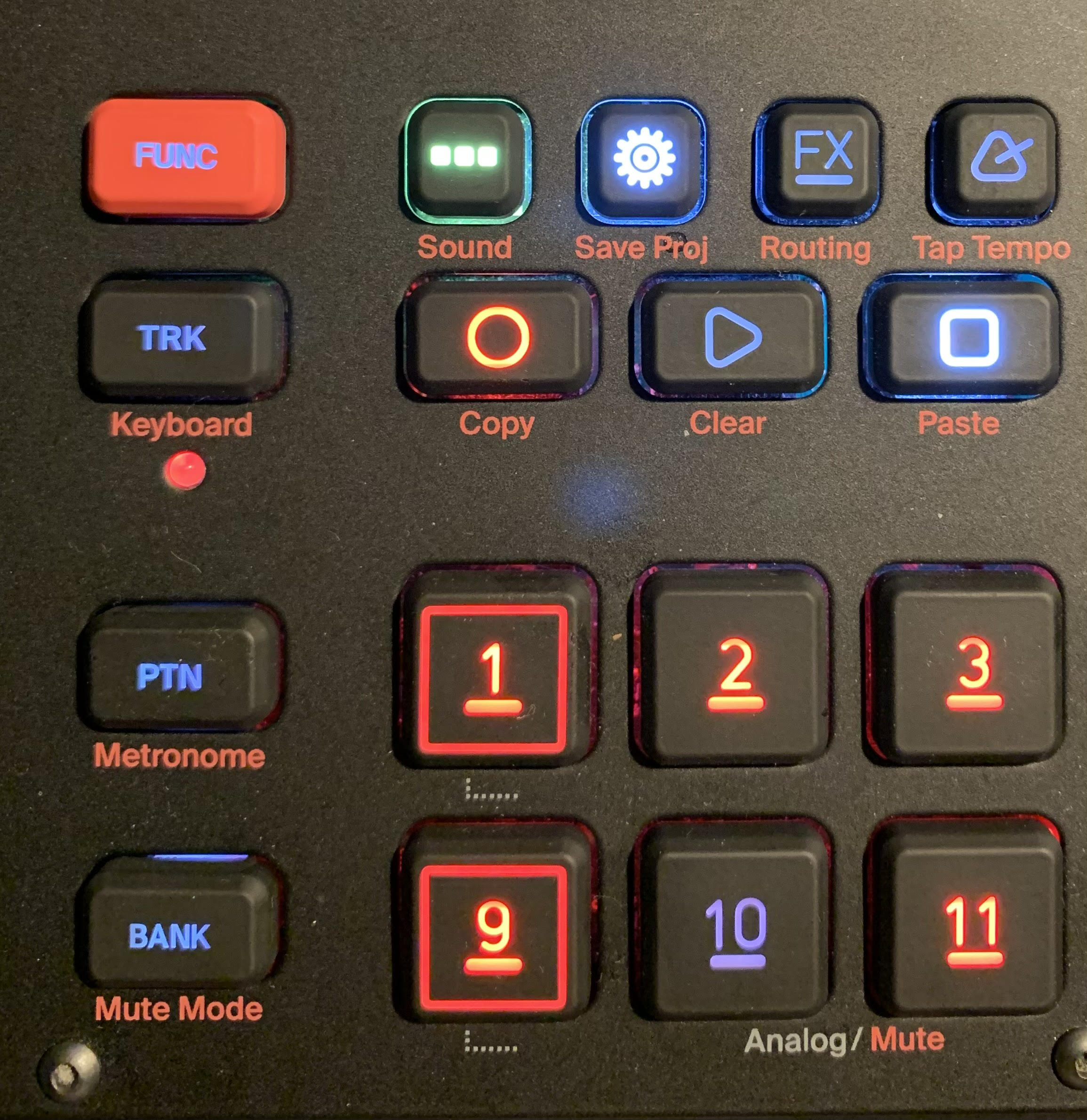
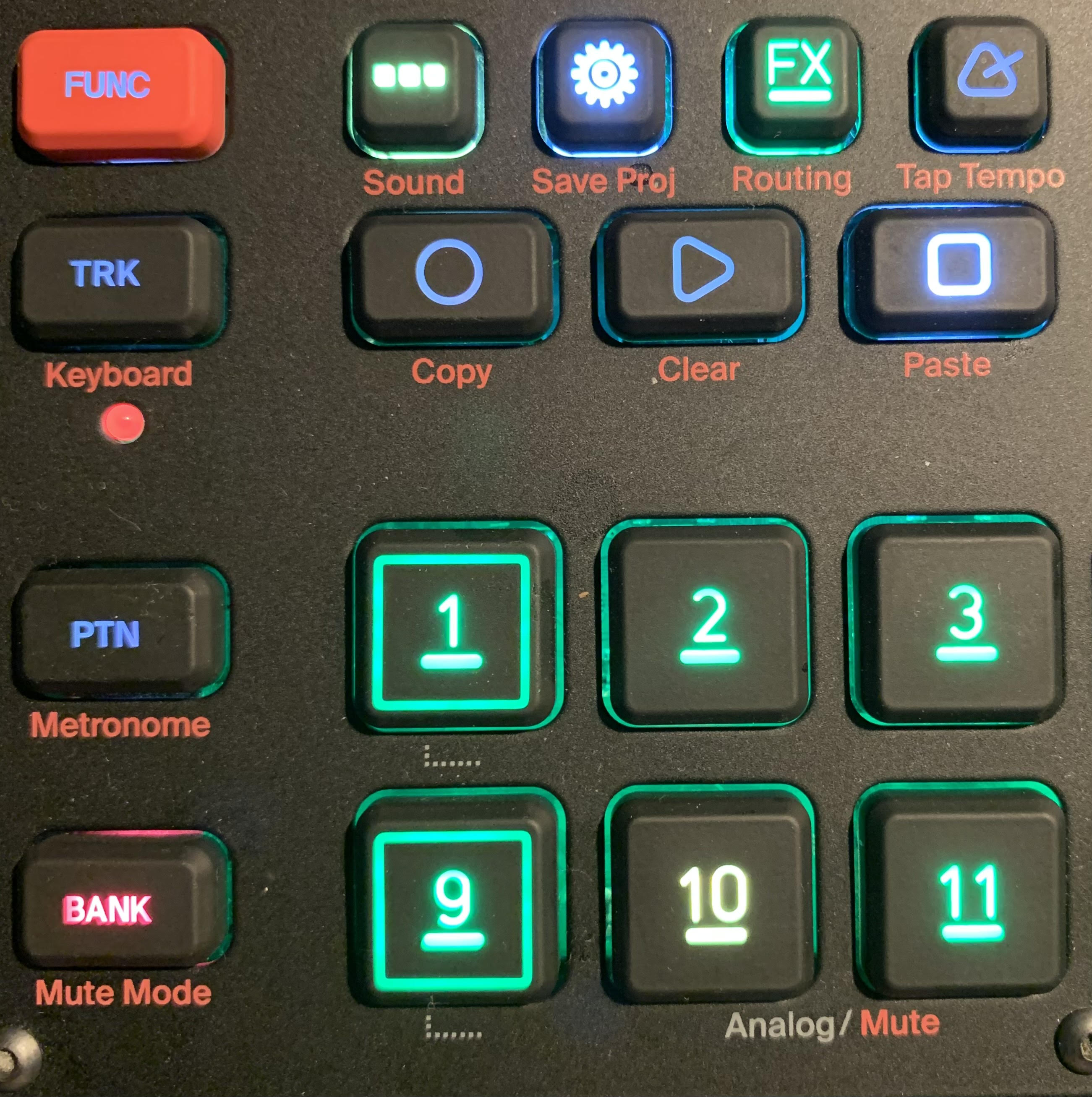
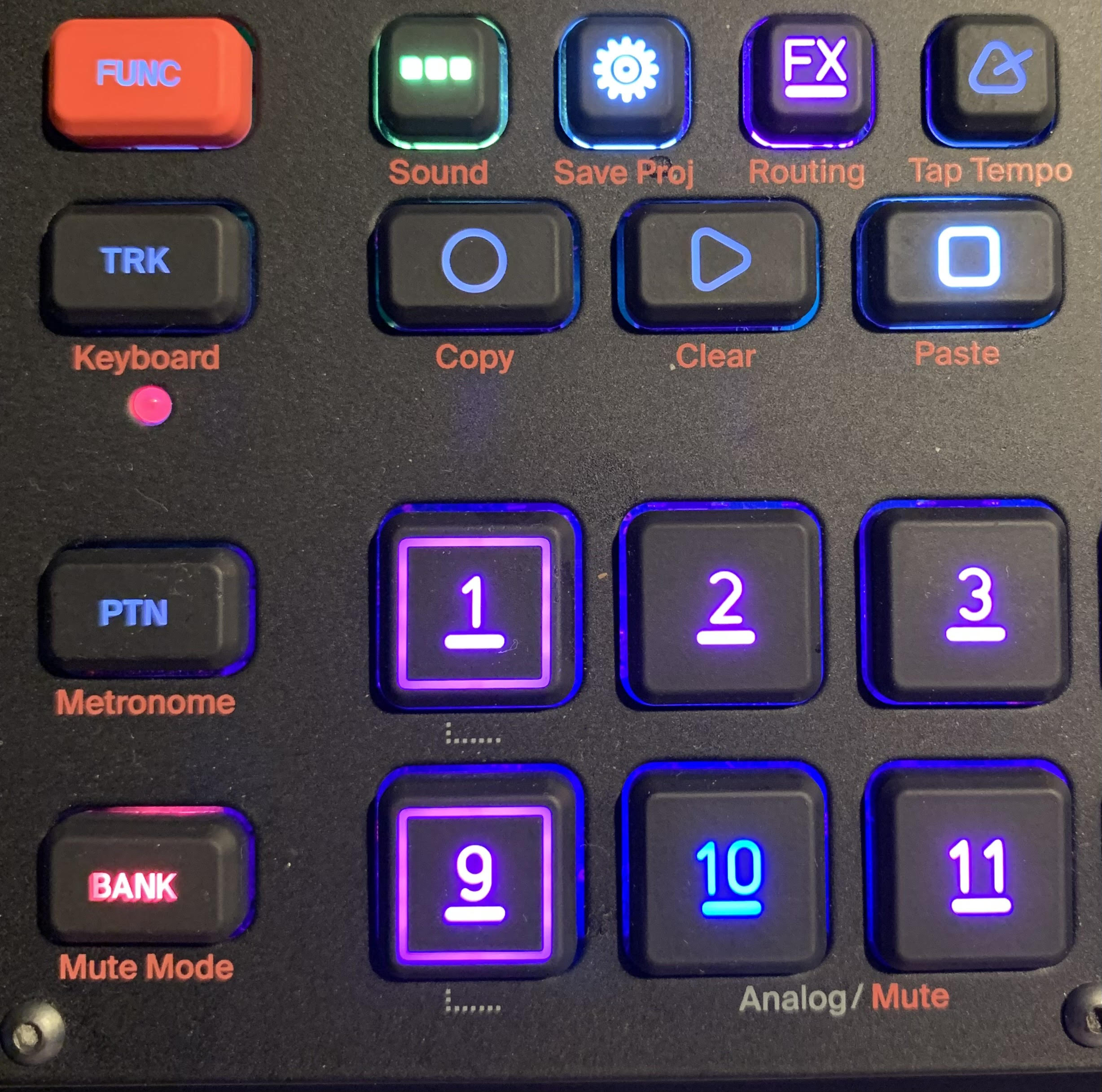
there’s a test mode for the individual led colours - check manual to confirm what is basically obvious, the red side of an led has died, it should be something that Elektron take care of, it’s not a bug - create a support ticket on Elektron.se
1 Like
ty! <3
1 Like
I’ll see if I can make a repro later, but I just ran into a nasty bug where a track on 2x speed counts the trigger wrong (i.e. my “1:2” trigger was behaving like it was “2:2”) after switching patterns.
Hi! Can anyone provide a list of current annoyances with the last firmware to day?
Anyone having really bad clicks and pops when using Syntakt with Overbridge post update 1.21? Using a Macbook Pro M1. Already tried with Digitakt etc. and there are no issues there.
thx
1 Like
Can concur.
Went away with a power cycle and overbridge restart.
Also on M1
I tried that lol didn’t go away!
I wonder if it’s a bug?
I started a new track, and now Im popping and clicking like a tuned Subaru.
I opened up a support ticket.
As a workaround i am running audio through 1/4 to a SP404, which is going to USB to Logic.
1 Like
Usually I use eight pattern for a track. Sometimes when I change to the first pattern of the next track it happens that the analog kick isn’t the sound I expect to hear… The same sound appears on the other patterns of this track. The strange kick sound doesn’t vanish if I change to another track and come back to the current one. It does not change if I try to alter the sound. The only way to get rid of it is to shot down and reboot. The kick sound of the other tracks are not compromised.
I tried to figure out under which conditions this failure appears.
- Play the first pattern of a track, choose the first pattern of the next track, stop and play again before automatic change. Works fine!
- Play the first pattern of a track, choose the first pattern of the next track and wait for automatic change. Works fine!
- Play each pattern of the tracks as I would do at a gig doesn’t work.
Would you be able to have a decent recording of this, and the way to reproduce it?
3 Likes
What do you mean by this? The Syntakt isn’t organized that way.
You have patterns and each pattern has 12 tracks. So there isn’t a first and next pattern of a track. There is a first and next track of a pattern, but that’s another thing.