They said:
So I think in such context “track” isn’t a track on the machine, but a song.
They said:
So I think in such context “track” isn’t a track on the machine, but a song.
So hope this helps a little to understand the issue.
This feels like a bug.
Are you on the latest firmware (OS 1.21, nov. 2023)?
In Settings - Global FX/MIX, do you have anything checked?
I’m still on 1.2 because the latest upgrade didn’t provide a bug fix which is subject of this issue.
There is no default setting done in the menue.
You mean every Mix and FX parameter box is unchecked in the settings menu?
Have you checked the Release notes for 1.20A?
There was a bug fix related to BD weird sound.
Here is a link towards latest firmware:
https://cdn.www.elektron.se/media/downloads/syntakt/Syntakt_OS1.21_dist.zip
Please update and report.
Are you sure the Minifreak or some other device isn’t sending a program change or CC to the Syntakt?
Now I see it ! its on 1.20A. I didn’t see it because I only read about 1.21.
And it reports the behavior if a silky drum is played after rimshot . This is exactly the case. Thank you for that hint.
CC is filtered by the midi router. There is a bugfix in 1.21.
I just graded it up to 1.21 . Now it works!
Thanks again!
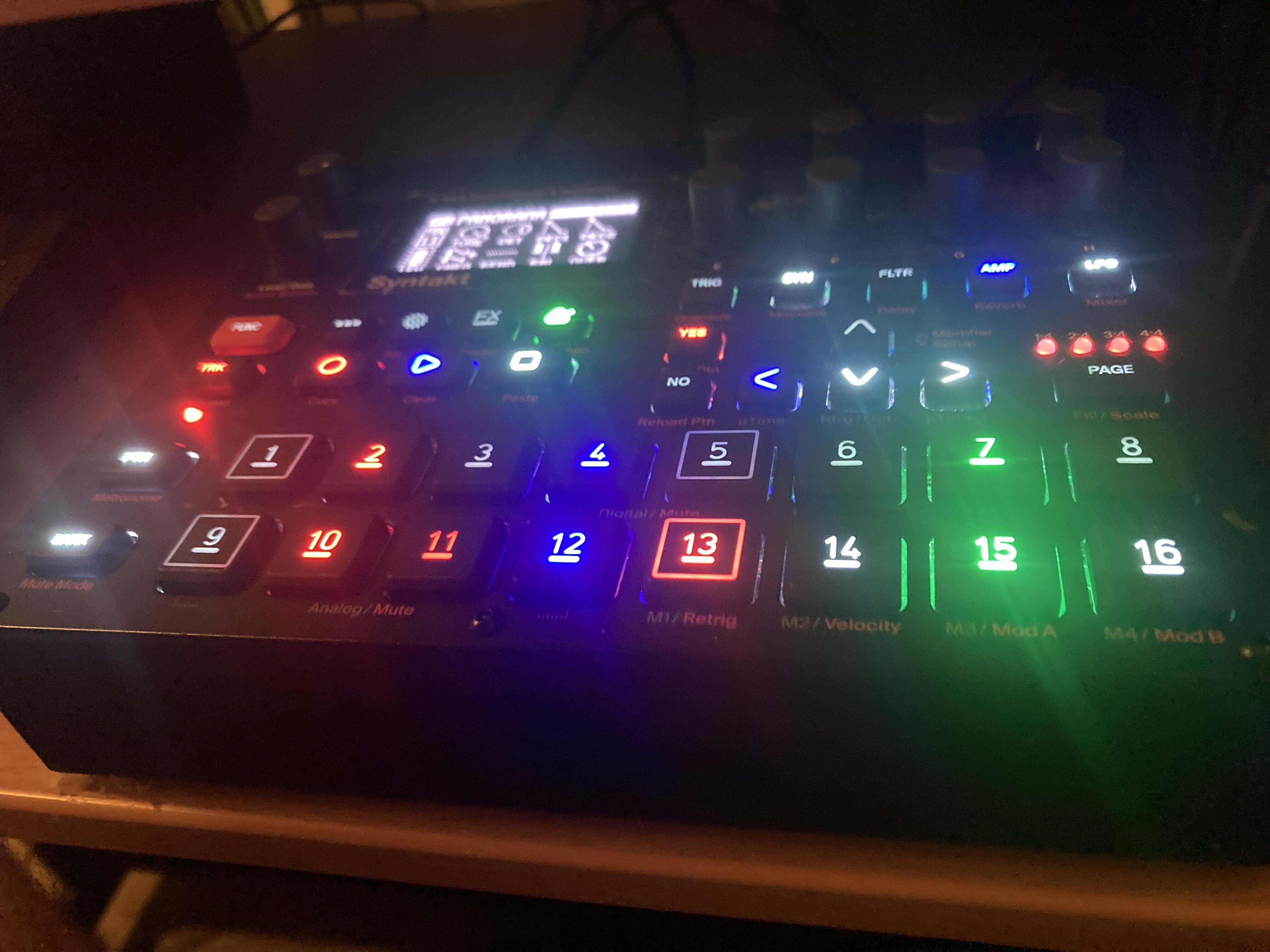
Anyone help. My track button and record button won’t turn off and I get strange wrong colours on my tracks too. It still works but it’s a pain without visuals cues. Tried factory reset. It also started working as it should after a little while and then back into it not working as it should. Super strange just happened with two weeks with it not being turned on, water damage ? Any help ?
Looks like a faulty volume potentiometer.
Thanks! I may have found a work around.
I’m using a portable speaker (Bose) that’s connected to the headphone jack (via an adapter) of the Syntakt, and I usually have the Bose speaker’s volume cranked all the way up, and the Syntakt’s volume knob set to around 8-9 o’clock - these were my settings since I got the Syntakt. Yesterday, I set the Syntakt’s volume knob to mid and then adjusted the Bose speaker’s volume to my desired level, and I’ve not come across the problem since. I’m not sure if it’s an issue of the speaker not receiving enough signal from the Syntakt when the volume knob (of the Syntakt) is set to low.
Turn it off and plug it out for 30s or so, see how long it takes to reoccur, and raise a ticket cos that’s pretty unusual from what I see on here
Then the problem is with the speaker and not with the Syntakt.
@Bergfotron, @Mister_Wood, thanks a lot for you replies. I’ve not come across the audio cutting off since adjusting the volume knob to mid position. I’ve also adjusted (removed and re-plugged) the audio cable/connectors from the speaker to the Syntakt and now it appears that even with the Syntakt volume knob set to 8-9 o’clock, the audio still does not cut off (but I’m still observing at this point). I’ll get back to this forum if I encounter the issue again.
Dear community. tl;dr: Glitches/artifacts in Track sound when controlling ModWheel and BreathControll with Midi Controller.
I have a strange issues with my ST (OS 1.20A) when controlling it with the Faderfox PC4 (or any other Midi Conttroller like Faderfox PC12). I have setup Performance Macros (Modulation Wheel and Breath Conntrol) on the ST and setup the Faderfox to control them (CC1 + CC2) accordingly.
When turning a knob on the Faderfox, the MW or BC knob on the ST is moving as expected, but after (1-10 times) of turning the knob on the Faderfox, some artifacts happen on the ST. Some sound settings either of the same Track I am controlling, or other Tracks, are changing randomly. The one or other Track sometimes even is not giving out any sound anymore. Reloading Pattern isn’t fixing the issue but I have to turn the ST off and on again to make the issue dissapear.
I checked all the Midi CC values being sent from the Faderfox with my MPC One, all looks good, so the issue must be on Syntakt side. I tried different setups, i.e. all Tracks are channel 1 and Tracks are channel 1-12. Same behavior.
Thanks upfront!
Hi and welcome—two common culprits to check for here are any form of infinite loop (if FF is also receiving midi, guessing not) or any doubling of controls, like if an untouched knob in the corner is set to all channels MW. In general the performance macros work very smoothly for me once any midi kinks are worked out. (Another, in case you have any midi track LFOs, note that these run even when the track is muted.)
Thanks for the swift reply! No Infite Loops: PC4 Midi out goes directly to ST Midi In. No other Midi cables attached. I also cleared all other knobs on the PC4 and set CC values to “0”. No Midi Track LFO running.
Maybe @James_Orvis, who has posted about using Faderfox controllers with Syntakt sound macros, might have an idea what problem you’re encountering. I’ve only used it with Digitakt or a Syntakt loopback track, and problems I’ve encountered have been fixed by taking care of overlap…