Loud and clipping while sampling from laptop over USB

This will probably be an easy one for someone but I’m struggling to resolve it.

I’m sampling into my TV from my laptop via USB-C. But it’s loud and clippy (I think the word is?) Like a record player with scratched vinyl.

This is as I play the sample on the laptop through the TV (acting as audio interface) - even before I record it.

The manual says (p73):

Keep an eye on the audio input meter and play the audio source, ensuring the volume is as strong as possible without clipping or distortion.

None of the settings on the record screen mitigate this; I’ve turned the threshold down, but it still sounds the exact same.

I’ve watched this video which pretty much does exactly what I’m doing, but from a phone not laptop.

I never had this issue with Digitakt; I sampler from the laptop all the time (albeit it wasn’t USB-C).

What do I need to do to lower the volume/avoid the clipping?

Thanks very much in advance.

Check AUDIO ROUTING settings.
There is a possible +12db increase for inputs.

Eventually post a picture of your settings…

Audio routing > USB is set to +12 (I’ve never changed this). I turned it all the way down; no difference.

Settings shown below, though I’ve tweaked all of them and the sound is unchanged - same volume, and same clipping.

I’m wondering if it’s something Windows side? I’m just playing some MP3s/YouTube videos back, but I never had this issue with the DT, as I mentioned.

Not sure if it could be the cable - the TV didn’t come with one [edit: yes it did, my bad]; this is my phone charger USB-C cable.

Appreciate the help.


1 Like

tonverk comes with a usb c - usb c lead (or it should do)

see also this thread

1 Like

Thanks for the tips re: external software. Seems very odd that that should be necessary, though.

You’re right, the TV does come with a UBC cable (not sure how I missed that). Just tried it, and same problem :frowning:

This is default setting.

So I guess you are in USB mode. No level changes at all if you change AUDIO ROUTING USB level ?

Edit : I checked with iOS USB : EXT INPUT GAIN is for IN AB inputs only.

@mitya33 Seeing your Audio Routing page, I guess you didn’t update with last firmware…

What meter says in Recorder page ? Is it just a monitoring distortion or your recordings are also distorted ?

Yeah I’m a firmware update behind currently. [EDIT - just updated to 1.4.0 and same issue.]

It’s in both the monitoring and the recording. And it’s every sound I play from the laptop from whatsoever source, like it’s locked on a high volume.

No, unfortunately - nothing I tweak has any impact.

Extra info - here’s what my meter looks like when I play a sound on the laptop.

Also, with audio routing > USB audio in = OFF, I hear nothing, but it does still record (with the clipping/loudness). With USB audio in = most other options (e.g. “Out AB”) I hear what I’ve been describing. So OFF seems to be no monitoring but still records.

Level meter seems ok on the video.
Clipping or sync problems ?
Do you send 48khz signal ?
A video increasing level on computer would be welcome. I’d check with a sine wave.

I tested yesterday with iOS USB. No clipping, but I got artifacts opening several audio apps…

Do you know how I can verify this? I’m on Windows.

Re changing level on Windows, asshming you mean changing the volume keys, this has no effect. The Windows volume metre does viaobly go up and down as I press the increase or decrease volume buttons on the keyboard, but the actual volume of the sound coming through to the TV from the laptop does not change.

Re sine wave, as in, just find a video on YT of a sine wave and sample that?

In a system tray(lower right corner) you should have audio interface driver, right click on it and go to settings. Sample rate should be the same as the one set in your daw under audio settings. So both should be f.e. @48khz.
Edit : Now i saw you are using TV as a audio interface.

1 Like

Have you tried lowering the level of the YouTube videos/mp3 player?

1 Like

I’m not using a DAW, just playing sounds on Windows/YouTube in the way I’ve always done when sampling into my OG DT.

I can’t seem to lower any levels. The Windows volume is inactive, as connecting the USB cable to the TV means the TV is acting as audio interface, so Windows volume does nothing.

I’m speaking to Elektron support who seem to be confirming this is a bug, one they’ve seen before, but don’t currently know how to reliably reproduce (except apparently on my TV.)

The YouTube player has volume control, what do you mean?

OK sure, it does. But that’s YouTube. Still means I can’t sample from any other source e.g. wav files on my hard drive. Unless you mean that everyone else doing this is somehow managing to send the audio to the TV at lower volume. And as I say, Elektron seem to have confirmed the bug (I sent them a video of it).

Can you confirm the quality is good when you lower the volume on YouTube? I’m trying to help, not saying whether it is or isn’t a bug

Also, when playing wav files, which program are you using to reproduce them? Chances are that player also has a volume control… (haven’t heard of any that doesn’t)
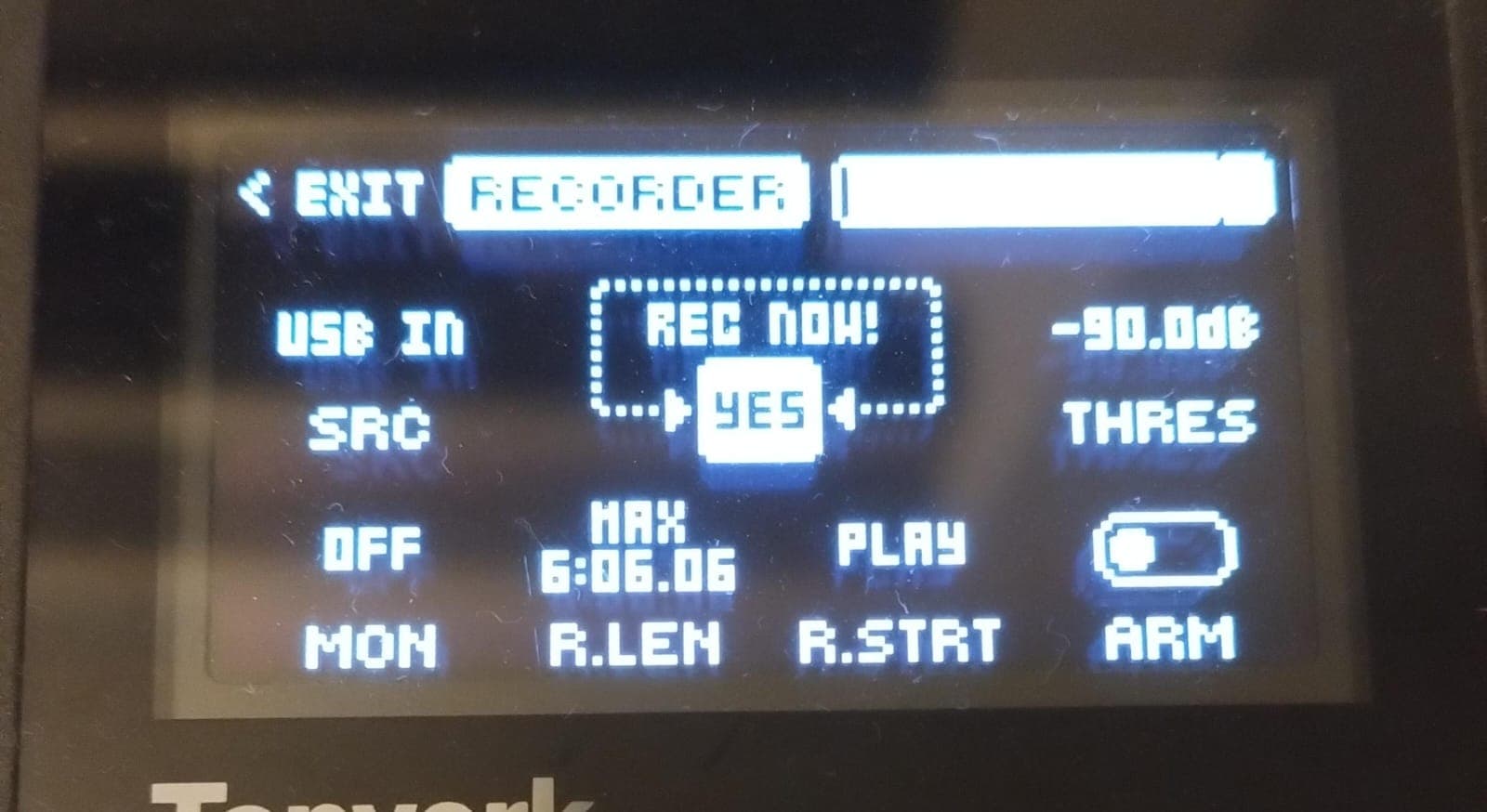
2 Likes

Appreciate your help.

Just tried with YT/player with the sound turned down, and yes same issue.

Elektron say they hope a fix is coming soon but they’re not yet sure of the repro steps for the bug. I’m sending them the TV’s diagnostics readout.

Just to check, am I right that others are not having this issue, i.e. you can do what I described and not hear clipping? On Windows, ideally.

Then I would say faulty unit or bug. Hopefully Elektron can provide a fix pronto.

1 Like

Yeah fingers crossed. Obviously you’re not getting this bug - but are you on Mac?

1 Like