I was going to ask about AUM! It looks like bypassing a track on AUM saves the CPU that the track would take, meaning that you could make a full setlist in AUM and work from left to right, un-bypassing each track as needed?
I think this would be an easy way of working. You could even run them all to a sub channel with a simple looper/sampler on it to capture the break down and set up the next track for an uninterrupted flow.
1 Like
Hi,
I can’t ear sound sound from my model cycle in Drambo.
On track menu i have set Audio from USB 1+2 then audio to master.
And on master track Audio to USB 1+2.
But i can ear other modules track like Kick or AUV3.
Any help is welcome.
Thanks
I’ve never routed external sound source to Drambo in a ‘mixed’ (i.e. external source on one track and internal sources on other tracks) but I have used Drambo as an FX processor using a project created from the Processor template, as described here:
Maybe try that first, and confirm you can get the M:C audio going through Drambo.
Then as a next step compare the project to yours. (Unfortunately the Processor template only creates a master track IIRC, so the info you will need for getting M:C → Track x → Master → Out might still be missing. But at the very least you can confirm that the audio from M:C is flowing through Drambo)
1 Like
Havent purchased Drambo yet. Looks amazing having ableton live-like scene/clip triggering.
On the Drambo site they state:
"Audio Units hosting . Instrument, effect and MIDI effect AUv3s are visible as Drambo modules."
Does this mean that on a channel I can use an external generative sequencer app to play the instrument app I have in the channel rather than using the inbuilt drambo sequencer?
How do you then trigger the external generative sequencer to start running if you are launching scenes/clips? do you just need a blank clip in that place?
Yep! You can load AU sequencers before AU synths, etc and let them run without pointing the internal sequencer.
There are a number of ways, and though I’m not an expert with this, it really depends on what parameters the sequencer allows to be exposed to drambo. If start/stop is exposed, it could be automated by a sequencer note, the “button” module, the modulation lane(s), etc. You could also potentially point an LFO at it, a gate sequencer…
Chances are Ben Richards, Sound For More or another youtuber covers this in one of their videos, most/all of which are worth watching to really see what drambo is capable of.
Awesome, thanks for the reply. Will do some digging, I’ve heard there’s a lot of good tutorials from those guys. Will likely just buy the app and jump in and try stuff too
A Friday night meditation for you Drambonauts:
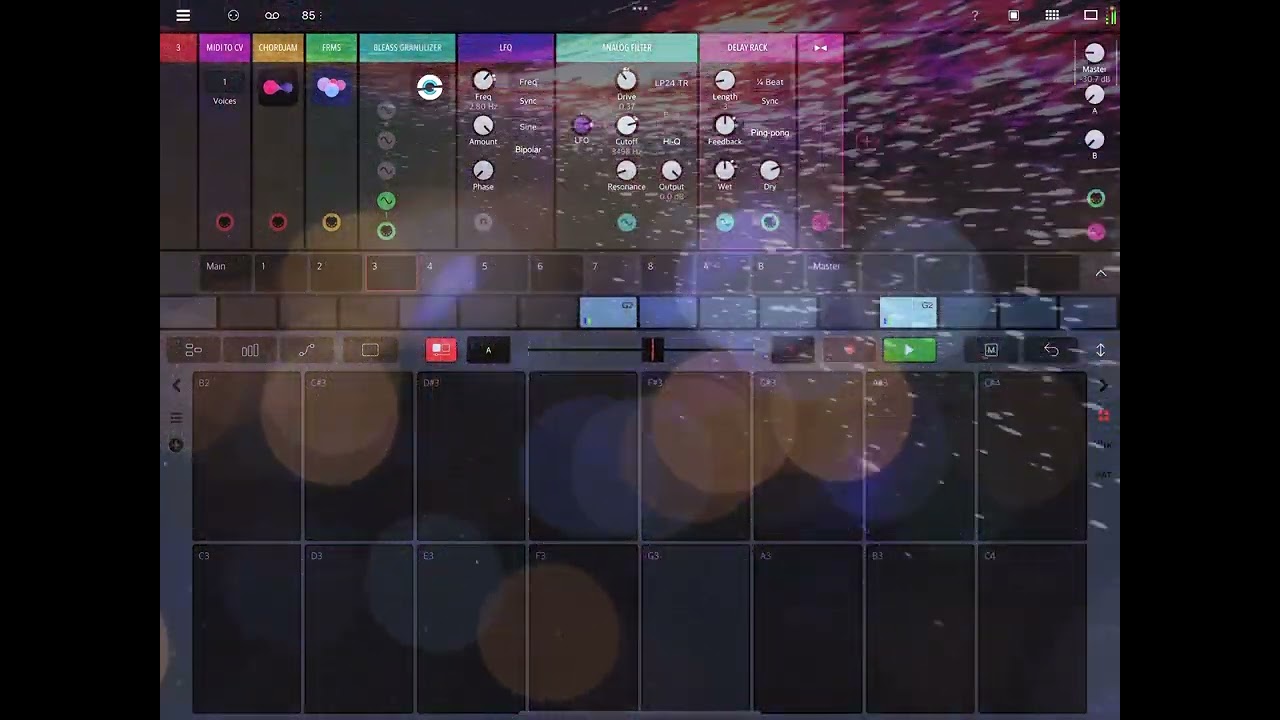
5 Likes
as for me, Drambo’s clip/scene launching implementation is much better than ableton’s (and Bitwig’s). that’s the killer feature that sold me on Drambo instantly.
conventional/major DAWs rely on tape recorder metaphor too much. Drambo does not, it’s right inbetween linear and pattern-based paradigms, so literally is the best of both worlds.
assembling/aranging tracks in Bitwig always was a work for me. doing that with Drambo is pure fun.
1 Like
I’m a long-term user.and that side.of Drambo trips me up the most - it always seems that the way I expect it to work doesnt and vice versa. Thus I often end up just jamming on one looping pattern mostly. I’m sure its a me thing though…
when jamming, i just mimic MC-707 workflow in Drambo, launching clips & scenes with attached Launchpad Mini.
works like a charm.
3 Likes
2.20
Dec 19, 2022
-
Drambo folder is public now and available in the iOS Files app.
-
Clips can be named and have a custom length.
-
RCK pads mode - load presets directly on pads
-
Metronome: added auto mode, volume and type
-
UNDO + note pad to remove note from current sequence
New modules
-
Custom rack
-
Randomizer - instantly randomize any number of parameters within the given range (polyphonically)
-
Punch in FX
-
Punch in looper
-
Fur generator
-
Shift register
-
MIDI gate
-
Convolver
-
Added standard Apple Audio Units (iOS16)
Upgraded modules
-
Audio Unit MIDI module - REC button added
-
Shaper: clip mode added. (alias supressed)
-
Function module: equality operation added
-
Rack menu: randomize function
-
Analog filter: new MM12 OB multimode filter
-
Oscillator mini: added sqr-sine and sine-pw oscillator type
-
New Integrator module - works with clock signal (option), min, max and warp type. Old integrator moved to MISC / Legacy section
-
Shift register module
-
AU modules - AU inputs were not enabled when corresponding module input was connected
Various bugfixes and stability improvements.
21 Likes
Fuck me that’s some update! 
1 Like
Massive thank you! As soon as my toddler gets off my iPad and into a deep sleep I’ll get it on the dl!
As always, an update with lots of useful features. Thanks for the hint!
However, from the beginning it has bothered me that Drambo isn’t well documented.
For example, I still don’t know if/how MIDI files can be imported into Drambo. I’ve tried several times without success. Either it’s simply not possible or I’m doing it wrong  .
.
1 Like
I don’t THINK they can yet be imported.
Thanks. I think you’re right. I read through all the release notes and found nothing about it.
I was hoping to be able to drag MIDI files into Drambo from the Files app, but that doesn’t seem to work (yet?).
My dog is very pleased with this one.
Really digging this update.
The MIDI-record is a huge quality of life improvement, as is the ability to change step-length per clip.
I’m most into the Randomize feature. I’ve spent the afternoon mapping different parameters from instruments and effects, then Randomizing everything until something interesting pops up. It’s like adding the random button found in some plugins (the new Unfiltered Audio stuff) to any plugin that lets you map parameters. Pretty cool stuff.
Anyone know if there is a recent pdf version of user manual floating around? Most recent one I could find was 2020.