I hope everyone here is taking the time to clearly document how to reproduce these bugs and submitting them to Elektron support directly. If there isn’t a formal ticket created for tracking these issues on their end, it is much less likely they’ll happen to notice/follow the overwhelming amount of discoveries in this thread to work on fixing them.
Additionally, the more people submit bugs of overlapping/similar nature, the more likely they will assign priority to address them, so don’t think that someone else’s submission negates the relevance of your own. Who knows, the information you provide may even illuminate something to support that may facilitate troubleshooting for them.
If it’s impacting your workflow, please submit the ticket!
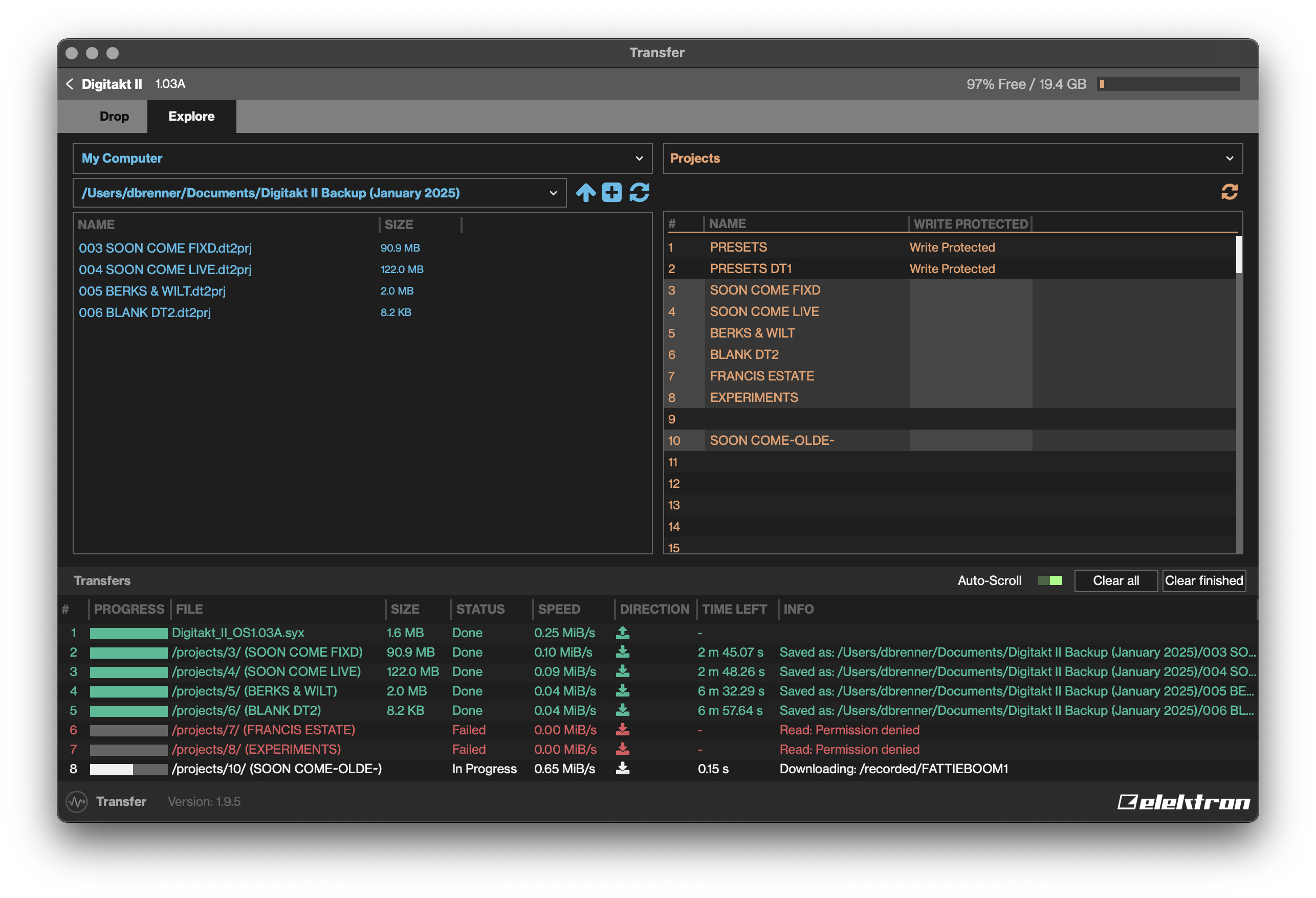
On the latest Digitakt OS 1.03A with latest Transfer v1.9.5, attempting to back up some projects results in a “Read: Permission denied” error. I believe this mainly affects previously imported DT1 projects, but I have no idea how to resolve it.
Just encountered this while compiling a list of still-unfixed bugs to submit to support in hopes that they’ll be addressed whenever the next update is released.
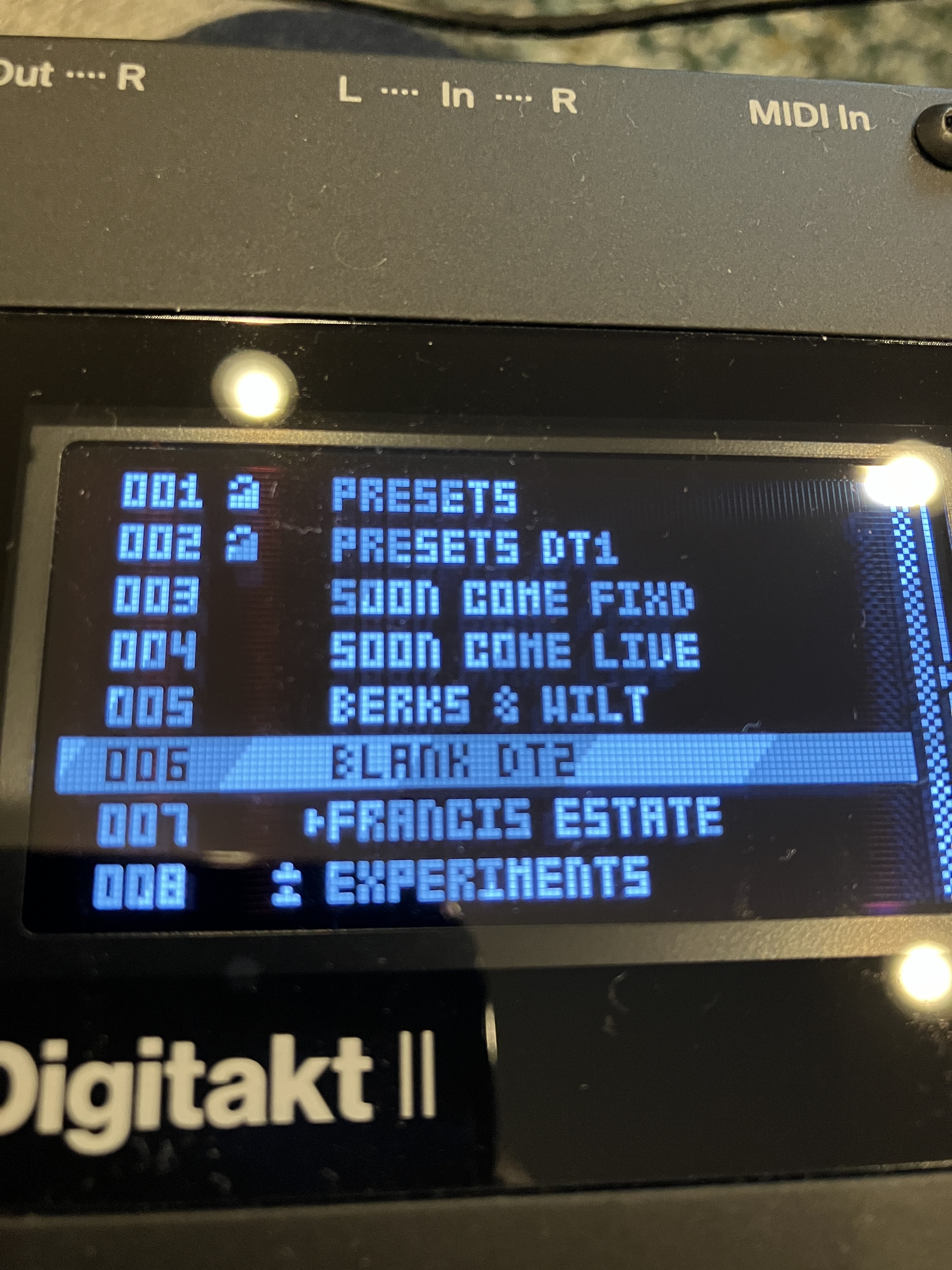
Interestingly, the projects that cause this behavior have this strange double arrow symbol next to them in the project manager, and I don’t see it referenced in the manual.
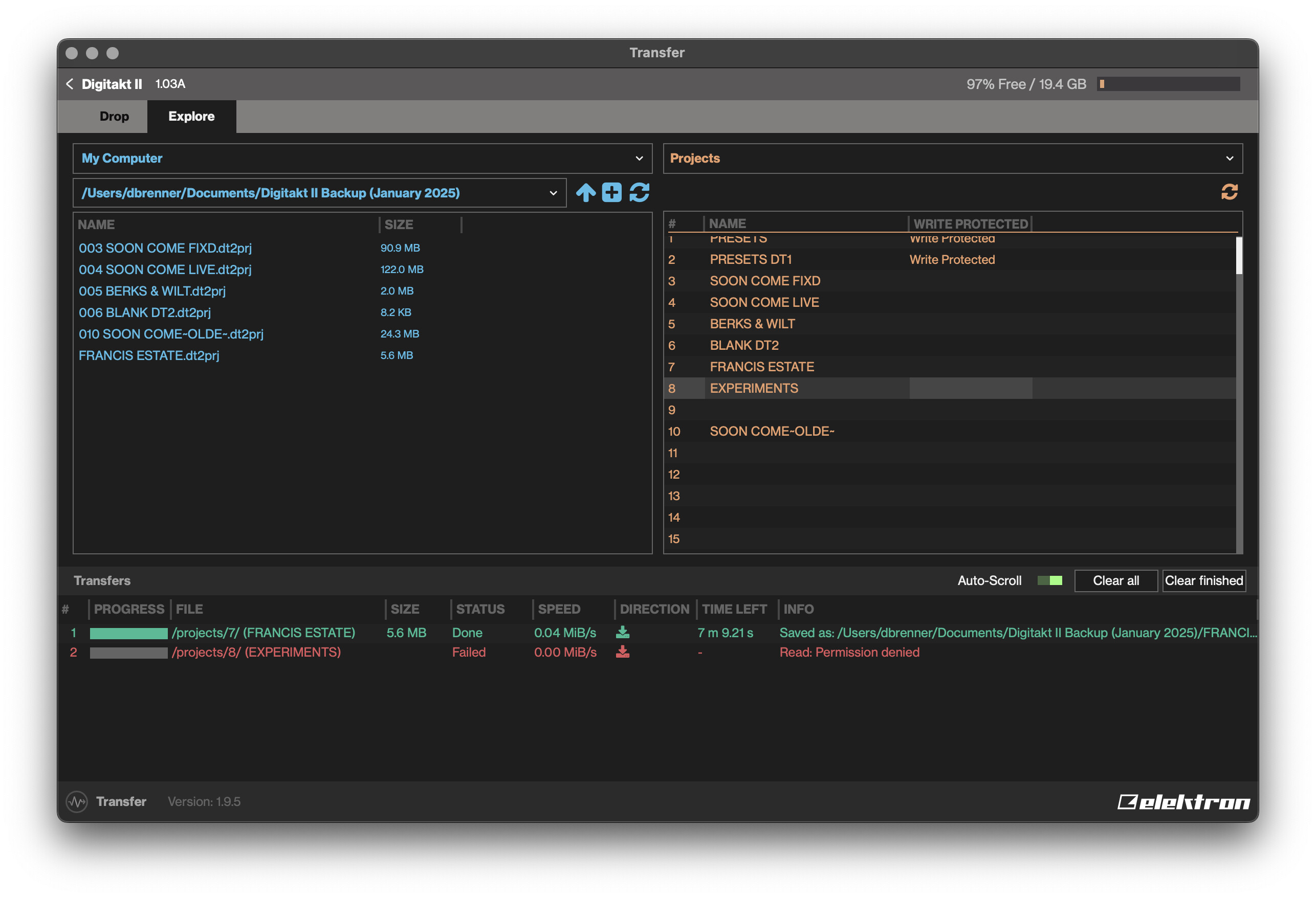
Resaving one of the projects to its same slot on the 1.03A firmware seemed to make this double arrow symbol go away and made it so that it can finally be backed up again in Transfer.
I had a suspicion this was the case, but couldn’t pin it down.
Are you saying that because the pattern didn’t fully play out (due to the Row Length setting) it is considered a newly played pattern if triggered again on the next row? If so, I think this might be by design as it’s considered a freshly launched instance of the pattern, but it has definitely confused me in the past.
I think this is working as designed (though it’s never been explained by elektron very well) and not a bug. I know it’s come up before in the forums though. DT1 projects need to be deliberately saved to complete the conversion to DT2.
Thanks for this info - I did search and only found one other (quite old) mention of this read permission error. I think because DT1 imports are such an “edge case” the related features don’t get as many eyes on them. I just stumbled upon the solution by trial and error.
Turns out you’re right, it’s just not well-known. Putting it here for reference (even though this is technically about the Digitone 2, I assume it’s the same process):
Basically, you cannot back up an imported DT1 project until you re-save it in place and officially make it a DT2 project. It’s strange that the import process itself wouldn’t make it a valid project, but this seems to make it work again.
The random feature for MIDI CC Select page is not reasonable. If you accidentally press FLT\AMP + yes on this page (instead of adjacent MIDI CC Values page) you ruin midi mapping with external device.
Not really a bug but I found out today that folders can contain up to exactly 1998 samples when I was trying to organize them. Seems like an interestingly specific arbitrary amount. 1998 is the year Elektron started and how many 25th anniversary editions were manufactured.
I’m trying sample from the direct analog ins on the Digitakt 2 and once I assign the sample to a track, all sound goes away. I can’t hit any track and hear anything until I reboot the unit…
What I am doing:
1 Running audio straight from eurorack into the digitakt 2
2 setting threshold in the sampler so that it records when I hit play
3 Hit play, record sample and stop once done
4 Assign it to a track when asked
After that, no audio whatsoever from the unit until a hard reboot.
Just started checking out page looping (Grid Record mode. Hold ‘PAGE’ select which pages you want to loop). Is each track supposed to be able to loop independently? Because it sure doesn’t.
I was checking to see if I could copy page 1 to page 3 and 4, set page 1 and 2 to loop while editing page 3 and 4. Then, set 3 and 4 to loop. Editing a track while it’s playing. I do this a ton on the TR8S and was really hoping this would work on the DTII.
The above works but when I go to a different track and start looping different pages on that track, it gets all broken. This is with ‘Per Track’ track length set.
I can’t find the manual entry when I try to find ‘Page Looping’ and I’m not sure what the official name is.
So, is this known to be screwy or is it can you only do page looping on one track or have all tracks have to use the same page loops?
Hope it’s a well-documented bug that gets fixed in the next firmware update along with the song mode bug. Was hoping to start using that as well.