I guess that you can then use scenes to reset the timing? I wonder, if you have a scene with patterns of different lengths, when does it advance to the next scene? At the end of the longest pattern?
Also, at the start of a scene, all patterns start from step 1 correct? You cannot offset patterns in any way?
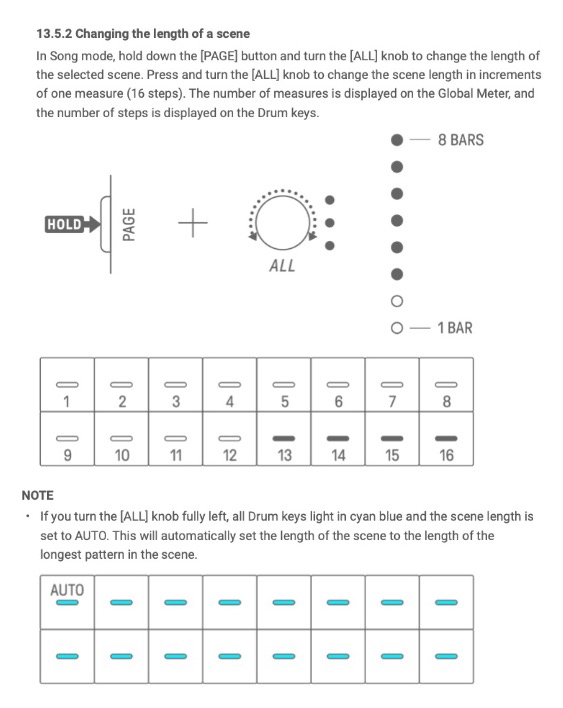
Maybe I’m missing something, but it seems to play through the length of the longest pattern before changing to the next scene, even if that longest pattern is muted, but even with all patterns set below 16 steps, it won’t go lower than 16 steps before changing.
All patterns start from step 1 at scene change/launch - I can’t see any parameter that would change that.
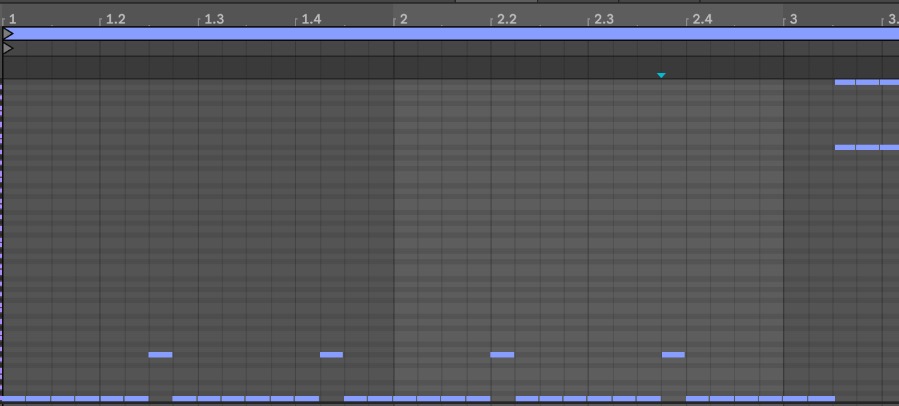
Attached shows where synth 2 is set to 7 steps long. Every other track is muted. All drum tracks are 8 steps, DX is 16. Synth 1 set to 34 steps - that being where it changes scene.
Totally agree with this. I can never understand the complaints about this not having a screen, paired with an iphone it’s a pleasure to look at - compared to junky screens that many other grooveboxes have (MC707 etc), this is a great solution rather than increasing the price of the unit and adding a sub-par screen.
I did miss something: there’s a scene length parameter (I couldn’t find this as a parameter in the app). It’s set to “auto” by default, which shows in cyan the calculated bars+steps.
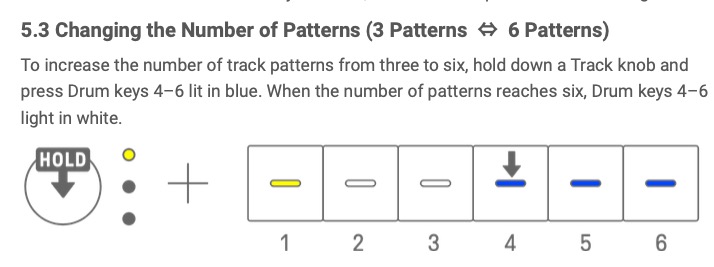
Each track also has up to 3 sequences that you can mix and match with the other tracks. There’s an “all” knob that can change them all at once. I’ll have to double check since I don’t have it with me, but you may be able to reset everything to start by switching all sequences with the “all” knob. I do this quite often but haven’t tested with polyrhythms
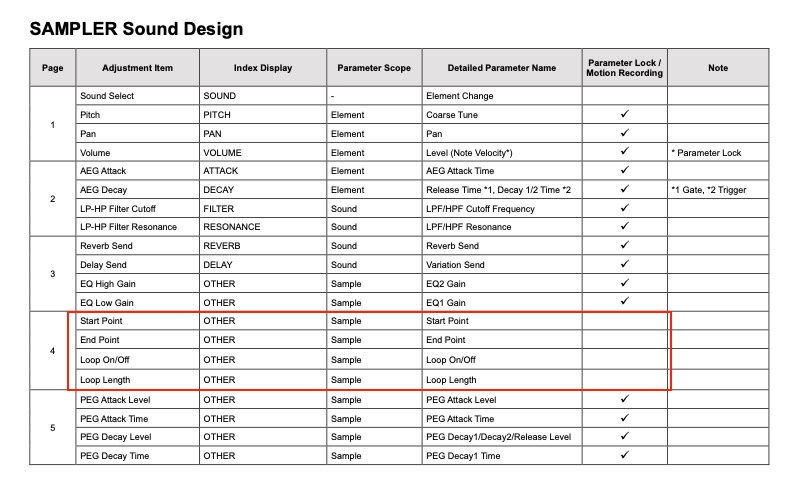
It seems it’s not possible to parameter lock the start point of a sample. There also isn’t a slicing mode. So what would be an option to split a sample or use different start points - copying it over?
yep, not possible and confirmed in data list document. Real pity we can’t do start/end/loop with AWM2 and user samples, but, as you suggested, you could select the same underlying sample for multiple sample keys with different start/end and looping (made much easier using the app!).