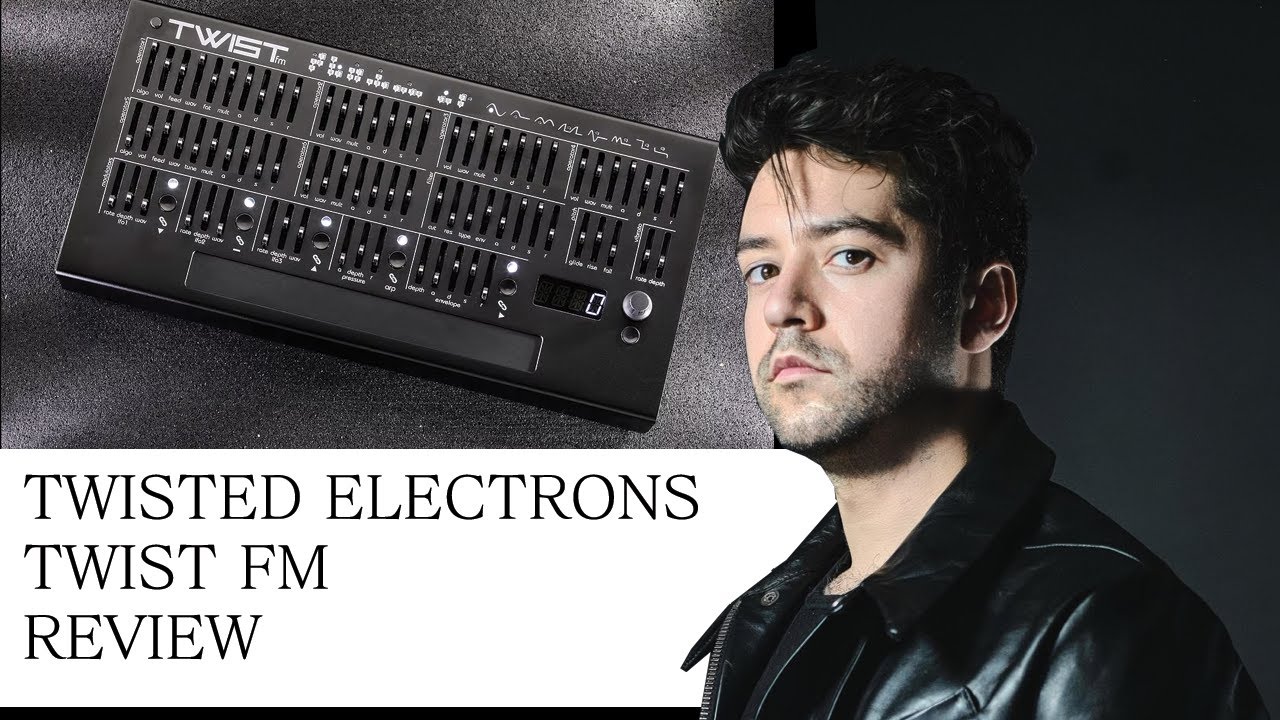
Sorry for late response, somehow I missed you asked this.
I like it a lot and it is my go to music gear at the moment. It has a lot of character and the available presets are all very nice and inspiring. I have used it with an OXI One, Torso T-1 and a Keystep pro and even my silent piano but the latter was not the best controller for it wish I had an MPE controller to really make it shine.
I have still to try and create my own sounds on it. So far I have only tweaked the presets but I enjoy that a lot but feels like it’s very easy find really nice sounds on it. Just watched about half of Cuckoos tutorial and it’s a great watch. Some of the patches are a bit noisy and seems to be that the volume is set very high and if that’s not desirable just lower the volume a bit. But overall it’s not noisy if you don’t want it to be.
Can’t recommend this synth enough.
Edit: The part about some presets being a bit noisy I believe is because of the added Heat to the filter and is explained how that works in Cuckoos video at 23:10
I made some jams with the TWISTfm and added them to a playlist of anyone is interested. Not promising any musical quality but you can enjoy the sounds of the synth
Most of the videos also have other stuff like effects added or drums.
Such a shame this one suffers from the exact same issue the MegaFM has, which is the fact that once a preset has been recalled, its impossible to “see” where the parameters of a patch are set to exactly. Ironically enough, I find using my MegaFM easiest when used through another device, like Maschine+ which can show all the parameters once edited through its UI…
I dont know if the same option exists on the TwistFM and its not a perfect solution, but the MegaFM has a Parameter Pickup mode that I use a lot for this.
From the manual:
“Parameter Pickup
This function allows the faders and knobs to update the synthesiser only when they have first reached the preset value. When Parameter Pickup is enabled, the LED screen
will indicate if the preset value is higher or lower than the current position of the knob by use of 2 lines at the top or bottom of the display. Once the preset value is reached,
the lines will be replaced by numbers and the synthesiser will update.”
Yes that would have been nice but not sure how that could have been implemented? Maybe if it used rotary encoders with lights representing the value but I think the device would have to be much larger for everything to fit. Maybe there are other ways but hard to see how?
You can however make the TWIST adjust a loaded preset to adjust to how the faders are set at the time. From the manual:
"Panel
This function updates all fader-controlled parameters to match the current positions of the faders on the panel"
Havn’t tried that yet but seem like it could be useful
yeah, the Panel function is great when you want to start patching from scratch… but not helpful at all for recalling presets…
Just a reminder how an UI which uses a screen and endless encoders still has its merits I suppose. Knob or fader per function is a lovely idea until you add presets into the equation…
What difference does it make if you match controllers with the patch values via Maschine or via panel? It’s the same thing. If Maschine could save the whole patch and then send it to synth that would be a different story.
I wouldn’t call it an issue, I see it as part of the concept using twist, like others have their limitations, or different workflows.
I knew from the beginning on, that the Twist does not have this and it did not bother me at all when I noodled with it recently. For me it is more about “what you hear is what you get” and happy accidents when you move faders to find out what it changes and personally I am grateful that I do not have to look at a screen permanently. I totally understand others find it very useful in other scenarios, but for me it is not needed. Choosing Algorithms and Waves have a little light each when you move faders though (edit: and visual feedback of LFO rates and waves, Filter types and cutoff/reso values, of multis, …? ).
So far I find it surprisingly fun to use, a whole different experience of creating sounds compared to other synth I owned. It actually helped me a bit to have more fun and make more music recently and that’s a good thing
Maschine can indeed do this. Just save a lock state, and trigger it once your project has loaded. OTOH if its a static configuration, you can just as well save the sound as a new preset, easier to pull up without Maschine that way. Both methods are useful
1150€ for a poly FM synth with super comfy fader based UI, 8 voices with 2x YMF262 FM-Chip and YAC512 Stereo-DAC, analog filters with 15 modes including phasing filters, drive, 2 reso modes (soft and raw), sequencer, arpeggiator, stereo out AND in and a great sound is putting people off
who buy a Digitone 2 for 1000€ or spend 2,3k for a TE OP-XY ?
Maybe my standards are completely off, because I already can’t understand the complaints about the price of the ARTEMIS, but what do I know in this crazy world…
I have one and I love it! There has been an additional sound pack added that you can download for free from TEs website and @cuckoomusic made a great pack you can buy for it as well.
The Artemis price makes sense to me as it’s around the same price I payed for my Abyss when it first came out, yet the Artemis has more going on.
I loved the Digitone it was my favourite synth until Digitone II blew it out of the water.
Could someone point me to a clear explanation / demonstrations of the possibilities of layers feature / OP5+OP6?
Oh, so it’s probably just two additional operators within the main timbre right? They just don’t interact with the main 4-OP algo and are independently mixed in to the audio path? Plus the ability to send arp to only one layer or something like that?
@InternalVoice Could you please rename the topic? Twist → TWISTfm
 wish I had an MPE controller to really make it shine.

 ).
).