Hey everyone,
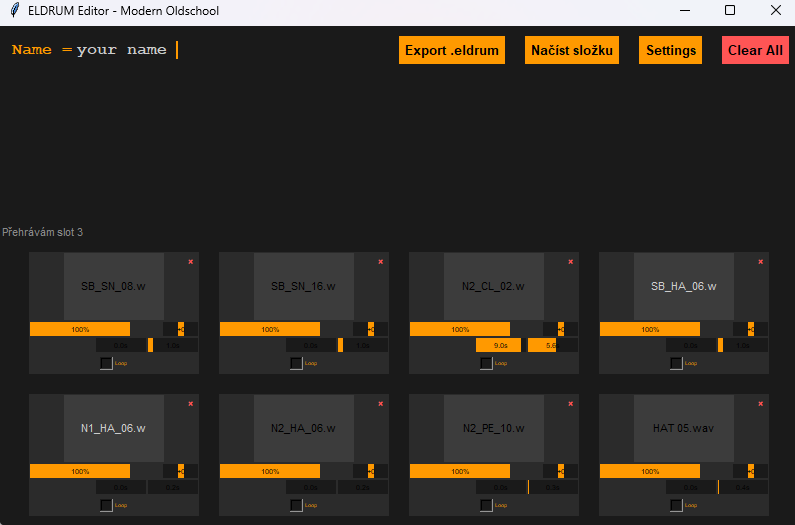
I’d like to share a small tool I put together with the help of AI. It’s a simple app for building sub tracks quickly — drop in your samples, adjust the levels, name the kit, and set the folder where the samples and the .eldrum file should be copied.
Some parts of the GUI are a bit rough or not fully functional, so apologies in advance. It still does what I need, and I don’t really plan to develop it further, but I figured it might still be useful for someone here.
Feel free to tweak it, break it, or improve it in any way. If it helps even one person speed up their workflow, that’s good enough for me.
/i forgot to rename, ‘‘Načíst složku’’ its load folder, wtih sample to automatically fill slots from.
/in the settings, copy paste your choosen destination for subtracks. samples v 1.3.py (23.3 KB)
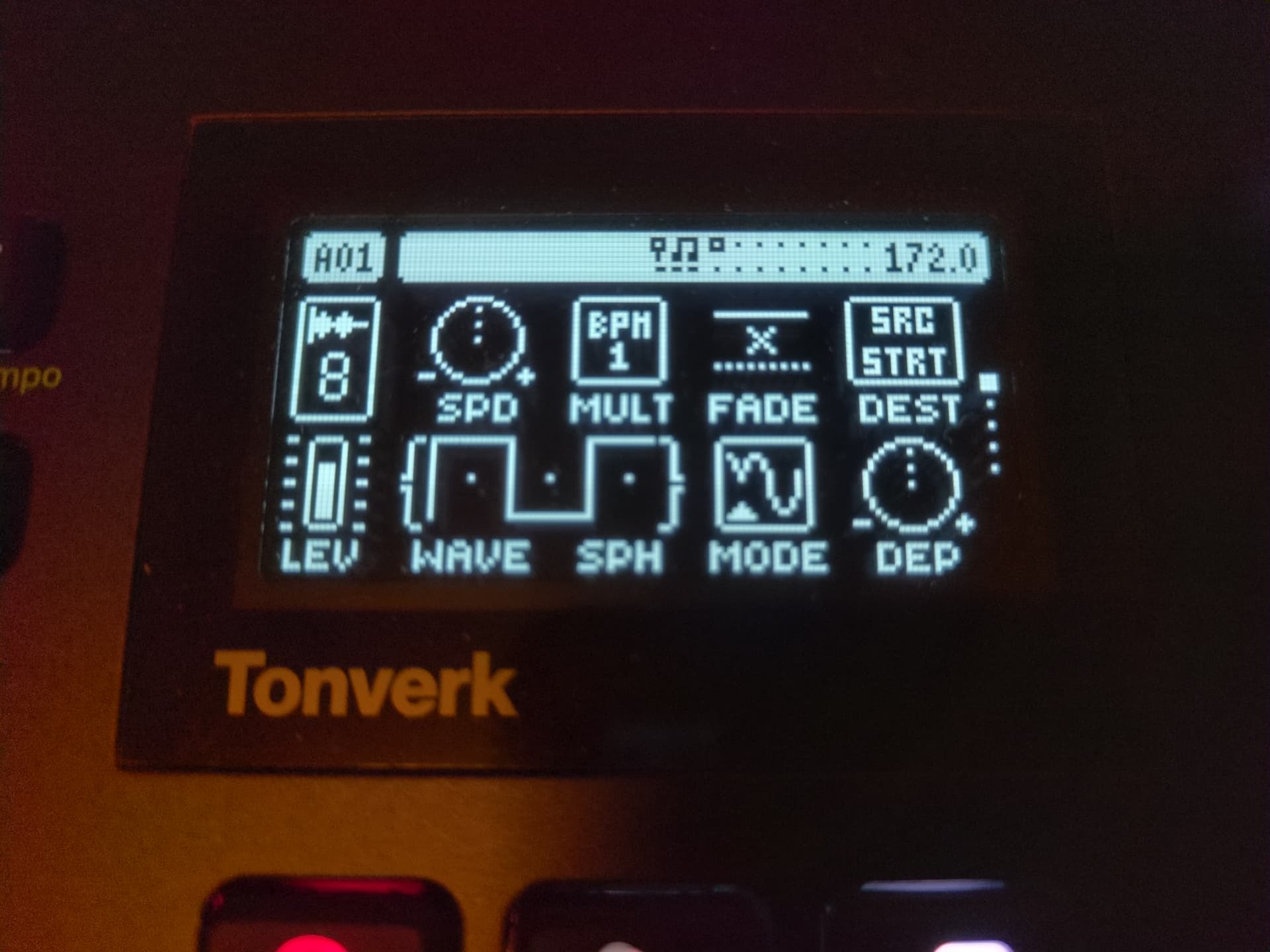
OK the following settings work nicely on a precisely cut 172 bpm drum loop for time stretching. The settings really depend on the length of the loop/number of bars still, so you may want to play around with the following settings.
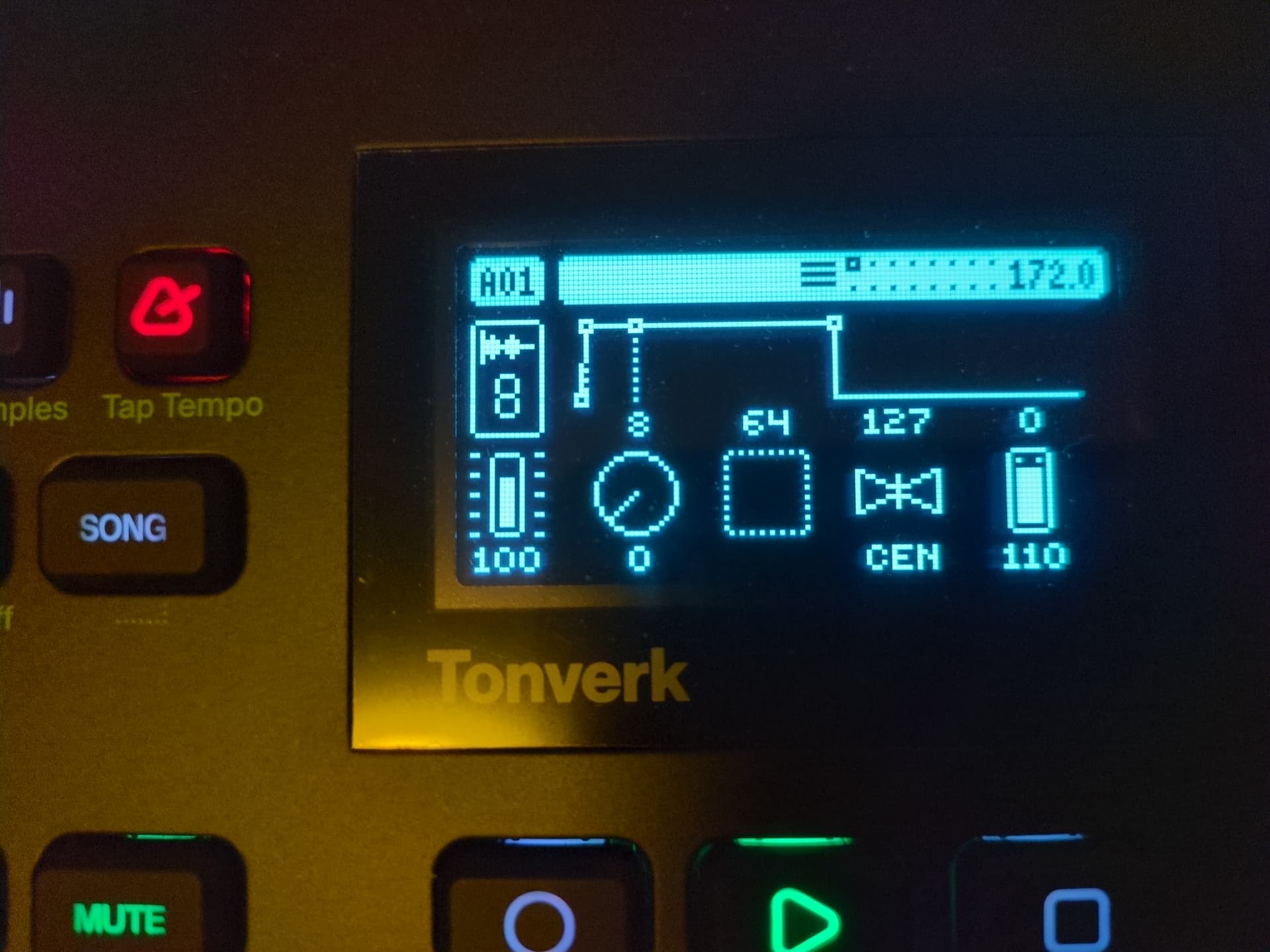
In this example, LFO1 moves the playhead through the sample/drum beat on behalf of a RAMP waveform, with trig mode set to HALF. the combination of SPD and BPM is chosen to be 32 if multiplied. This is to ensure the ramp waveform doesn’t flip back to a zero position too early.
By parameter-locking LFO depth, it can be determined which slice to trigger. On precisely cut loops, this will allow for more or less sample-accurate triggering of a designated slice. pops and clicks can be minimized by tweaking the AMP.
This is just one way out of many possible ways to realize a “grid” mode on current TV fw 1.1.0 (and will work on dt/dt2 fwiw).
It is kind of cumbersome to set up initially since LFO depth snaps between values -128,0 and +128 only but once done, the order of slices can be rearranged more or less easily. LEN on the trig page determines a slice’s size, so of course it’s possible to use less trigs.
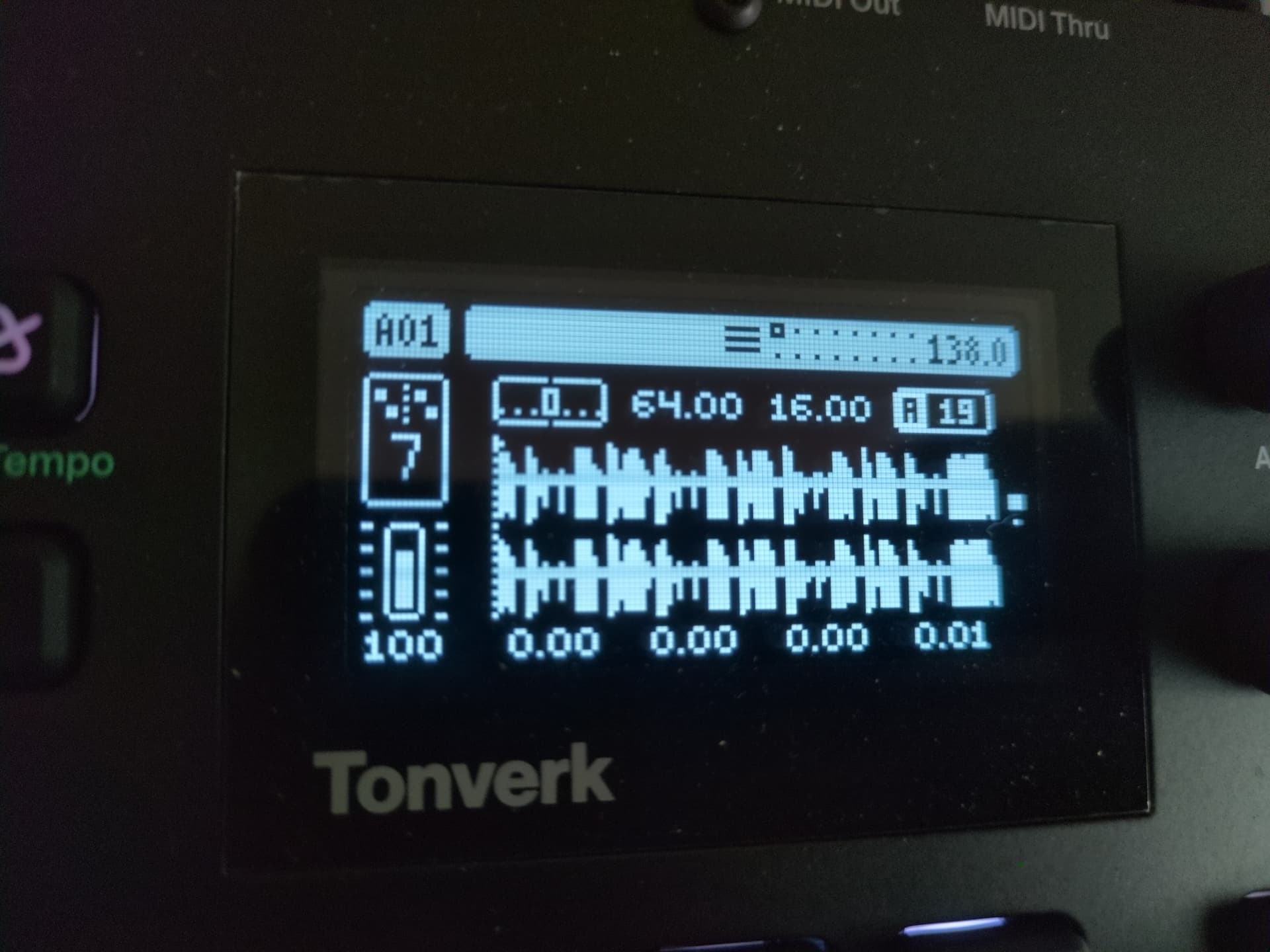
Here’s a little 120BPM 1-bar loop for testing/demo purposes, which was resampled/precisely recorded on the Tonverk. I’ve wanted to have one to mess around with using the LFO-pseudo-grid trick mentioned above.
Here’s the loop for download:
The loop was then loaded into a Single Player instance and LEN on its TRIG page was set to 1/4. The LFO was set up like mentioned above (SPD:0, BPM irrelevant, WAVE irrelevant, MODE: TRIG and DEP: 0).
I then started by setting trigs 1, 5, 9 and 13 and parameter locked the above LFO’s DEP on each step.
step 1 → 0
step 5 → 32
step 9 → 64
step 13 → 96
This triggers the loop as if it was played normally (see for yourselves on the SRC page while playing the bar and don’t forget to adjust the AMP envelope). I’ve made a 4 bar loop out of it and added a few trigs in between and changed the LFO DEP on subsequent PAGES.
The result is nothing too exciting as I didn’t want to go too crazy so it’s supposed to serve as a simple “proof-of-concept” only
Hope you’re enjoying this little workaround until slicing/grid slicing is hopefully gonna find its way into a future firmware update by official and less cumbersome means
I’m not sure I’m following you all the way for this trick. What’s the advantage of using an LFO rather than just p-locking sample start times? Sample start times even snap to 1/4 (30), 1/2 (60), 3/4 (90) values of the total sample length.
Oh alright, I had no idea to be honest
Thank you for pointing it out!
I was so excited by having figured it out all by myself (I’m sure my mom would be super proud if she understood) that official implementations of grid slicing are most likely implemented using an LFO as well ;p
If sample start times snap to certain timing values, that’s even better
Now if lfo depth could be rounded to certain values, it could have been used to randomize the slices to trigger and I was seriously considering requesting a new feature but then again, it’s probably not on the wish list of too many people
Unless there is a way in combination with lfo2 or an env that isn’t obvious to me yet.
I was just sitting down, trying to reproduce it. Where and how do you make sample start snap please? I was assuming you’re talking about parameter-locking it directly on the SRC page and held down FUNC while changing sample start but it did not snap to any value (firmware 1.1.0).
Iirc, you have to press and turn the knob for sample start on the SRC page. Might also be it works with FUNC+turn, but only on the grainer machine?
Edit: Just tested this. Snapping with FUNC+turning the position knob indeed only works on the grainer machine, not in subtracks or single player. Weird.
ok thank you for checking. I’ve also quickly checked on both a SinglePlayer and a Grainer machine and while snapping does work on both of them by holding down and turning the control, it only snaps to full decimal values which are not necessarily beat-aligned. To my understanding, if they are, it is by chance. I’d be happy to be proven wrong since plocking src start on a beat-aligned grid was less cumbersome in comparison.
So after all, creating a grid using an LFO, following the approach mentioned above does work because it is aligned to beats. I’ve tested and verified it does work on both a 172bpm beat and a 120bpm beat with different step lengths and step count each. If you’ve got the chance, please let me know whether plocking SRC start on a beat-aligned grid works for you.
It’s not by chance, it’s by math
120 is the maximum value for sample length on the TV. 60 starts directly in the middle of the sample length, 30 at 1/4, 15 at 1/8, and so on. If your sample is precisely on the grid for wherever BPM, you can p-lock any division of 120, and it will be on time.
In case it helps, the approach I’ve settled on is to use Subtracks - you can treat each subtrack as a “slice”, and use the LEN value to set the right beat/ bar value you want.
So, for example, if I use the same two-bar break on each subtrack:
I will set the LEN parameter for each subtrack to 15 (120 / 8), equivalent to two beats for each subtrack.
If you do this for one subtrack, you can then quickly copy-paste across the rest.
You can then go through and set the STRT value in increments of 15 (i.e. 0, 15, 30, 45, 60, 75, 90, 105) so the break is distributed across the subtracks.
Sometimes I might set LEN on one or two of them to 20, so that they are three beats, giving more of that shuffled feel.
I’ve found this the quickest and easiest way so far, compared to using one of the other machines.
You can of course use different breaks on each subtrack, set LEN as needed whether it’s a one-bar, two-bar or four-bar loop, and then parameter lock the start time as needed on each subtrack, which is really fun.
I parameter lock different triggers for a single subtrack with a loop wav to create a bunch of variation within the same looping sound using the divisions of 120 length thing and it works, though if my loop isn’t lined up to the grid timing I still have to get better at using loop position and start/len parameters to get it properly on grid because adjusting the micro timing of the trigger often doesn’t get the loop as on-beat as I’d like.
I do get why people want that but would appreciate the slicer being assigned to a single subtrack with a choice of round robin modes. That would be the hot stuff for me, but I’m not really from a musical background where I use a lot of sliced breaks or anything so mostly I’d just see that as a shortcut to generative fun.
Hi, I’m sure this question has already been asked, but I can’t find the answer. I understand that I can create my own kits of 8 sounds to use them on a subtrack track — what’s the process? Do I choose 8 sounds from my library, put them in a folder, and then move that to the SD card? Thanks.
You can do that on computer, you need an edrums file. I use this nice tool thanks to @metropolis_border , ( https://kit-constructor.netlify.app/ ), and you can do it in the Tonverk itself, by choosing individual samples.


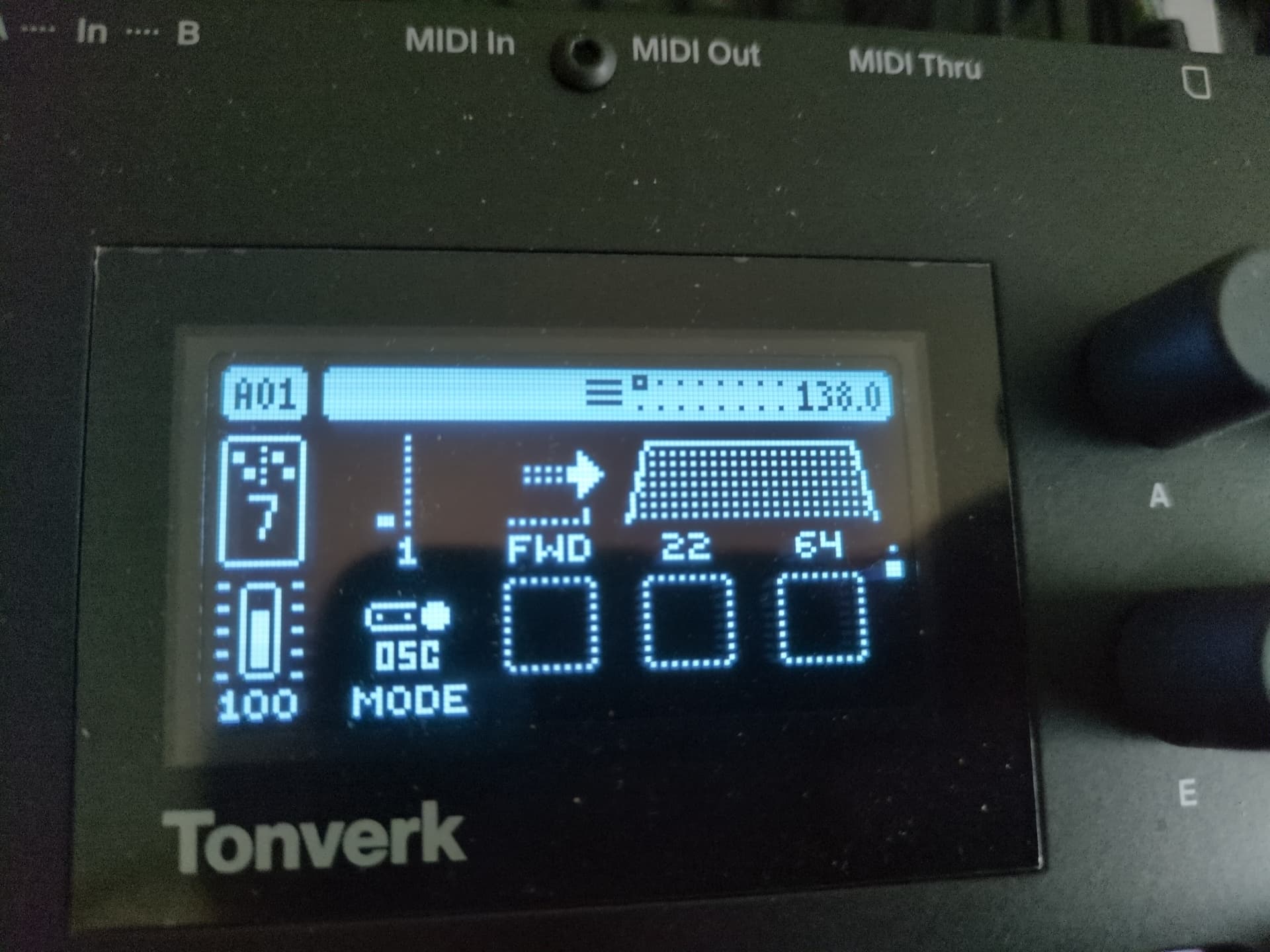
 , here’s one possible way for slicing a drumloop into even parts using an LFO on a single player (aka “grid”).