It is:
- the latency of notes played by the TV sequencer when TV is synced to external MIDI clock
- the latency of audio when routed through the TV‘s audio inputs
- the latency of notes when triggered from a MIDI note
It is:
No. Depends if master, slaved, audio routing. Midi notes may add around 1 ms…
Some measurements :
Best way to connect/synchronize Tonverk and Digitone 2? - #15 by sezare56
I’d also check the lag on any multi samples … though not technically latency in the ‘techy’ sense , once it’s easy to edit the start points of those auto samples I’ll be editing most of them , esp bass / plucky sounds
Yes I know there are settings for when it’s being captured but I did a quick test of the numbers in the multi file and the actual waveform data and they will definitely benefit from a bit of editing .
Pads and evolving things sound ok , it’s not so important .
Also seems relevant no matter which tool I’ve used for auto sampling ( hardware / software )
Is there still no way to preview presets when using file menu? How did this get past QA? 
Is it possible to stream 4 mono tracks from a daw into TV over usb and then have each of them out of the 4 TV outputs (A/B/C/D)?
No. There are only two inputs.
And I don’t think it can take USB as an input yet.
Thx, I missed this!
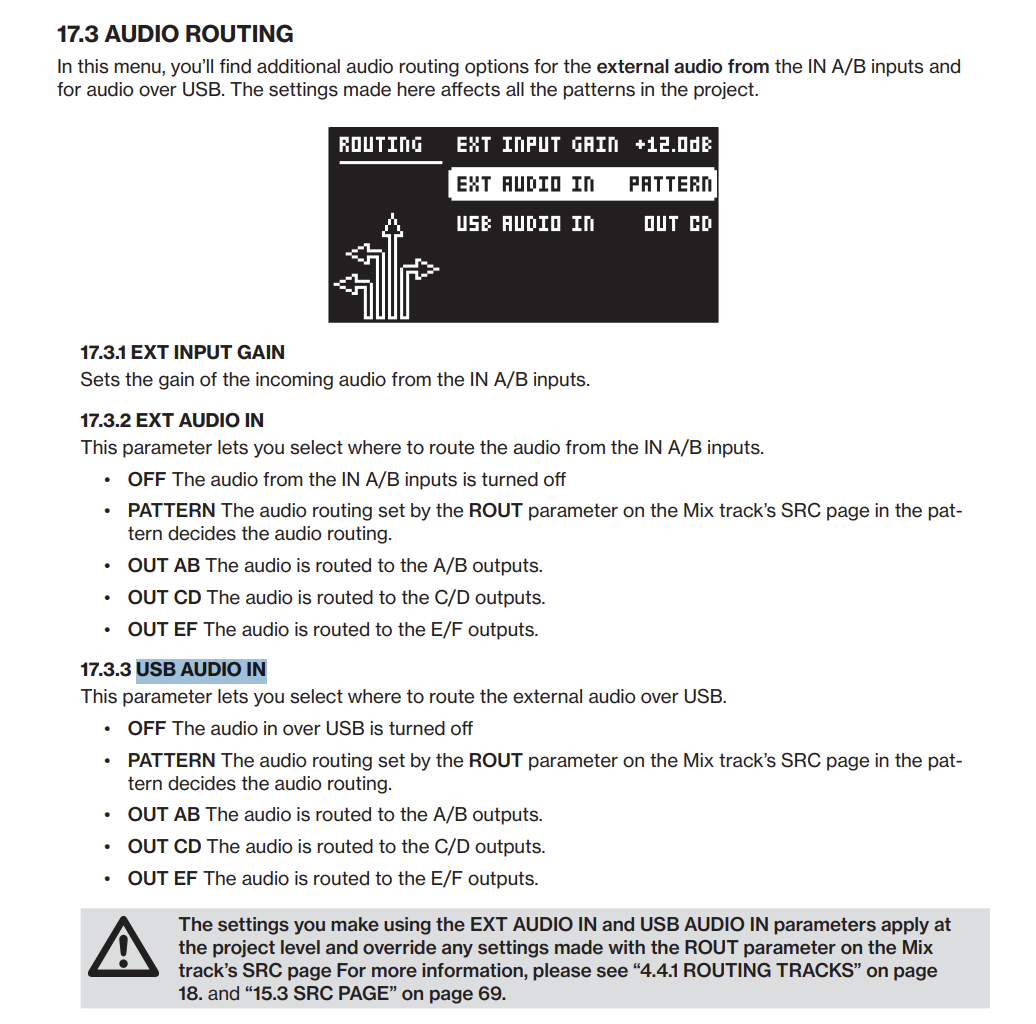
2 USB tracks and 2 audio inputs IN AB.
They can be assigned to outputs AB/CD/EF or to busses and tracks via MIX TRACK SRC page. (PATTERN routing).
But you can’t process that 4 tracks individually with FX.
2 individual tracks max for processing.
The 4 inputs can be mixed together.
No way!!! I got to check this, it’s very interesting!!
I assumed it was either/or.
Awesome!
Is there a way to load a sample, trim it using start/end position and then save it to a new sample file?
Think you’d need to resample it.
Update… while on the Midi settings screen save the project by pressing Function and cogwheel and that fixed my problem. Thank you
Is it possible to somehow toggle the Pattern-select-view, so i dont have to hold the Pattern button?
yes just a single push on pattern button
Yes, but after the patternswitch it doesnt stay on that view. I was hoping there was a way to keep the Patterns in view for quick switching.
ah yes , not that i know, would be useful in instant jump pattern mode
I think it’s been discussed on other gear , the workaround was putting something heavy on the button or shoving a guitar pick in the gap between the button and the case
So it doesnt exist on any of the other boxes neither? I thought it was just another weird TV thing.
Yes, thanks then I probably have to tape the button or 3D print some cap that hinges or smthng
Or use mutes instead of patterns
Or prog change from a controller?