How does one create a project BTW? I dont see it in the settings menu, which is typically where Project menus lie on my other Elektrons…
I have been poking around at the project file format, and what I have found so far, is that the project is dumped to a .sst file (Sorted String Table) which at first I thought was a Google LevelDB file, but on further inspection it is a block-based compacted RocksDB file.
I’m guessing this is rehydrated to memory when the device loads, and it stores all the project data as key-value pairs, all file paths for everything in the project is in there too - so moving/renaming samples/presets is absolutely going to bite us in the ass if we try to do that!
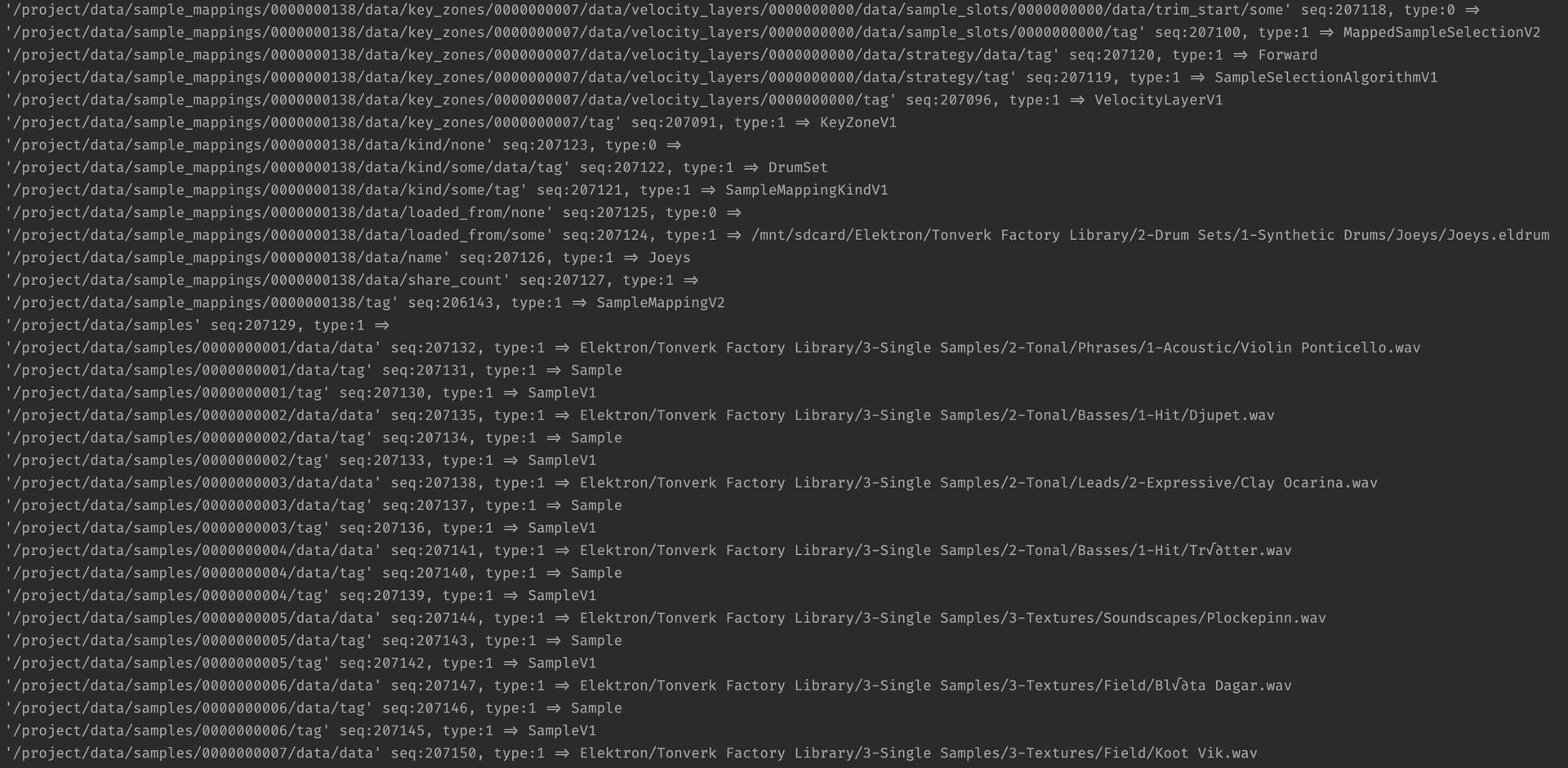
The version of RocksDB on the hardware looks to be 8.1.1, and I couldn’t get that version running on my mac, v10.x can read the sst, but complains about dumping it back out - and I wasn’t able to get a modified version to be recognized by the Tonverk so far; I’m sure there are smarter people than I who can re-compact the database export into a readable format!
Hopefully we’ll get either an update to Transfer for project management, or even a tool from Elektron specifically for the Toneverk.
Although I think what I have so far with just from being able to dump it to a readable format would be helpful to gather a projects supporting files for backup purposes, they’d just need to be kept in the same folder structure as what is in the project file.
Edit: All in all, some much more third-party friendly formats than anything Elektron have used so far - very nice stuff.
5 Likes
Ok, so poking through the SD card data I see the files associated with samples/multisamples/drum, presets, and projects. Where is the pattern data stored? Is it inside of the project data files?
It is, on the earlier boxes. So probably on the TV too.
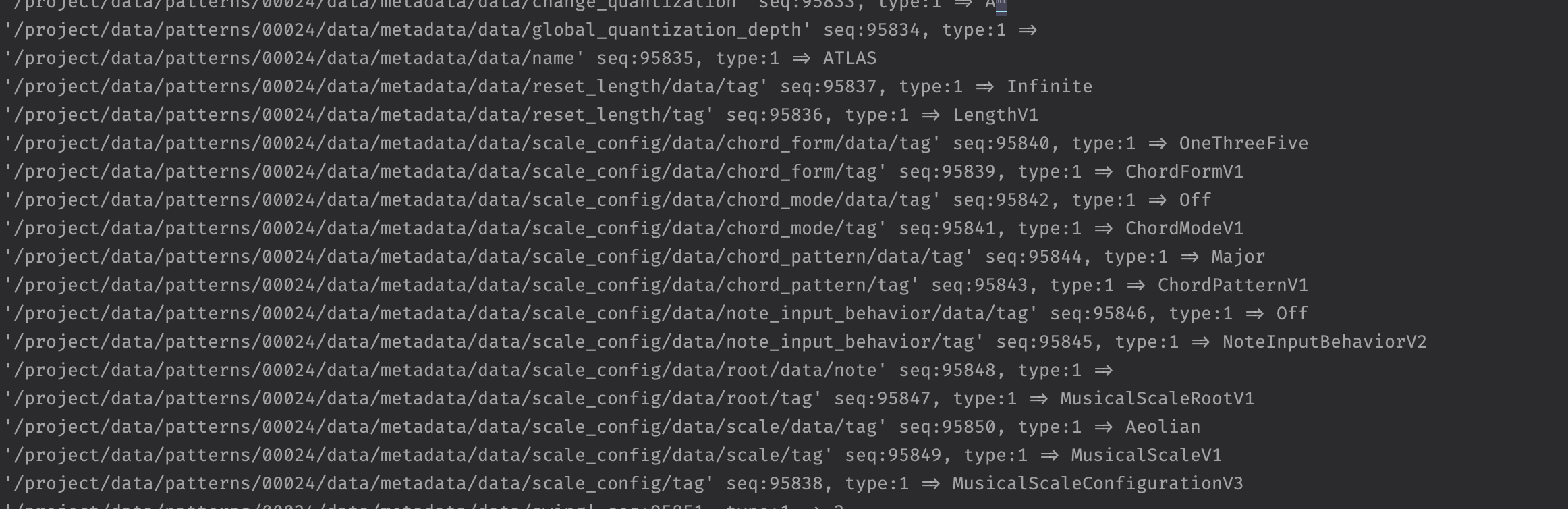
It is inside the project .sst file.
Here is part of the factory pattern data for the pattern named ATLAS.
3 Likes
Can you say more about what exactly you did? How did you get the sample into the TV, via the SD card or analog in? How did you get it back out?
Ok, so I really need to set up the toolchain to read those files then!
Sure. It was the same white noise sample I made for the Rytm freq response tests. a 16bit 48kHz mono file with a couple seconds of white noise, normalized to -6dBFS. Copied to TV’s SD card and replayed through USB audio into Ableton. I matched the peak levels of the sample with the incoming TV signal (had to max out most of the gainstages on the TV end to get peak levels close), recorded switching to both channels on-off a couple passes, and inspected the resulting audio in Izotope RX
Interesting, thanks. I’m still trying to understand the readings on Izotope. Do you know why True Peak and Sample Peak are different in the original sample?
Also one obvious difference is there seems to be a DC offset in your original file, which is gone in the processed sample. Could be enough to explain some RMS differences.
Will we be able to easily share our multisamples done on the tonverk?
It would be nice to be able to trade multisamples with fellow users. I.e I multisample a load of my syntakt sounds and someone does the same with the digitone II and we trade… I may have laboured the point 
4 Likes
DC offset is measured in percentages… doesnt look all that major to me…
Diskspace will be the biggest hurdle. You need some online storage solution for sharing files in the hundreds of megs those multisamples would be
1 Like
Is this screenshot accurate? In market for a sampler and I like the idea of the polyphony on the TV but like, can I literally not make typical “sample based” music with it? I know it can’t chop but usually you can still do your basic sample functionality. To clarify this is not a complaint it’s a question. I know multisample stuff is still sample based music. I’m trying to figure out if the TV is just made EXCLUSIVELY for making multisample instruments
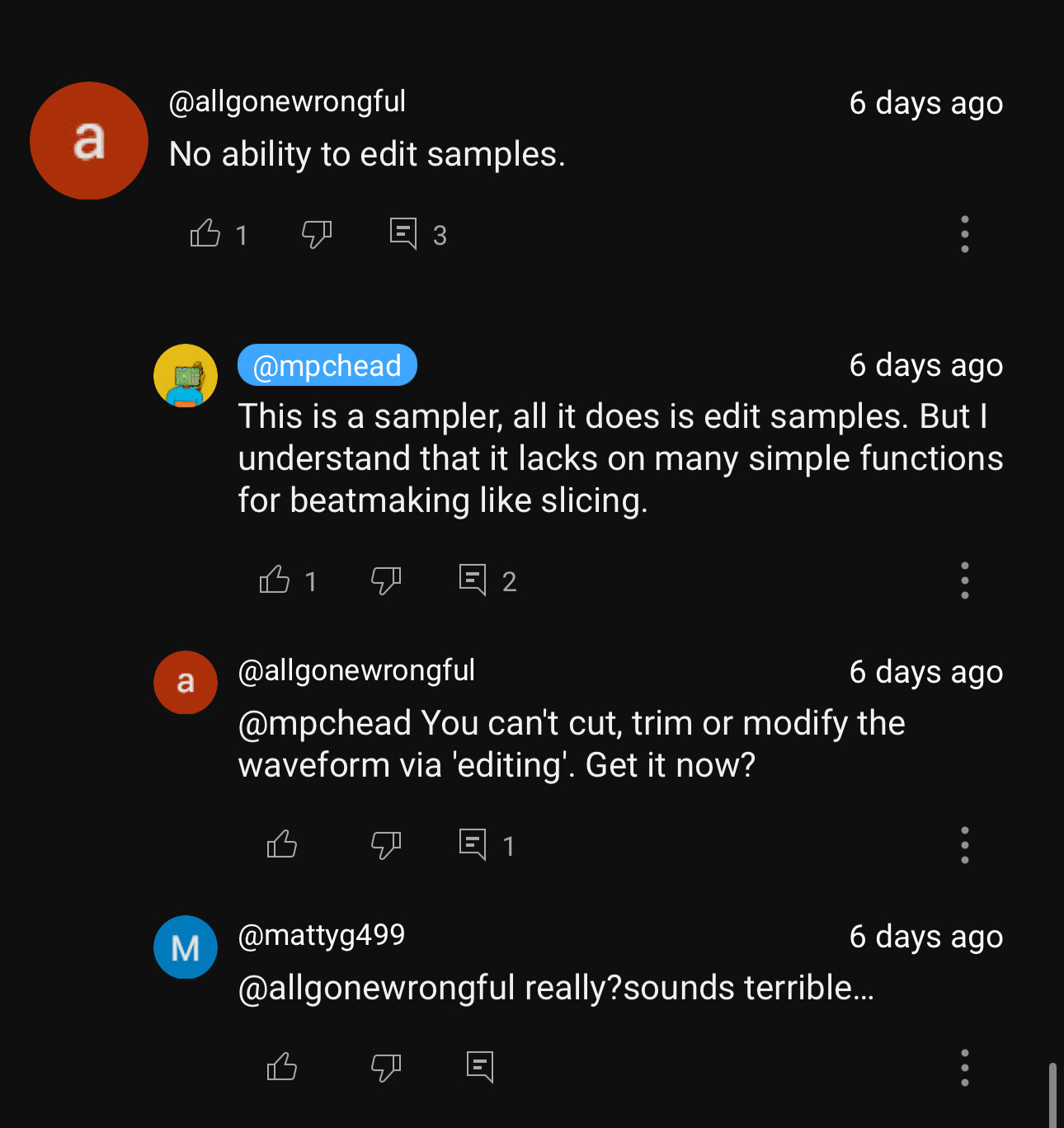
TV also has a single sample machine, which is quite capable. Sure you cannot trim your sample files, but you can edit sample start/end points, loop points and crossfades. You can even control them with LFOs and parameter locks… So typical sample based music ALA tracker style is very much on the table. You can make all that Jungle music on the TV the kids are into these days, and much more
1 Like
Oh okay brilliant. I thought it would be strange to not be able to manipulate samples at all. How is the resolution if you “chop” via p-locking start point? I’ve used octatrack which is 1-127. I believe DT has finer control
It’s in File [Func] + Preset
1 Like
Ah, true, for some reason I first read that as 11%, but it’s much smaller than that.
I’m wondering why.
i might be totally missing something, but is there a way to view the current multi player instrument on a track?
I am trying to figure out which preset are used on some of the Factory Patterns and i am not sure how to tell
Nope, not yet.
If you want to see what Multi Player instrument is used by a preset though, you can always open the .tvpst file in a text editor to see the source.
For example:
80S COSMIC preset uses the “4 Toys” instrument:
[[parameters.gen_multi_mapping_slot.key-zones.velocity-layers.sample-slots]]
sample = ‘/mnt/sdcard/Elektron/Tonverk Factory Library/1-Multi-sampled Instruments/1-Polyphonic Synths/4 Toys/4 Toys-000-038-d1.wav’
2 Likes