Has not happened again to this point. Will report back if it does.
@LyingDalai @verdurin yh checked both of these to make sure macos wasn’t hanging on. it seems to be fine and the files are transferred ok after a hard restart on the tv.
2 Likes
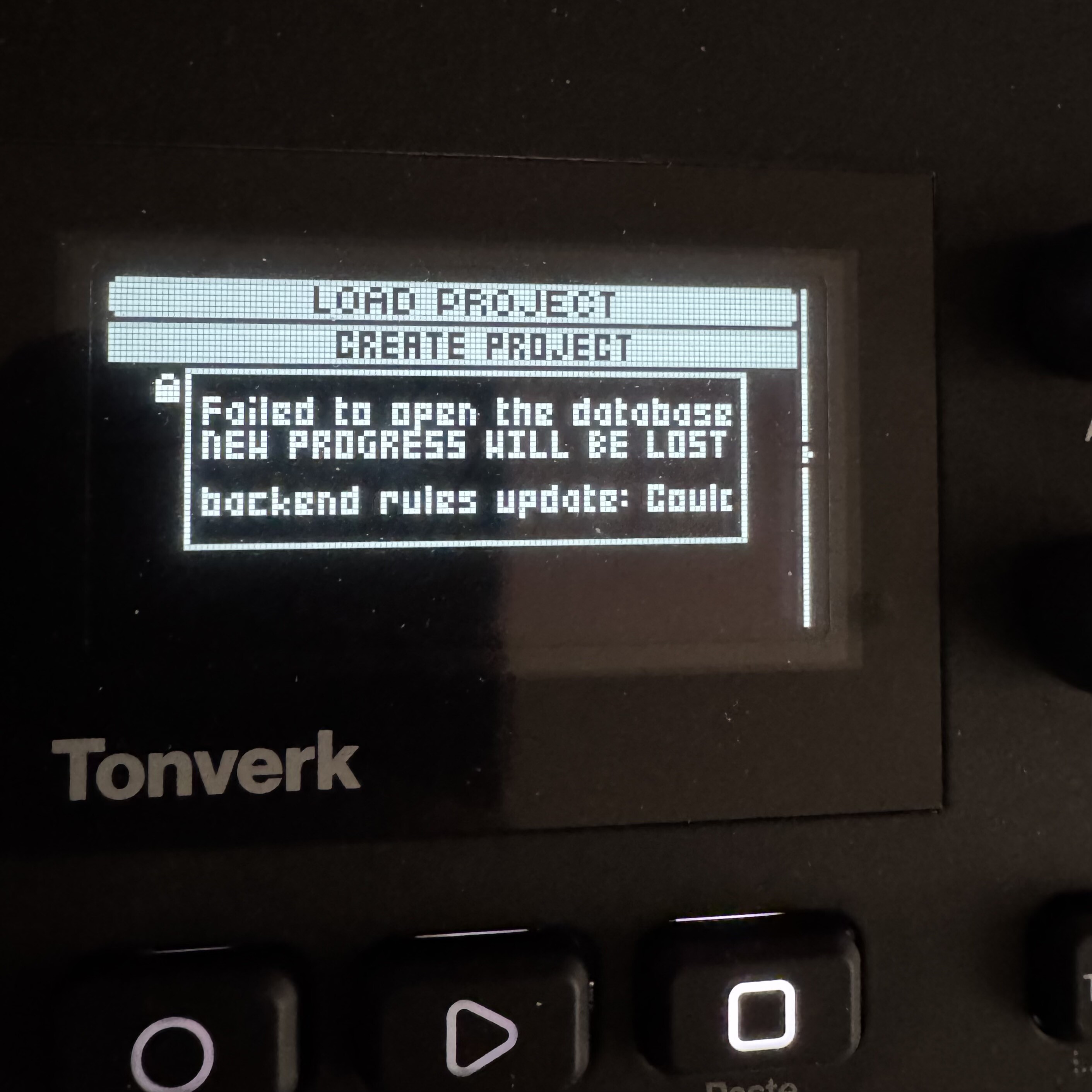
Has anyone seen this error? I can’t save or load projects, and I can’t get USB disk mode to work. I don’t know how to fix things—I don’t mind losing my work if I can just get it ti work again.
1 Like
Did you try to create a new project ?
Also check if the card is write protected.
Happened to a beta tester a while ago, after recording many notes with chord mode.
2 Likes
i just updated mine and have no issues with loading or saving projects
normally it would make sense to try to reinstall the firmware, but that can’t be done if you can’t go into usb disk mode
(edit - you can still try reinstalling the firmware by going to OS UPGRADE within the device)
are you using the original sd card? maybe try a different one if possible?
1 Like
I ended up loading the factory files from the Elektron website onto an old SanDisk SD card I had. Everything seems to be working again, so I suspect something may have been corrupted.
2 Likes
this may have been mentioned already, but i just encountered:
malfunctioning lfos on the subtracks machine
how to reproduce:
- start a new pattern
- on the first track, use FUNC + SRC to select the source machine
- select the the SUBTRACKS MACHINE
- select “ClassicBullet” as the instrument
- place kick drum trigs on trigs 1, 5, 9, and 13
- tap MOD to go to the modulation parameter pages
- on the first lfo, set the the MULT parameter to BPM 64, set the destination to TUNE, set the wave to EXP, the mode to ONE, and the depth to 30 or higher
this should create a consistent exponential envelope to the sample’s pitch
however, when you press play, the first trig of the pattern will play at a randomized pitch instead of being modulated appropriately by the lfo
it only happens on the first trig of the first playback (and weirdly doesn’t happen all the time - you may have to stop and replay a few times to get the bugged result)
1 Like
If I p-lock reverb or delay to a trig, I expect it to affect only the sound on that trig and then fade out.
But instead, it’s like the p-lock is toggling the effect on.
The first time I play the pattern through, it’s fine up until the first p-lock, then the reverb comes on and stays on, as if I had just turned up the reverb knob on the whole track.
Is this a bug? This is not how it works on my Digitone.
1 Like
I’d rather call it a different behavior…
Yeah it’s proper jarring. Some other FX settings on p-locks do the same so for the sake of safety if I’m making some nuanced changes with p-locks I have to always stick an extra trig down with all my params set to zero or the original setting for my patch which gets tedious. Would be handy to at least get a list of which params have this behaviour
1 Like
Are there any reasons you might prefer this behavior? For me it’s a bit annoying to have to use extra trigs.
Ask Elektron ! 
I think it should behave like other machines…
1 Like
midi cc assignment to fx parameters of audio tracks is either very confusing or buggy or both.
I put a Frequency Warper in FX slot 1 and really wanted to map the dry/wet mix to a midi cc but neither of the CCs 48-55 documented in the manual appears to map correctly. At first I tried mapping CC 55 (data entry knob H) but that appears to control C (SPH). So I thought, perhaps they have been accidentally swapped, so tried CC 50 (C) but that appears to control… knob B (DEP). Ok, I wonder what CC 49 (knob B) controls. Turns out it is knob D (LAG). which should have been 51 but that controls knob A. CC 48 (A) controls nothing it appears.
I will take some time and go through and file a report.
2 Likes
I’d rather use a midi monitor and check which CC is actually sent when you move an encoder.
In case my midi controller is buggy and doesn’t send the right cc?
No, just because it seems simpler this way. Manual CCs are wrong.
TV (AFAICT) doesn’t emit CCs on encoder changes so not sure how I would do that.
The mapping issues are different for different effects. CC 48 for example controls MIX for some effects, for other they actually do control knob A (degrader for example). For the COMB ± FILTER CC 48 Control MIX and DTUN.
Ok I think I have enough details for a decent bug report without going through every CC for every FX selection. I’m sure they don’t need to know every single CC mapping issue for every FX.
I can confirm that trying to control the FX parameters (Data Entry Knobs) via an external midi device is not working properly.
The Data Entry Knob CC mappings are different for each effect. For instance, Daisy Delay as FX 1: CC 51 (D) is actually CC 50 (C) / Whereas with Degrader on FX 1: CC 51 (D) is correct
It seems like it’s a bit all over the place for the FX parameters.
I’ve been setting up an Akai MidiMix to control the Tonverk and so far a lot of other mappings to the Data Entry Knobs are totally fine (Track Level, Trig Velo, AMP Vol, AMP AHDSR, FLTR Stuff, Voice LFO / Mod / FX Lfo Depth knobs)
If you’re curious about connecting a MidiMix to the Tonverk, here’s the steps:
You need some sort of box or converter (to DIN midi) to make this work.
I’m using a CME H4 Midi WC.
So it’s: Akai Midimix → CME H4 Midi WC → Tonverk
The trick with the MidiMix is you have to connect it directly to your computer first in order to send all the CC & Channel assignments. After you’ve set all your CC & Channel assignments, save your MidiMix preset and then choose the option “Send to Hardware”. Close the MidiMix app, Unplug it from your computer, plug it into the CME H4 Midi WC, Plugin the CME H4 Midi WC, Load the H4 software, and you’re good to go. Trying to send your MidiMix preset to the hardware while connected to the CME doesn’t work. The MidiMix has to be plugged directly into the computer first.
Hope this helps.
Going to send a bug report now about the inconsistent FX CC’s.
2 Likes
I just have submitted a report for this but another might help.
I do wonder what the chances are for a fix for this before my next set at the beginning of march. 
1 Like