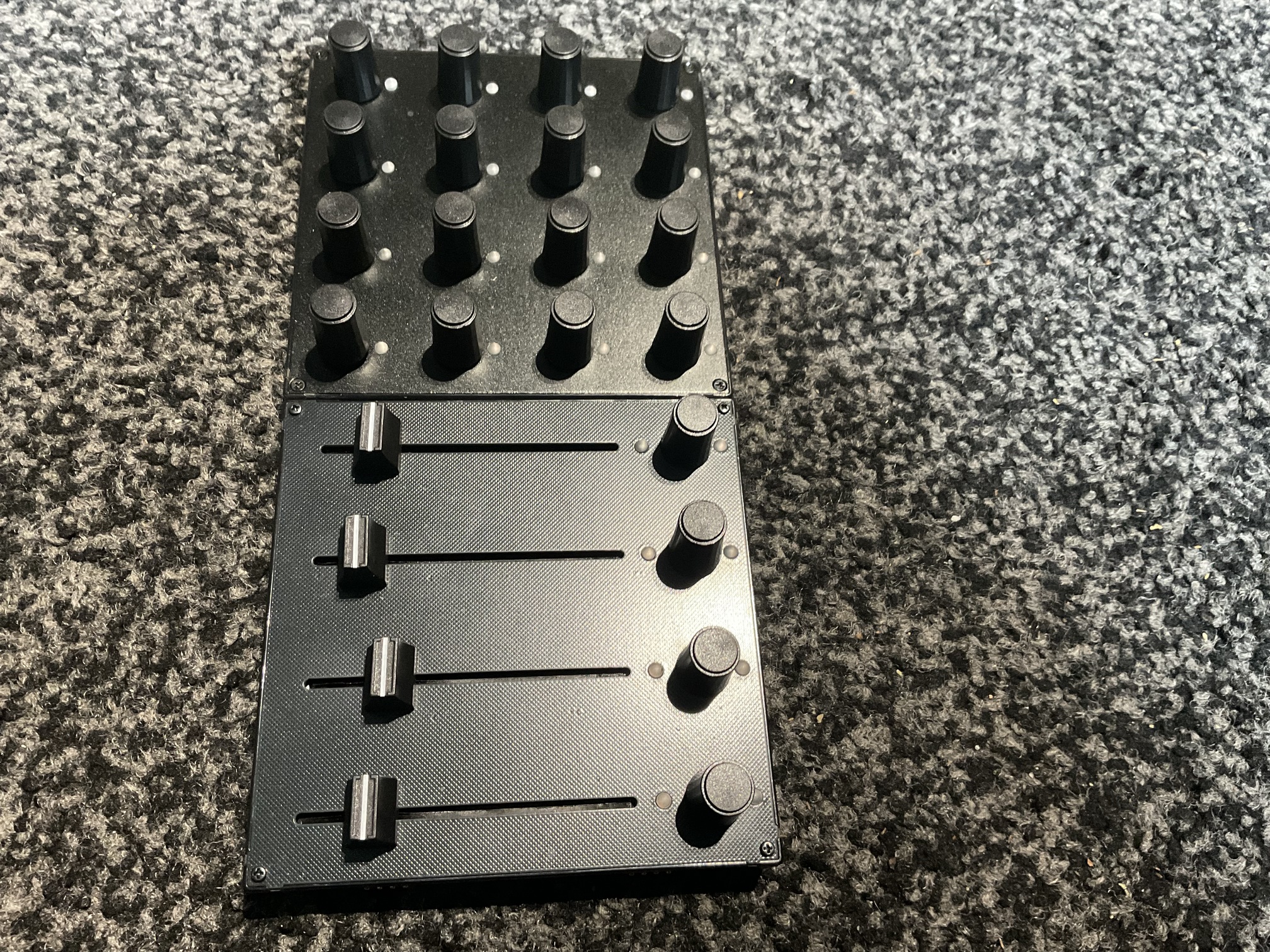
So does the faderfox have midi learn and can you set cc values on device directly customizing it?
Does it have profiles so you could have different setups configured you can switch between?
So does the faderfox have midi learn and can you set cc values on device directly customizing it?
Does it have profiles so you could have different setups configured you can switch between?
Alright, thx! 
I don’t think it has MIDI learn, but it definitely can do everything else you’re asking for.
Not as bad as the keybed of the OG Microkorg 
Of course, the LK Mini isn’t really suitable as a master keyboard. For that, I still have a 2nd LK MK 4 but with large keys. I find the Mini great for working with the TV because it’s slim and fits nicely in front of it.
Absolutely, almost everything is.  When on the desk in the studio, I appreciate that it’s small, but when performing, I find it a tad too easy to make mistakes. It’s definitely manageable with more practice though.
I can agree with both - though arguably I wouldn’t mind slightly more resistance on the Elektron knobs to meet somewhere in the middle. Agreed, acceleration made a huge difference and I’m on the quickest one for my XL3. And yes I agree it’s a lot of bang for the buck. That’s why I hesitate a bit more to recommend the UC4 wholeheartedly, it’s a tad expensive for what it is.
The other side of it is that arguably the UC4 is better for Elektrons in that it supports aftertouch too (more macros to play with = more fun!), arguably its coolest feature - relative midi cc - is sadly not implemented on the Elektron side. If Elektron implemented it, I would be forced to switch to the UC4 as my main controller almost instantly… and probably get one of Faderfox’s bigger controllers.
I think you’re right. For me that’s not a problem because the system I’ve set up is the same regardless of which devices I’m using (always midi channels 1-8, always midi cc#01 and cc#02 for the macros - and luckily Syntakt, DT2 and DN2 all share the same midi cc’s for global mutes, delay feedback and reverb decay). But if you need to change mappings on the fly a lot when disconnected from a computer, then the XL3 is not ideal.
For now Tonverk doesn’t send CCs by changing parameters. So no midi learn possible anyway.
See, I only “perform” at home in the “studio” desk, so you might be way more reliable when it comes to how good this thing works on a stage (in the dark). Just wanted to add my view because sometimes people take a statement like that for granted when it’s really all just a question of personal preference.
It’s a great point, it’s all about context/perspective. When I performed on stage in the dark and with smoke coming out from the side, I really appreciated the size and color codes of the XL3. 
Have you looked at the intech studio ef44 4 sliders 4 encoders - I use 2 - so it is open source - you can have any knob or slider set to each or every of the 16 midi channels !!! I have the 1st 2 sliders set to midi 1-8 to tweak the mod wheels that’ss 4 x edits per channel for the top row and 9-16 I have the 2nd slider to control 9-16 midi channels mod wheels all at the same time ( you don’t have to edit any of the crucial stuff like kicks etc - that’s another 64 effect edits you can utilise ! As well as mod wheel the electrons have 4 or 5 other cc’s you can use - it’s like octatrack crossfader but not quite but immense. I tried all 16 midi channels at the same time same slider but can crash / reset the controller - but in terms of drastic tweaks across any / all channels Its pretty awesome - I have 4 set up at the moment 2 x mod wheels and 2 breath control cc’s that’s give me 4 x 32 ways of hands on - there is a few videos on the tube of it working - look up digitakt with octatrack crossfader - the tone Erik may be even easier as it has 2 x usbc’s doesn’t it ? I have to use a small midi host
Such a pity about those tiny faders though. I never feel connected to such miniaturisation.
Again, subjective how long you need them to be, but I’m pretty sure they’re longer than those on an original SH 01a or Juno, and those are absolutely legendary synths known for their great hands on control. I love the UC4 faders.
Correct - I was wondering why folks are asking about MIDI Learn at all. The Tonverk expects to receive certain CCs, you configure your controller to send those CCs, and that’s that. It doesn’t send the equivalent CCs in the other direction.
For example, if I want to control the three FX sends for a Track, I need to send CCs 44-46 on the channel for that Track. The Tonverk doesn’t send those CCs out when I change the Send values under FX. (I just tested all this using MIDI Wrench on my iPad.)
So any Learn function on a controller is not going to work with the Tonverk. I’m happy with that: I don’t want my Tonverk sending out CCs unless I have set up a MIDI Machine to send exactly what I want.
Was only asking about midi learn as it makes parameter mapping a breeze. But yes uc4 seems amazing to be honest the size is excellent to me
Some people would want to send CCs with tracks parameters. It is an option on all Elektrons, should arrive on Tonverk at some point…
I was under the assumption that this is an essential feature, for example updating external controllers… and as you have mentioned earlier also, will be coming soon.
But where would you be sending those CCs to? What is supposed to act on them? If you have another device that you want to control from the Tonverk, you can use a MIDI Machine to do exactly what is needed for that device = the Tonverk is the controller in that situation.
But I’m struggling to see the need for CCs being sent from Tracks that are controlling the Tonverk’s internal Machines. The eight encoders are “soft” controls, their function depends on the context. So you’re in the middle of a set, you decide to e.g. increase the Reverb on Track 3, and the Tonverk sends CC 46 on channel 3 as well, possibly affecting an external synth that happens to be on channel 3? No thanks - I only want CCs going out from MIDI Machines that I set up for that purpose, not when I’m using one of the Tonverk’s own internal Machines.
Chill brah, the way it works is an option you can turn on or off on the other boxes so you can send CC or NRPN from encoders and trig keys. If you don’t need it, leave it off, it’s on the other boxes to support many use cases
Midi learn is literally one of the use cases. There are others. You have nothing to worry about, just leave it off if you dont need it.