Honest video & YT face!
4 Likes
and sample worthy voice
3 Likes
The way he says “Hi” is why a liked & subbed!
3 Likes
Yes, I am using link as clock and it’s sounding pretty locked, but the classic Ableton latency on audio recording from external devices has shown it’s head here. Midi sync is a little less tight. What’s funny is that when just using push3/ableton with eurorack and es-9, I did not have this issue. All the audio was right on the grid without having to make adjustments.
My current workaround is just adjusting the initial transient to the 1 in the clip editor, which is fine for now.
I would consider something like a nome/multiclock, but I’m thinking it may be more of an audio latency thing vs. clock. Not sure tbh.
1 Like
My fat finger can barely use the calculator to figure what to tip but you gonna pop out like dick Tracey meets j dilla. 
4 Likes
Make it to where the crown supports scratching  And the tempo auto sets to your current heart rate.
Captain’s on to something here.
3 Likes
all we need is a stylus and some dials for trimming like on that casio
No. Gen 2 units are not compatible with the MPC2 software.
6 Likes
The prices of Gen 2 units have made people realize how the older units were way under priced. There is no reason that a one should have been $400. Because they sold so well we just got flooded with mpc’s. Now that they are back at more premium prices now the price of first Gen units will go back to where they should have been all along. We shouldn’t expect a whole daw with a touch screen for what a 404 costs.
7 Likes
I think you’re right.
there is no public release of MPC2 that runs on the new SoC found in Gen 2 MPCs; I wouldn’t be surprised if it doesn’t exist at all (even internally at Akai). The newer MPCs are MPC3 only; there exists no previous version to downgrade to.
Does anyone have a download link for the hacked MPC firmware? Very curious about adding mouse support…
is there any way to interact with that project and its devs besides facebook?
1 Like
I’m not affiliated with this link or responsible for anyone frying their mpc…
4 Likes
Gonna consider this. One of the banes of using the MPC for me is the lack of mouse support, which I’d really like for shuffling notes around with the piano roll. Panning and zooming can only do so much.
Then again I bought the Keylab Mk2 as a workaround to the MPC’s more beat-based sequencer.
1 Like
Was thinking the + & - should really page between tracks, sub mixes and outputs it’s super awkward how it works swiping to jump to sub mixes.
I wouldn’t use it to adjust mix as it currently is the scroll when does the same anyway
Might have to send a feature request
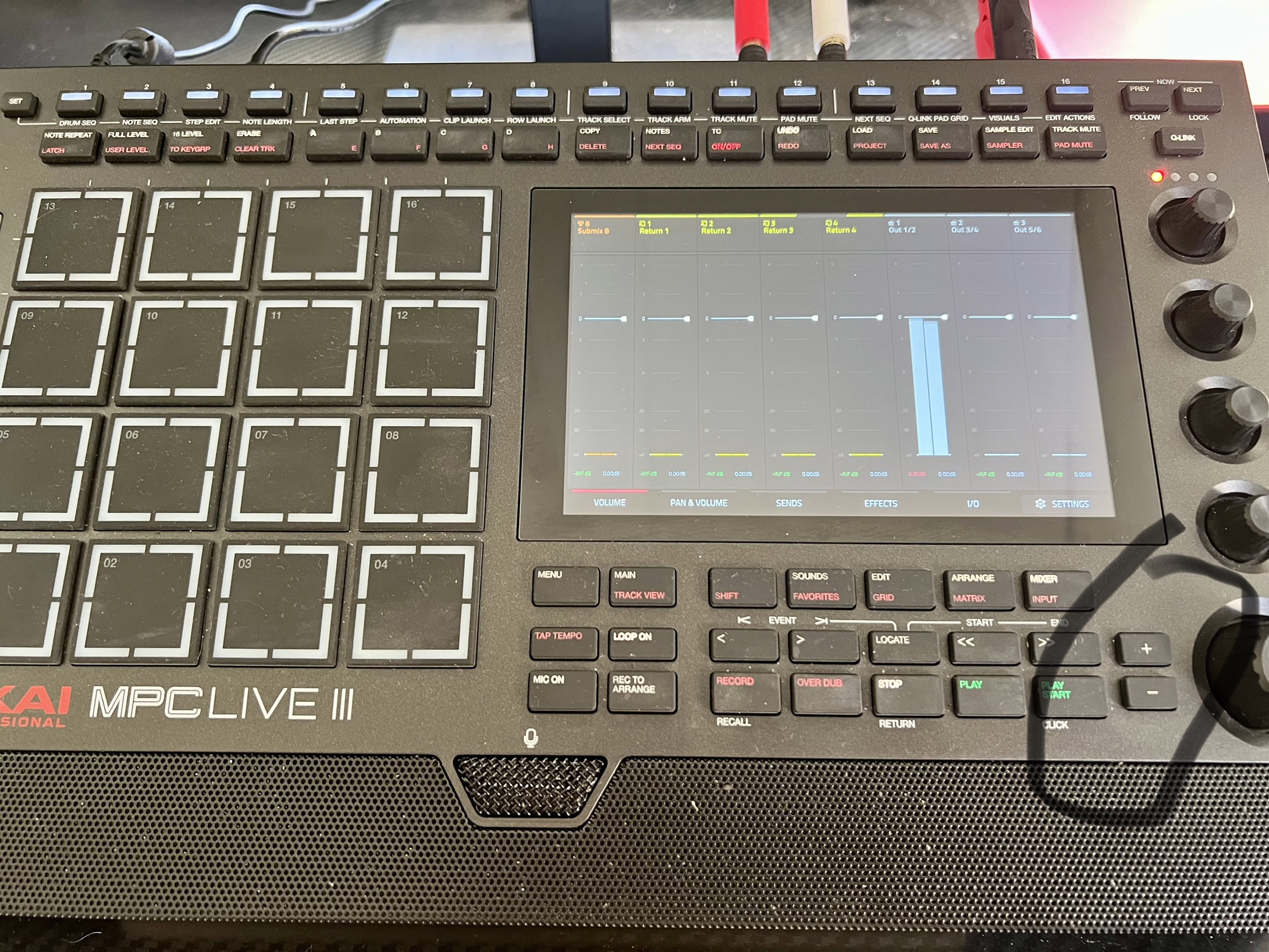
9 Likes
I use the top buttons to switch tracks.
2 Likes
I really dont like the swiping on the mixer page! I have sent a feature request on this
1 Like
Yeah I don’t like the paging on the mixer, I’d prefer it to be tabs at the bottom of the screen like we get in the program edit section etc…
2 Likes
Yeah I mean between subgroups and outputs. Changing tracks is fine. When you swipe on mixer to get the other groups it’s kinda weird how it works and feels, and over shoots where you want to get to
1 Like
Feel like the plus and minus might be nice physical button to use as the scroll wheel right next to it does exactly same thing on this page.
Honestly I don’t think I’ve used the plus and minus for anything yet, do you have places where you actually use it?
3 Likes
Never touch em, I’m a data wheel guy 
6 Likes