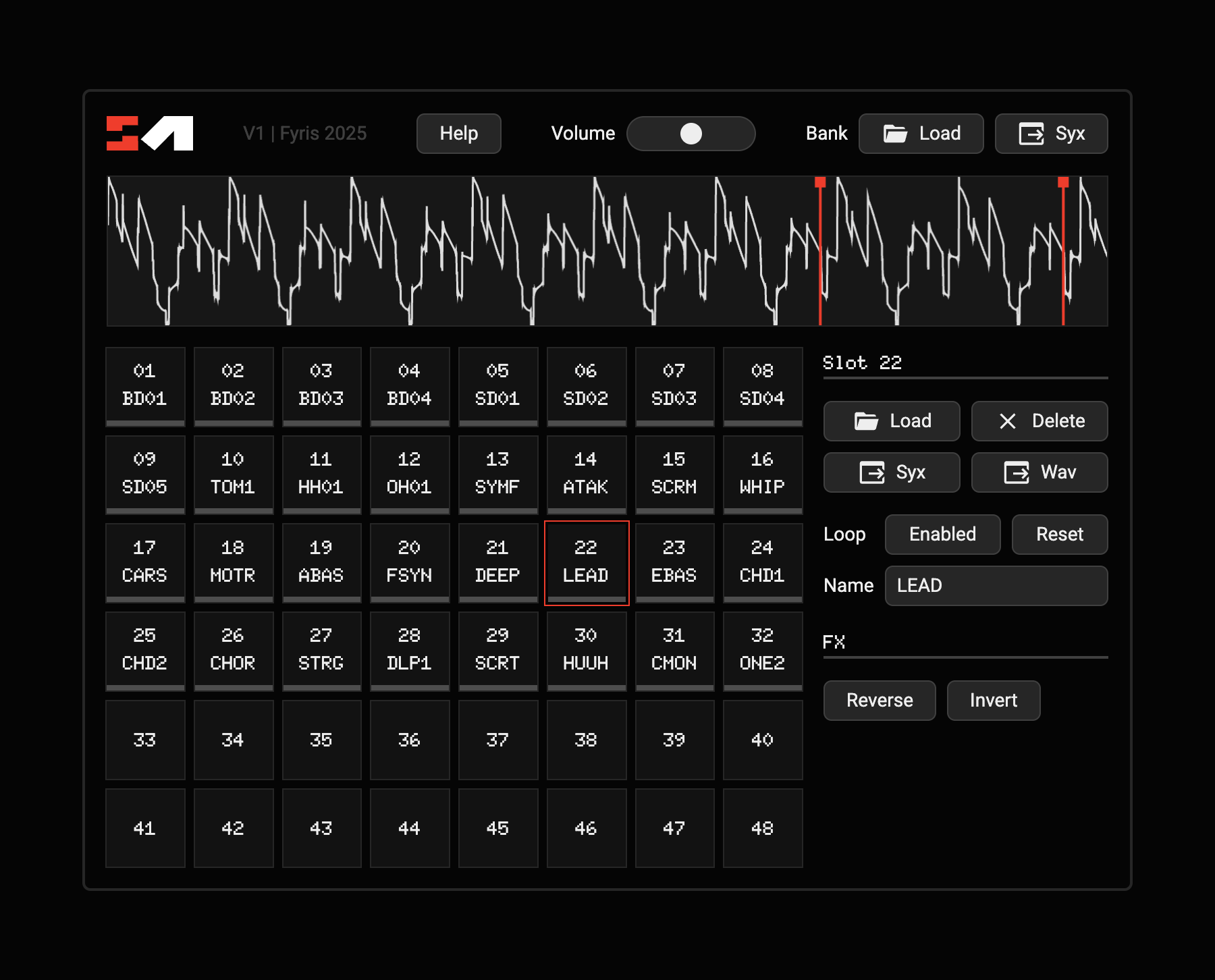
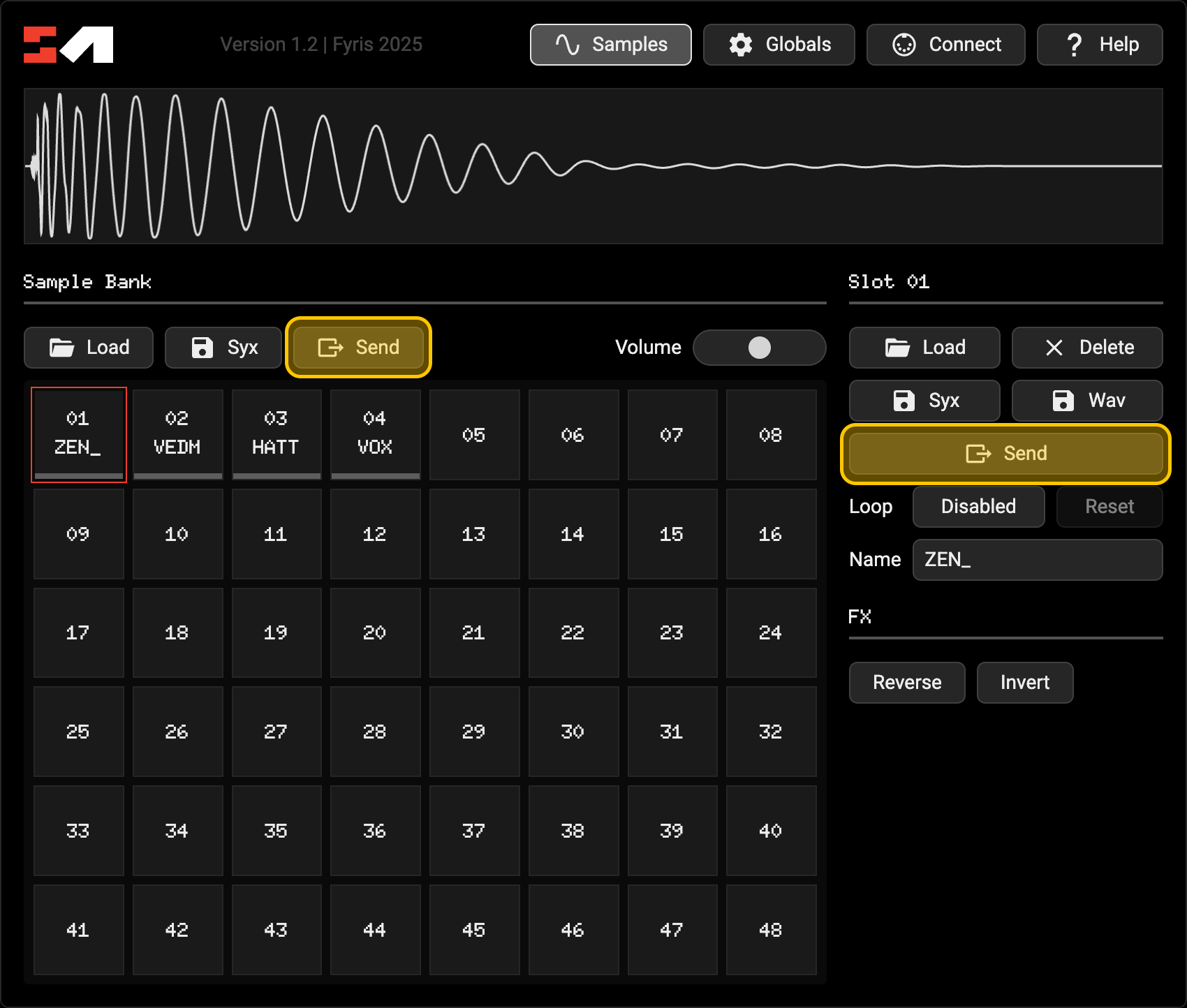
Hiya, since getting my MD a few weeks ago I’ve been looking for a solution for managing and converting sample banks. I hadn’t come across a web app that lets you do all of the following:
Load both audio and existing sysex sample files
Save / load whole banks of samples at once as single files
Rearrange existing samples between slots
Act as bidirectional audio to sysex converter for single samples
Planning to start working on support for song / kit / pattern editing in the near future. I’m using this project as an excuse to learn everything this box can do inside and out, haha
Would love to know anyone’s thoughts, feature requests, or bugs encountered. I’ve seen recently a few of these types of projects have been popping up, hope I can contribute something to the growing ecosystem of tools!
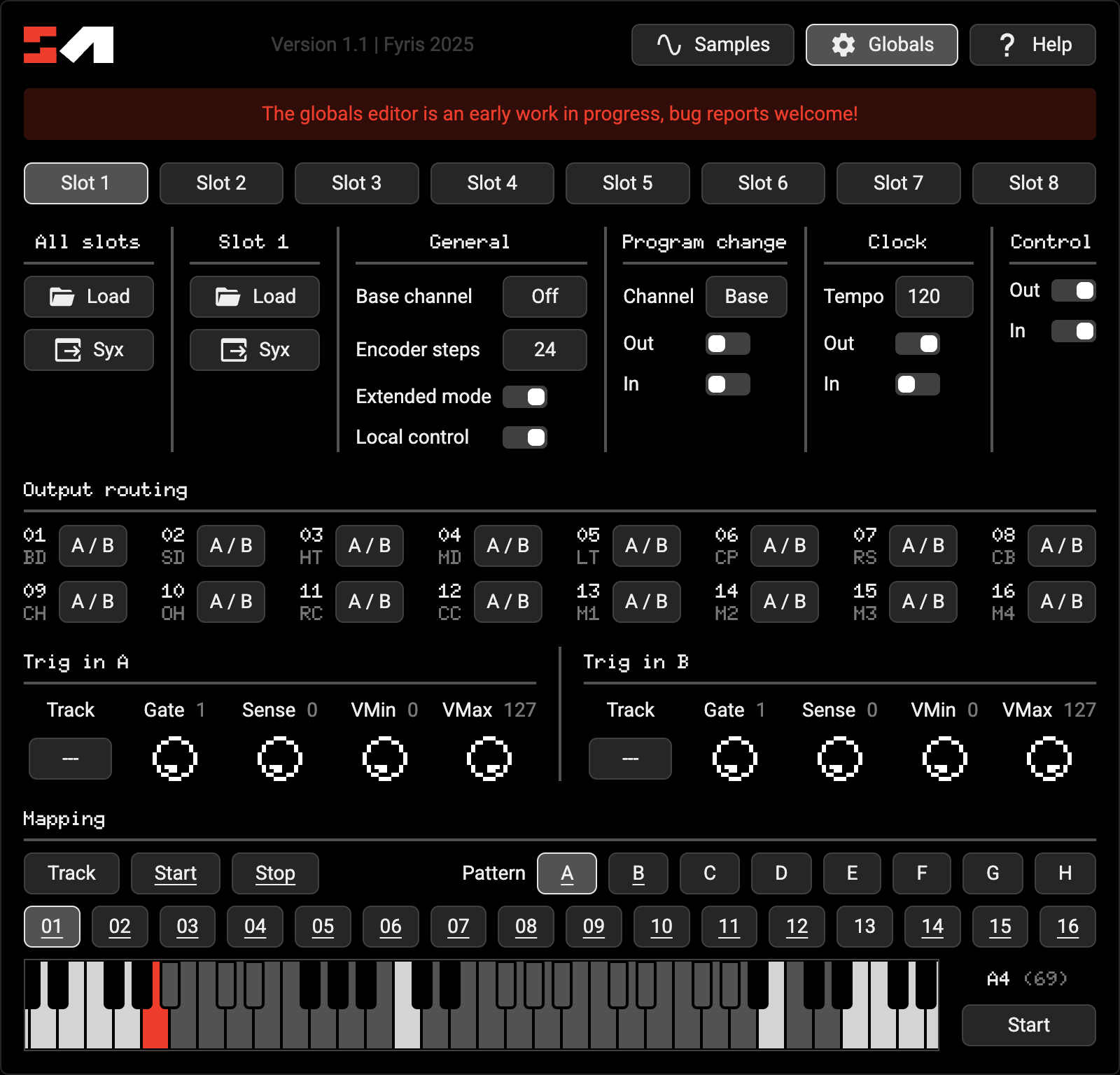
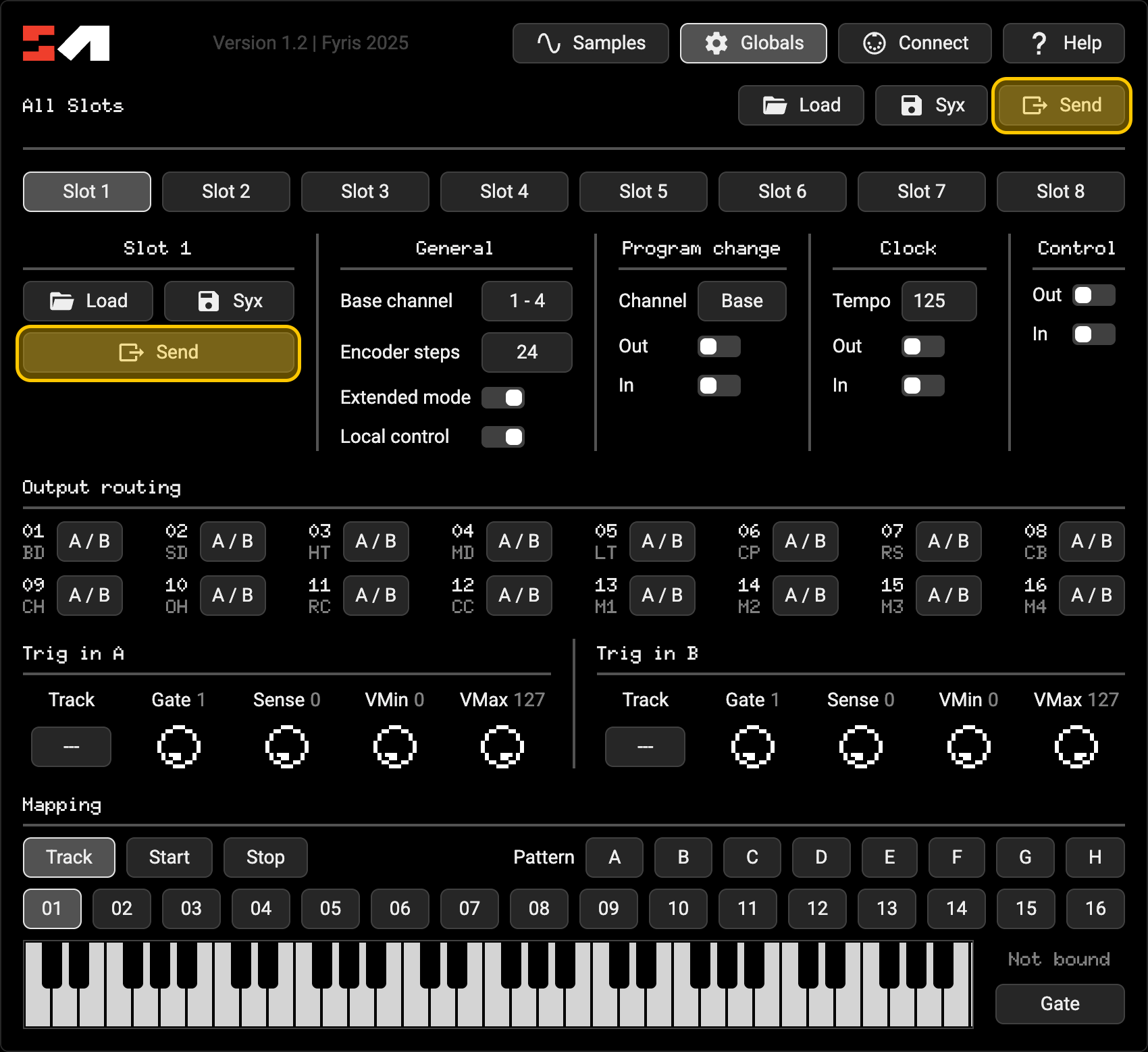
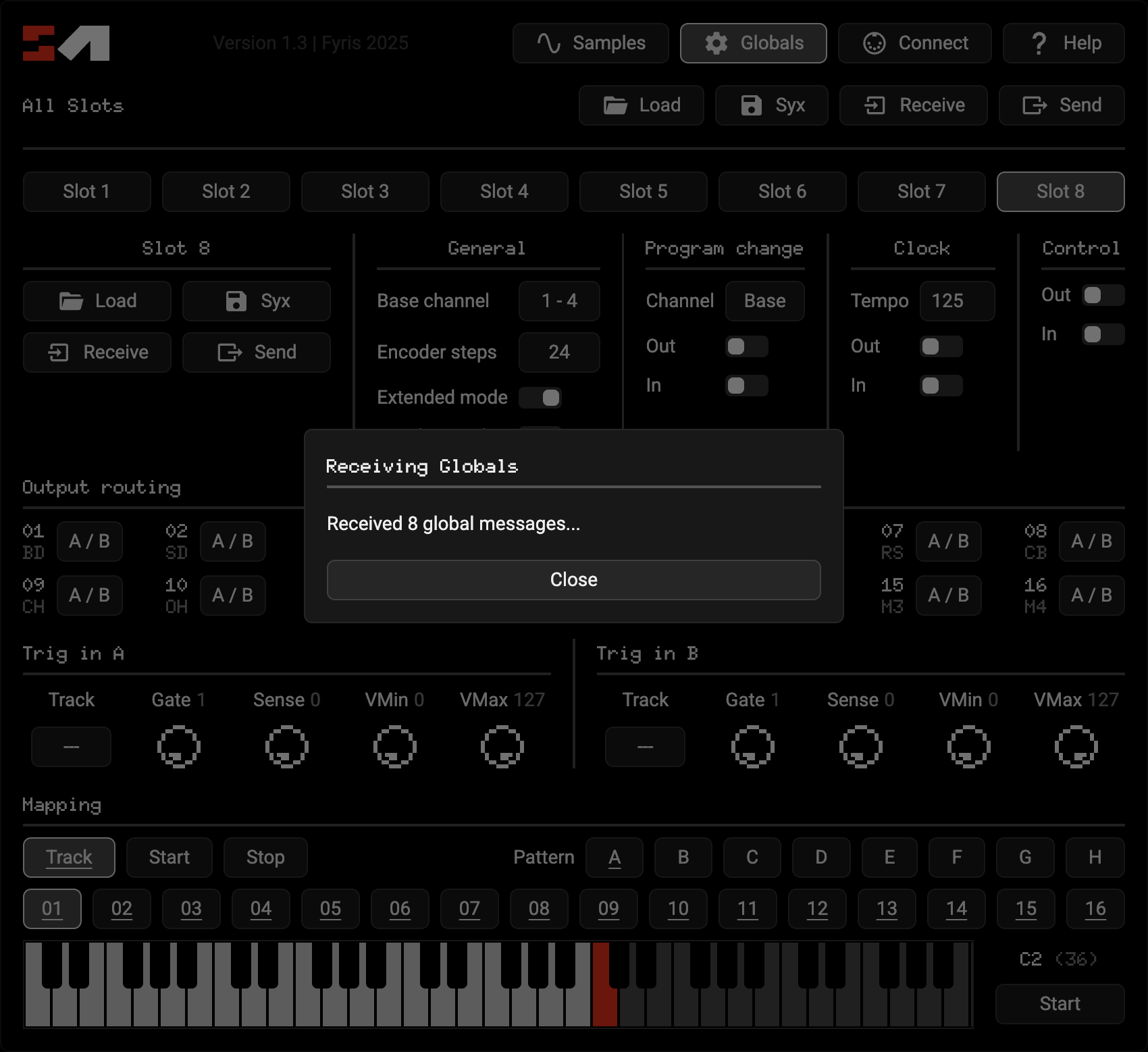
The new panel lets you edit everything in each global slot, including a graphical mapping view that shows all assigned notes at once on a keyboard. You can import / export all slots as one file, or individual slots for rearranging, just like the samples panel.
It’s still a work in progress while I make sure it’s compatible with different file versions, feel free to let me know if something breaks!
What’s next? I’m thinking maybe a song editor or looping waveform generator?
I’ve just been having a play around with this, so I still need a sysex transfer program (eg Sysex Librarian) right?
I assumed I would be able to send directly to MD with this but doesn’t appear I can…or am I being stupid?
Thanks for clarifying and yep great tool for sure! I’ve been using Sysex Librarian since C6 stopped working on newer OSs, does the job ofc but sooo slow relatively.
Is anyone aware of a compatible sysex transfer program that can utilise turbo midi on TM-2…if not anyone fancy making one?!..
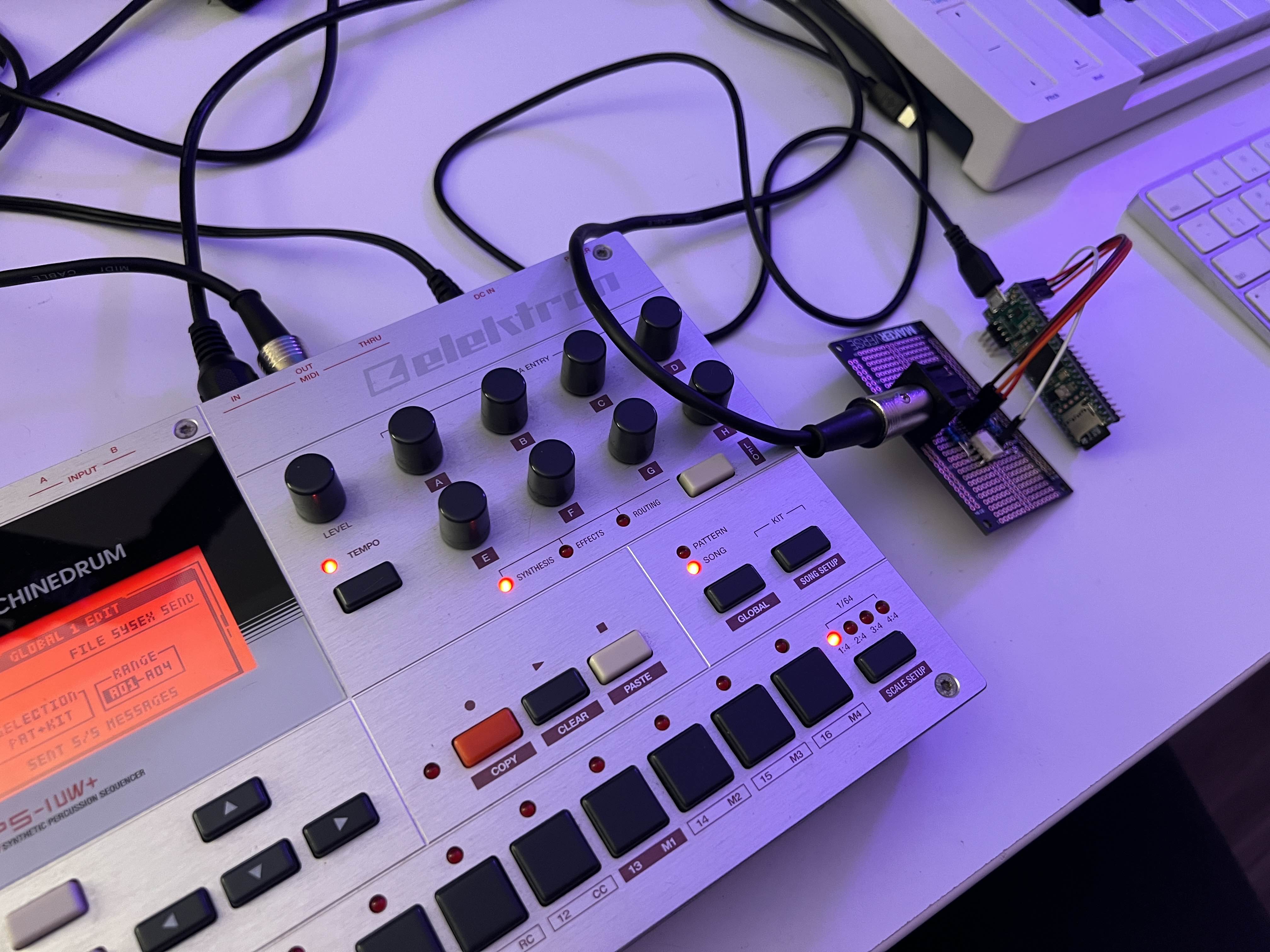
I’ve been working on my own implementation of a turbo midi interface using a microcontroller, it’s acting a bit weird but i’ve got 2x at least stable, any higher speed is causing weird corruption right now but I feel like I’m very close…
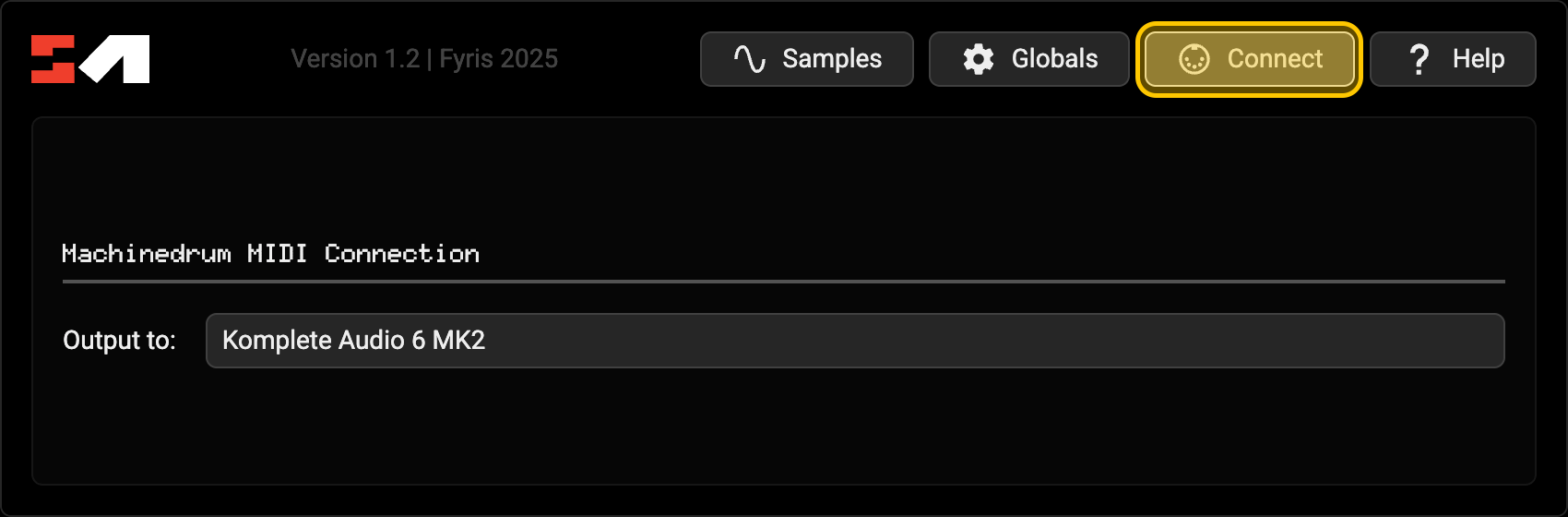
Also yeah, right now SM requires another app to transfer the generated files. Is direct connectivity something you’d find more useful? Wouldn’t be too hard to add and I could definitely make that the next update along with a bunch of fixes i’ve been working on
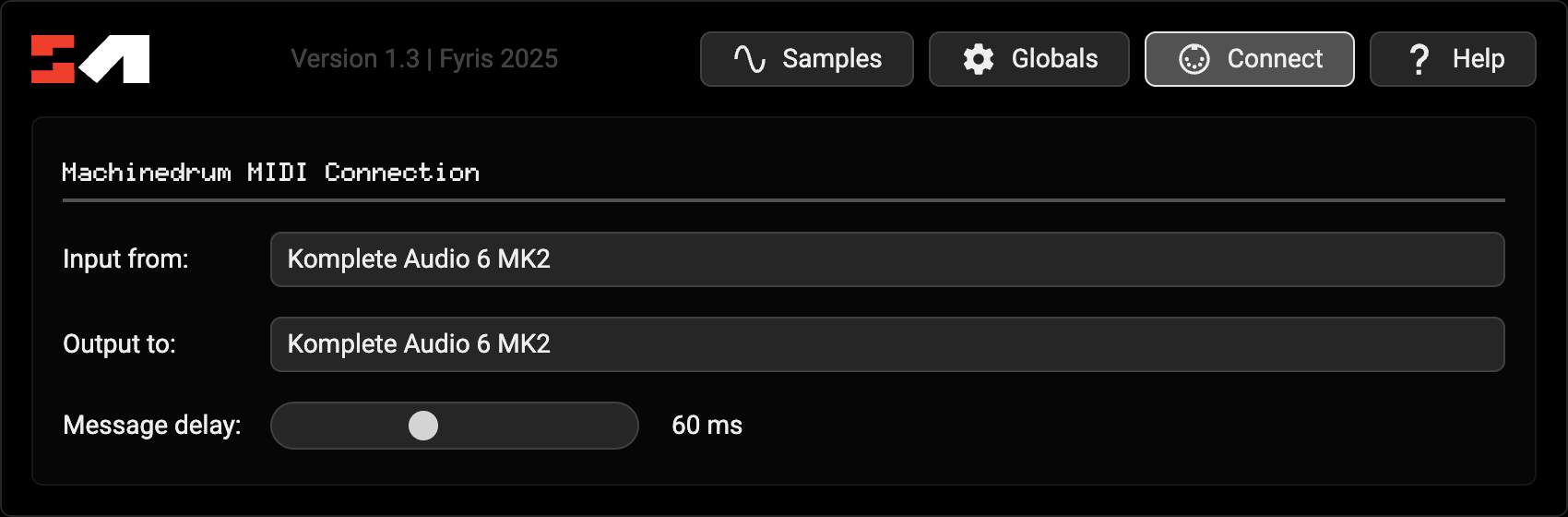
After selecting a port, new [Send] buttons will be available, which will send the generated sysex data to the selected port, rather than downloading a .syx file:
Each message is sent with a 60ms delay, I’ll make this a config option soon but for now this seems to match standard MIDI speeds.
This update also fixes a bug where sample names could look corrupted on MD, and reworks the UI layout a little to accomodate the new functionality.
While there’s no support for listening to MIDI sent directly from the MD right now, this will likely be the next update! Receiving MIDI from the MD will require rewriting the all the file parsing logic, so I think it makes sense to split sending and receiving into seperate updates.
Hope this streamlines the workflow a little! I know for me personally I’ve spent most of the last couple hours just using it to hot-reload arrangements of samples and it’s pretty fun
Holy crap, you absolute legend fyris!!
Amazing work and thanks so much for taking the time to do this following my question, will update and give it a go this eve.
Great that you’ve managed to get a proto TM-3 up and running too, keep us posted with developments…
Thanks again!
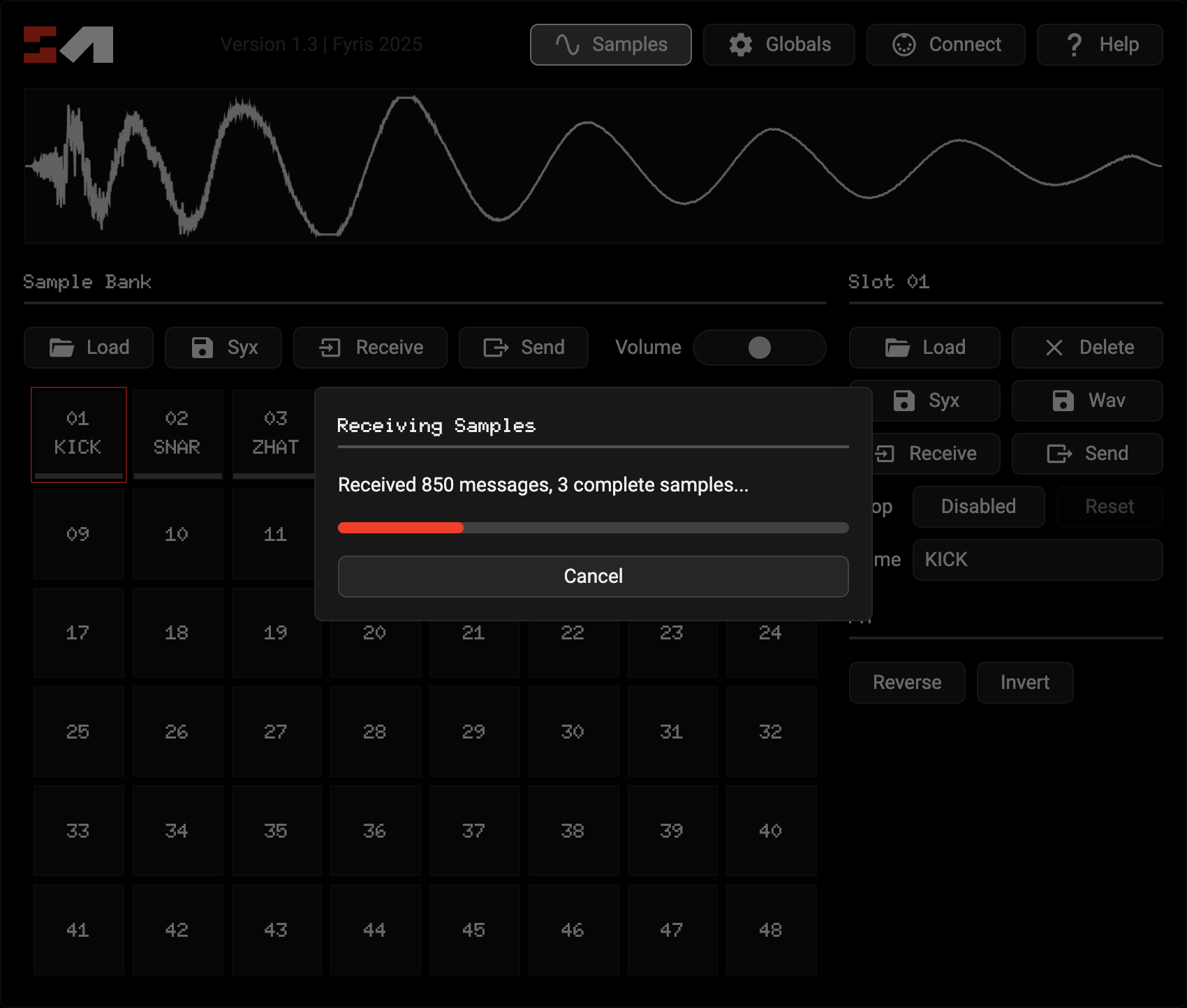
To receive anything from the selected input port, click one of the new [Receive] buttons, and you’ll be presented with a dialog showing the transfer progress.
Receiving samples shows overall stats and the current progress per sample, and should match the MD’s on-screen progress bar:
An offline version is definitely on the todo list!
I’ve done some digging, and the framework I’d want to use to keep the file size of a desktop version lean (not bundling a whole copy of chrome) doesn’t look like it’d support MIDI, so might take some effort to implement it myself. In the meantime I might look into adding offline caching to the browser version to at least add a little redundancy?
When kit / pattern / song editing get added, I feel like a desktop version would be great because I’d love it to be able to keep samples + metadata files together in project folders like a DAW does for full machine backups and suff
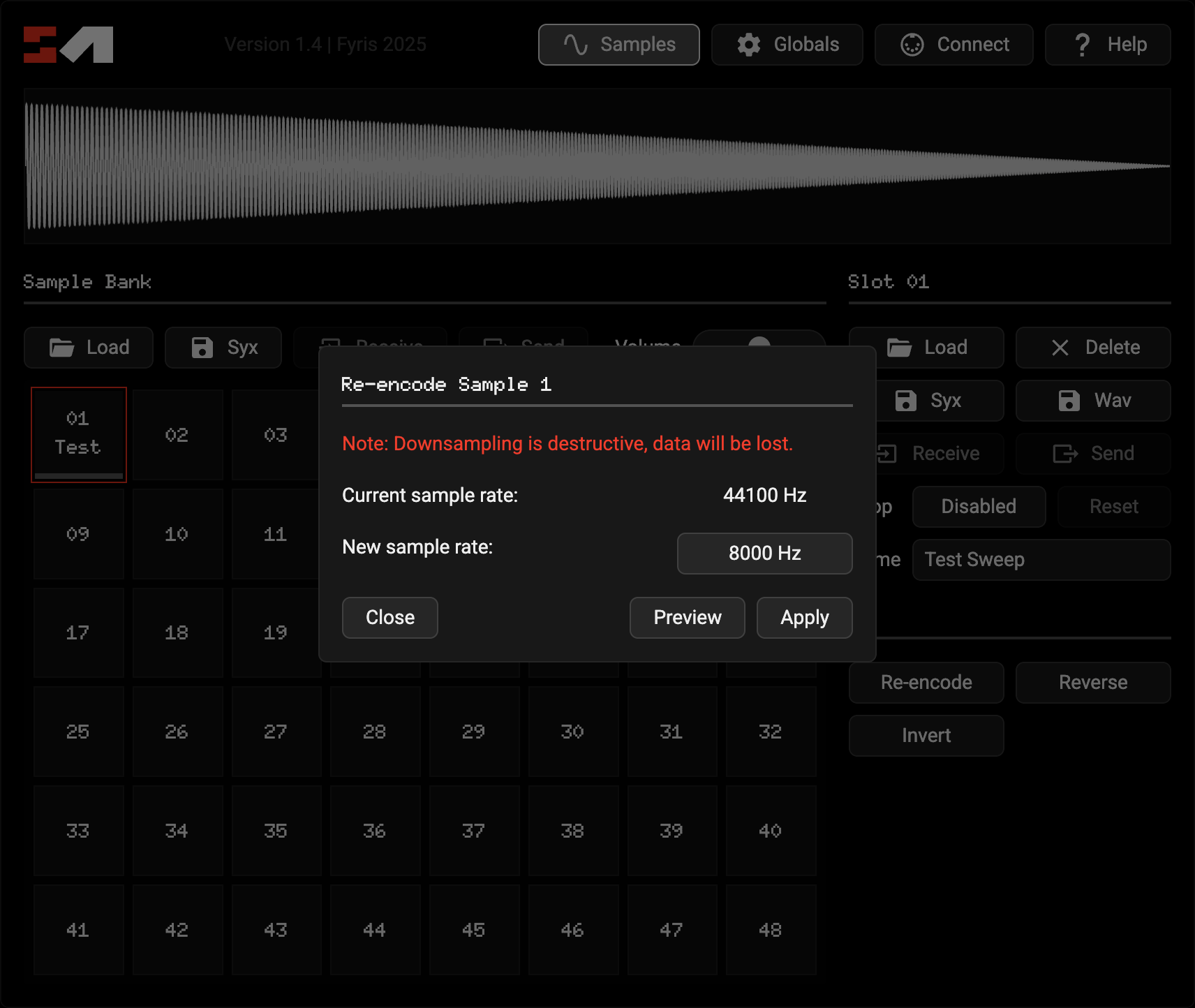
This update adds a new [Re-encode] button under sample fx, allowing you to downsample content you’ve already imported. You can see the current sample rate and select a new one, previewing what the effect will be audibly before printing your changes back to the sample slot:
This update also adds a zero-crossing line to the waveform view when zoomed in (scroll wheel), allowing you to place seamless loop points more accurately, fixes loop points not being linked to samples being reversed, and has an updated change log where you can see the full version history (linked in the manual under the [Help] button).
I think at this point the sample handling is approaching fully functional. I have plans for more complex sample management stuff that goes beyond the scope of what the C6 + MD could do on their own, but I’m thinking I should get songs / kits / patterns handled first and get whole “project files” working before I start adding extension features.
As usual, would love to hear your thoughts or ideas. Also, SM is now a month old, thanks for all the encouragement so far!