Can you change the parameter names in the Roto Control app?
Yes it’s a field you can just type whatever you want into in the app. Right above where the color selection is.
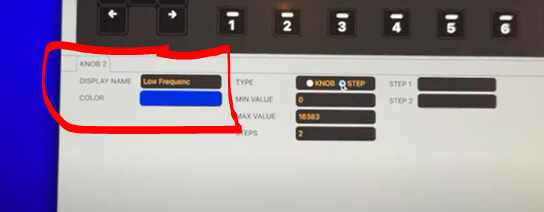
1 Like
I’m the same. Click to another plug-in but it just holds the previous vst’s names and assigned parameters. Weird
Something on gearslutz caught my eye, it was said initially it will have programmable 8 pages of 8 buttons and 8 knobs, and now it’s changed to 4 pages? Can someone confirm this
yes it’s 4 pages. but that’s 4 pages per setup (of which there are 64) and each setup can be jumped to instantly.
i kind of prefer jumping to setups rather than pages, as the setup names are all listed along the buttons and you can hop in any order, rather than paging linearly.
2 Likes
following up on this. heard back from support and they confirmed there is no way to save / recall states. i really hope they add this function - imo it’s essential for standalone use in a live performance.
3 Likes
How do you jump to a setup?
when in midi mode you press the select button (SEL).
2 Likes
Having spent some time with it this weekend, I really like how simple and easy to use it is. For me personally it is the controller I have been looking for for Ableton (and most importantly the 3rd party plugins)
I’ve tried several over the years which revolve around apps (automap) or ‘skins’ or some other different way of opening plugins… but the beauty of this is that nothing changes in Ableton… there is nothing to ‘save’ (as it does it all automatically) and most importantly what you see on the controller (knob positions / labels etc) matches exactly what is on screen… so very quickly you trust it…
3 Likes
Anyone used with VCV? – seems like the haptic feedback would be great… and ideally changing pages would automatically change knob positions etc?
is there still no manual available for the roto ? seems very interesting but for me whats missing (as far as I can tell with no manual) is some kind of way to automate changing what “setup” its using - say for example using it in a live rig , you might want certain things mapped for section A, certain things mapped for section B and so on , and having to menu dive it / remember which set up goes with which patch in your synth or hardware would be a bit tricky - if you could send a prog change message into it to change the set up , this would be an instant buy for me.
Looks like there’s some AU plugin bug with mine, seems fine with VSTs. I imagine they’re holding off a manual for now and hope they’re going to squash some bugs and do some quick firmware fixes before labouring over the manual
2 Likes
I wish you could name things on Roto control stand alone. Without a computer.
2 Likes
Hmm I guess my project today is figuring out how to unmap something. I’ve been hitting different key combinations and I can’t seem to figure that out…of course nothing in any documentation. I emailed their support…
Yeah I think AUs are not behaving right. I tried mapping some of the Apple AUs and the config is fudged. Whatever I most recently mapped just shows up when any AU is loaded.
1 Like
Hold down LEARN and single-tap a mapped knob, then let go of the control (or just press the button if it’s a button) and let go of the LEARN button. Figured it out by watching him do it in one of the NAMM videos.
2 Likes
Did they say if they’re considering it?
Literally just went through the password reset for Elektronauts just to comment that you saved me so much time haha! I had my library on an external drive and I was out of ideas for midi settings. THANK YOU!!!
2 Likes
they said it was an interesting idea and that they’d discuss.
agreed. in a live setting it’s so important to get to exactly where you need to be without having to think about how to get there.
1 Like
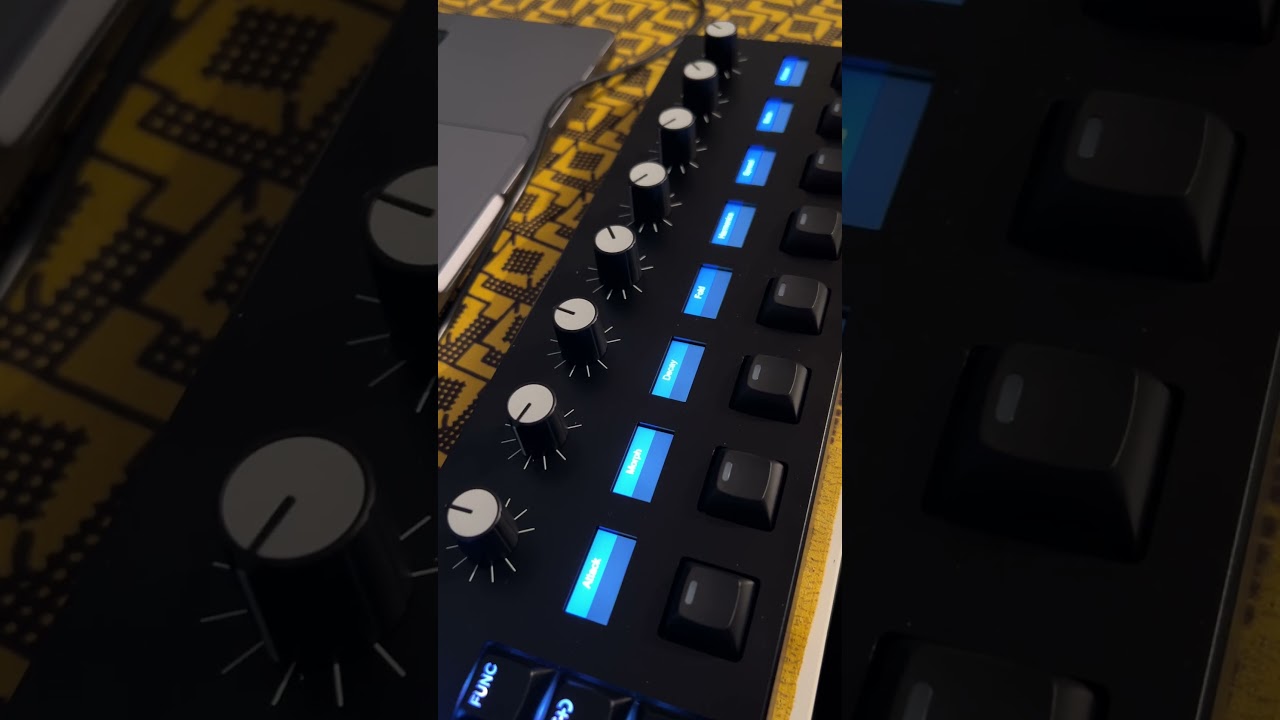
Question for those who have it in hand. Does it make any sound? Meaning, do the motors make any noise when moving, or are they totally silent?
1 Like
whispers, my dog can hear it. if you were concerned about using mics with it in the studio, it is very quiet, but yes does have a sound. this is my phone recording the background sound is coming out of my headphones.
2 Likes