sweet baby jesus we are still going on about clocking? Wasn’t the point of the clocking thread to get the incessant clocking discussion out of this thread? I feel like there’s a small but extremely loud contingent of TR-1000 owners who are obsessed with clocking and can’t find peace. I’ve never had any issues with the clock, so maybe I should start posting daily about my lack of clock issues, just to counteract the absurd volume of complaints.
5 Likes
+1 (give or take a couple microseconds…)
5 Likes
Glad it’s been trouble-free for you as it has for many.
The clock sync thread is a generic one. These last posts are totally specific to the TR-1000 - after the 1.50 major update and how it performs as a master clock, as a MIDI sound module, and in its two Track Sync modes - and they were answers to questions asked here. This is the TR-1000 thread, so this is where they belong.
23 Likes
Ive got some into the import screen but im not seeing them on the TR itself. Any suggestions? 
No it’s ok, found them. Looking in the wrong place I think. Thanks!
what are you upset about? There’s 6800 posts in this thread. Scroll past the posts you don’t want to read and post up the ones you do. Free agency is a thing.
13 Likes

To be fair to Innerclock, people did ask him for the test results on the latest firmware
13 Likes
They’re out here doing god-tier work. I’m grateful for the lad.
8 Likes
I know its a bit dry for some but at the end of the day, for every single piece of hardware and software we use to make music, somebody had to do the maths, understand and code the numbers, and check it. Without numbers, we would still be playing the spoons and a banjo on the back porch.
12 Likes
I’ve pretty much only had a positive experience with my TR1k the first year. Love it. Love the updates.
But I still like seeing these numbers and knowing what’s under the hood, even if it’s really mostly a non issue for me (other than the TR-REC mode issue I’ve described above a few times)
5 Likes
connect via USB midi (Cirklon device port > TR1000 external device port) or DIN midi - my measurements show that USB has better timing.
You do not have to send clock to the TR1000 to sequence it from the Cirklon, but you can do if you want e.g, delay FX to be in sync. the TR-1000 doesn’t accept midi clock on it’s USB external device port, so you have to send it over DIN, but you can do this alongside a USB connection for sequencing.
I haven’t needed to make any latency adjustments on the Cirklon , the sequences over USB are pretty tight.
Workflow is sequence all the patterns and automation on the Cirklon, change kits using program changes (stored in Cirklon Scenes) and use the performance controls (morph, faders, ctrl, fx etc) on the TR-1000, which have their settings stored in kits - happy days.
1 Like
Just couldn’t resist the low hanging fruit kind of joke… I don’t find the topic boring, nor dry… and I can only repeat to innerclock that their findings are appreciated… maybe just a general sigh that this aspect is so massively foregrounded and - to repeat myself - maybe better placed as a “pressure on roland” thing somewhere else…
4 Likes
True, but if you use the TR-1000 as studio tool and compose beats in the TR-1000 but then record them track by track in a daw (daw clock master), the layered gens mode seems to make the most sense
With the current amount of general wobble / AT-LG modes doing different things to the timing / start lag etc - and as module or using the internal sequencer - I have been sticking to basic tests before I dig too deep.
2 Likes
How did you get at that? Why would Lg be better than AT?
Hmm … I’ve a sample clicking at the start when triggered after upgrading to 1.5 which wasn’t clicking before. Tbh the sample kinda wasn’t working and this is the nail in its coffin but just a heads up in case anybody else spots any changes in the sample playback. To be fair I was surprised it didn’t click before as I’d put zero effort into finding a zero crossing point. It’s a long surging drone but only the first 16 steps worth of it are triggered once a bar.
1 Like
so did you return it for a refund?
The sample?
If it was choice between timing and cosmetics you know which side of the fence I inhabit as a general rule but it might bother me if it gets any worse - my unit has had minimal use since purchase back in Feb but the buttons are going a bit wonky - is this a warranty / service agent thing ??

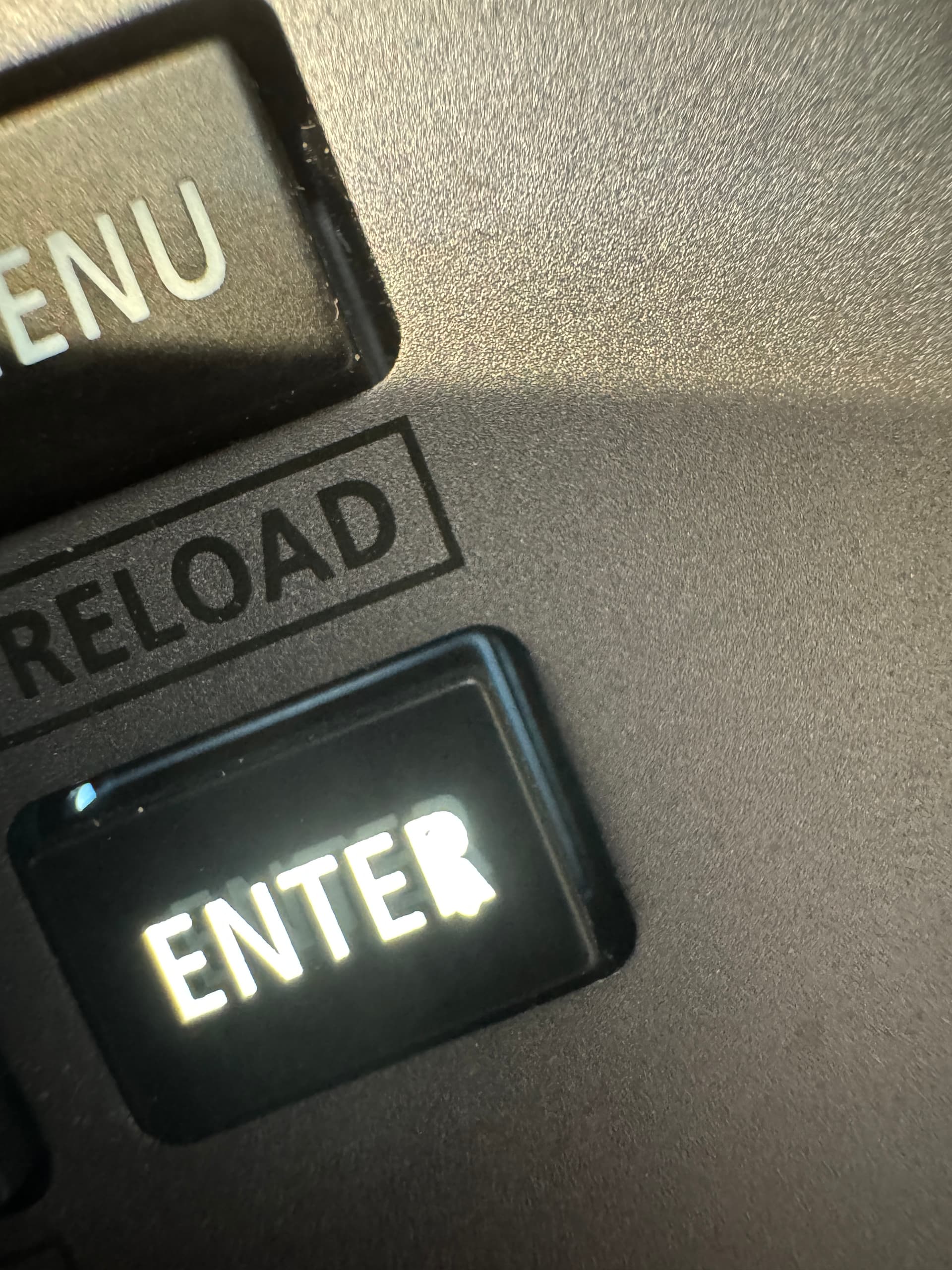
2 Likes
yep, support ticket time for you!
2 Likes
I’m experimenting with the new “Roll” MFX as a way to transition away from a complicated pattern by locking a loop for a while before changing to the next pattern. I’m noticing that the loop length drifts over time and is well out after about a minute, so this trick only works for quick transitions for now. You can recreate this by syncing another device to the TR1k, turning on the Roll MFX at 1/1 interval, and listen to the 2 devices slowly drift apart. I assume this is a Roll MFX loop length issue and not a clock issue.
1 Like