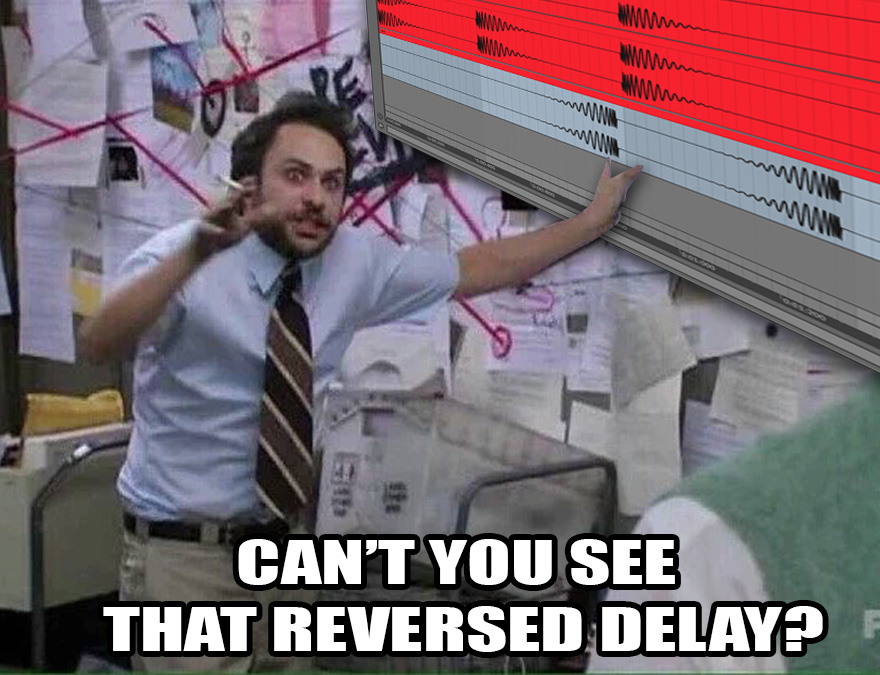
LEN set to Time can also shift audio with RATE -64 if LEN is different from 128.
@Diefused
Please list or take a picture of all playback parameters, check lfos and mute scenes (Func + scene buttons). Btw, do you use the crossfader ?
LEN set to Time can also shift audio with RATE -64 if LEN is different from 128.
@Diefused
Please list or take a picture of all playback parameters, check lfos and mute scenes (Func + scene buttons). Btw, do you use the crossfader ?
Good morning.
LEN is the to off.
Photo with Playback Parameters from T8
I don’t use LFO´s.
I use the Crossfader. Left is the Incoming Signal and rights is the recorded Signal.
Therefore I mapped:
Scene A T8 to XVol min, Scene B T8 to Xvol max;
Scene A T7 to Xvol max, Scene B T7 to Xvol min
This System I have on every Scene and on every Pattern and Bank in the Octatrack.
I also mapped some FX parameters to Scenes 1 - 16.
Thats it
Always same behavior ?
Do you copy / paste settings ?
Can you reproduce it from scratch ?
Are you 100% sure no unwanted playback parameter is locked to the “reverse” scene ?
Same behavior with Muted scene ? (Reverse with Rate).
I tried to reproduce the issue without luck. I used very short sounds.
Is it something you downloaded or your own template ?
It is possible to disable scenes with FUNC + SCENE button.
A quick way to test if scenes are the culprit if you have something weird.
I couldn’t reproduce the issue.
It seemed normal reversed.
The best is to use an impulse, clic sound for latency tests.
Could you record an exemple with a clic so we can hear it ?
Yes, it is my own template
Ok I tried it with the Scenes Muted.
Sorry should write “you couldn’t …”
Actually I am happy with the Settings from the Octatrack. And it is just 1 Funktion (reverse) that won’t work 100%. Maybe I should leave it like it is.
I do believe it’s best to keep digging: there is knowledge to be found here obviously, it’s by debunking such problems that you have a better understanding at how to operate an OT.
And such knowledge becomes very precious when something fails during a live performance.
I’m not seventh-level OT master like some of the others on this thread, but I wonder if it’s worth digging into this.
Is Octatrack connected direct to the Multiclock, or is Cirklon passing clock/MIDI THRU? Is it soft-THRU or hardware THRU? I’d imagine while doing these tests it would be better to remove the Cirklon from the equation?
OT MIDI is set to receive clock & transport?
I did ! @Diefused sent me his project. But my conclusion is that the behavior is normal, it is also synced reversed.
What I did to check : I set a loop on T5, sent to CUE.
Plugged 2 cables between CUE LR and INAB.
That way I could compare easily the reverse playback of the recording (T8 INAB) with the orignal source reversed (T5), and listened by T7 (Thru INAB)
So no problem with this OT project standalone. I don’t know about Ableton Multiclock and stuff…
@sezare56 first of all thanks for checking my project. If I understand you right this is a normal behavior? Recorded signal is innthe right place, and reversed signal is a bit to late (2ms I guess).
The only thing I can do is to „micro time“ the reversed signal. But I’m not shure if I want to do this in a live situation.
@protrusion yes, the octatrack get the clock signal thru via the cirklon, not direkt from the multiclock. I can try to directly clock it from the multiclock for measure purpose.
No it isn’t.
I did a fast check:
What I observe :
If you record some external audio, you have to make sure that the clock is tight of course.
But anyway, if you record a 16-step loop, you should have a perfect reverse.
I recorded the reversed recording and mesured the same delay (137 samples) at the end, compared to normal playback delay at the begining.
I am bit tired, but theoretically once reversed, the delay is doubled. See what I mean ?
137x2=274 samples.
6ms delay

FILL trig condition is your friend :
/FILL for normal playback
FILL for reversed playback +microtiming.
Wow, you guys are awesome. I think I try the fill. But for now I have already headache from reading  I try tomorrow with fresh concentration. Thank you so far
Me from testing/writing. 
I noticed a level difference between Thru (SRC VOL+63) and REC/FLEX, also warped my head, but that is another subject…
I have not understood a thing. Would you mind reiterating with more details?
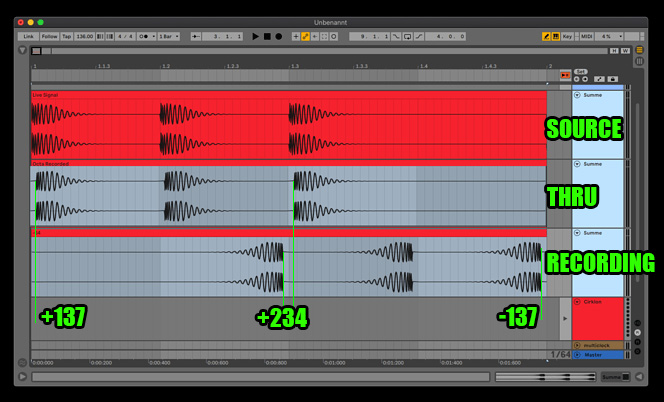
Erratum : 274 not 234
Photomanipulation? 
Fantastic effort and humor!