Really good progress ! I will try to join the beta for testing asap.
1 Like
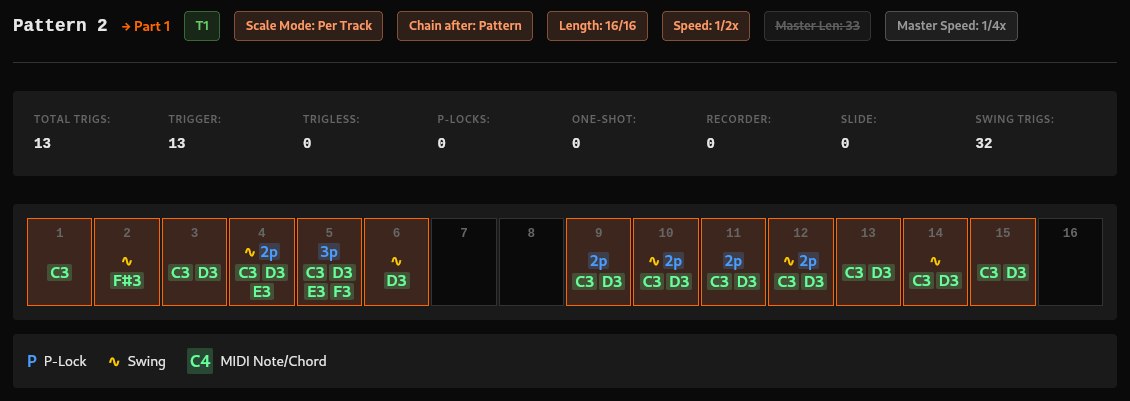
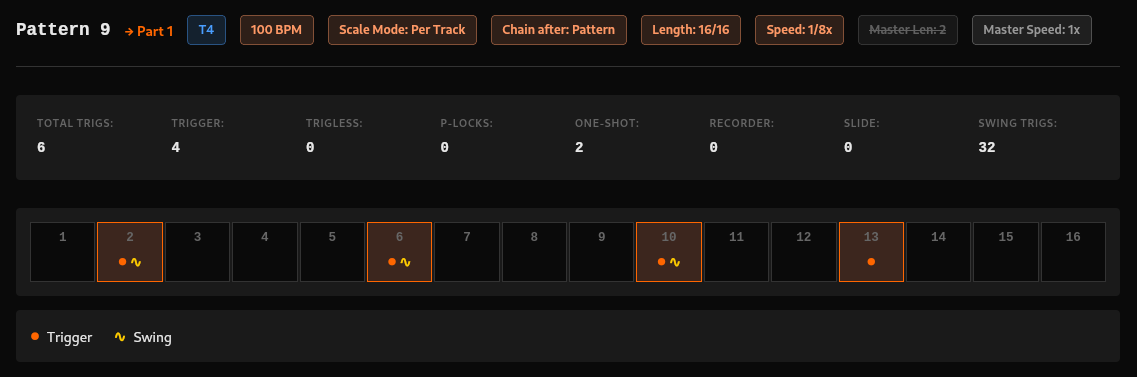
I have also made the legend dynamic, so that it displays only icons that are used in pattern
Also changed swing icon to something that looks less like notes
1 Like
Looks like this issue is fixed now @vasmarg138 
Can you please check with the app latest version and let me know ?
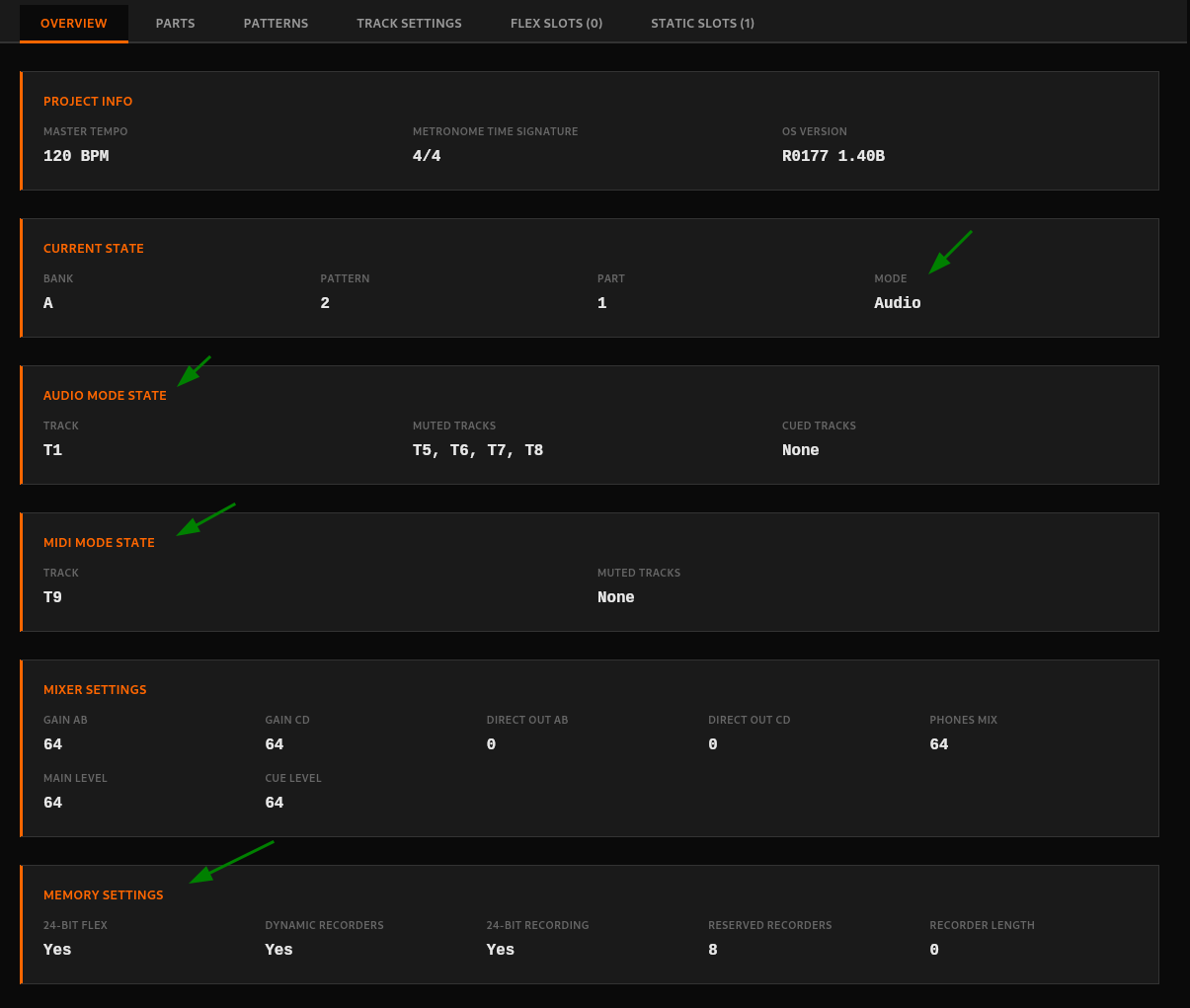
Added some more info to Overview tab
Let me know if you think of something more you’d like to see (and later edit) there:
1 Like
I was thinking about arranging the different metrics in columns of 8 or 4. So that the information is neatly displayed in a grid. Also makes it more easy to make things responsive.
1 Like
Good idea @rosiusyves , feel free to open a PR with these changes. I’m not working on Overview tab atm  (I’m working on sample slot list
  )
)
3 Likes
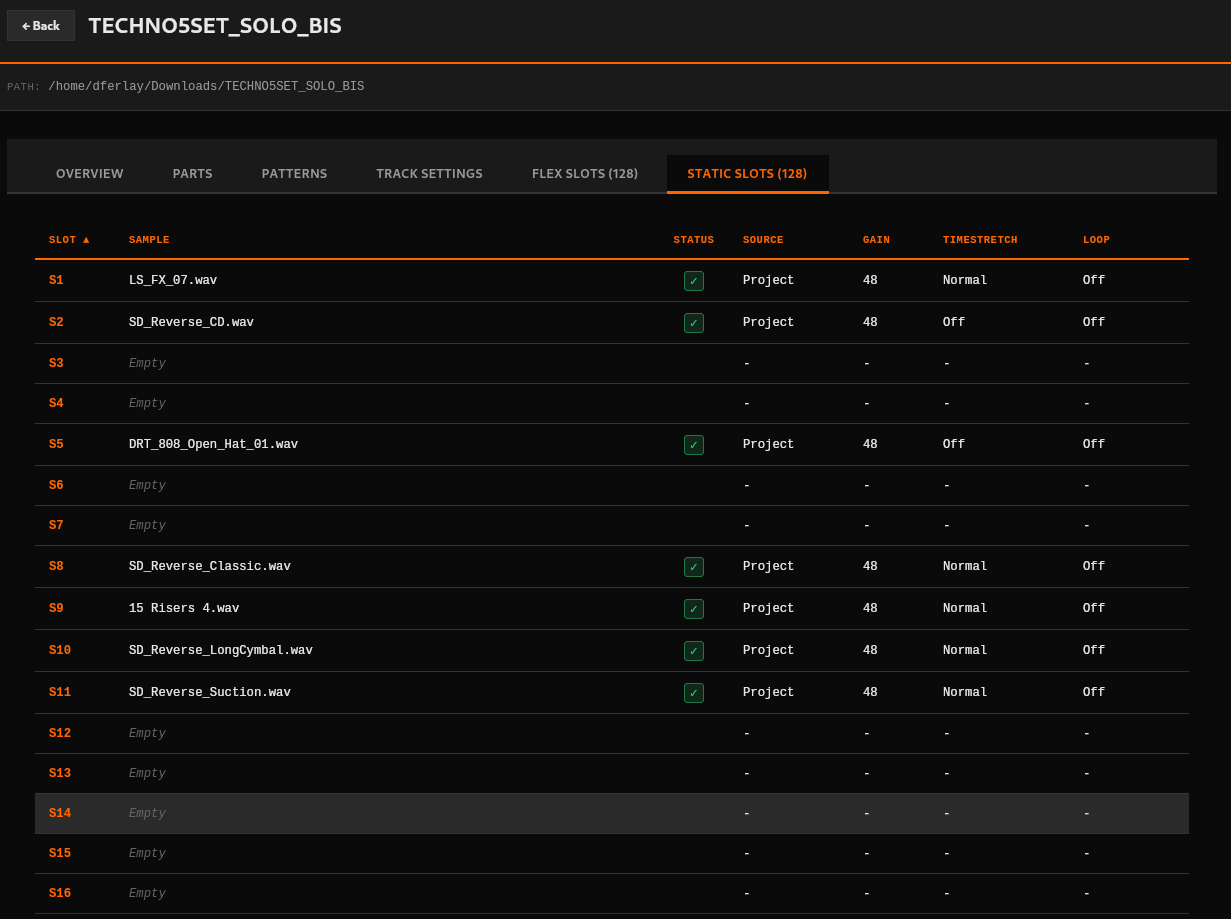
And here is current state:
- Columns can be sorted
- State checkmark indicated if sample file is actually present on filesystem (which we could later add a playback feature)
- Source indicates if sample path is located in project or audio pool directory
4 Likes
Was waking up from a nap… and suddenly remembered that you can save and collect samples on the OT. Might be useful to check how a project is restructured after this action.
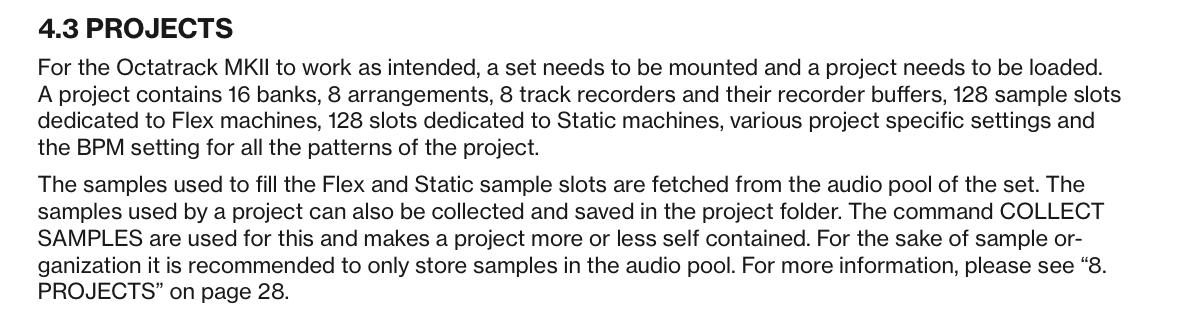
Sure thing, I’m currently testing on projects where that action was executed 
1 Like
Another thought… could we read the CF card in realtime when connected to the OT. Would be very useful to twiddle with knobs and see results.
1 Like
Good point, I added it to backlog
1 Like
This would be really cool if it does work…
https://www.amazon.com/OVAQUIXI-Converter-Multi-User-Wireless-Connectivity/dp/B0F9LSGS55
Might be a dead end however…
Great idea!
1 Like
Not sure how that works but as long as CF card (or usb drive or whatever) appears as a device, the app should pick it up right away
unfortunately, issue persists in 0.1.16.
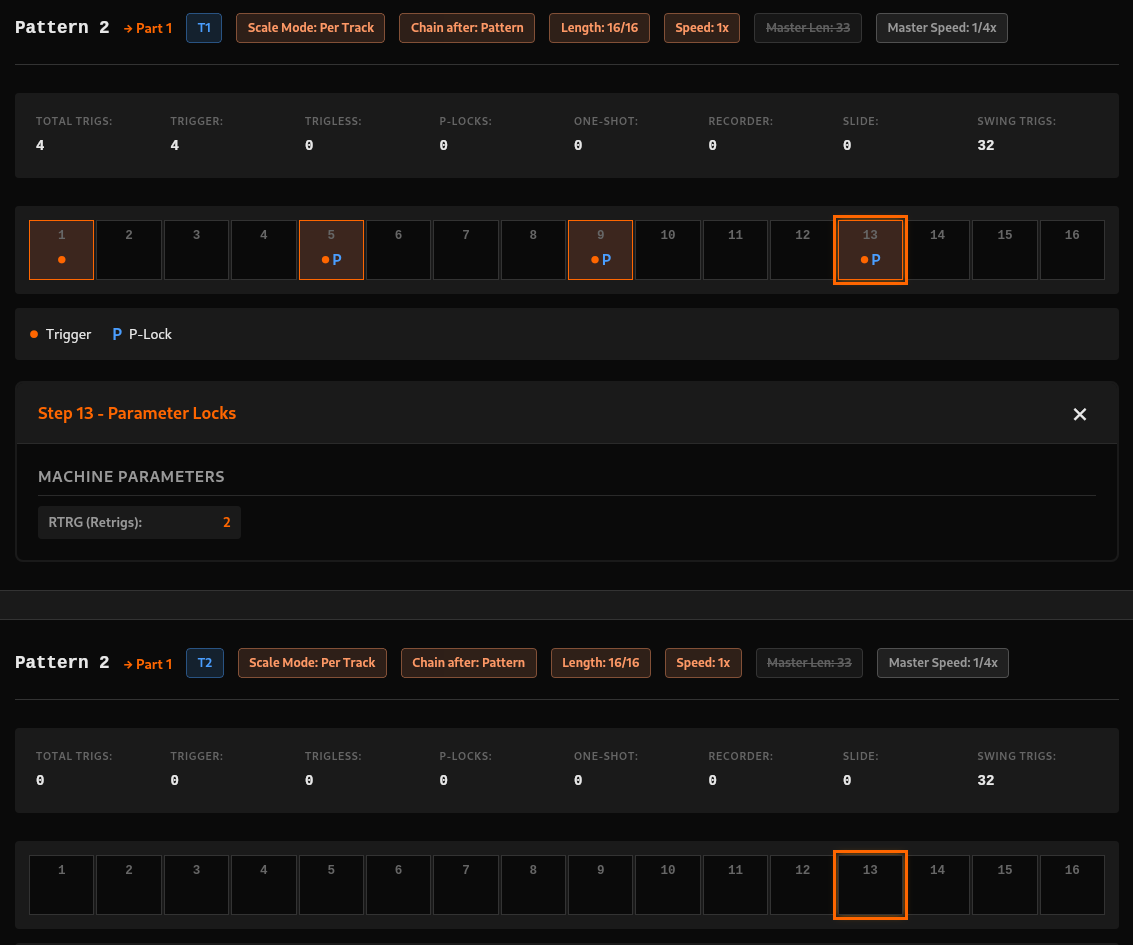
Here is what I mean:
Viewing all patterns, all tracks. 1st step of T2 selected, has 3 p-locks.

scrolling down to next track, same p-lock info appears, and again for next track, and x8 for next pattern’s tracks, and so forth if you re viewing banks as well.

That can be disorienting if you are deep in banks and checking a p-locked step,and suddenly the ui “jumps” because a bunch of “Step X - Parameter Locks” windows opened up and affected vertical position

Perhaps the “Step X - Parameter Locks” window should appear only for the track you manually chose to see.
Thanks for all the details @vasmarg138 , gonna check it in a moment
Meanwhile pushing new release v0.1.18 (changelog) with updated Sample Slots lists:
- Columns can be filtered in all sorts of way (including hiding empty slots)
- Added compatibility check (format, bitdepth, kHz) for files that are found in project or audio pool
- Added ability to toggle on/off columns

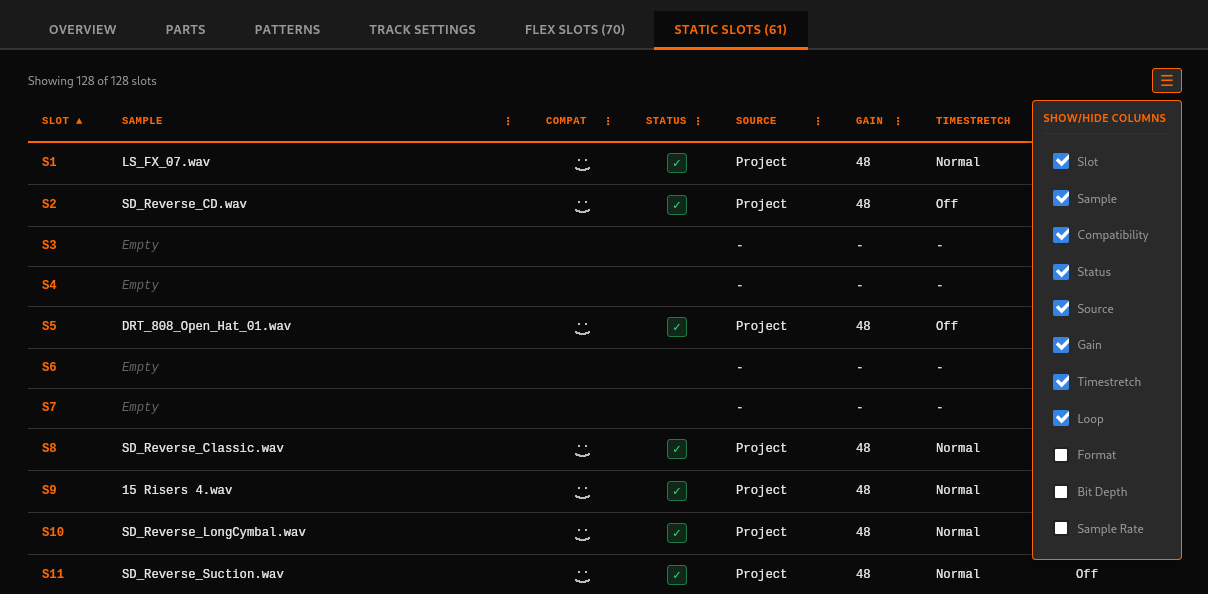
anndddd fixed the build errors which were silently blocking the last 2 releases
Feel free to test and feedback issues/opinions/requests
3 Likes
Found the issue and fixed it
Can you please double check with v0.1.20 ?
I actually find it useful that step selection happens through all displayed patterns but if otherwise I can maybe implement a toggle to disable/enable that behavior
1 Like
yep, now every track shows the correct settings of the step, very nice!
1 Like
Glad to hear that ! Let me know if you have any feedback
Waw, that’s what i call great motivation and I like it!
So many iterations and corrections in 48h already.
I’ll be glad to test furthermore but I might be impeded by the UTF8 Latin-1 error as most of ly projects use french alphabet for a reason or another.
1 Like