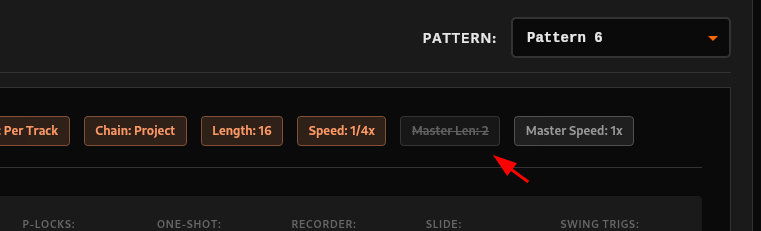
@dijksterhuis it seems that master_len value is likely being read incorrectly from the .work file
Is that something you could have a look at ?
@dijksterhuis it seems that master_len value is likely being read incorrectly from the .work file
Is that something you could have a look at ?
without the source data files i can’t debug 
——
btw, for the most part, ot-tools-io doesn’t translate data to human interpretable values. quite a few fields will need translating from “octatrack data representation” to “human representation” downstream.
i thought of spending a while creating enums for absolutely everything, but that’s a lot of work for what i was planning to use this for. so i’ve not been planning on doing “human interpretable data values” as a priority.
You are right, my bad ^^ Project sent to you in pm
Sure thing no worries, I did some processing to display some of the pattern details in a human-readable way
No problem at all, I believe it’s the role of the UI to handle this conversion in any way needed. Having the raw data available is perfect and allows for flexibility 
Added to v0.1.12 @Blasted_pingin 
I’m also gonna check to do it for Banks and Patterns
very interested in this project, and its amazing to see it coming together so fast!
on v0.1.12,i had success opening all of my projects except one where i got:
Error loading project: Failed to read project file: ProjectParse(InvalidValue(MidiChannel))
It’s like 90% of my projects which encountered that error so shall I DM you few folders?
I’ll try to do it as soon i’m in front of my laptop.
just some project.work files please. that’s all that matters
What’s the OS version of the project you’re attempting to load?
Note – not the OS version of your octatrack, the OS version of the project.
Thanks for your interest @vasmarg138 ! Feel free to further test and provide feedback 
It’s going quick at the moment because most of the work has already been done in @dijksterhuis 's library - which, without a doubt, took months of work to get where it’s at. All credits goes to him
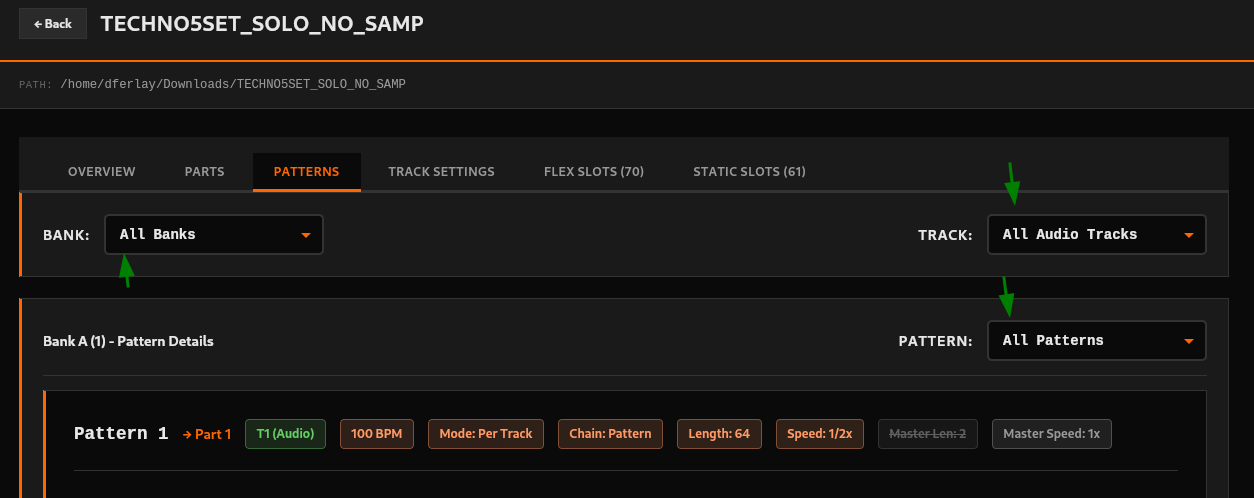
Added “All Banks” and “All patterns” to v0.1.13 !
This makes it possible to view and compare project data at any level of granularity: banks/tracks/patterns 
Note that I didn’t implement any restrictions on using all “All” at the same time, for the sake of flexibility.
Meaning it’s now possible to display 16 patterns x 8 tracks x 16 banks (ie. 2048 patterns)  Beware of your computer getting hot
It was a backup template project file outside of a set, not sure if that matters.
PROJECT VERSION 17 ----- OS_VERSION R0167 1.31
btw, huge respect to you for your hard work as well, didnt mean to belittle your part when i talked about realization speed before, just the UI’s very active development 
ot-tools-io is only compatible with projects that are created/saved on the latest OS … i.e. 1.40X
would need to re-open and save that project with the OS on latest version.
Gonna add that to project’s readme, note that I expect it to be read, but at least it’s there 
Projects are often a team effort. It wouldn’t either go as fast without @Blasted_pingin testing for instance - Or yours 
nice looking forward to this to see if it works on my octatrack files nightmare jejejeje
Let us know how that goes @Wick ! Keep in mind that if any projects were saved with an older OT firmware, you’ll have to re-save them before opening them up with the app
You were right, it was not master time signature (which actually does not exist, only pattern time signatures exist afaik - global to pattern or per track) but metronome time signature
My bad, I updated label like so:
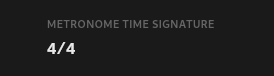
I also fixed labels in Patterns section that way (and at a few other places):

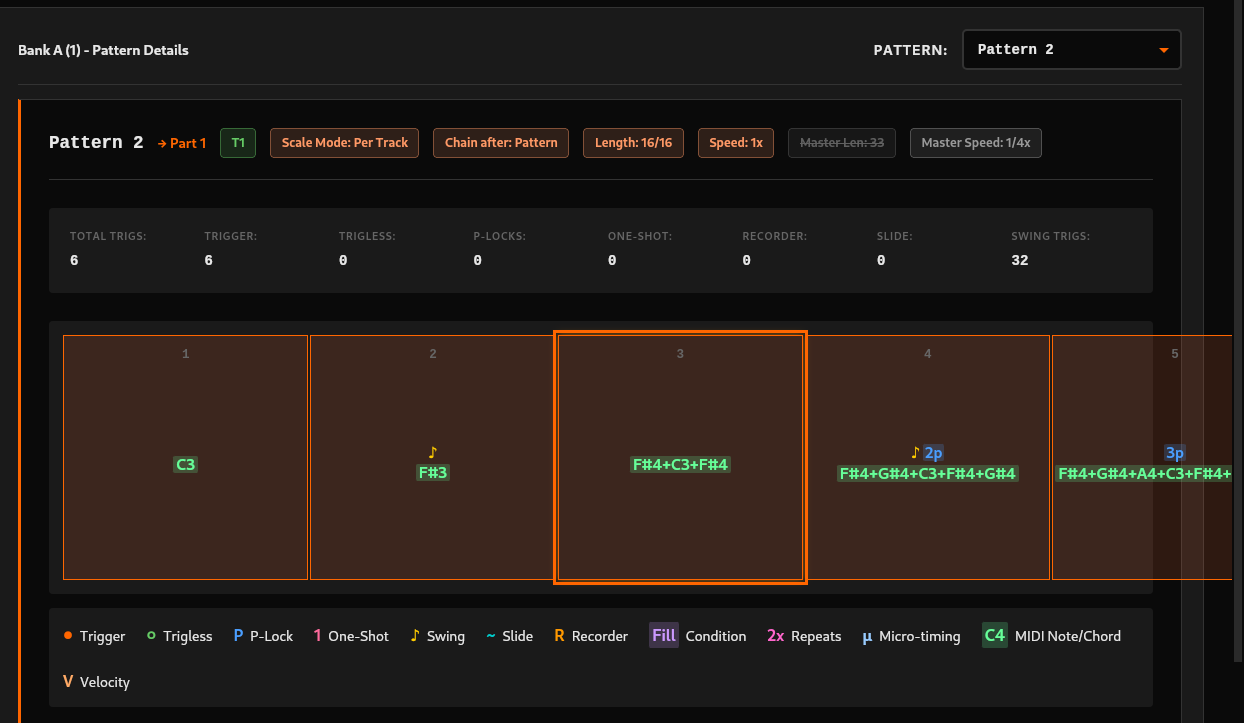
I have started looking into that: notes were indeed not displayed correctly. I fixed half issues about it, need some more time to polish it but it’s coming.
Current state:
With that one I believe I will have fixed all feedback items @Blasted_pingin
Let me know if I forgot anything 
Creating new release with current fixes (except midi notes): v0.1.14 (changelog)
Next release will include fixed midi steps (tomorrow probably)
I found a little bug, when selecting a step with parameter locks, the same p-lock information is also displayed under every other track, which is a PITA when scrolling thru multiple patterns/tracks.
Thanks @vasmarg138 I’ll look into that ! Can you please send me the project and tell me which bank/pattern/track to look at ?