Would be great to have testers to look at latest release and feedback
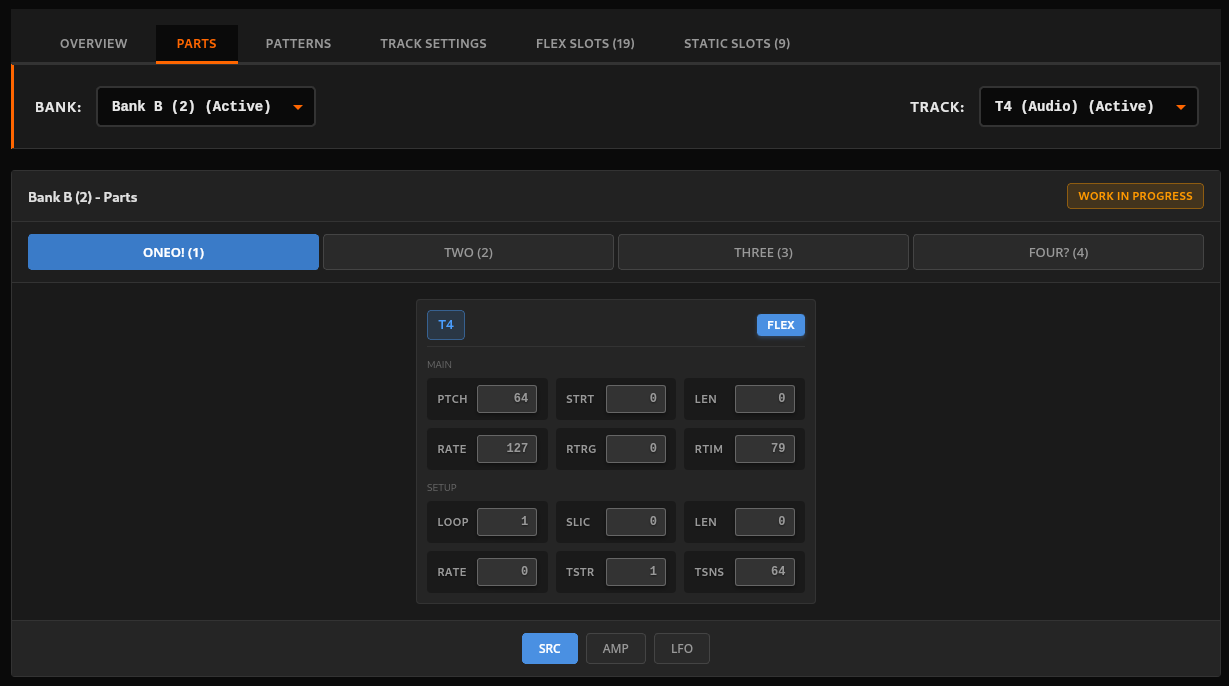
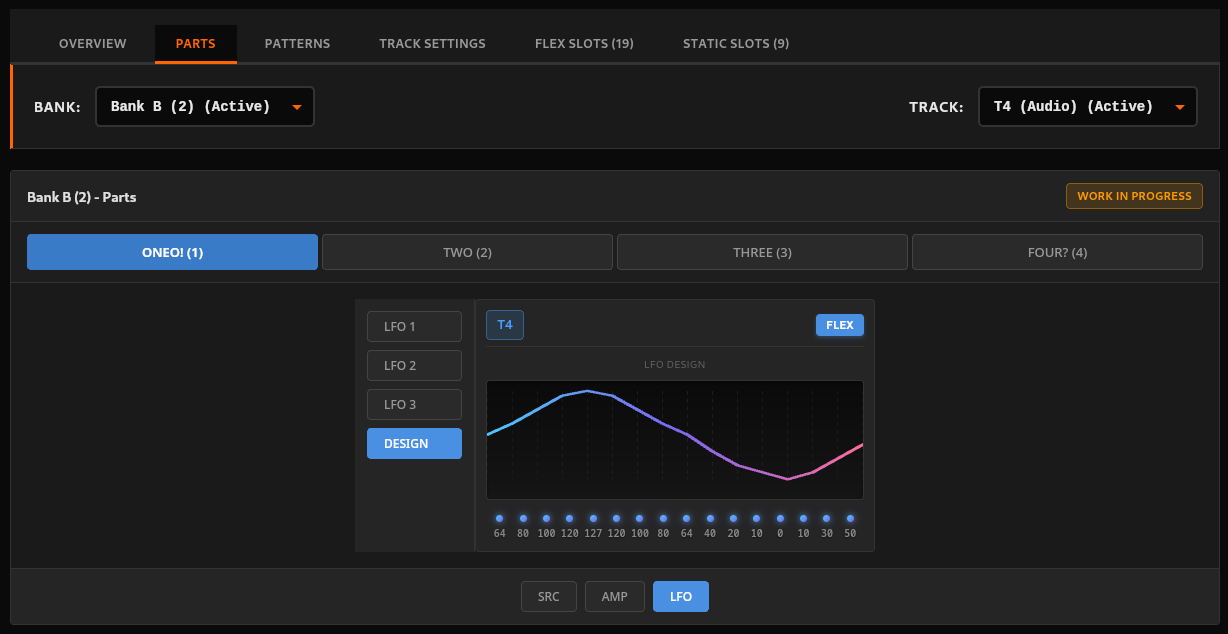
Meanwhile I have started working on Parts content
Would be great to have testers to look at latest release and feedback
Meanwhile I have started working on Parts content
@imacactus Managed to have a look at the latest release. Tested the application on Windows 11 installed using the .exe. Succesfully loaded an clean EZBOT project that I bought some time ago.
Some things I noticed.
When scanning my local Downloads folder, 3 projects are shown.
Then only 1 location is found containing another project. Maybe because this project contains a AUDIO folder?
Could be useful to show more information on why this is the case.
When trying to open some projects (maybe wrong versions?), the loading animation (Loading project data…) is shown indefinitly. An timeout/error would be more useful.
An error is shown however when the project does not contain a “Project” (label is greyed out). “Error loading project: No project file found”
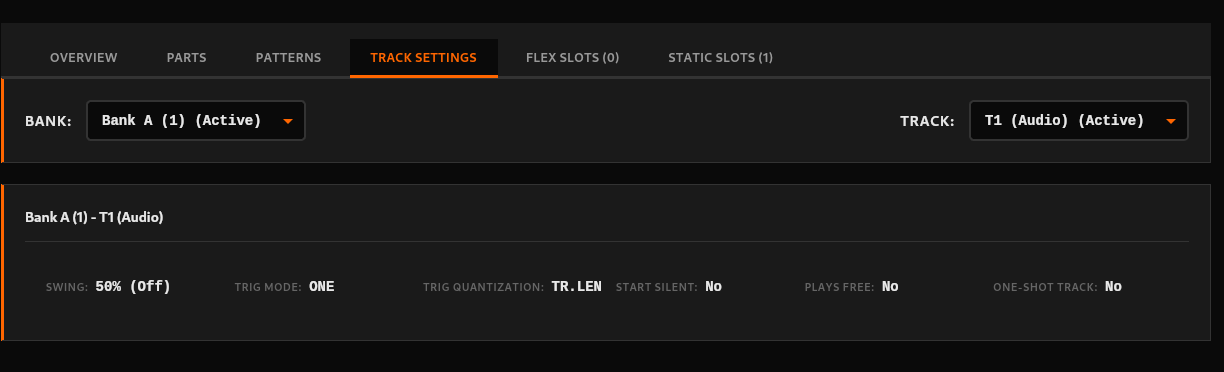
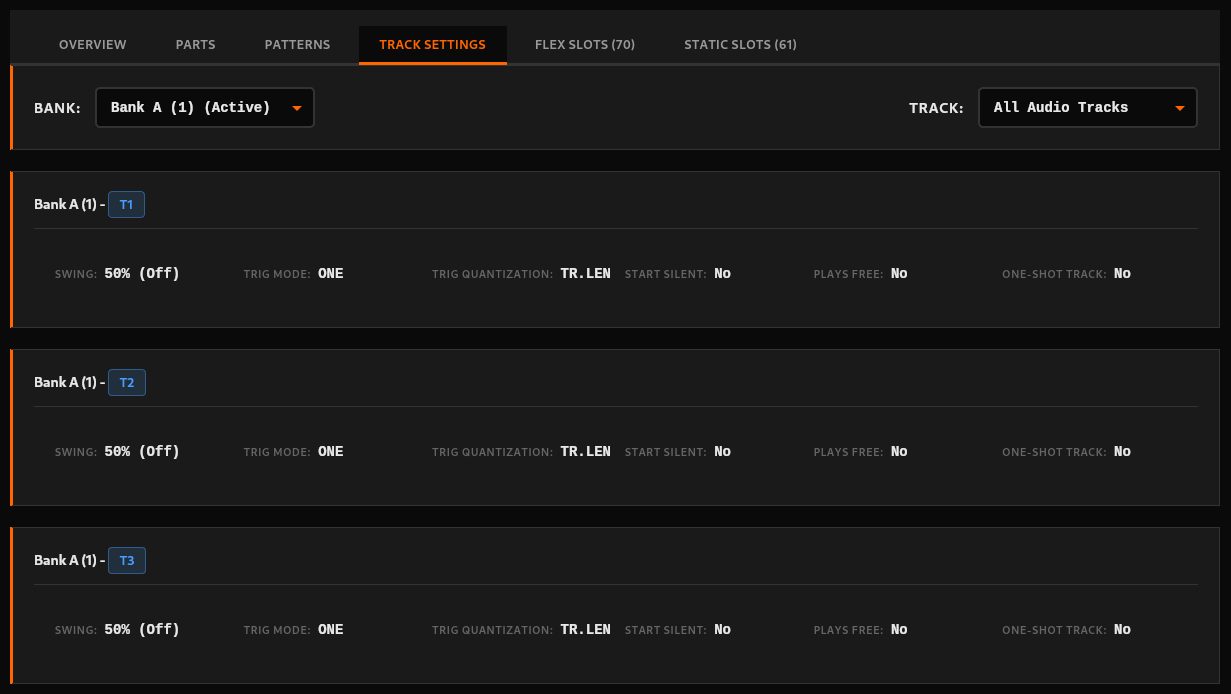
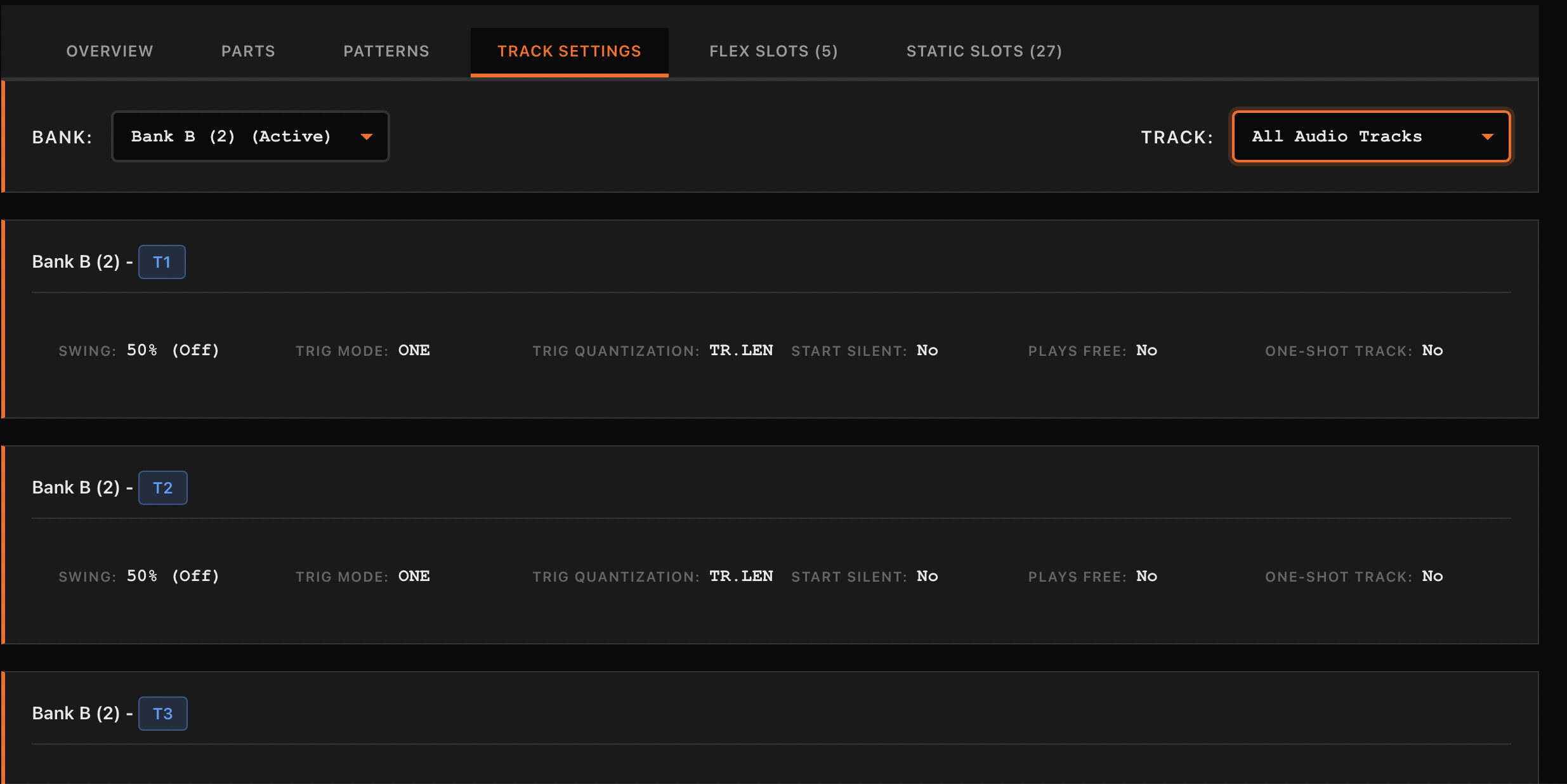
No Track settings are shown.
No samples loaded.
No samples loaded.
I don’t have much time these days but I just tried the v0.1.20 on MacOS Monterey.
I’m a bit confused. I think I’d prefer to have Track / Pattern and Parts tabs merged in order to have more info at once without menu diving.
I can’t open my main projects (UTF-8 error) so the ones I open are mostly trials and errors and I know them much less.
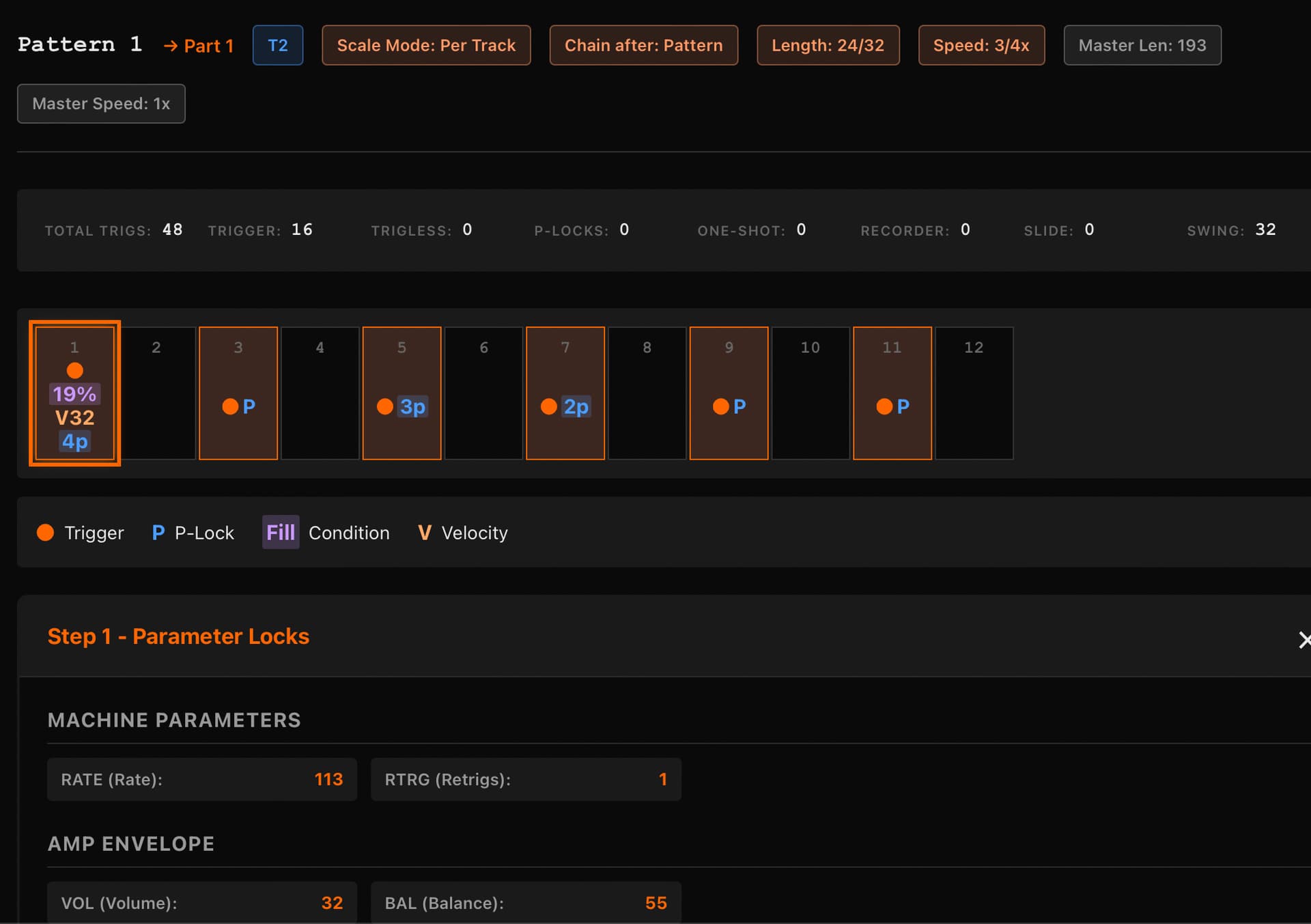
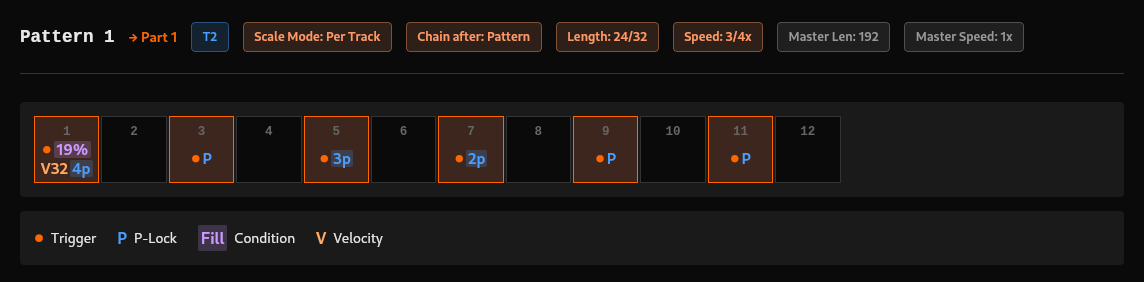
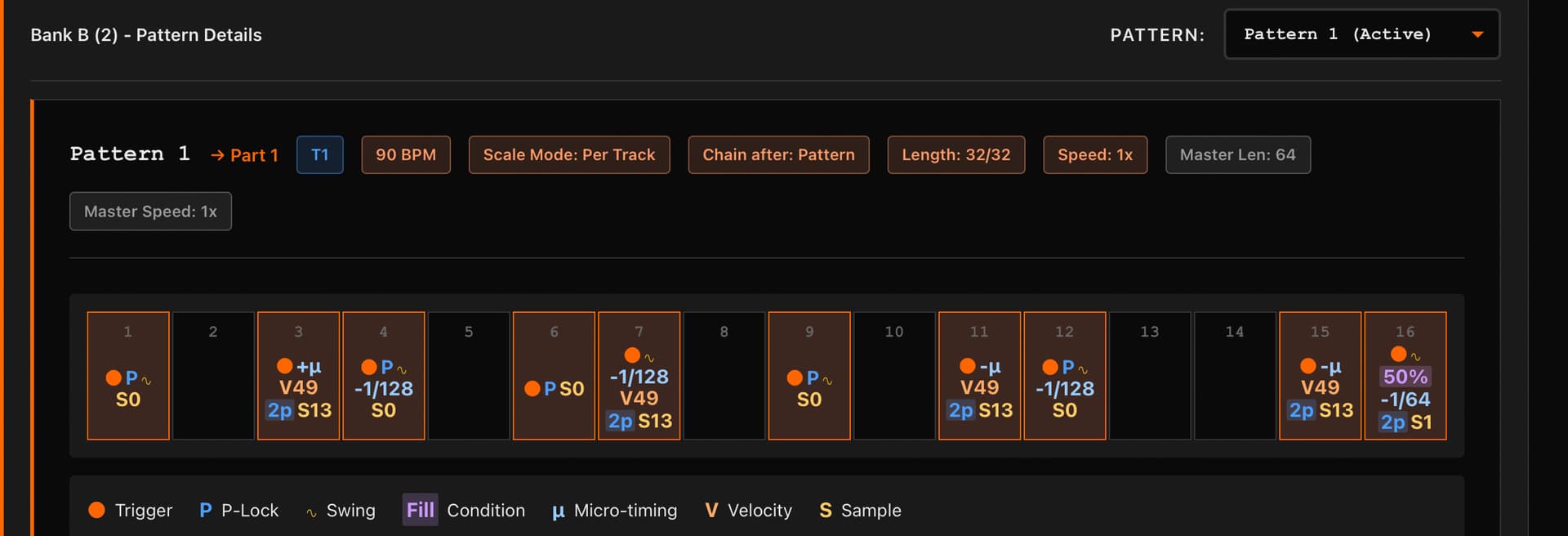
So if i understand the picture, Length is 24 steps, based on 12 steps but with a speed of 3/4? I don’t think it is correct.
I don’t understand the Total Trigs and Trigger numbers.
Also it says P-locks: 0 and displays different P-locks.
Track Settings Tab looks like that for the same project:
I dunno which kind of info are supposed to be here, if some are missing.
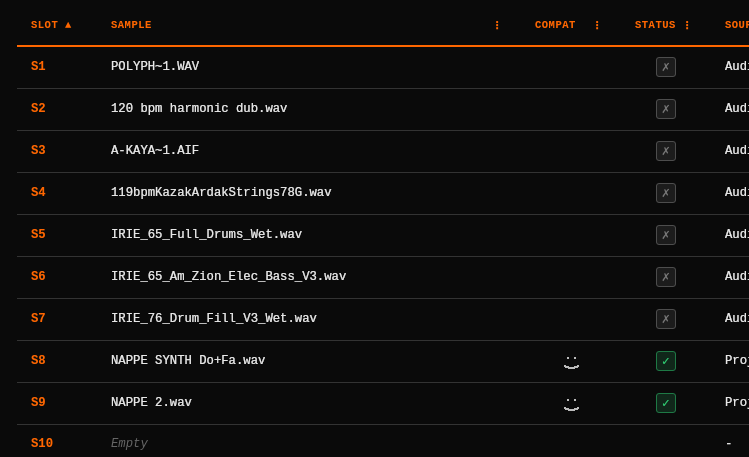
Samples are shown in the Flex and Static tabs but in the column for Compatibility, most of samples are marked with 2 horizontal question marks. Hovering on the symbol it says “Unrecognized format (no WAV or AIFF)” which is obviously wrong. The 2 only samples marked as compatible seem to be samples that were sampled within the OT.
That’s all I can see for now, hope that helps.
Hey @rosiusyves thanks for testing !
Yup that’s on purpose. It’s more a developer feature than anything else.
If you think it’s useful to users I can un-mask it
As described on readme:
The scanner distinguishes between two types of Octatrack content:
Sets (directories with an AUDIO/ folder):
AUDIO/ directory (even if empty).work filesAUDIO/ folder contains valid WAV/AIFF samplesIndividual Projects (standalone):
.work files directlyAUDIO/ directorySo Downloadsdirectory is probably detected as Set because it contains an AUDIOdir and sub-dir with .work files (projects)
Yes indeed. Is that a common pattern ? Can projects contain an AUDIO directory and load samples from there ?
I’m asking because collecting sample to projects copy files at root of project, without any directory
Maybe we can add a rule like "if AUDIO dir is found in same dir as projects files (.work) then treat it as a project, not a set
Loading can take some time (like 30 seconds) but it should succeed nonetheless.
Can you please send me an archive containing that project in PM so that I can check ?
That’s probably the consequence of the un-expected directory architecture
Quite true. Feel free to PR a layout update if you have ideas on how to make it look nicer
Good catch, i’ll check that
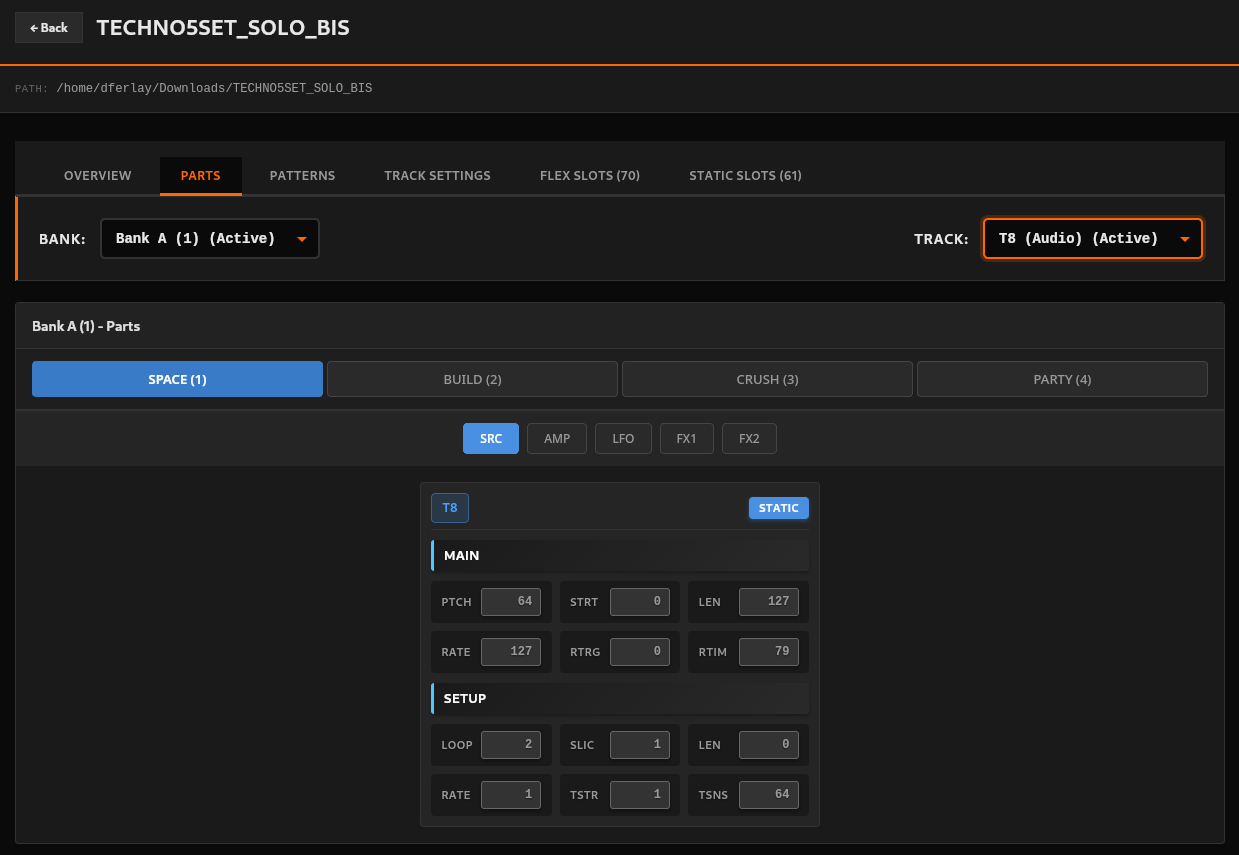
The Parts page is under construction. It’s gonna display all config related to machine for all tracks, hence the Track selector
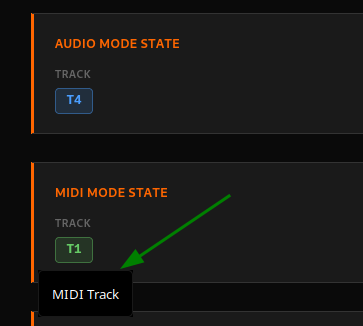
Blue bage means Audio track, Green badge means MIDI track.
Good idea to display this info on hover though
Can you please send me that project as well ? I’ll check it
Master len should display correctly starting v0.1.20
Can you please double check you are loonking at the right bank/track/pattern ?
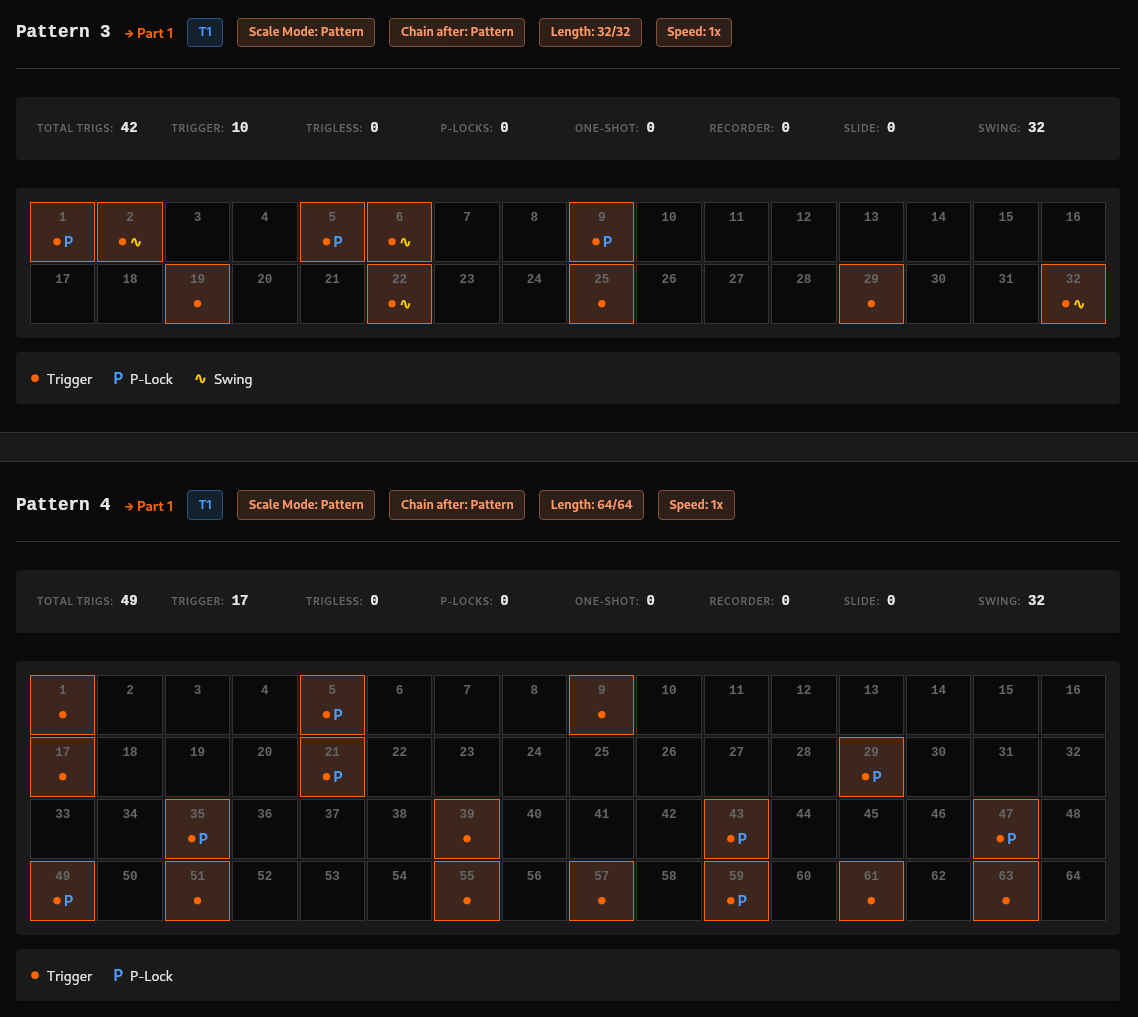
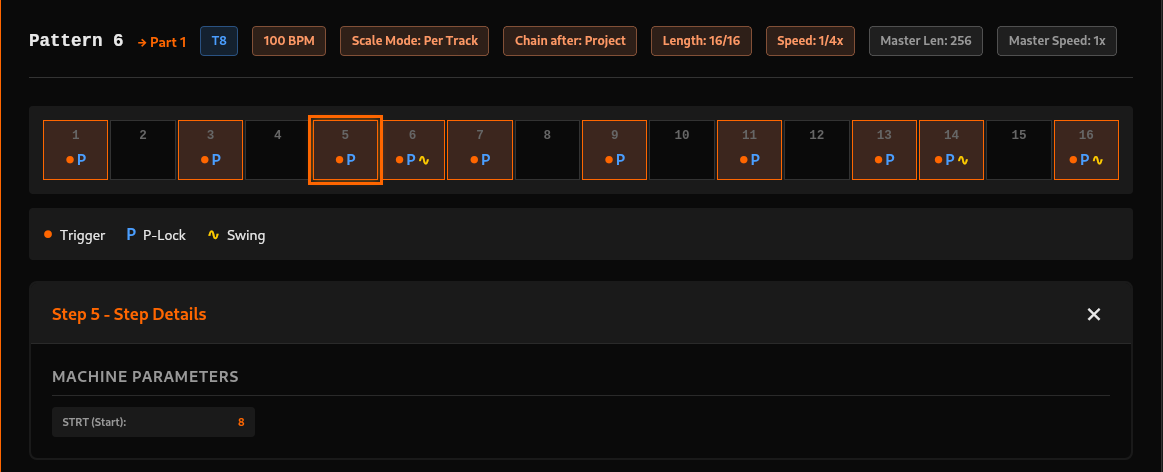
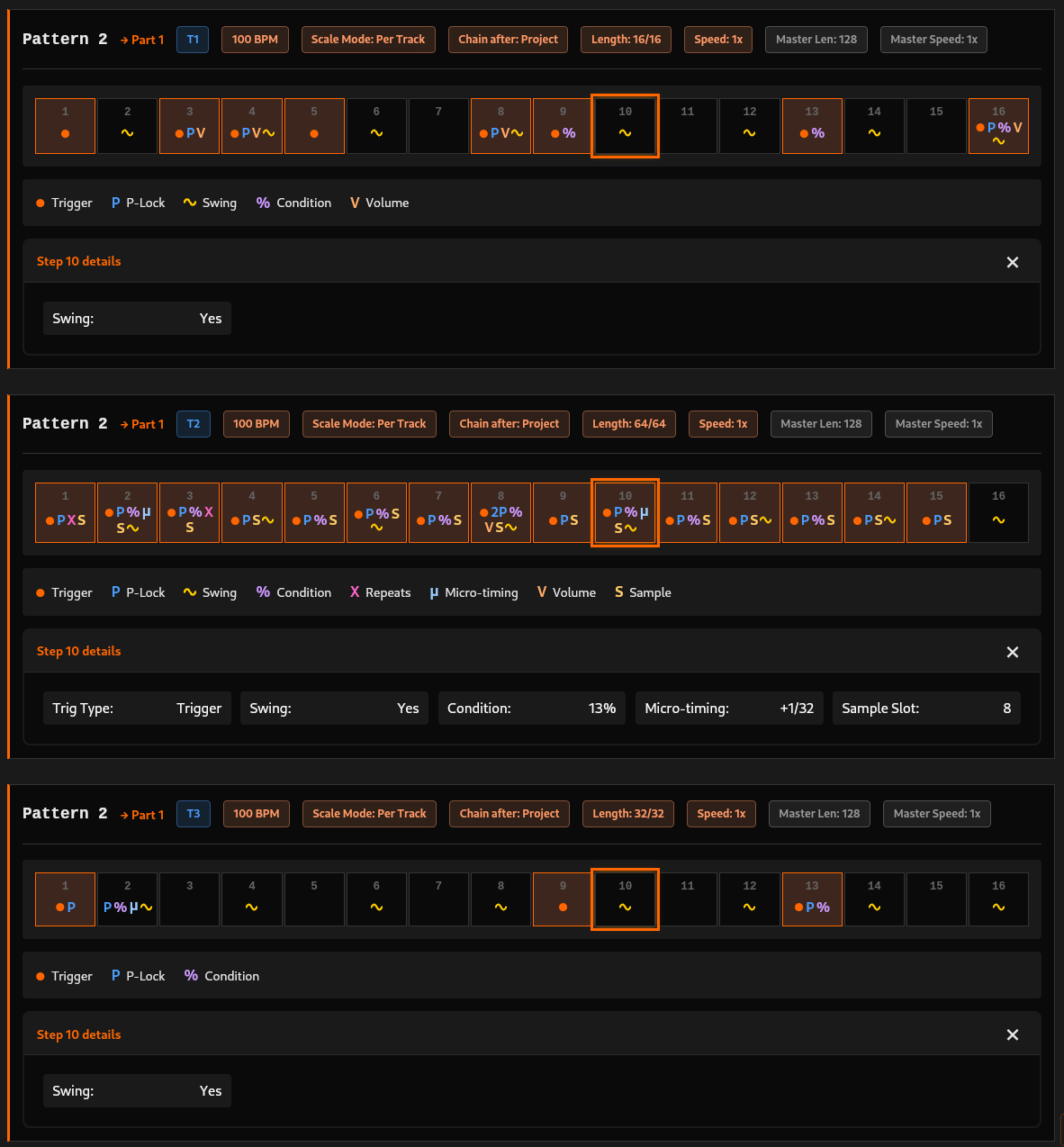
Pattern steps should display like so:
Good catch! I’ll fix that
Recorder trigs share the same pattern / steps as any other type of trig (sample, lock, etc) so I guess yeah. I’m happy for anyone to correct me if I’m mistaken
Maybe we can add a feature to toggle on/off the type of trigs to display if that’s useful. What’s your opinion ?
Yes it is. Swing is a kind of trig assigned to a step, so it counts. I can have it not taken into account if that makes more sense to users
Tracks settings should display like so:
I just came across the issue, where nothing is displayed and clicking “refresh” fixed it. I’m going to look into it
Any sample loaded in both sample list should be listed there.
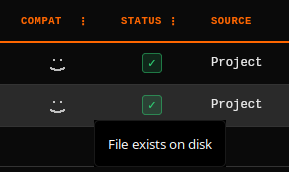
When a sample is loaded and that the actual file is found, format/khz/bitdepth analysis takes place to check compatibility with OT sound engine
Thanks for your feedback @Blasted_pingin !
Yup I get the idea.
There is gonna be a ton of info to display on Parts tab so merging both may be tricky.
Maybe we can have another Tab called “Compact view” or “Track view” displaying both Parts + Pattern config for 1 single track/bank/pattern (without select-all).
That way there would be enough space to make everything important visible straight away.
What do you think ?
Did you send a project with that error to @dijksterhuis for debug ?
Indeed that does not look right! Can you please send me that project ?
32 Swing trigs + 16 sample trigs = total 48. But with a pattern of 12 steps, that sounds weird too. Unless some triggs are picked up from disabled steps 
I need to look into it in any case
That looks about right.
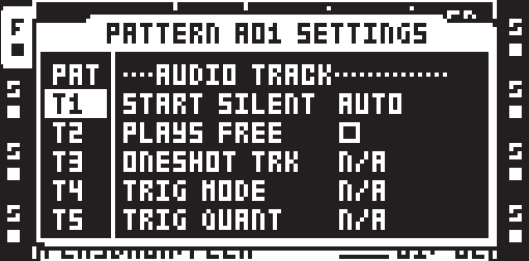
These are settings from patterns associated to track:
Indeed. Just noticed it too on a test project: these icons should not display when sample file is not found locally (because no analysis can take place).
Gonna prevent this from happening when it should not
It does help, thanks a lot !
Let’s see what you have in mind, I just gave a feedback on what I saw but I’m sure you have a good vision for longer term 
Yep, it seems it’s not a small job to fix that error. It needs rewriting, let’s see if/when he’ll have time to work on it.
Ouch, I forgot which project it was and the name doesn’t appear on the screen capture… EDIT: found it!
Do we need to know how many trigs are in a pattern? To what end?
It could show that files are not found though (I guess you already planned that)
Let’s keep up the good work!!
New release: v0.1.21 (changelog)
I have made some progress on displaying Parts data:
No need to test yet: Need to implement remaining pages (FX) and then do it for all machines of Audio tracks, then also do it for MIDI tracks.
Meanwhile I have also fixed some feedbacks:
Done: T1-8 will now always display the same way (with colored badge + hover tooltip) everywhere an app
Fixed
Fixed: Icons now display with the correct rotation, and Compat icons only display when relevant (when audi file was actually found)
Fixed that too
Issue was occurring when “All patterns” was previously selected in patterns tab.
It now displays correctly:
Have a look to screenshots above, it’s just the start but you’ll see the idea !
Fingers crossed !
Gonna look at it now
It’s true that it does not seem very useful, considering displaying pattern steps gives the same info and in a more pleasant way. Let’s remove that section and call it a day 
Done:
Already done: that’s the “Status” column
Thanks a lot for your feedbacks @Blasted_pingin
That pattern is actually 12 steps long playing at 3/4 speed @Blasted_pingin
However, there was an error in Master Len value in a specific use case that your project highlighted > Now fixed
Also added in v0.1.23 :
Creating new release v0.1.24 (changelog) with all data from Parts 
It includes:
Now looking for testers
I installed the latest… v0.1.35! That many versions released within the last 24H?
I tried several projects and the info seem correct so far!
Some remarks:
For instance, the P-locks info are cramped:
I don’t really know, maybe it’s just a matter of habit.
Too much space between info and scrolling. Generally I’d like to have an overview of more things at once rather than having to scroll and to read info that are displayed very much apart from each other.
Maybe also I’d try to have 4 Parts info displayed within the same screen with different colour in background or simply negative colours. I feel like the fact the general background is black and the background of any square as well doesn’t make the info stand out.
Too much menu diving and some info are repeating. Maybe a unique place for Tracks?
I dunno if it’s possible but a unique tab for displaying parts and patterns would allow an easy drag and drop or copy/paste to a new project for example.
Maybe the status icon of unfound samples could display “sample not found” when we hover it? Maybe there could be an option ala Ableton to retrieve automatically the samples from a disk/folder?
Couldn’t find any of these info at first. I had to check your screen captures. I would have expected to see these in the Tracks tab. Here again, it takes 7 clicks if I wanna go to Parts tab (1 click), a Bank (2 clicks), a Track (2 clicks), a Part (1 click), one of the tabs (1 click) and a bit of scrolling to find the LFOs.
That’s it for today, thanks again! I hope I don’t sound too harsh, I’m having a rough week, I might come off as complaining, it’s just tired me struggling to explain things in english tonight 
PS: The LFOs displayed are the cherries on the top
Hey @Blasted_pingin !
I’m currently implementing auto-updates > So I needed to create a lot a new versions to test that feature 
New version will be checked/downloaded when app starts or by clicking on version number in top right corner. At least it that’s how it’s supposed to 
With v0.1.35 it may work-ish but you will probably need to restart app manually to see new version. I’m looking for a way to improve that
Good news 
Yes goal is ability to copy steps, patterns, parts, tracks and banks.
You are probably right in any case: we can simplify info displayed on steps themselves, use smaller/more minimalist icons and let detail be visible in step details pane.
Would that be better ?
Noted, thanks for the feedback ! I’m gonna look for a way to fit more content into same space; maybe even implement a kind of scaling feature
Maybe we could even have a “Compact view” toggle which would shrink all empty spaces
Main issue is that when displaying only 1 track, you wouldn’t want to have most of page empty, right ? So need to find a way to have best of both worlds
Can you please describe what it would look like ?
Noted, it was on my todo already ^^
Gotcha, need more contrasts to make info stand-out
Can you please pinpoint repeating info ? If there is any that’s a mistake
“Patterns Settings per Track” are however not bound to Parts, but to Patterns sooo maybe we can more “Tracks Settings” content to somewhere in “Patterns” tab
Parts and Patterns are conceptually 2 very different things in the Octatrack architecture. That’s why it’s displayed on different pages, I’m trying to keep close to the architecture.
That said, we can make all kinds of tricks in UI  What kind of layout would you like to see / do you have in mind ? Feel free to draw a wireframe and share it. I’m open to anything
Good idea > Added ! 
Totally agree, that’s on my todo
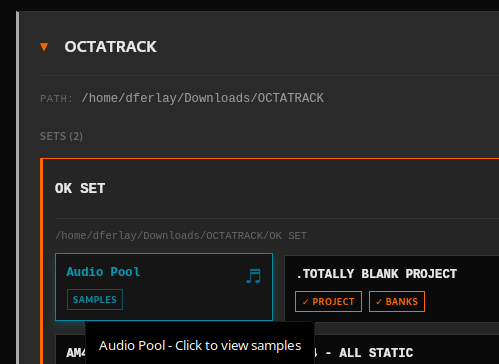
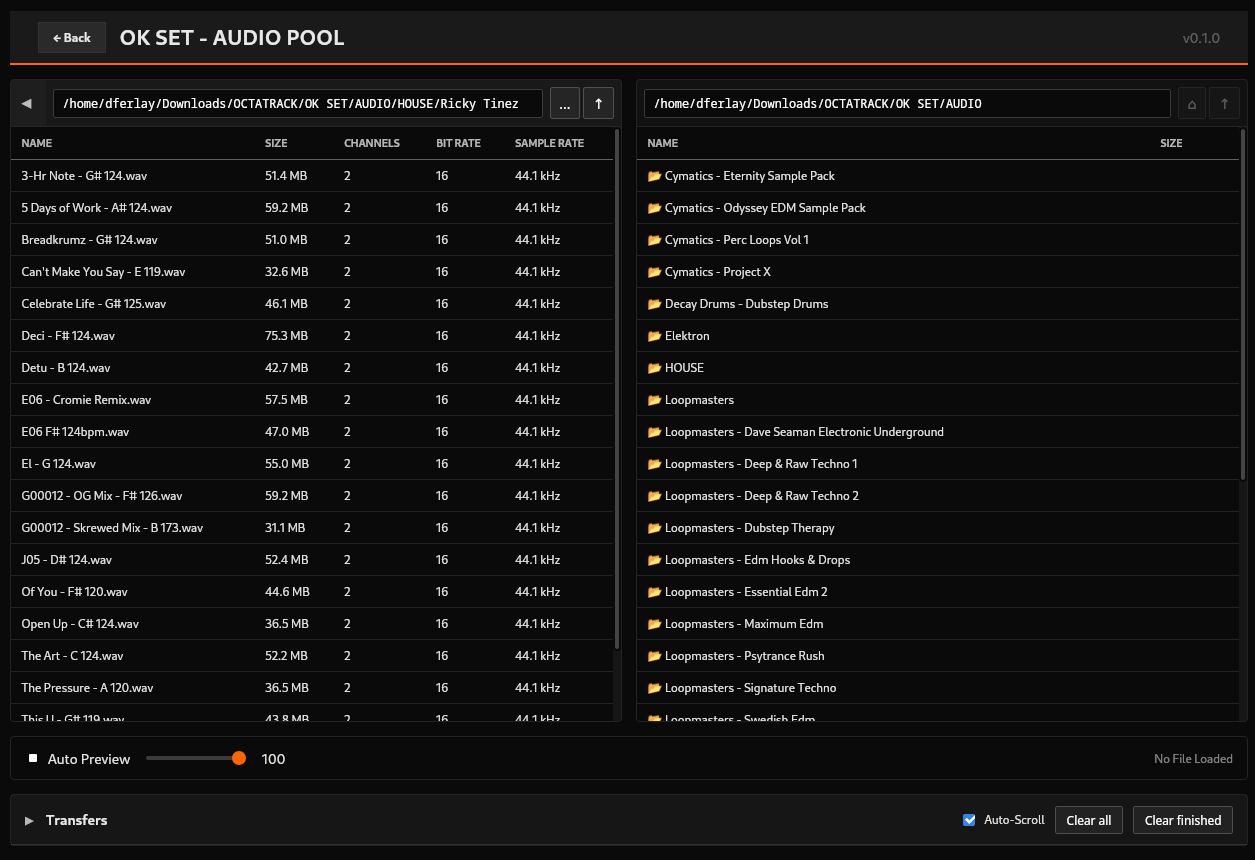
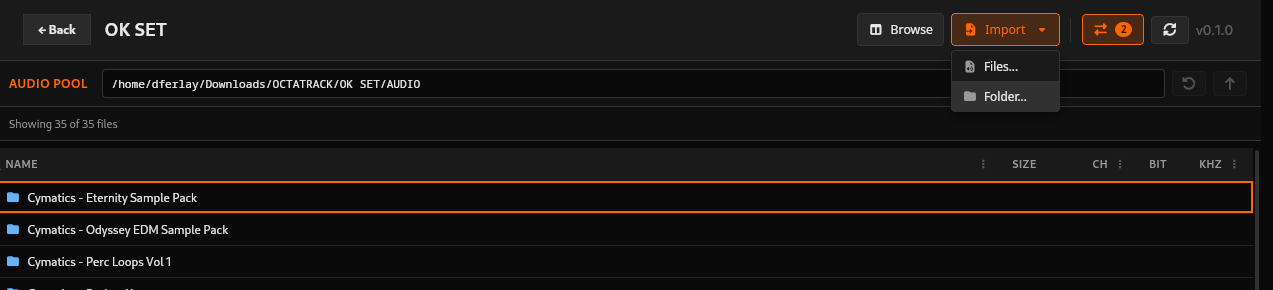
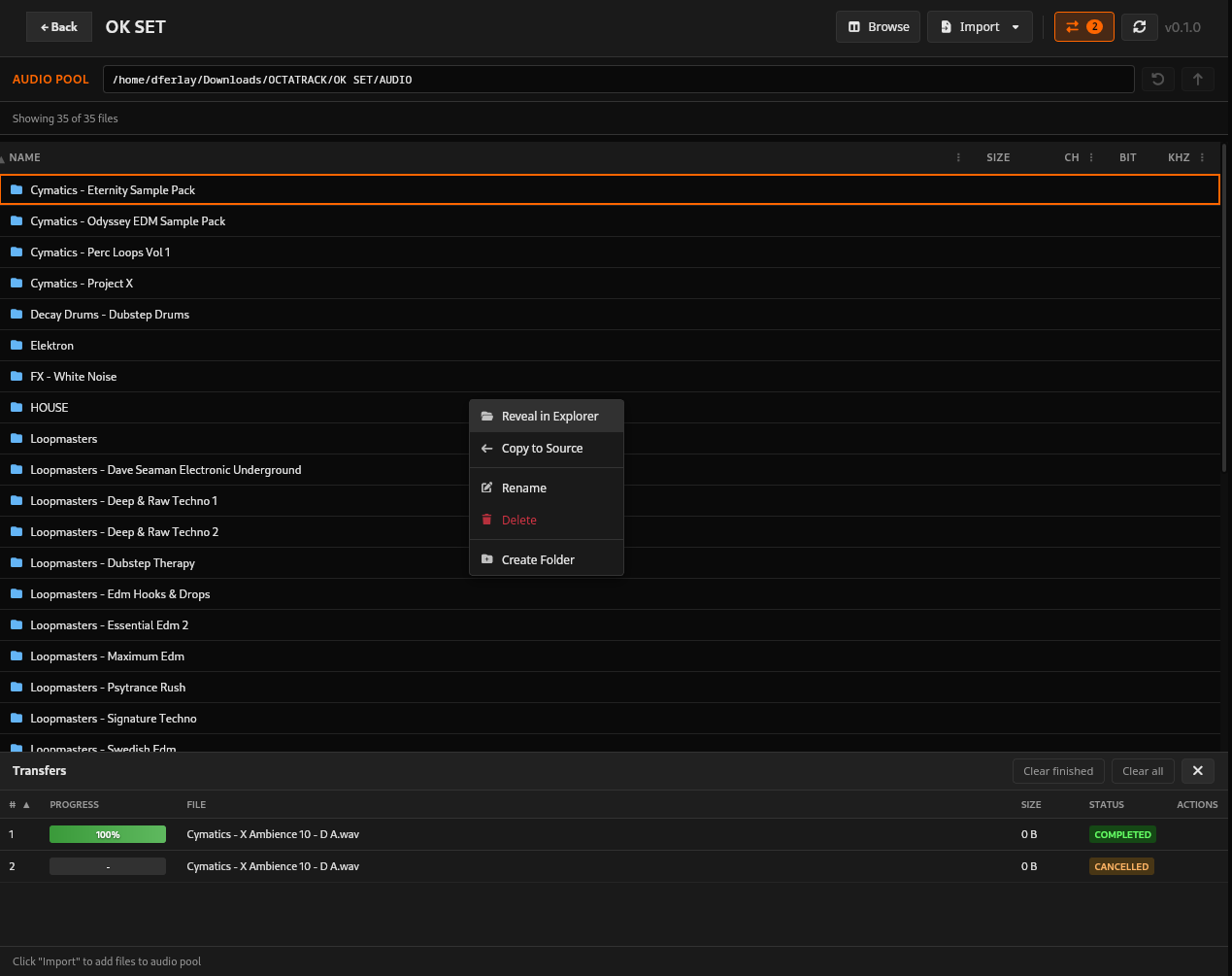
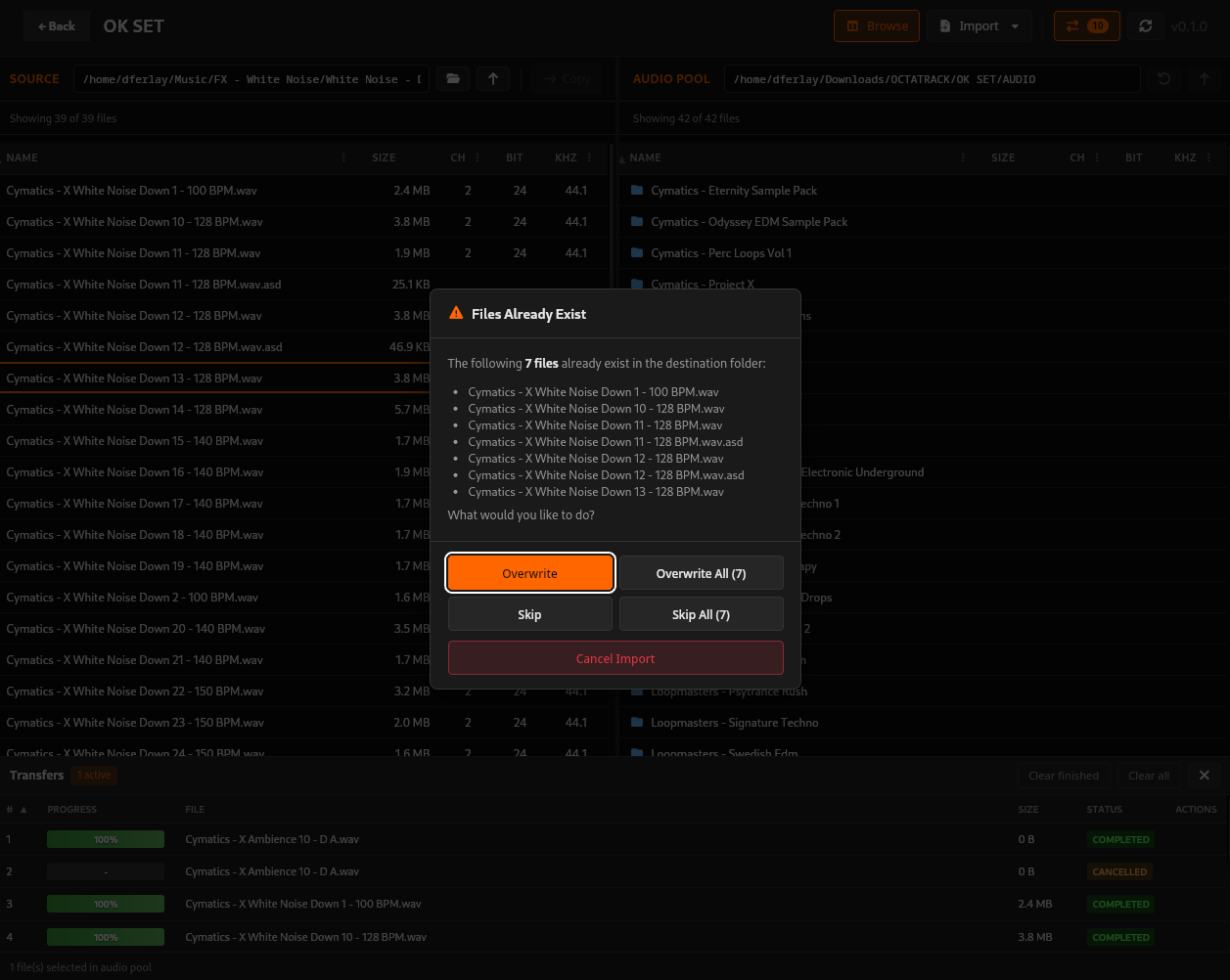
I have actually started working on Audio pools UI to start adding sample management features:
It’s heavily inspired from Elektron Transfer app 
Goal is to have automatic audio conversion, ability to add samples from Projects ’ Slot Lists and other goodies I listed time ago in 1st post of this thread
Tracks details (what machines, what settings, etc) are all part of Parts, so it seems logical to me to have these info in the Parts tab
I kind of had in mind to replicate the Ocatrack’s “pages” UI but you are right that we could display much more info stright away, i’m gonna change layout in that effect !
Not at all, user feedback is key. I’m not investing in a software to please myself and my habits, I’m doing it for everyone else to find it useful. Let’s just go into that direction step by step 
New release v0.1.49 (changelog)
I substantially updated how patterns are displayed:
Good job!
I can now scan without issue.
One question: when I hover on a trig it shows P-Locks: 3. What does it mean?
Thanks @Blasted_pingin ! 
It means that there are a total of 3 parameter locks on hovered step
New version v0.1.54 (changelog)
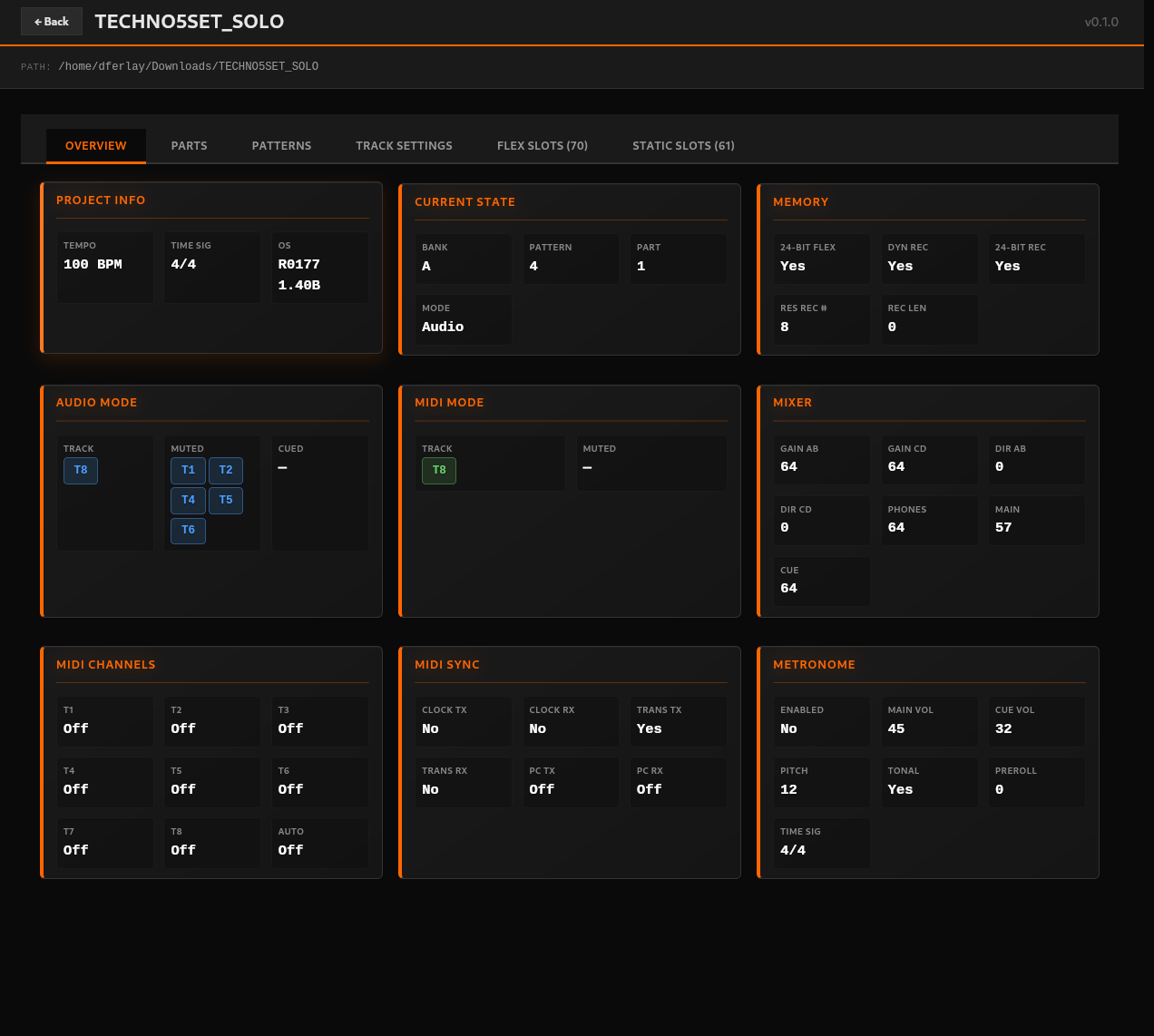
Updated layout of overview page and added more info (midi channels, midi sync, metronome)
As new data were added, you will need to refresh project cache using auto-hidden button next to project name:

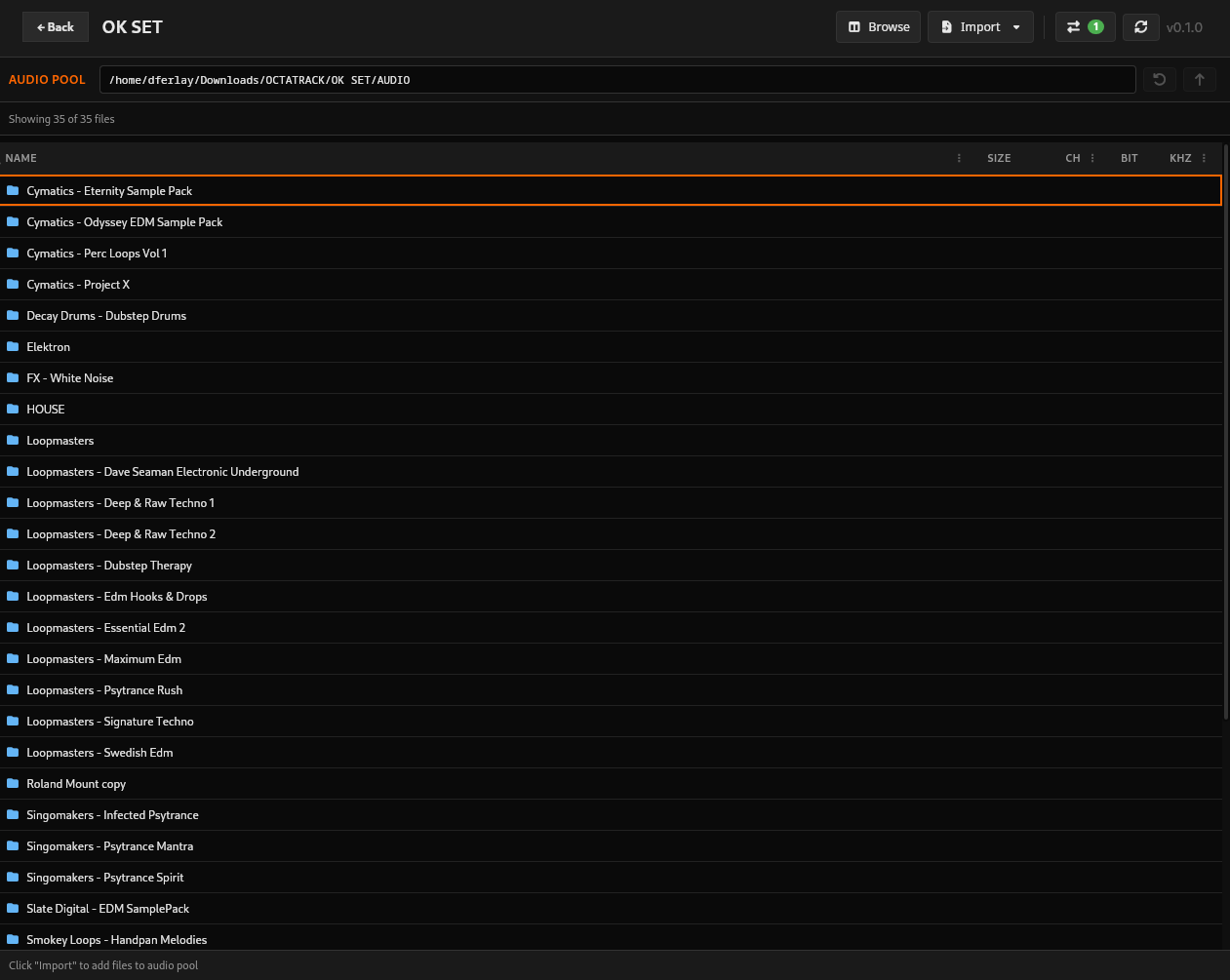
Also currently making a lot of progress on Audio pool page:
Next:
Need testing:
This seems wicked man, I recently got the OT so really need to try this out soon! Thanks for the effort, let us know where to donate/purchase if we enjoy it!