It doesn’t have to be a note per se either. It will render for example a reverb tail, basically whatever is happening on your chosen selection, which is really cool.
2 Likes
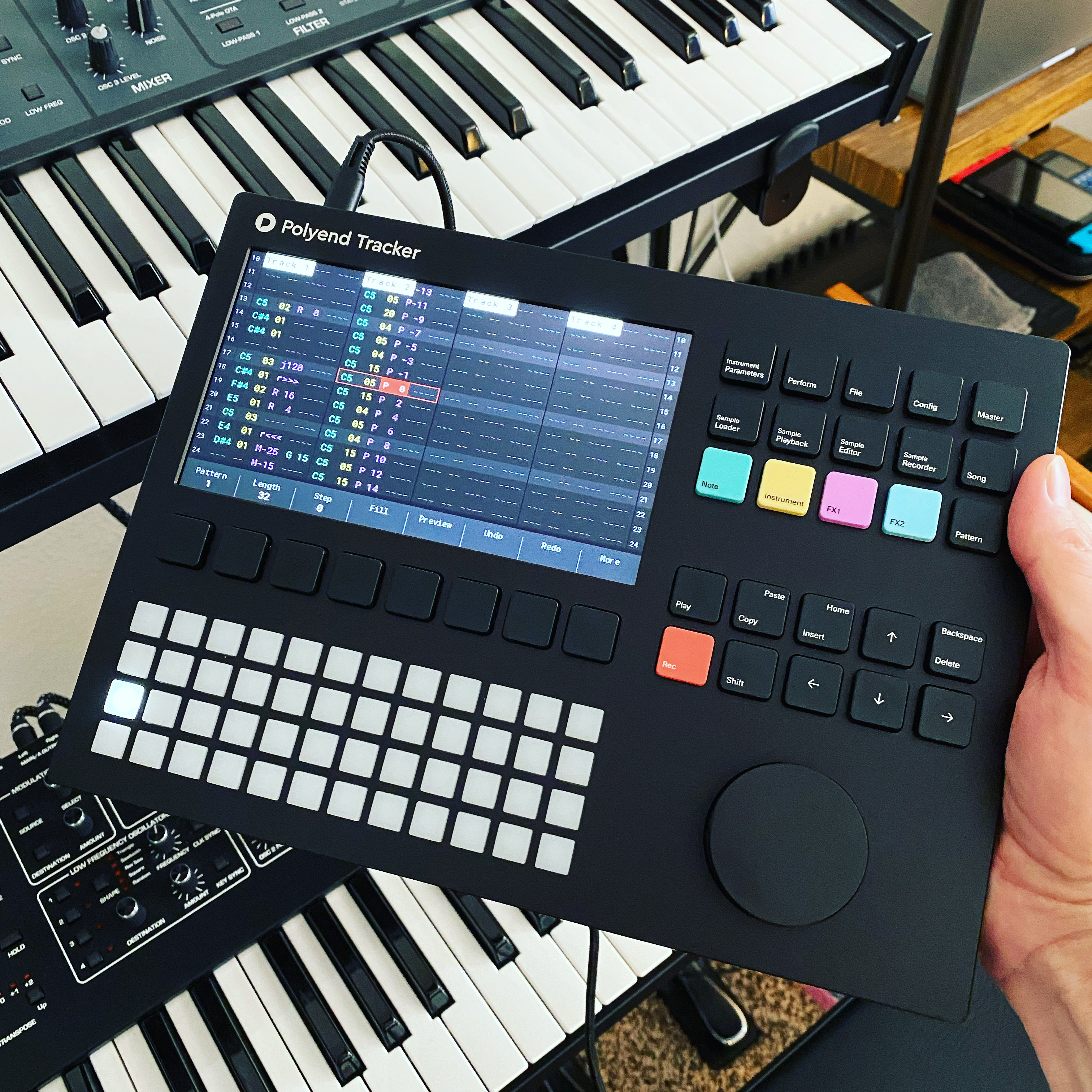
new?
you gotta admit, that’s a good-looking piece of gear!
1 Like
Okay, I admit it.
2 Likes
If that was a q for me, then yes, new from Sweetwater (US retailer). Plastic on bottom.
Weighed w a digital scale called the Acaia Pearl: 941.9 grams.
(MicroSD card in. No dongles included, just the device. Looks like 2.077 lbs.)
4 Likes
Seems like your microSD card may be heavier than mine… is it a 16gb or a 32?
4 Likes
Those 1tb SD cards are amazing but nearly break my back when carrying in a rucksack!
1 Like
I have the new plastic one for like 10 days (ordered from Thomann). First I have to say that the build doesnt feel cheap but I also cant compare it to the metal one. The plastic seems very sturdy to me. It is rubberized but it is not grippy at all when you touch it like you would expect from rubber, instead its really silky and smooth. It feels like Push2’s coating which hasnt been deteriorating on me after a couple of years of use but in the end only time will tell if that’s true for the Tracker as well.
By the way it also attracts fingerprints like nothing else unless your hands are really clean and dry.
All in all I would say the plastic back is not a big disadvantage. If you would like to toss it in your backpack, I’d be much more concerned about the jog wheel.
The construction is super wobbly and in my opinion predetermined to break at some point. It’s sad because you have to use it all the time being the central data input method and it just doesnt feel right every time you touch it.
The manual says that you should not apply too much force on the sides of the jog wheel so that it doesnt break but the surface of the wheel is completely smooth, slippery and doesnt have any grip (for example through a a little notch for a finger tip) so that in my opinion you have to do it anyway.
I may sound nitpicky but in my opinion the jog wheel is a design failure and completely devalues the rest of the build like the mechanical keyboard buttons or that really generous screen, that you normally dont see on a sub-500€ device, not even on synth/groovebox flagship devices.
Ok, enough of the build quality, here is my personal pro and con list considering it’s features and usability as a groovebox from a person who doesnt normally use trackers:
Pro:
- it’s really easy to see whats happening in a pattern because of the big screen and the information that a tracker offers at a glance
- step fx are great but you only have two and something basic like velocity or a slice-selector already uses a slot
- the rendering/resampling options are phenomenal
- the performance fx mode is a great idea
- wavetable and granular synthesis options are great, though the sound quality isnt the best
- fill function is a really good idea and implemented well
- I love sampling the radio
- the audio editor, slicing etc. is much better than on most samplers because of the huge screen
Con:
- it’s probably just the lack of muscle memory but I get frustrated all the time with the positioning of the cursor, being in or out of input mode and accidentally writing stuff that I have to undo then. feels a lot like using Vim the first time but I can see that it would become really fast if I’d use it more

- in general the layout of the buttons and functions doesnt feel right, hard to explain but I think my hands have to move too much
- no preview of effects in the audio editor
- really long loading times of big sample folders
- you cant select a slice in the audo editor by pressing the corresponding pad button, instead you have to use the function buttons numerous times to get to the slice
- auto slice works ok but a sensitivity parameter like Ableton’s Simpler would be awesome
- you cant undo a live recording take with a single undo-press but instead have to use it for every recorded event
- a little bit too menu divey. It takes too many button presses for my taste to change something simple like a filter cutoff on an instrument.
- it doesnt have swing or you have to sacrifice an fx slot for it?!
- the sound quality of the effects and filters is subpar in my ears. especially the filters sound digital and bland.
All in all, this isnt a keeper for me and I will return it. There are too many small usability nuisances in the software and the jog wheel build grinds my gears , while the sound quality and groovebox features as a standalone musicmaking device doesnt make up for it in my opinion
7 Likes
Some good points there, I think the encoder should be viewed on any instrument where there is only 1 as a part that will wear out, a PITA but not too difficult to repair.
On the sound quality, I somewhat agree, but I do think after a bit of time using it and getting used to it you can coax decent sounding mixes out of it, the filter can cause large level jumps, and gain staging is key to not making it sound bad, someone suggested reducing every sample by 6db or so, which definitely helps to avoid running out of headroom.
If I were you I’d keep it until just before your return window expires, maybe give it a bit more time as I think within 10 days I wasn’t too sure about it either, but after getting more used to it, I really like it now.
3 Likes
To me the overall audio has undeniable character. If you load pristine samples in they will sound pristine. But when you start pitching samples this machine is also dripping with dusty digital artifacts and aliasing to a degree that is almost analog-like in its ability to breathe life into a static sample. I feel like it’s a lofi beat makers dream machine.
2 Likes
The Deluge’s ONE large encoder seems robust.
I agree with several of the points you’ve made and it’s a level headed critique. Personally I find the ergonomics to be spot on… but that’s different for every user almost by definition.
I’m surprised by this last comment though (and you’re not the first to have made it either)
In my humble opinion / experience the reverb sounds great, and I love the filter and use it on every single instrument. Especially good for some subtle “post filtering” to an imported analogue sample. The delay is good as far as it goes… just a bit limited
I had to replace a couple on mine, and I don’t use it a lot, it is just something with encoders IME, they wear out. You can buy spares direct from Synthstrom:
The one on the Polyend Tracker seems very easy to fix. Change it every 6 months not a big deal.
Anyone getting decent results out of the limiter? I need to explore it more.
1 Like
I agree with this to an extent.
Technically the filter does it’s job well, filtering out frequencies or accentuating certain harmonics. But it’s only great in this static form of usage.
The filter becomes less musical when trying to automate it with lfo or envelopes and it is extremely easy to clip or overload it which is very annoying.
2 Likes
These are some very legitimate concerns. I think in my case, where I am new to trackers, I can deal with the limitations or questionable omissions. I already have a retro MPC Live mk2 if I want standalone proper. I also have the DT+DN. I guess what I am saying is, I have options for sequencing gear, other than Ableton.
If this Tracker was my only box for sequencing, I’d feel that it falls short comparably to other boxes. But the limitations do force extra creativity.
And yes, the plastic is a big letdown after reading all the reviews talking about it being sturdy. But I knew that going in. Plastic does make the device light certainly.
Anyone know if audio over USB may arrive? Mind boggling that I can plug this into the M1 iPad and power it with one USBC cable, and get full midi in and out of the iPad, but no audio 
This isn’t really a review of any sort, I’ve only had the device for several days now. I will report back after about a month.
Last, what is up with the direct sampling? Would LOVE to be able to record while playing back a pattern. This is the biggest gripe I have. I’d also like to choose L or R or LR in. Oh well.
I’m making music with it that I never would have made inside any of my other devices. Which is why I bought it. A new approach to a familiar process.
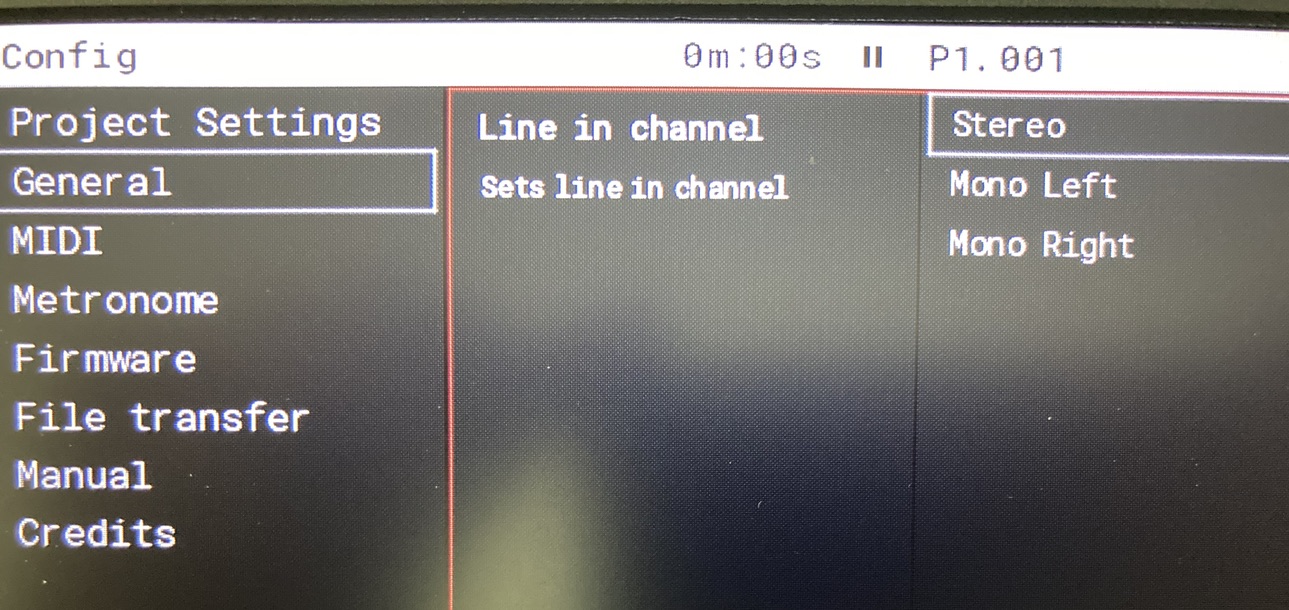
This is the latest beta, I don’t know about the previous firmware. Here you can set the input to mono L or R.
2 Likes
Anyone who was experiencing the sticky buttons have an update? I am looking to buy a used Tracker MK2 but the seller says there’s a stick Instrument button that stays pressed half the time. Wondering if this will be something that will break in over time, or if it’d have to be sent in for a fix.