An interesting result of this is that you can pan manually or set an LFO to do it and that panning is only sent to your FX, you then have independent control of your mono track in your DAW to do whatever you please with
There’s probably a work around using midi to write automation to your DAW if you need to recreate the Digitakt panning? Alternatively (as you mentioned) send your panning track to the main with or without fx on it’s own, depending on how many tracks you have panning you can do this live or muli-tracked. All the audio routing options in the machine are so useful, pre and post fx!
I’ve found that it’s not very reliable when attempting to use my AK and ARmk1 simultaneously, on an Overhub. I think Simon previously suggested that I move the USB connections to opposite ends of the Overhub. That seemed to work for a while, but now it’s failing again. For reference, I’m on a cylinder-style Mac Pro, running Mojave.
Either unit on its own seems to be OK. I also have an A4mk1, which is gathering dust (or would do if it wasn’t covered) until and unless I can get this working.
Just installed, and moved analog four vst(x64)dll to my vst folder. (windows 10, ableton live 9)
it doesn’t come up in my ableton live’s vst list. something wrong??
My Rytm just did a full empty reset with the message “nvram restore failed”, powered it on while having the OB2 Control panel open, seems a one off but is this beta related? It’s on 1.46beta1 os, on a powered overhub, and i just pressed update in the control panel to switch to the public beta driver(was on the last closed beta driver on Mojave).
I think this may have happened to my Digitone as well as that suddenly did a factory reset as well some time ago. +Drive is still intact for both. The Digitone went to factory default btw(preset patterns etc), the Rytm is totally empty.
Don’t move the dlls manually around, but tell the installer where to install them.
In the installer menu, you need to fully expand the drop down for what you want to install, then it will show the 32 bit and 64 it options, once you click on one of these, the browse button to change the install location will become usable.
Unchecking anticipative FX processing didn’t really seem to make a difference. My guess is that my PC specs are sufficient to not cause any latency issues in this case.
I came across 2 issues though:
the master volume knob on the Digitakt hasn’t worked since I’m using Overbridge. Not that I’m using it much but I would like to know why this is and if I can change it.
I guess the tracks are being sent out in mono, since the panning parameter doesn’t have any effect anymore. I thought maybe changing the record: output to stereo on each track in Reaper would solve this, but it doesn’t. Do you know what causes this and if possible, how to fix it?
Master Volume: same, my guess it’s assumed that it’s not needed as you have full control in Overbridge/DAW
Panning: The Digitakt is limited to 8 mono tracks, stereo FX send and stereo master. Your internal panning is still represented in the FX and if you so chose to send any track through the master, but not in your DAW from the Digitakt on it’s own channel. In some cases you may have to plan ahead and still do some multi-tracking for panning tricks and individual fx. I haven’t tried yet, but perhaps dedicating a midi track to write panning automation to your track in Reaper?
Overbridge is working OK in Ableton, Windows. But I can’t record main outputs 1/2 without Ableton metronome and the rest of the tracks that I have in Ableton.
Anyone knows the answer?
Anda I can’t manage to send only fx for main outs and use another outputs dry. I have tried outputs to main and to fx but I can’t listen the difference, something wrong in my setup.
Finally the A4 volume at recording is lower than another samplers, instruments…
Can you help me?
Thanks
Has anyone successfully been able to modulate OB (AR, A4) parameters via M4L LFO or similar devices? I have been having issues and from what I remember previous OB worked smoother, now I get freezes and the modulation isn’t ‘smooth’. @Olle
Not sure if OB 2.0 public beta is too unstable only for me, but I had to uninstall it after a day of use.
If I use my A4 as an asio device, just after a few minutes, ableton gets slower and even stop making any sound. My other asio device (Motu ultralite mk3) is working great.
Even considering this is a beta version, it is too unstable…
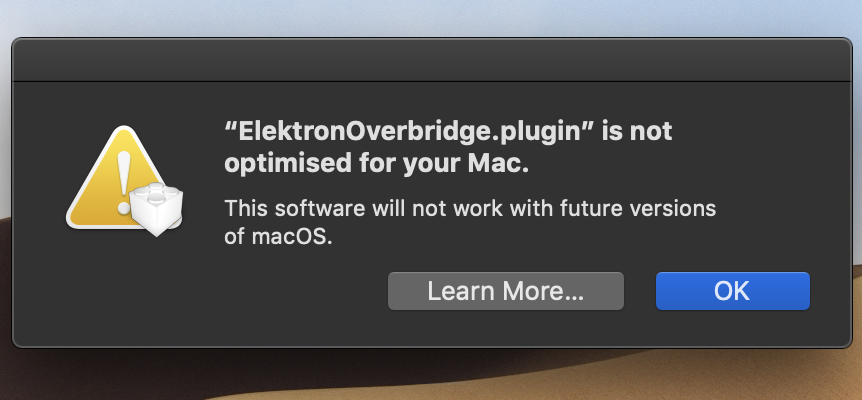
I’ve got this message this morning on my computer with the last version of Mac OS X which means that overbridge is still not in 64 bits??? In beta and already it won’t work on the next OS…
Big fat feature request here: MIDI output from A4/Keys/Rytm Sequencer. It would be so, so helpful. Currently big technical workarounds on stage just to get around that issue and it’s not fun. Thanks x
Master volume: hmmm ok, I would like to have that control back on the device itself. Might post it as feedback to Elektron.
Panning: So, are you saying that the panning happens through the master (stereo) out? So sending out the tracks separately bypasses the possibility to pan? But that it is usable via the stereo FX send? Hope I’m understanding that right. Will try to look into using a midi track for panning automation, thanks for the tip.


 When they will be ready they won’t wait…