Panning: Exactly, the “main” doubles as the master stereo bus for all 8 mono tracks and as the output for the stereo fx send. The audio routing menu in the Digitakt allows you to pick and choose which tracks are sent through the fx and if they are also in the main mix or not. You can also choose to bypass the fx per track and just send one panning track out the master (or any combination of “stereo” tracks and fx)
Midi control: Reaper is driving me crazy. I can’t figure out how to control the track channels panning. The only way I was able to do it was by adding the JS effect: Volume/Pan Smoother v5 and mirroring a track’s pan setting on a midi channel. I tested with p-locks and lfo and it works. I’m just not sure that the lfos were perfectly in sync, pretty close though
Volume: Headphone output is also killed in this situation. I haven’t tried the main L+R outs yet. I can’t imagine there’s anything they can do to give you the volume control back. That knob only controls a stereo pair, once you’ve broken all your tracks out they no longer are summed, so there’s nothing to control. You’d have to mix all the outputs in a bus and send them back in. You can only control everything together or everything separately
-possible work around: does control all work on level?
edit:no, duh, that’s the Sound Browser
I’ve only been working with one project so far, but an issue I’ve noticed, and it’s only on track 3. I’m using a LPF on this track. If I toggle between LPF/HPF and off, in both the HPF and off positions I get noise. Works fine in LPF
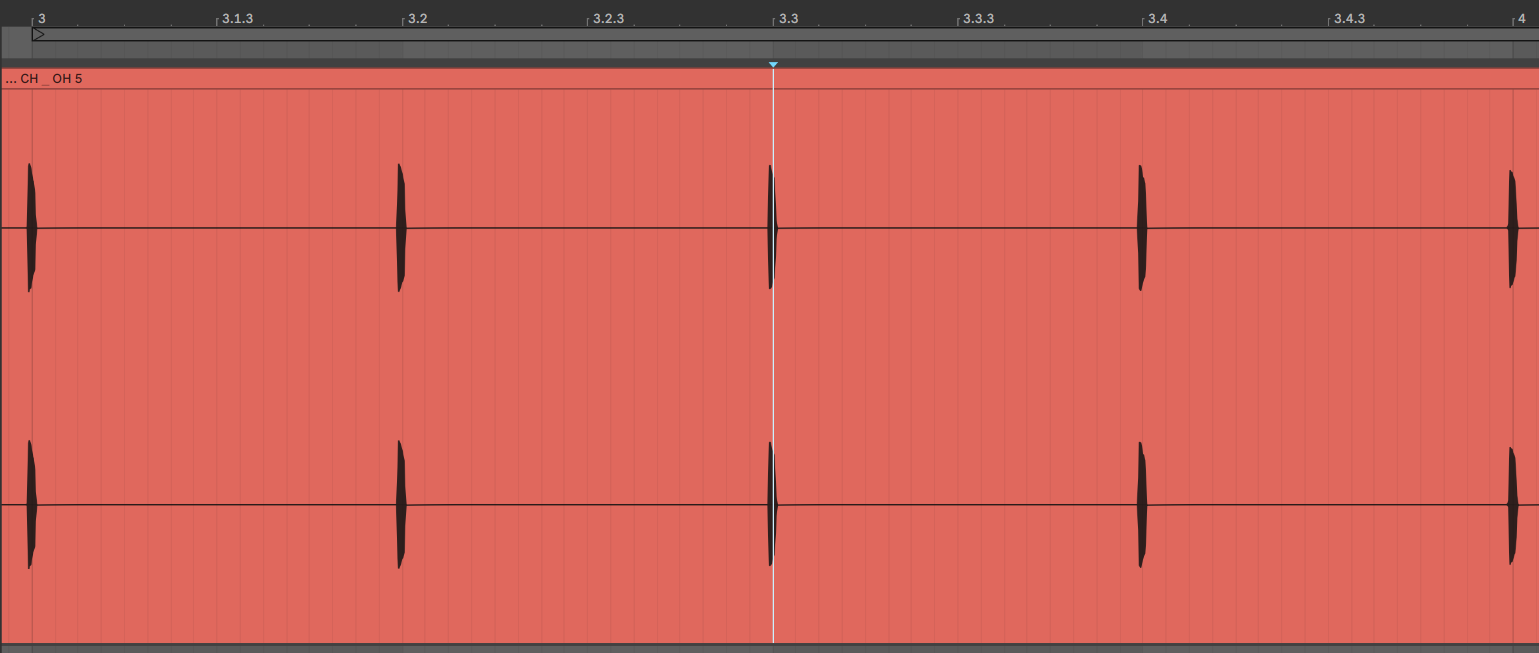
Have anyone else noticed this? Does anyone know if there are any workarounds for this? Having to manually align each recorded track to the grid is kind of what i thought i wouldnt have to do using Overbridge.
Just one more question, hope you don’t mind. When I record everything in Reaper, the recording comes out very very distorted. I’m thinking this has to do in some way with record monitoring, that that maybe the signal is being recorded double or something. Or maybe that the Overbridge plugin is sending out the overall signal, as well as the separate tracks on top of that? I can’t really figure out what’s causing this and how to fix it so that it’s recording at the correct level. Would you have an idea?
What an interesting idea! I use the M4L LFO a lot and like the idea to control the Analog Four with it since the system of Elektron´s LFO is still not 100% settled in my workflow. Having the multiplyer and speed knobs to and no Hz value can be frustrating at times. But back to your question: it works fine here. The GUI of the plugin starts to look unsmooth at LFO rates over 8Hz, but I have no freezes or trouble with the plugin. I guess that the refresh rate of the GUI is not designed to be that fast, keep in mind that there is NO movement at all with the internal LFOs. More important is that the audio signal is fine, I could modulate the filter into audio range (!) with the M4L LFO which is pretty awesome since this is not a workflow that was designed by Elektron.
I’m not sure, I’ve only done a few tests so far and the recordings are coming out exactly like what I feed into Reaper. On playback make sure you mute the master Overbridge track so that it’s not doubling up on itself. Maybe it has something to do with buffer settings? Outside of Reaper there are 3 different places to set up buffer settings. 1. Overbridge Engine, 2. Control Panel, and the machine editors. This is a long shot, but have you opened up the stand alone Digitakt editor? Up at the top left of that window is “Options” in there you can set up the ASIO settings for your external soundcard. If it’s still set to the default maybe there’s a conflict between Digitakt and your soundcard drivers? When I found that and set up my soundcard the Digitakt’s performance drastically improved, better latency, less pitch warble… try that?
Edit: or your recoding settings? I’m tracking wav files at 24bit/48khz
Speaking of monitoring, if you do end up setting up a midi track for your panning make sure that the track you are panning is set to record a stereo track. In my original instructions I said to set up tracks 1-8 as Record Mono Output, obviously that won’t work with panning
You may be getting noise from your soundcard?
on tracks 1-8 +Main+Input, right click on the arm recording button, where you set Record Output (Mono)or(stereo), what is your Input setting? I just noticed my soundard is active, set the Input to None
Maybe that’s it?
Also, I figured out what I was doing wrong setting up the track channel panning control via midi, I was so close, but I’ll spare you the details. Check out this tutorial. Apply the concept to panning… add the lfo or p-locks. madness!
skip to 2:50 https://youtu.be/uaFnnaTKI_Q?t=171
We have done performance related improvements in the macOS driver. If you have had issues with dropouts and working with multiple units I would be really interested in hearing if this version is an improvement or not.
The updated driver for Windows, includes improvements to parameter data sent to and from the plugin.
The macOS kernel extension is now signed by Elektron Music Machines
The GUI framework has been updated both in macOS and Windows.
After exploring this a bit more i noticed that delay compensation compensates the overbridge plugin correctly if i run my audio card (mackie onyx 820i) at 48KHz sample rate in Ableton. If i run it at 96KHz it overcompensates (as can be seen in my previous post).
I am guessing that the Overbridge plugin might be reporting latency to Ableton Live incorrectly if you have your main audio card configured with sample rates other than 48KHz.
We have done performance related improvements in the macOS driver. If you have had issues with dropouts and working with multiple units I would be really interested in hearing if this version is an improvement or not.
The updated driver for Windows, includes improvements to parameter data sent to and from the plugin.
The macOS kernel extension is now signed by Elektron Music Machines
The GUI framework has been updated both in macOS and Windows.