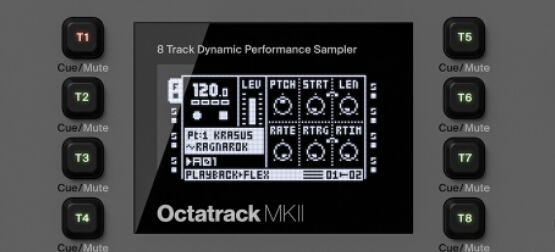
Send a Program Change whenever the OT changes its pattern. The Program Change number matches the OT’s pattern.
Send a Program Change only when the OT changes its pattern to a pattern that is linked to a different Part. This allows you to specify any Program Change number.
Search on “Program Change” in the manual to get the details.
So I checked, if a bank file is missing while loading a project you get the following message :
SOME ERRORS OCCURRED “FILE NOT FOUND” DO YOU WANT TO ABORT LOADING THIS PROJECT ?
YES / NO
Pressing NO, you have an empty new bank.
Hence empty patterns and default parts.
If the bank file is modified / corrupted, it’s a bit more complicated and deserves a specific topic.
I guess those problem are related to CF Card / Computer Eject ?
Yes, you are correct. I don’t do that because of the empty bank scenario; and you know, I backup and stuff, and have an Octatrack archiving tool and so forth.
No, not necessarily. Bugs in the Octatrack OS can cause corruption of Banks in certain scenarios.
When I had trouble with my card last January after it got cold when the OT was in its case in the trunk during a 90 minute drive in sub-zero weather, I had projects that would load without error but had the actual contents and settings changed. Mostly it was REC settings getting scrambled but I also had some pattern and part data disappear. Other projects did have files that gave me error messages when I tried to load and some were fine but most of them loaded like normal but were, essentially, partially randomized. Reformatting in the OT didn’t fix it and reformatting with Windows didn’t fix it, but using a low-level CF formatting tool (I linked to the two I tried here but I don’t remember which one ended up working; one of them would hang at 99% every time) cleared it up and it has worked fine ever since.
This probably isn’t your problem but if all else fails give it a try.
Let’s say i have patterns 1-6 all programmed. But damn, i want to add a new element that need to be between patterns 3 and 4. Basically i’d like to move all patterns 3,4,5 and 6 one step further, so pattern 3 becomes 4, pattern 4 becomes 5 and so on.
Is there a way to do this automatically, without having to copy and paste one by one ?
Check / uncheck PREVIEW WITHOUT FX in PERSONALIZE menu, maybe it can help, but I guess volume settings are too low for your track, if there’s a huge difference.
another option is to press Cue + Yes and have the file preview through the Cue Output rather than the Main Output, although this isn’t always useful. Could set the Headphones to monitor Main and Cue mix and then use headphones to preview files when in load file mode - if wanting to not hear an extremely loud file preview playback and just preview through headphones.
although yes it might just be how the file gain staging is set up in the 8 Tracks, requiring higher Main volume, and if so, this is just a learning phase to eventually get to where most volumes are fairly even. takes a while.
In my current setup, i use a Roland A88 controller plugged on Octa’s Midi in, to play / record all my synths by selecting each one using the Midi tracks on the Octatrack. For instance, Rev2 is on midi track 1, Voyager on track 2 and so on. When i want to record the Rev2, i select the midi track 1, hit the Rec + Play and do my improvisation.
My question is : if i plug my synths directly into the Octatrack Midi in (by using a Midi in merge box), can i record them without having to select each synth’s Midi track ? Does the record mode will capture / record all Midi incoming signal or only the current selected Midi track ?
Is it possible to do something like this guy do with his Pyramid and his (huge) synth collection ; note that he won’t touch the Pyramid after he starts to play :
I had the impression after reading the manual that the samples loaded to t1,t2,t3… could be played by just pressing play. With no need for recording (yet) Found out that was not the case. I can only seem to play them by triggering them with the “keys”(1-16) where the triggers are linked t1-9, t2-10,t3-11etc. what am i missing here? and why link tracks t1-9,t2-10etc. instead of the obvious t1-1 t2-2, t3-3? help wanted…