So my setup is Octatrack as master and Rytm as slave. Octatrack sends program changes to Rytm, so when i change pattern on Octa, Rytm will change too. That’s awesome, but there are sometimes i’d like to change the pattern on Octa BUT not change on the Rytm.
As far as i know, the only way to do this would be going to Octa’s Midi configs and temporarily deactivating sending program changes, or do it on the Rytm to deactivate receiving program changes. In a live situation this would be a hassle.
Is there any workarounds ? Maybe a magic shortcut on the Octa to do that ? Come on, Octa is the king of FUNC + something, please !
If you only want to do it for specific patterns and you know exactly which patterns those are, you just need to duplicate those patterns on your AR. For example the OT changes from pattern A01 to A02, which are different patterns, but on the AR both patterns are exact copies of one another.
Not specific patterns, i want to be able to improvise in a live situation… Try different Octa’s patterns with the same Rytm’s pattern i’ll choose on the fly.
I’m having a big hard time making samples i record myself, to sync correctly in my tracks… Please send some light on me !
Here is my scenario : i have a synth that i never take to my gigs, so whenever i use this synth on my tracks, i have to record it’s sound as a sample, so i can put on an audio track on the Octa. Usually the samples are 4 to 8 bars long. So here is what i do
1 - When i’m in the studio, i use this synth normally as a midi track. I record the notes on the sequencer and everything plays as it should be. As soon as i’m happy with the sound / sequence, i’ll sample it so i the track won’t rely on this synth anymore.
2 - I sample directly from the Octatrack audio out, into Ableton. I record 4 or 8 bars and then export as WAV 16bit 44khz
3 - Now the headache start. I then import this WAV into an audio track. If the sample has 4 bars, i go to AED, set TRIM LEN to 4, but i can see the ‘Original tempo’ is never equals of the original tempo i recorded the sample.
4 - I put a trig on the first step. The sample starts to play in sync, but will loosing sync as the song plays. In pattern 3 it’s sounding terrible out of sync.
5 - So i try to adjust the ‘Original tempo’ in order to the sample keep in sync, but i never can do it exactly.
Here is an audio example. The first part of this example plays the sample as it should be, recorded directly from the synth sequenced by Octa. The second part is the sample with a kick, playing inside the Octa, already timestretched. You can feel it quickly looses sync with the kick.
What i’m doing wrong ? Help this poor producer please
Please Mr @sezare56, master Yoda of the Octatracks, help me on the question above
And i have another one :
I’m facing this weird issue when using my Ob6 with the Octa.
Everything works fine except for the fact that when the Octatrack send a program change message, the Ob6 will change the program : the display will show the correct patch BUT in fact, the sound is not exactly the same of this patch.
For instance, i send a program change to patch 133. Ob6 shows 133 on its display, but the sound is a bit different. When i manually press 3 on the Ob6 panel, the sound is finally correct. It’s like the Ob6 changed the patch, but not the sound coming out is not totally reflecting the current patch until i manually press the patch number.
Please don’t ask me directly and I don’t own an OB6! Some Elektronauts may have already encountered the problem.
I’d test program change below 100* to check if it behaves correctly. Maybe a bank change problem.
How are OB6 presets dispatched in banks?
What is the required bank message? CC0, CC32, both ? @disco Edited!
Adjust BPM in Audio Editor. Leave trim length alone. That should work. There is often a discrepancy between Abletons clock and OTs clock. Not a big deal, easily fixed.
Actually on the Octa’s midi track, i had some programmed CCs values by default and that’s why the sound played differently. Once i turned all CCs to OFF, the ‘bug’ was fixed !
I don’t know what happens, but for some samples i just can’t get it synced. I tried to fine adjust the bpm and it never really syncs, it always goes out of sync after some seconds. For these samples the only way i can play it synced is slicing and put like two trigs per page.
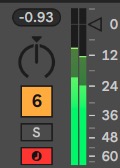
Today i discovered that the main left chanell of my Octa has a slight higher volume than the right channel. For instance, if i test a mono kick, i should see the levels exactly equal, but this is not what happens as you can see on the image below. How can i diagnose / fix this issue ?
“While in MIDI mode and CC DIRECT CONNECT is deactivated, the auto channel responds to the following
CC messages”
does this mean I cant have a controller directly mapped to midi tracks? Midi tracks will only respond to CC when Im on that track and its sending on the autochannel? That blowsssss if true because I have no way to have cc plocks and my controller value have any relation
I think you can. The quote you posted applies to using auto channel with direct connect off.
I’ll usually use the auto channel for midi tracks, but the manual says:
Oh ok, was only looking at the table at the bottom. Gonna try to set this up, hopefully it works out. Thank you!!!
Edit actually it looks like that only works if its the active track. So for ex. I can’t have a controller with 8 faders for cc1 to control all 8 midi tracks as id have to be in the track for it to work