Be careful with q-links midi-mode. They map cc7 (volume) by default as well. Some synths use that.
I spent a lot of time trying to understand why my Pulse 2 ignores volume knob and plays as loud as it can.
1 Like
It’s really kinda wild the range of different priorities different people have from this same box.
Personally, I feel like I’m hitting my endgame on this phase of the demo at least, I feel like the value of the MPC as a creative track starter for trying different ideas has gone throgh the floor for my uses. But I am going to try one more thing, have been working up some material on Push / Ableton and gonna transfer over the drum racks as programs and bounce out the stems once it’s done, I do feel like there still might be a role for this box on this firmware doing alternate versions from a predefined and prepared set of samples. Similar way that I use the Digitakt mostly - I feel like the MPC dub / remix will come out very different to the original version, and it is very quick when you get going.
Related, I have seen a couple of studio guys who are banging out short pieces for film and TV day in day out saying that they like it or really see the potential, I guess that’s again a very different set of priorities to mine though.
Just wondering does anyone have any plans to use the 3.0 firmware in a live context, and if so roughly how do you see it working? Obviously it might be a while before it’s stable enough anyway, but for the life of me I haven’t been able to come up with a route for this.
That could be a cool use case for sure
That’s got me a bit nervous as well. I rely on Clip Programs heavily for live stuff
My SD card is no more recognize 
1 Like
Clips are gone right now, but I’m pretty certain they’re going to come back and suspect they may possibly be getting more emphasis in 3.0 as it develops.
For me, I honestly have no idea what would be good for this now that programs are locked to tracks. On 2.0 I did it by updating programs per song section with the tracks laid out in a standard way to facilitate playing the mutes as the key way of improvising/developing. Then have a sequence per song section - usually relatively short loops given the kind of stuff I’m into - and change the programs in the sequence to the sounds for the next song as it moved on, etc.
I was just looking at it again and I guess pad mute groups are the best available answer in 3.0? Instead of using separate programs put each song’s sounds in a bank in a single program with a the same organisation, then put e.g. all the kicks in a pad mute group so you just hit the relevant pad on whatever bank page and it should mute whichever one is playing. I use an external DJ mixer over usb, so never bothered too much with mix or sends/FX internally, but I guess you could bus everything to relevant sub groups so it’s one page for mutes and one page for levels/sends.
Been kinda stumped since 3.0 dropped, but I think I’ve finally figured out the workaround in the course of writing this post - still depends on event level mutes and per sequence mute states coming back and not as good as what I have in previous versions, but I think this might be just about as good as I’m gonna get here.
2 Likes
not the workflow I’m after on the mpc but good video and channel

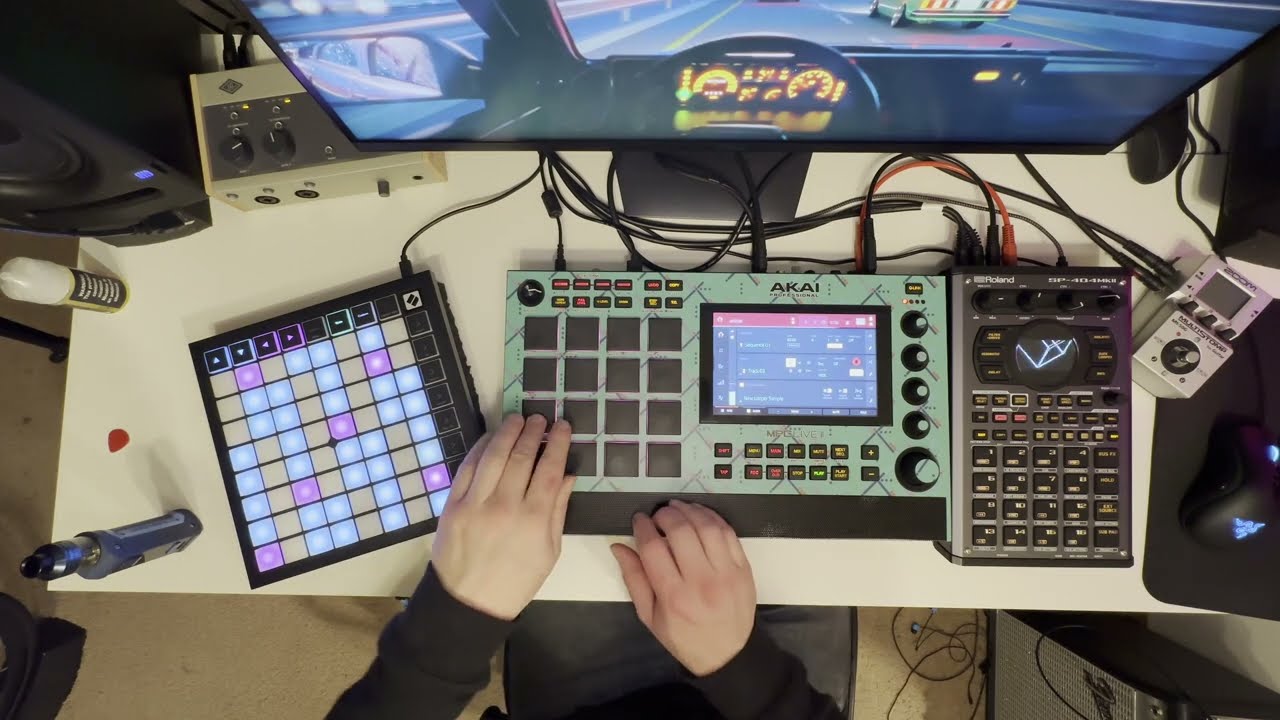
This is not 3.0 related, just general, but I’m getting super quiet input volume with a mono signal from a synth plugged into input 1 on my live 2. I have the recording level on the back set to max and when I test the same signal with headphones direct from the source it nearly blows my ears out so it’s hard to imagine the source being too quiet.
Without using maximizer or another plug in type boost on the input, is there a way to get the input level up? It’s almost like there’s a pad on the volume. I feel like I must be missing something obvious.
If your external synth has balanced outputs, you might want to try using a TRS cable. Conversely, if the synth has unbalanced outputs, try using a TS cable.
1 Like
I’m using TRS out to a summing mixer, so the mono signal is intentional and the mixer should allow me to gainstage, but what’s happening is right out of the mixer it’s so loud that if I push it harder the signal clips and inside the mpc it’s barely registering a signal on the input level meter unless it’s pushed all the way up to that point. Feels like I’m taking crazy pills, to quote mugatu.
The synth is definitely putting out line level, the powered mixer is definitely amplifying the volume even if it weren’t already at line level so it just feels like I’m the only other external factor between that and the mpc.
edit: already tested and ruled out the cables and adapter.
I’ll be embarrassed if there’s an easy workaround, but I’m loading up clips for me next gig on Tuesday and hit a snag. The beat is 9 quarter notes to the bar, so in Logic I have it shown as 9/4 time and it works perfectly, but I can’t figure out the right way to get the clips to line up in my Live 2 in any sort of way that works. My lengths are 2 bars of 9/4…hoping I’m just overtired and can solve this puzzle in the morning 
Connect the synth directly to your MPC to rule out any problems with the mixer.
2 Likes
I think I figured it out as far as time signature goes…still doesn’t sound right, but That’s probably my fault
1 Like
I took the headphone signal straight out of the same cable coming from the mixer which is what is plugged into the adapter and going into the MPC and it’s super loud, so I don’t think that’s it. Later I can try the L/R straight into the MPC without summing them, but I do know the signal coming from the mixer’s summed output is strong.
I also tested the cable (which I already know to be good) on a different source with 2 adapters and it works fine, and I tried both adapters on the MPC into input 1 (I have only the solo input 1 selected on the MPC audio monitoring) and the adapters in that case didn’t make any difference.
The mixer page in the MPC I left at 0db since my thinking is that with a live source and not a sample which has a fixed level, I should be able to resolve this pre-MPC mixer.
I assume that I’m the problem here but at this point I just don’t know where. But like I was saying previously, if I turn up the summing mixer any further it clips and I can hear the signal audibly clipping through the MPC where the audio is routed, however the MPC level meter is barely moving and I’m not seeing a significant increase between the signal at clipping or not clipping, I can just hear it audibly.
I guess I’m going to try some more cables just in case but the one I’m using is definitely functional as are the adapters, so it has to be something stupid that I’m apparently not seeing.
What kind of mixer are you using? When connecting a stereo TRS output to the balanced TRS input of the MPC, the sound may become very quiet. You’ll need a TRS to dual TS Y-cable for that type of connection.
As I understand from what you are writing: You are using the headphones output of the mixer? That might be interpreted as a balanced signal on the MPC, so your signal will be “corrected” with the left / right signals, hence the low output. (it will substract the left signal from the right to filter out the “noise”).
You might show us a picture of the mixer and cables, so we can do better than just guessing 
1 Like
No hold on it’s much more simple than it sounds, I’m using a small summing mixer which operates at 12V that I bought for the purpose of summing the signal of a sid chip synth because the behavior of sid chips is to output the voices left and right as they’re available without any musical benefit to the effect, so it sounds weird if random notes are coming out of the left and right sides whenever they feel like it.
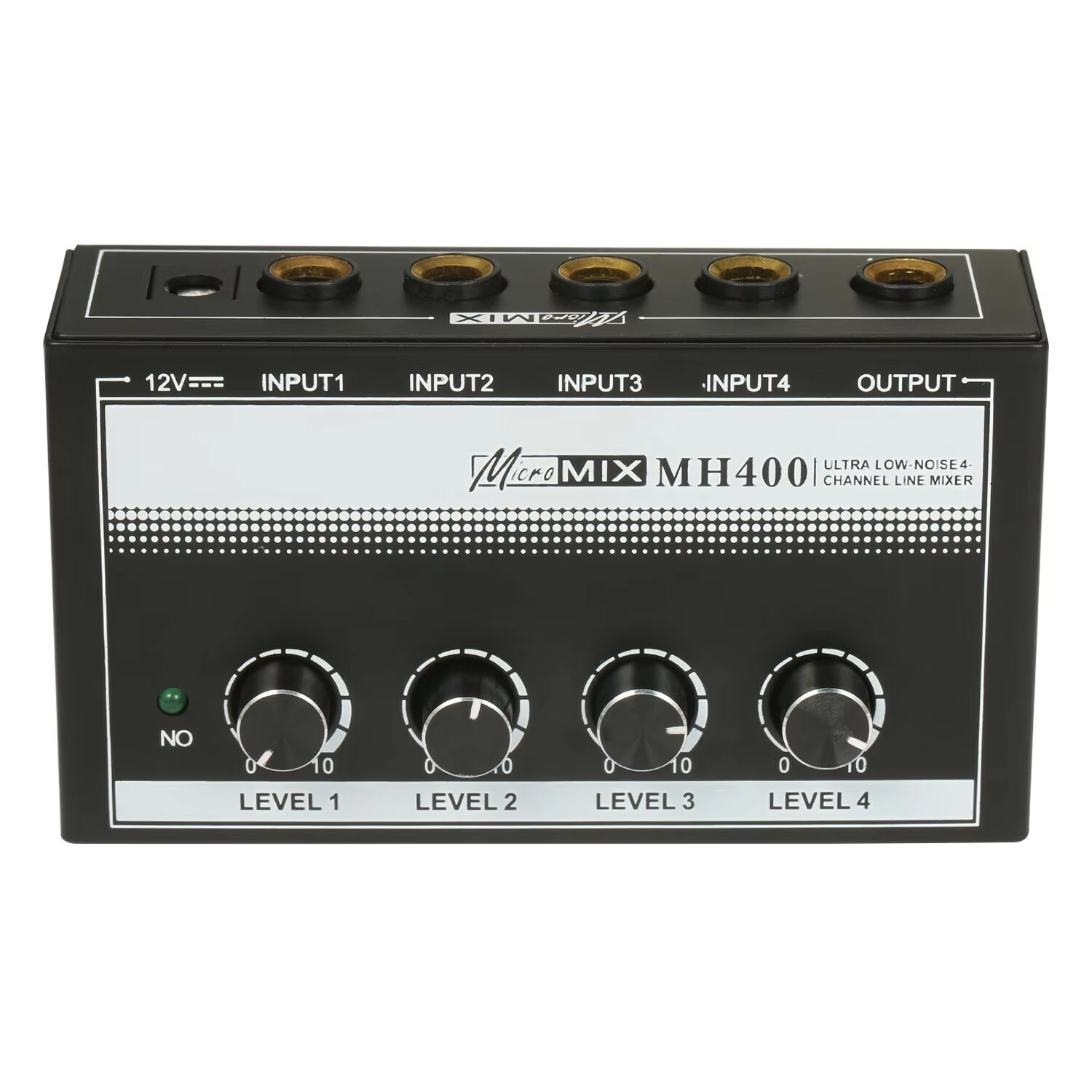
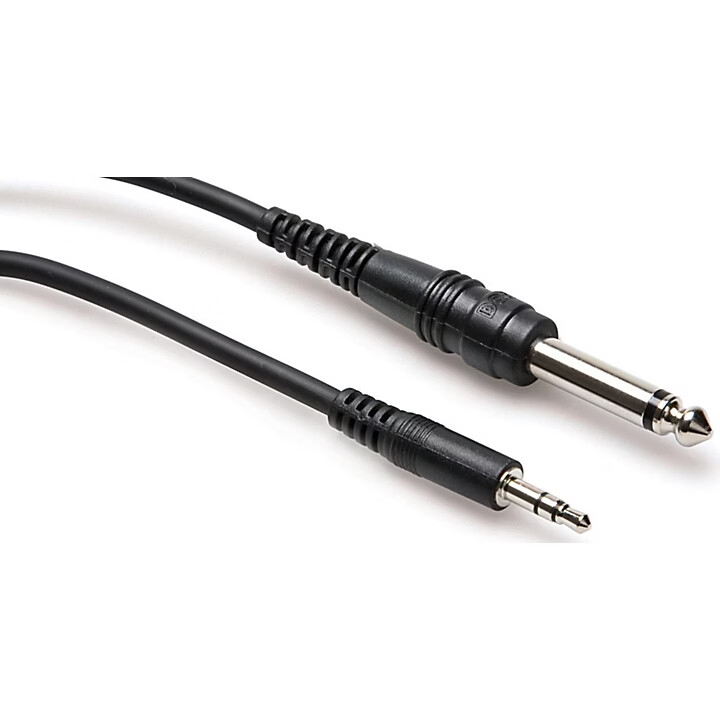
The chip synth doesn’t have a volume adjustment on it, it just outputs line level from a single TRS output. I’m using a TRS cable that splits to dual mono which are going into inputs 1 and 2 on the summing mixer and the output of the summing mixer I’m using a hosa cable that takes a mono signal and distributes it as a L/R (dual mono) through a single 1/8th inch TRS jack.
This setup works normally on everything except the MPC. The reason I can get headphone output from the same jack (the summing mixer output) is that it’s a powered mixer, not passive, so it can drive headphones no problem. I have a backup pair of sony headhones that have an 1/8" / 3.5mm TRS input and this same cable lets me hear a mono source in both ears so I use the cable pretty frequently.
I think the cable is a hosa cmp-103
Everything before the MPC works as expected, that’s why I assume that this is a problem between me and something I’m doing with the MPC. I’m going to switch to a guitar cable I guess and see if it makes a difference but since I’m currently getting L/R from input 1 which was my goal by using this cable, the only thing which is out of the ordinary is the abnormally low input level, which is abnormally loud in the headphones out of the same output, out of the same cable.
Remember, I can audibly hear clipping of the signal on the MPC, which is registering a very low hit on the vu meters.
Maybe the issue is related to this so I’ll see what happens with the ts guitar cable.
2 Likes
Try connecting the mixer and MPC with a TS cable.
1 Like
TS cable with input 1 soloed solved it, thanks guys I knew it was something stupid that I was doing wrong.
3 Likes
Signals/ cables are a surprisingly difficult part of this hobby. Every time I think I know all I need to about cabling my setup, I run into a new audio gremlin hiding in the wires.
2 Likes