So I’ve wandered the threads here and around the web but couldn’t really clear the fog yet.
I’ve just started to use drambo on iPad (what a wonderful world!) and certainly I need something more hands on than a touch screen to interact with an app to make music.
Now, there are several midi controllers out there but nothing is an obvious choice for my use case.
Speaking of use case, I want:
8 (more is ok too) faders to control channel volumes
many knobs (endless rotary please)
a cross fader (that’d be cool for the A-B plock crossfader inside drambo)
a couple of buttons for transport control
a 2 (or more) octave keyboard - somewhat optional
Bluetooth connectivity - optional
battery power - or via usb if there is no Bluetooth anyways
compact form factor
around 100-300€
And:
I guess I’ll mostly do improvised ambient stuff on it. Lots of drones and textures.
The list of midi controllers I’ve gathered (and my assessment of them):
Korg nano key Studio, possibly plus nano Control Studio (seems cool. But no endless encoders and no cross fader)
Novation Launch Control xl + launchpad s (again no endless encoders and no cross fader, and no Bluetooth, no battery power, no keyboard)
Akai apc40 mk II (no Bluetooth and no battery power, so what. A little pricey these days. Can you midi map it nicely for Drambo and have different “banks” for the encoders?)
Novation zero SL mk II (seems cool, maybe a little clunky. Didn’t really like the built quality of the mk I keyboard version I once owned. No Bluetooth, no keyboard)
Akai MIDImix (no cross fader, no endless encoders, no Bluetooth, no keyboard)
Intech Studio Grid (Looks pretty but gets pricey with a couple modules. No keyboard, No Bluetooth. And no crossfader / buttons if I don’t want to buy like six modules)
Worlde Orca-Pad48 (just rubbish?)
Digitakt (have it anyways. But no cross fader, “only” 8 knobs at a time, no Bluetooth)
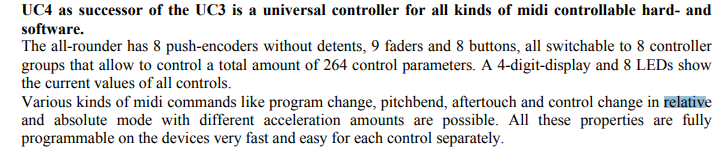
Faderfox UC4 (no Bluetooth, a little pricey, no keyboard)
faderfox EC4 (would be more of an addition to the UC4 for me. But can you “daisy chain” their midi outs as to not have to use a usb hub with two usb a ports on the iPad?)
Hm. I’ve done my homework but there isn’t the perfect solution out there.
Atm I’m leaning toward the UC4 for its compact form factor, 8 faders, cross fader, 8 endless push encoders (with banks available) and a couple buttons.
Has anyone got an opinion here?
Or another option?
I’ve spent the last several years using my iPad for live jams, with a variety of controllers. the ones I like most are the LCXL and the Faderfox UC4
I also have the NanoKeyStudio - very useful for composition and producing, not so useful for performing.
LCXL gives you more knobs, but i found often I wasn’t using all of them for every jam. So I’ve tended to mostly use the UC4. I also prefer the endless knobs on the UC4. I also have the EC4 and when I need more knobs I tend to use them both plugged into a USB hub into the iPad (saw that you asked if this was possible, yes it is, very easy to do EDIT: re-read your post, you asked about daisy-chaining MIDI, I haven’t tried this, I use a USB hub to connect them both, as it was inexpensive and does the job)
EDIT: I use the “Anker 4-Port USB 3.0” hub, €10 from Amazon, works perfectly
Why add EC4 if the banks of the UC4 can provide further knobs? - I tend not to use the bank feature of any of my controllers, the way the buttons/faders/knobs are at the start of the jam is how they will be for the whole jam, too easy to confuse myself otherwise - a personal preference
UC4 isn’t Bluetooth, but it does draw a lot less power from the iPad than the LCXL which seems a bit greedier with the iPad battery.
Crossfader for Drambo is great for the scene crossfader, but you can also just use a vertical fader for this.
You wrote EC4 in your final paragraph and I think you meant UC4. For me, the UC4 is the best option for size, variety of controls, etc. And it can be expanded as necessary with other smaller controllers
Yes you’re right, it’s the UC4 I’m leaning towards (just edited my post accordingly).
So I guess I’ll try to find a used UC4 for a good price.
If you mind trying to daisy chain MIDI from UC4 and EC4 I’d be interested to hear of it works that way, I’d only need to use my multi-port adapter which has one usb a and a headphone jack available (among others).
Will check out your videos too
EDIT: haha just realised I’ve already found and followed you on YT
happy to do a test daisy chain, you mean MIDI out from EC4 into MIDI In of UC4 (using midi cables in to and out of the break-out dongles) and then USB MIDI into iPad?
Bear in mind you still need to power the EC4, so you’re actually adding an extra cable and two MIDI outlet dongles in this set-up. (Potentially other unexpected MIDI Through complexity in UC4 or in destination of Drambo/AUM etc, not sure with this)
If you plug them both into a USB hub, you have less complexity, they both get power and send MIDI on same cable each.
Happy to try to test if you give me the specifics of your concept
Great!
I’ve read (think at Thomann) that the UC4 has a midi merge function. So I wondered if that means that you can go from one unit - say EC4 - MIDI OUT to another unit - say UC4 - MIDI IN via a simple 3.5mm TRS cable.
And than from UC4 usb to iPad.
So that is:
EC4 midi out -> 3.5mm TRS cable -> UC4 midi in / UC4 usb -> usb cable -> iPad
But still, you’re right about powering a second faderfox. As they don’t have a battery compartment I’d actually need to power it via an additional wall wart / power bank. So a usb hub might be the simpler solution nevertheless.
I‘ll give your suggested routing a quick demo later today or tomorrow and report back. In theory, its doable for sure. But like we‘ve said, it does add more cables for same result (as you probably know, the faderfoxes use the breakout midi dongles with the DIN socket on end.)
That’s the controller that I went with for Drambo, it’s good but not 100% perfect. The main frustration was that I couldn’t set Drambo up so that as I switched tracks in Drambo, the mapped controls would switch between tracks (like how it works in Logic). This is a Drambo limitation really, but the Atom controller didn’t have a nice way of switching midi channels with one press to work around the issue. The second frustration was that the endless encoders on the Atom SQ don’t send relative CC values, so despite being endless you have the usual issues with value pick-up.
On the plus side, I found the set of controls the Atom SQ had to be a very good fit with the capabilities of Drambo.
Good to hear an opinion on the Atom SQ!
They’re actually pretty cheap used here in Germany (130-150€).
Do you have any videos online where you use it with Drambo?
Speaking of your frustration about not being able to switch between track controls: so there’s no way around it meaning you can only control one set of parameters with the eight encoders?
Oh and I’ve heard about not all endless encoders sending relative CC - how strange. Sounds like quiet a dealbreaker to me though… especially in ambient you don’t want unexpected parameter jumps.
Cool thanks a lot for testing!
I assume I will wait for a good deal on the UC4 and if I ever add the EC4 will connect both via a usb hub as to not run into the power supply issue.
One last question: do the faderfoxes send out relative CCs?
Thanks for jumping in, @echo_opera! Watched a lot of your stuff on yt, so good mate!
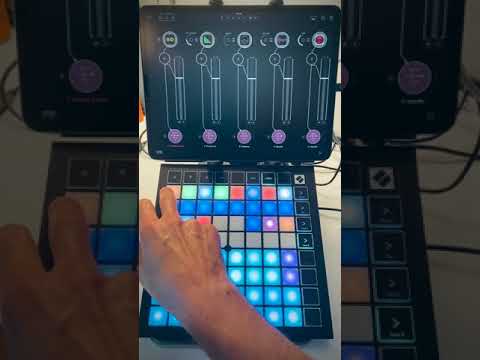
Your setup with the launchpad x looks really interesting too. Only that I’m really a knob person and even with the launch control added it would be only potentiometers not encoders…
Thanks mate for watching and the support. As far as the LP It was worth a shot to show it in case you had an LP. The PreSonus ATOM controller also looks like a good fit.
No videos of me using it I’m afraid. I didn’t use it for very long before moving on to other things.
There is a work around. Basically you can set up one track where you map the encoders to controls and you map the 8 buttons on the left to both buttons on that track and to switching Drambo to a different track. Then there’s a way to model things so that when you press one of those buttons it routes all 8 controls to control the same
CC on a different midi channel, one for each of the 8 tracks. Then you map the CC on each of the 8 midi channels to the relevant controls on the corresponding track. It took me ages to figure out how to make it work, and I couldn’t tell you now how I did it. The general idea is that you’re taking one midi channel and multiplexing it across 8 different ones at the push of a button.
Basically Drambo is so powerful that you can achieve almost anything if you put your mind to it. The problem was I was spending most of my time in Drambo designing things like that, problem solving and generally scratching the engineering itch. As a result I made virtually no music. Which pushed me away from using my iPad with a controller, and towards a groovebox instead.
I would dig out the Drambo project I did this on to share, but I’m pretty sure I formatted my iPad without saving my Drambo projects to iCloud, so they’re lost forever.
Thanks for the clarification.
But yeah, I guess I’d be scratching my head trying to figure this out more than making music. So however good a fit it seems at first, it’s not for me I guess.
 that way, I’d only need to use my multi-port adapter which has one usb a and a headphone jack available (among others).