Also, I already modified it swapping the internal battery (2,000mah) for a 4,000mah one (cosmetically it has a small bulge on the bottom because the new battery was appr. 1mm thicker, but I don’t care for a look), so now the FM-1 works a second day in a row on one charge (the first day it was on for ~10 hrs). Will see for how long it will stay on a new battery.
It has everything needed inside including smart scales and smart chords as well as an arpeggiator and the MIDI channel switch, and doesn’t have any latency (the M-Vave own keyboards all have it). And it’s very affordable and probably the smallest by size, and has a TRS MIDI out as well as an USB-C one.
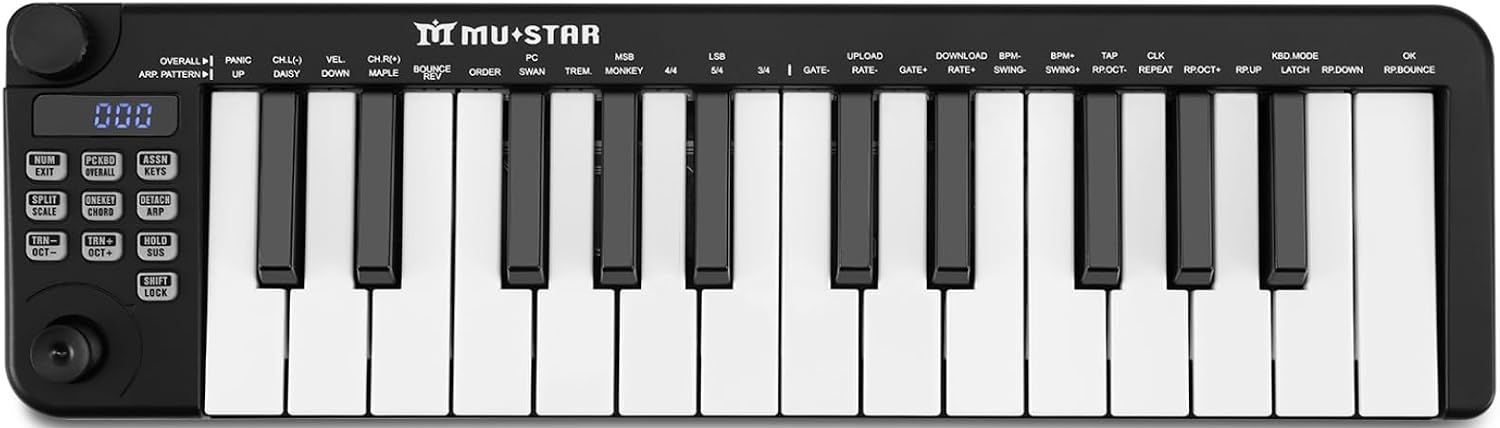
Soundwise - yes, you can upload all the DX7 patches there and play them. Functionwise - some yes, some no. I have both, but the thing which always stops me from using the SMK is the latency of the keyboard. No matter how you use it, through the MIDI connector or USB or Bluetooth, there is a latency (by the way same with the small M-Vave sibling - SMK25 Mini). For me it’s more convenient (and takes less of footprint) to use FM-1 with the mentioned above MuStar keyboard controller.
I’m confused, what does that dongle add to the FM-1?
All those things you listed are either something the FM-1 already does or a step backward (needing yet another thing to charge up).
If you have an FM-1 just for sequencing (which I deeply doubt is the best solution for it), then forget my “dongle” advice. That is relevant to those who does not like the mono output of the synth, and wants to beautify it and have a good stereo output. For sequencing there are tons of much better devices, even the Korg sequencers are day and night better than FM-1’s sequencer. The FM-1 is mostly valuable because of the FM synthesis for the money. All other things are just a free addition to it.
Oh, I’m sorry, I just reread it and got your point. You want to sequence FM-1 and NOT to use its sequencer. Than OK, you don’t need anything from my list.
Yes you’ve first misunderstood and then understood me there
I didnt mean to use the FM-1 as the sequencer, I meant to sequence it with an external proper sequencer, in my case a picoTracker, instead of playing it live with a piano keyboard controller.
So use it a sound module.
Because I’ll be using it that way along with other instruments being sequenced I don’t need vol, pan as it along with others all go into a mixer.
Using it this way also means that the issue with chords overloading output can also be worked around with lower vel in the note on midi mesgs from the sequencer.
For this use case it would be nice it would have been ideal to have it also be multtimbral but I’ll settle for Program Change support once mvave adds it in.
I’ve found a copy of the manual on aliexpress. As is tradition for aliexpress, the link is an absolute chonker lol. Heads up, it tries to autodownload when you click it.
Same, through menu diving. Or use any FM DX type editor and then drop resulting sound into the FM-1. I don’t know a specifically dedicated editor for this model, but maybe programmer Momo will make one.
Momo’s site (BTW he made an editor for a Volca FM so it prob would be easy for him to modify it for FM-1, IDK):
Not sure if I would really call it menu diving TBH.
There are separate buttons (they piano keyboard sharps/flats) for each operator and then each of the Knobs 1-4 corresponding to each param across 6 pages (4 param per page). Sure its no Korg Opsix, but then again its less than 10th the price of the opsize and probs about the same reduction in physical size
Just FYI I just checked in on the FM-1 webpage and theres a new firmware version is available “V13” the release notes look like they have alot of interesting changes including the support for MIDI PC mesgs I asked them for.
Add BPM synchronization function for ARP and Seq
2. The OP interface will remember which page the current tone is and which OP it is on
3. Add tone changing function to the sequencer
4. Update some factory tones to make the volume more even
5. Add glob strength options 1-127
6. New MIDI channel selection: Change the value from note ch to MIDI ch before the value is in the glob, and the current default is ALL full channel
7. Add PC code control for sound quality:PC 0 -PC127
8. Add two new rates: 1/1 and 1/2
(This version downloads software in major update to perform overall firmware software updates)