what might be an average time to see an update?
4 weeks?
2 Likes
No idea. I would imagine theres an intense pressure to getting the first couple updates out the door as soon as possible… after things settle, the updates dont seem to come very frequently. The newer the box, the less time between updates, I’d say.
FTFM.
It was just a distraction.
1 Like
Polar opinion. I love the collage, mixed media, paint and texture of the box art. Perfectly describes the chaos and refined order that the TV can absolutely run amuck with.
What I detest with the TV box, THERE ARE NO STICKERS?!
The opportunity to make a CRT tv sticker pack was… right… there…
3 Likes
Is it possible to remove/replace already loaded samples or purge unused ones in the “pool”?
I cant seem to find a way to do this and my project is getting pretty crowded right now 
Got this make and model of SD card for the TV, just delivered
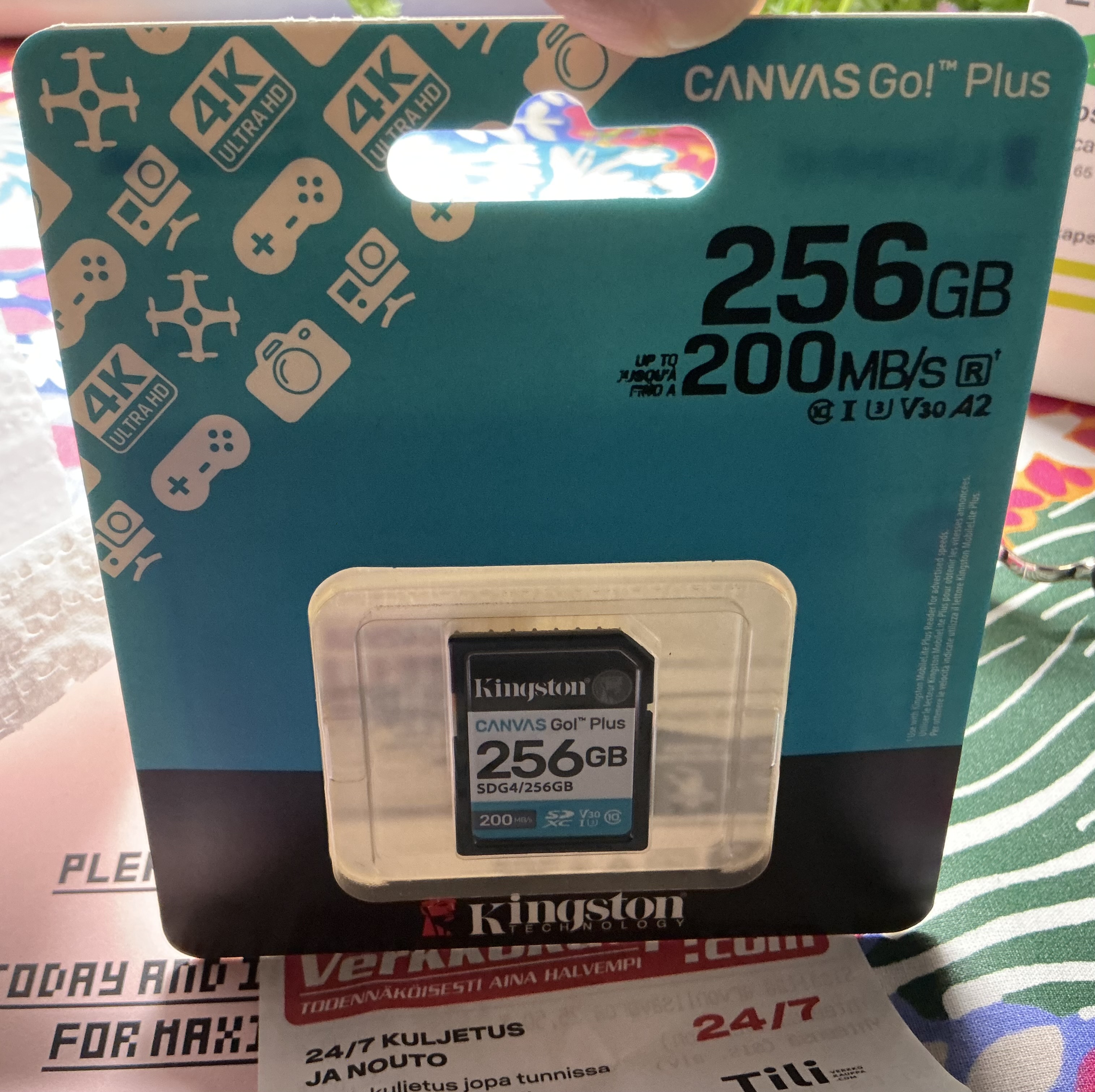
Also noticed that on the TV, the pattn select mode never timeouts… is it going to stay that way? kind of used to seeing it timeout on my other Elektrons…
1 Like
Mine should be arriving today so curious to hear it in action, live.
I’ve heard some really good music with Elektron factory samples but in my own personal experience, I find them pretty underwhelming - like in the DTs.
Really just use my own samples. But im genuinely curious about some of the factory multi samples.
Hyped
2 Likes
Pattern selecting changed on the DT and DN 2s. Stays on until you select a pattern. I personally want it to just stay on. Even after I select a different pattern
1 Like
Well, it does have its advantages, especially for DIRECT JUMP beat flipping
Connected the TV to my MBA (M1 macbook air with stock RAM) via the included USB C cable. Ableton sees a 4 input 2 output coreaudio device. 2% CPU load with a 32 buffer size, so far so good, no sign of dropouts.
Separating the kick is a breeze. Just choose the subtrack with the kick, hard pan left, hard pan all other subtracks to the right, and choose CD for output. Boom. I’ve got tracks in ableton, 1/2 for all melodic stuff, 3 for kick, 4 for rest of the drums
2 Likes
Performance mode is a mess? If I activate it on any of the factory pattns, sound might get cut off, low end might disappear, or nothing might happen… I’m like wtf? I dont even touch any settings…?
2 Likes
Yeah this happens the first time I invoke perform mode on some of my patterns too. Hopefully will be fixed soon
Could be due to non-standard wav chunks in the file? I see atem in that files header which might cause the problem? As Tonverk uses the wav files directly (unlike the Digitakt which gets them converted by Transfer to the correct format if needed - this also strips unknown/unrecognized chunks), some file massaging might be needed for some files.

2 Likes
Nice trick with the pan. Would be neat if EF showed over USB too
I’d like to know what will be your thoughts about that. I was just wondering at my next music desk iterswif I’ll add TV to the setup anytime soon.
Ideally I’d like to pair TV with 1 Digi and maybe 1 synth to multisample (or not, if thinking about a 303) and keep melodic sequencing inside the TV and maybe rhythmic stuff fully inside the Digi (seq+sounds) sending it inside a TV bus to take advantage of sequenciable fxs.
But, the Hapax has some really nice cards up its sleeve, and splitting sound sequencing (hapax) and fxs/plocks within TV tracks could end up being a very nice balance between complexity and hands on performance controls.
Keep in touch about that
Edit: I saw your second post sbout Hapax+TV, nice to hear it’s a good workflow. Less nice about the midi jitter, but that was expected I guess (till some hotfix for it)
Would be cool to also try to sequence some FXs CC from the Hapax “lanes”, sort of slide trigs!
Hold up! Busses sum to mono?!
I’m on HEXEN pattn, trying to pan Jeannes kick on TRK1 hard left to the C output… but cuz the track is sending to BUS1, the PAN control has no effect?
Please tell me I’m missing something… There’s gotta be some fx in there that sums to mono… EDIT: Even if I disable the fx, the bus still sums to mono. FAIL. This needs a fix, like ASAP, you cant have busses summing to mono FFS, this is stupposed to be a stereo device…
EDIT2: Even if I remove TRK1 from a bus, the pan control has no effect… so is it in the single sample machine?
EDIT3: fuuck, sorry, user error… ignore this post hehehe! it was a subtrack and my focus was in the wrong place…
1 Like
opening an .emulti patch in text editor, looks wonderfully human readable. I reckon I’ll have no probs hand coding this stuff. Loop modes, crossfades, its all there…
2 Likes
Looks like my TV arrives tomorrow…I’m well aware of issues and have confidence they’ll get resolved and then some.I’ll be using it standalone for awhile to learn it, so midi isn’t really an issue
3 Likes
yh lmk if you find a good workflow for processing the samples. I was thinking of using Ableton’s sampler to dial in the loops and copy the values across (simpler just shows % for loop lengths). But I haven’t tested to see if those values would be transferrable. I’m guessing they are just the number of samples, so it should be fine as long as the sample rate is the same?
I think they are just the number of raw samples, seems like it… I can use an audio editor for getting the numbers… or something barebones such as Recycle 2.5 (which is free nowadays BTW!) should work nicely. I also got Renoise Redux, I’ll se how that could work, since it uses XML (I think?)
1 Like