Bumping this thread after receiving an H4MIDI WC with WIDI core.
I’ve already been using one of their usb WIDI buds and a WIDI Master.
Less cables = More OCD neatness
Bumping this thread after receiving an H4MIDI WC with WIDI core.
I’ve already been using one of their usb WIDI buds and a WIDI Master.
Less cables = More OCD neatness
Im thinking about getting one of these now when Amazon has it on Black Friday sale. Are everyone happy with it so far?  Im thinking of using it together with a Retrokit RK-006 with mig be a good or bad idea but im hoping it will work out well.
I’ve had one for a year and haven’t used mine enough. Very versatile piece of kit. Can go very deep and I only use it basically. Setup is done through their app which works on computer and iPad. I just ordered the Bluetooth add-on for it yesterday. Buy it from their site instead of Amazon… Currently 30% off with free shipping (depending on where you live). Use code WM30 for discount. CME Website
I use one regularly. It has some hiccups with remembering routing occasionally on boot, but once you figure out how to lock it in, it’s a good piece of gear.
I mention the routing issue because sometimes it will sometimes route a midi loop on startup depending on the order of the devices being powered on alongside it. It can be a huge pain because it will be difficult to manage with the app if it is in a midi loop, so you may have to restart it in that case. You really need to get all the devices locked into designated ports and then everything works fine.
Would also recommend a USB hub to get max connections. It’s important to get one that can do data over USB, not just power. I grabbed an Anker 10 port 60w USB 3 hub, 3 of the ports are for power, 7 for data.
I can also recommend the Bluetooth module, I run an Oxi one through it and it seems to be pretty in sync. It can lose data if you send too many midi messages through it (like an obscene amount only really possible with CC midi mods/LFOs in the Oxi).
Oh yeah, the app itself. It is powerful with its filtering and routing. But not a joy to use. The device absolutely requires you to install the app on a device to manage things, whether that be a phone, or computer. I’ve tested the Windows app and android app, both are fine. Not a great app to look at, but it does the job.
oh thank you for posting, took advantage of that code!
Im in Sweden and Amazon here has it reduces in price already for the Black Friday sales. It’s a pretty sweet deal for a device like this.
I picked one of these up this week and am really impressed. I now have all my gear able to control each other. It’s great!
Would you be able to elaborate? If you have time.
Yes sure, physical cables…
DIN MIDI IN 1 - TR-1000 (Master Clock)
DIN MIDI IN 2 - TT-303
USB-C (IN/OUT) - Ableton Move
USB-A (IN/OUT) - Moog Messenger
DIN MIDI OUT 1 - Roland SH-01A
DIN MIDI OUT 2 - MIDI Thru box to TT-303 MKII, x0xb0x, TR-1000, A&H Xone PX5 (to clock the FX).
I also have a DIN MIDI Cable directly from TT-303 MIDI OUT to x0xb0x MIDI IN so I can use the TT sequencer pattern lab to create patterns on the x0xb0x.
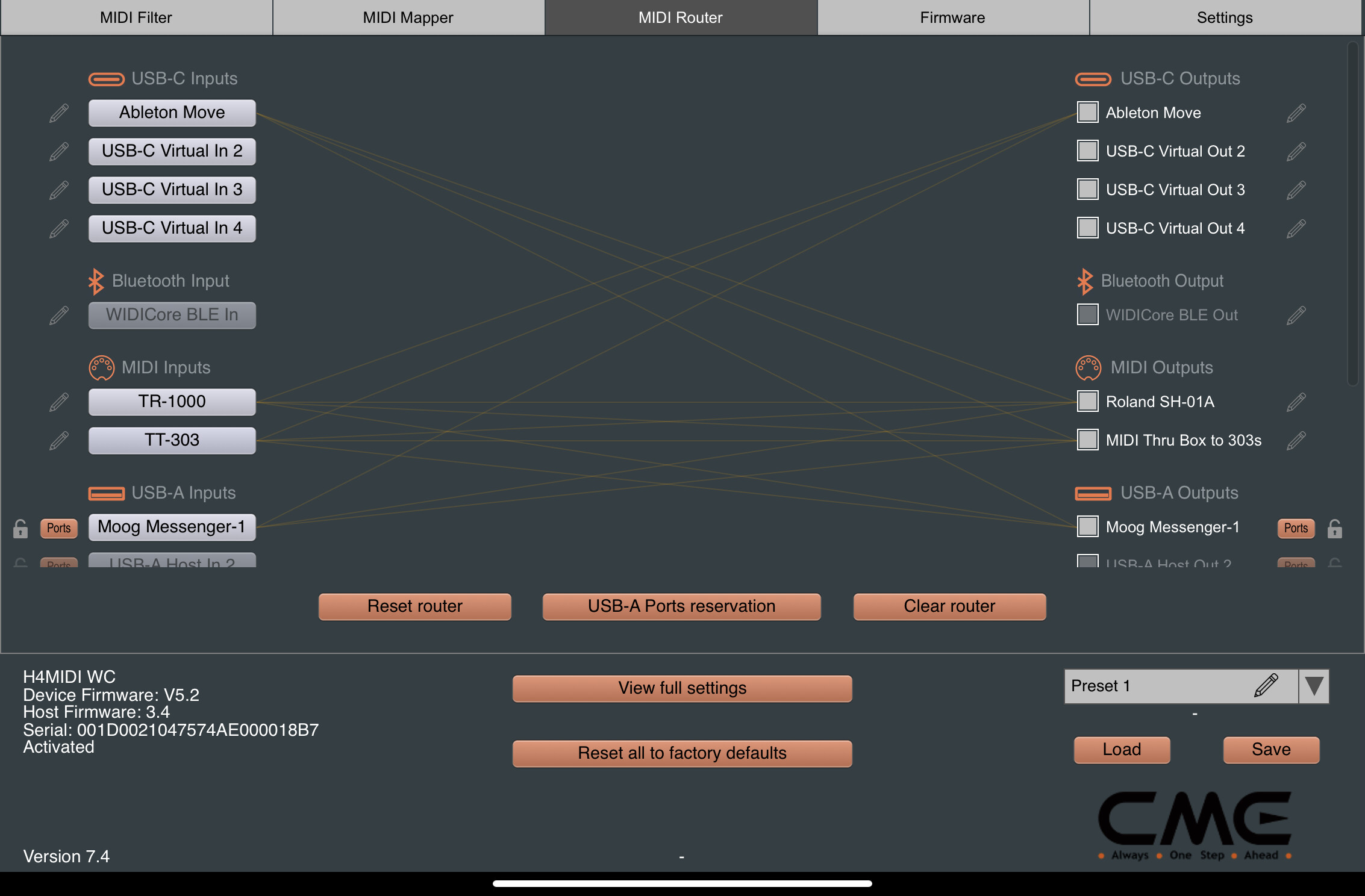
Then in the software routing I have virtual cables connected from…
USB-C IN from Move to USB-A OUT (Messenger), DIN MIDI OUT 1 (SH-01A) and DIN MIDI OUT 2 (TT-303, x0xb0x)
USB-A IN from Messenger to USB-C OUT (Move), DIN MIDI OUT 1 (SH01A) and DIN MIDI OUT 2 (TT-303, x0xb0x).
DIN MIDI IN 2 from TT-303 to USB-C OUT (Move), USB-A OUT (Messenger) DIN MIDI OUT 1 (SH01A).
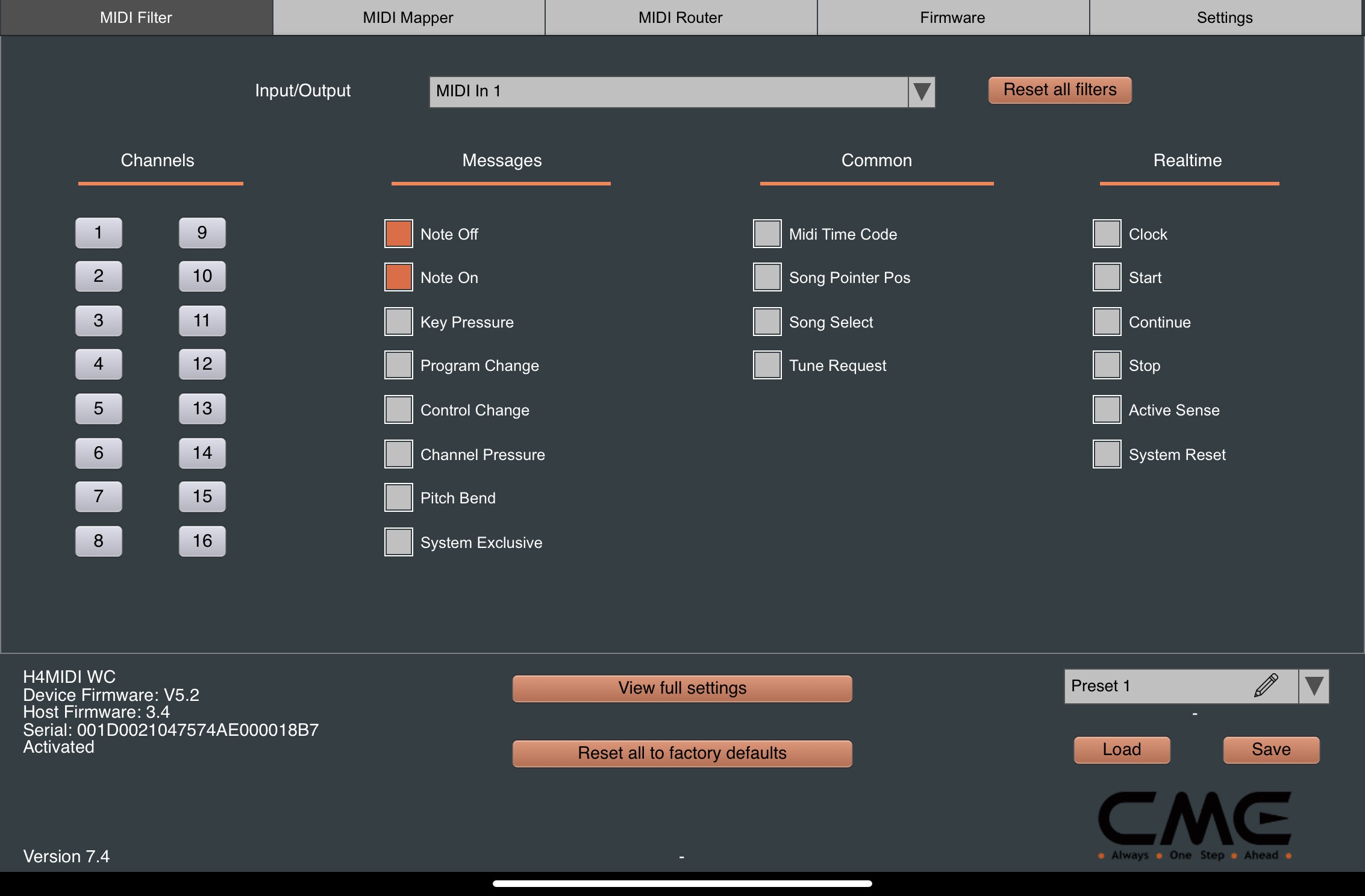
DIN MIDI IN 1 (TR-1000) to everything to send Clock/Start/Stop, added a filter set to prevent note on/off messages being sent.
Everything is set to its own MIDI Channel.
So with this setup I just select the appropriate MIDI Channel on the Move, Messenger or TT-303 to play or sequence anything else in the setup.
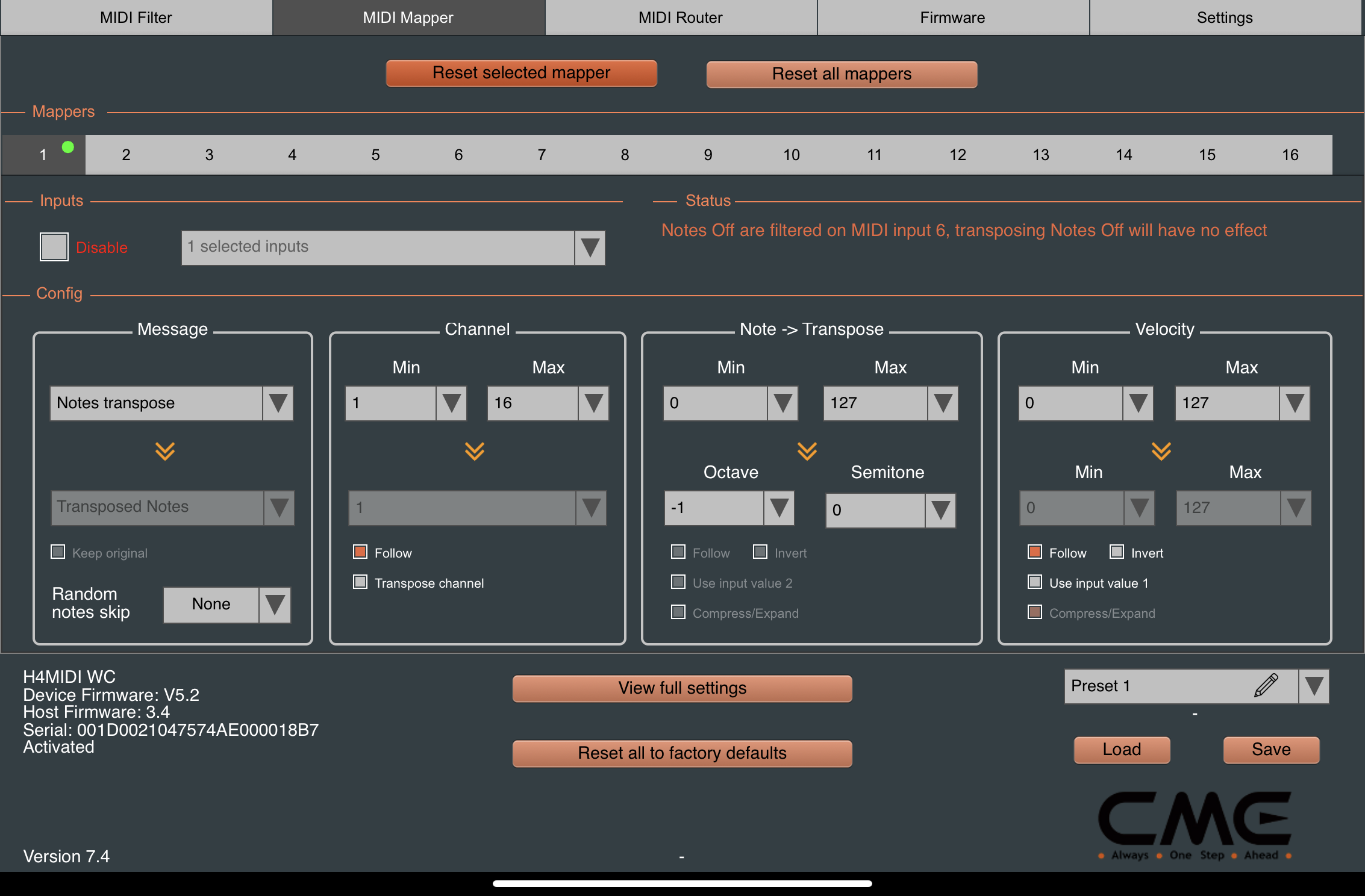
I noticed the TT-303 notes were an octave higher than everything else so I also used a MIDI filter to transpose them down on MIDI out.
As I also have a DIN MIDI cable from the MIDI Thru box to the TR-1000 MIDI IN I can also finger drum to play/record the TR-1000 drums from the Moves 4x4 drum pads with full velocity range, or can sequence it from the Move (with layered GENs and latency offset on the TR1K).
Switched it all off last night and back on this morning and everything just worked. No additional latency added.
Edit: it took me longer to write this post than to set everything up 
Here are some screen grabs from the app showing everything set up (virtual cables, filter etc.)…
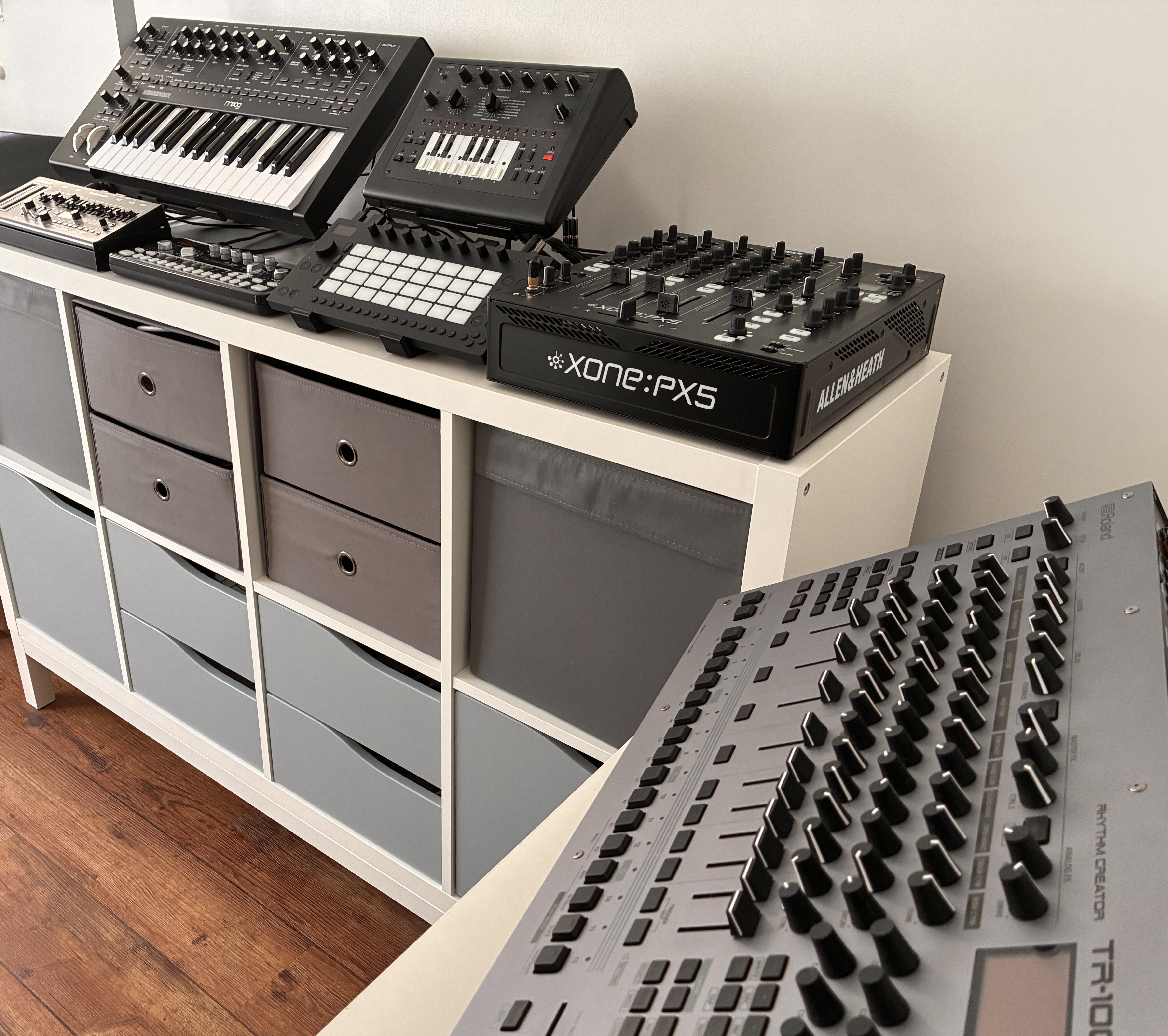
Here’s a snap of everything the CME H4MIDI WC is controlling…
Amazing little problem solver devices. Especially love being able to configure with my phone. Need to order another couple.
MAD RESPECT.
Thank you.
I’m loving the Messenger - 1000 combo.
Yeah they pair really well together and both sound amazing. I did have my SH-4D hooked up instead of the x0xb0x but it sounded really bad next to the Messenger so I swapped it out.
I’m also really pleased with the Move (which was the whole reason I got the CME as it only has USB MIDI so I needed a bridge). As well as using it for its internal sounds (mainly when I want polyphony) and to play/sequence other gear, they also just added Audio Tracks so I’m using it alongside the Xone mixer for send FX and live looping. Works great for DJ style transitions!
I’m really happy with this setup