“The H4MIDI WC were delivered to Amazon last week and we are waiting for Amazon to complete the inventory and ship to our customers, however, due to Black Friday, Amazon’s operation may be slower than usual, please wait a little longer.”
Has anyone here already received the H4MIDI?
I am thinking about getting one alongside the WIDI expansion chip, but not sure if an iConnectivity MioXL over RTPMidi would be more customizable.
Did anyone also try the WIDI expansion? If yes, how many WIDI devices can connect to it simultaneously? And is there any impact on latency if multiple WIDI devices are connected?
Just ordered. Didn’t include a Widi module - I’m fine with cables, thanks, and seems like a rabbit hole to go down (their page makes it really hard to figure out exactly which of their dozen widi dongles you need.)
Hope it arrives before end of February. Need it for a show in SF mid March…
Will hopefully replace my Iconnectivity MioXL. Love that thing but the editor is very confusing and it’s like 2kg.
Yeah, I got mine about a month ago actually! I did not opt for the Bluetooth WIDI stuff though.
But I love it. I’ve got it hosting my Roland J-6 via the usb, and then I’ve also got my launchkey mk4 keyboard, and Kaoss NTS-3 both connected to the other two inputs via midi cables.
Then, I’ve got all of that routed to one output of the H4MIDI which goes into my Retrokits RK-008.
Makes it very easy to record notes, chords, and automation moves from the NTS straight into the RK-008!
Does anyone know if the configurator software allows you to route MIDI data from a USB device back into itself? I would need to do that for some of my controllers for the LED feedback on toggle buttons to work.
Hi,
I’m new here.
I Just wanted to give my feedback on CME.
I have two of their products:
-U6 Midi pro: midi merge/split: 3 ins and 3 outs
-H4 midi WC: USB host with 2 ins and 2 outs.
I love their gear. Their products are very good value for money and reliable (so far). Plus, they are really trying to innovate in the field of midi technology.
The software used for configuring them is easy to use and lets you:
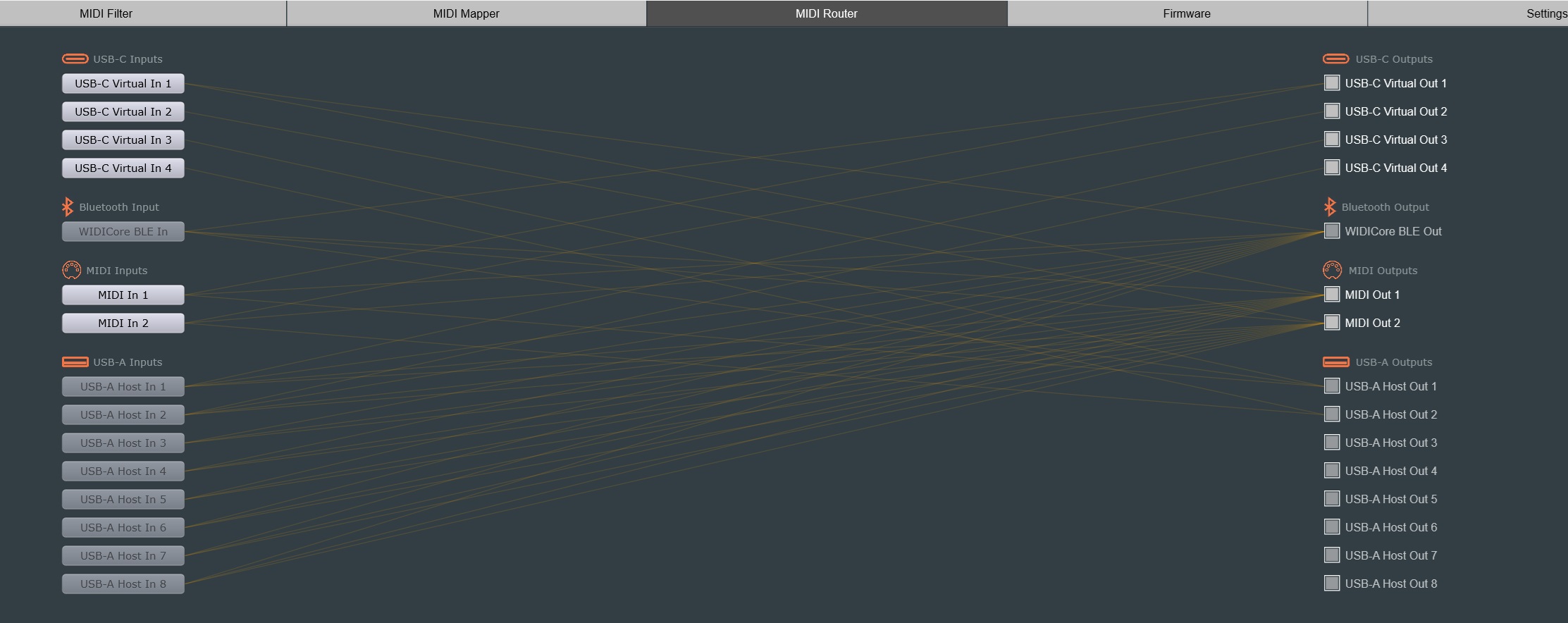
-route the ports (say which in goes to which out(s))
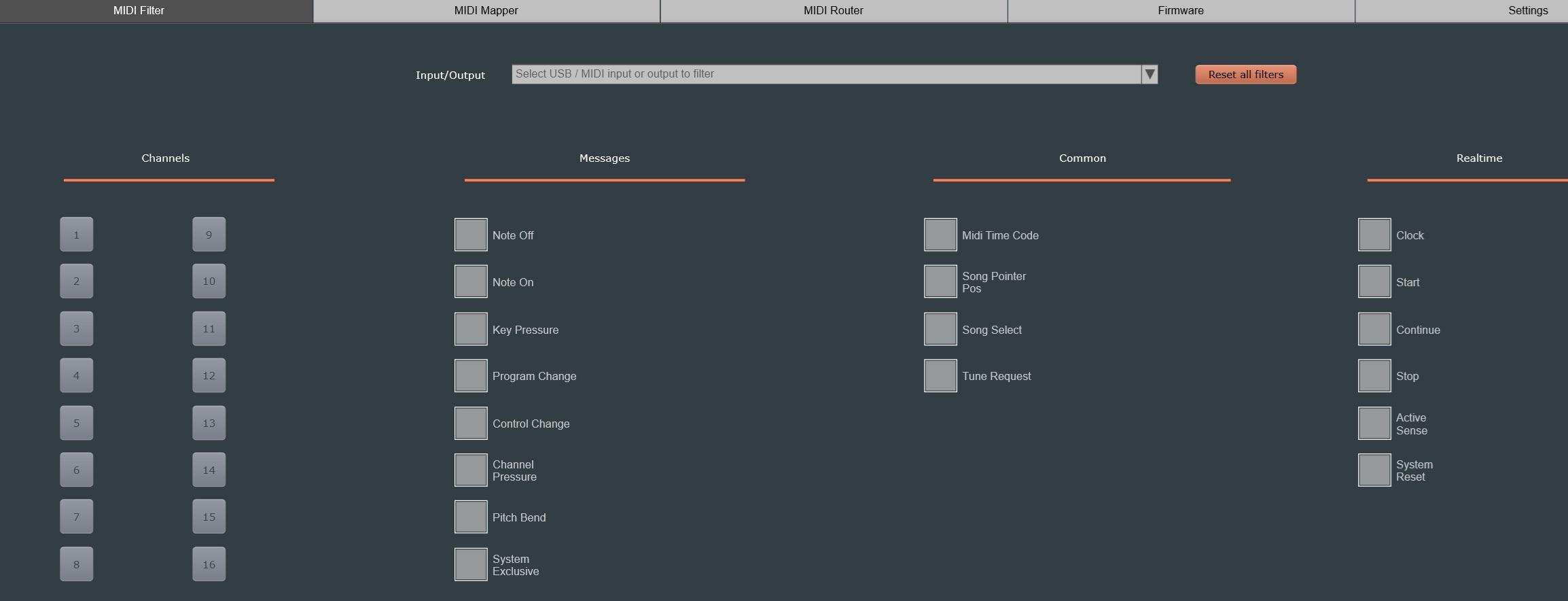
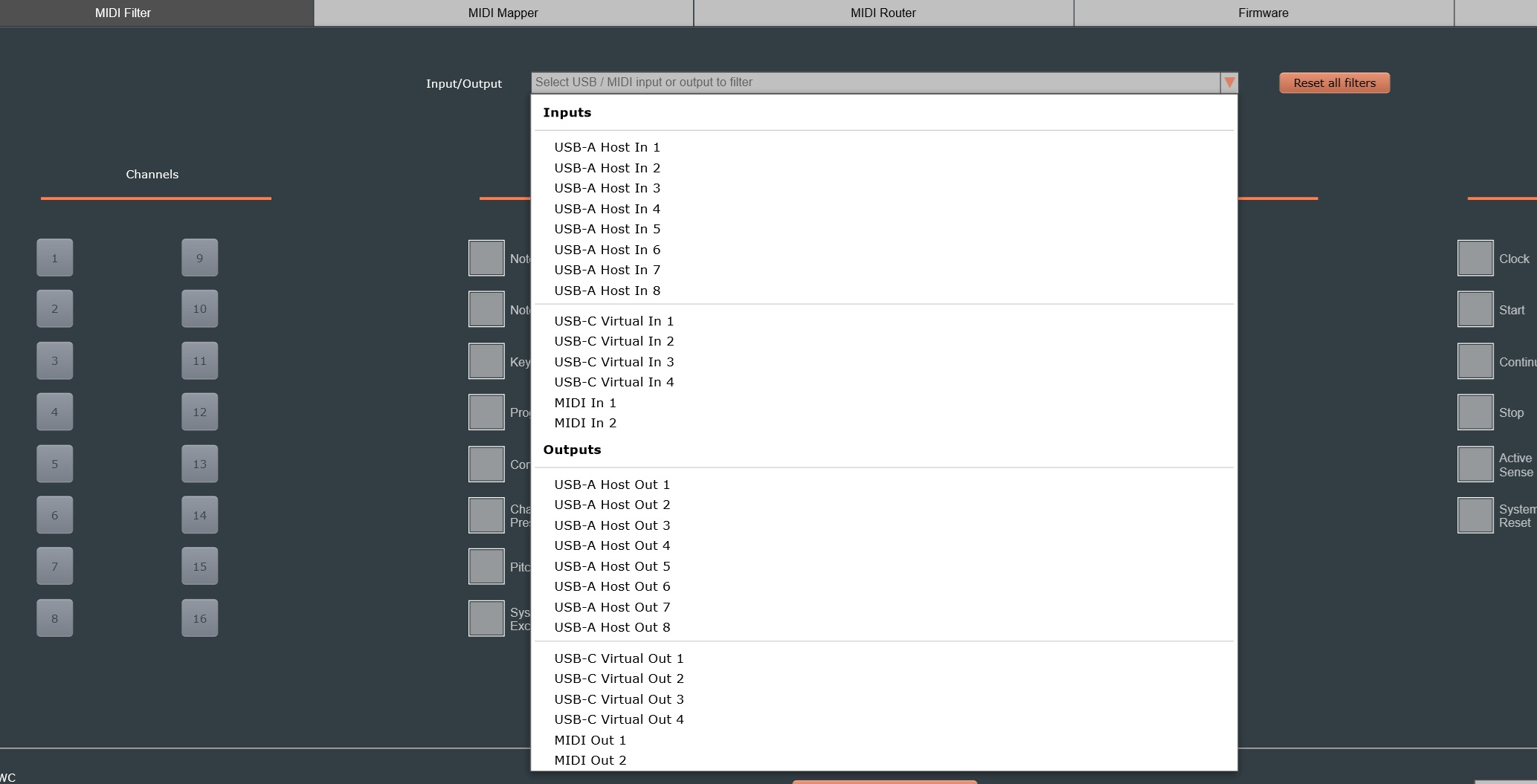
-filter the messages (note, program change…) to avoid unwanted midi transmissions (like an undesired midi feedback loop or your midi controller playing a note on your DT when you just wanted it to play on your DN)
There are so many applications. just to list a few:
-using a USB controller with your Elektron gear without the need for a computer (with H4 midi WC). For example, you can use a Novation Launch kontrol to control your track volumes and various parameters.
-optimizing midi loopback so you can control your effects track on your digitone from a DN midi track (and even be able to use LFOs on them!), while still having your midi out available to control other gear.
They have made other midi gear (Which I haven’t purchased yet)
Roger Linn (Linndrum, MPC, Linnstrument) praised their WIDI master wireless midi dongle and showed off how he could use it with his Linnstrument (There is a video on Youtube but I don’t know if I’m allowed to post the link).
Yes.
You can route any in to send messages to any out (to be clear, one in can go to any number of outs, from 0 to all).
If you look at the product page on their website, you’ll see a picture that shows that the routable ports include: USB, bluetooth and Midi.
I haven’t used Bluetooth but I can confirm that it works with midi and midi and USB work (you just have to do your routing and filtering wisely).
If you’re a midi wizard, you can even do some more advanced stuff with the mapping possibilities (but it gets more complicated)
Hey Chewit, I just set up my H4Midi and am running into loads of problems with the USB host ports.
I’m using a powered USB hub (actually, have tried two different ones) to connect a LaunchControlXL and an Oxi One. Trying to set both of these up and have the host ports and their routings stay consistent after disconnecting from the computer isnt working.
Clock is rock solid, but the CME is constantly switching the USB host ports whenever it power cycles, so no notes or CCs are getting through from the midi controllers /sequencers in standalone mode.
I’ve tried the USB host port reservation but it doesnt seem to work. Whenever I set anything it then makes me disconnect and reconnect the midi devices, which then triggers another ‘please disconnect and reconnect your USB hub’. And then I’m at square 1 again.
Do you have any tips? I’m going crazy over here. My MioXM started drifting my Octatrack’s clock, so I thought now’s the time to make the switch. Now i’m wondering if I should switch back and try to fix the Mio. That thing never had any issues with USB
Hi,
I’m not a midi expert but I’ll try to help you if I can (No guarantee of success though. I’ve never used two separate USB devices with the H4midi at the same time)
Can you tell me more about how you set everything up (for example Launch Kontrol >USB A and Oxi > USB C) and how you routed the ports in the software? (A diagram would be helpful).
Just to be sure: did you download the software, update the firmware and configure all the routing in the software?
How Is the H4midi powered?
Hypothesis:
Generally I use the USB-c port to power the H4midi (from mains, PC or a powerbank)
But, If the Oxi-one is going into USB-C, I’m not sure the H4midi is able to draw enough power.
If the USB-c port is not powering the H4midi, Have you tried to power it using the 9V/1A port? (the power adapter is not included, so you might need to get one to charge it through your mains or use a myvolts to power it from a USB power source).
To be clear, Everything I’ve written is pure speculation.
I’m not an expert and I don’t know how you set everything up. I’m just trying to help.
I’ve got one and I’m still working out the best way to set it up too. I’m using the USB-A port for my midi controllers. They have a facebook group, so it could be worth joining and asking questions there. Seems a helpful bunch. Also CME answer there too.
I have the U6MIDI Pro and it’s great. Easily configurable USB/DIN merge/thru with limited filter and mapper options.
I want a filter to remove the OT crossfader data CC48 from midi out as it glitches my blofeld and Mono Station.
Emailed CME and Zhao (CEO) adv that they’re currently testing beta firmware for the H4MIDI WC that has user configurable midi CC filter which looks to be the answer for me. Comes in a lot cheaper that other filter/mapper devices plus USB host so will be placing an order once the beta goes public
Anyone know if this can provide power via usb to power a Torso T-1 for example? I understand you would need a 9v power adapter in this case but very curious if this could work.
Edit: just saw the dedicated usb-a port and usb-c port for power so the torso t-1 would go to the usb-a and then you can lower it with the usb-c. So question is if the usb-a port provides power
As far as I’m aware the USB-A doesn’t supply power. Get power from the usb-c or power adapter. I have mine plugged into a powered hub for power, but works if the device has power/battery itself.
Yeah I’ve been testing the beta, and this option has been added, amongst a few other nice bits. This filter option will also be added to UxTools on the next release so the U6Pro will also have this message filter option.