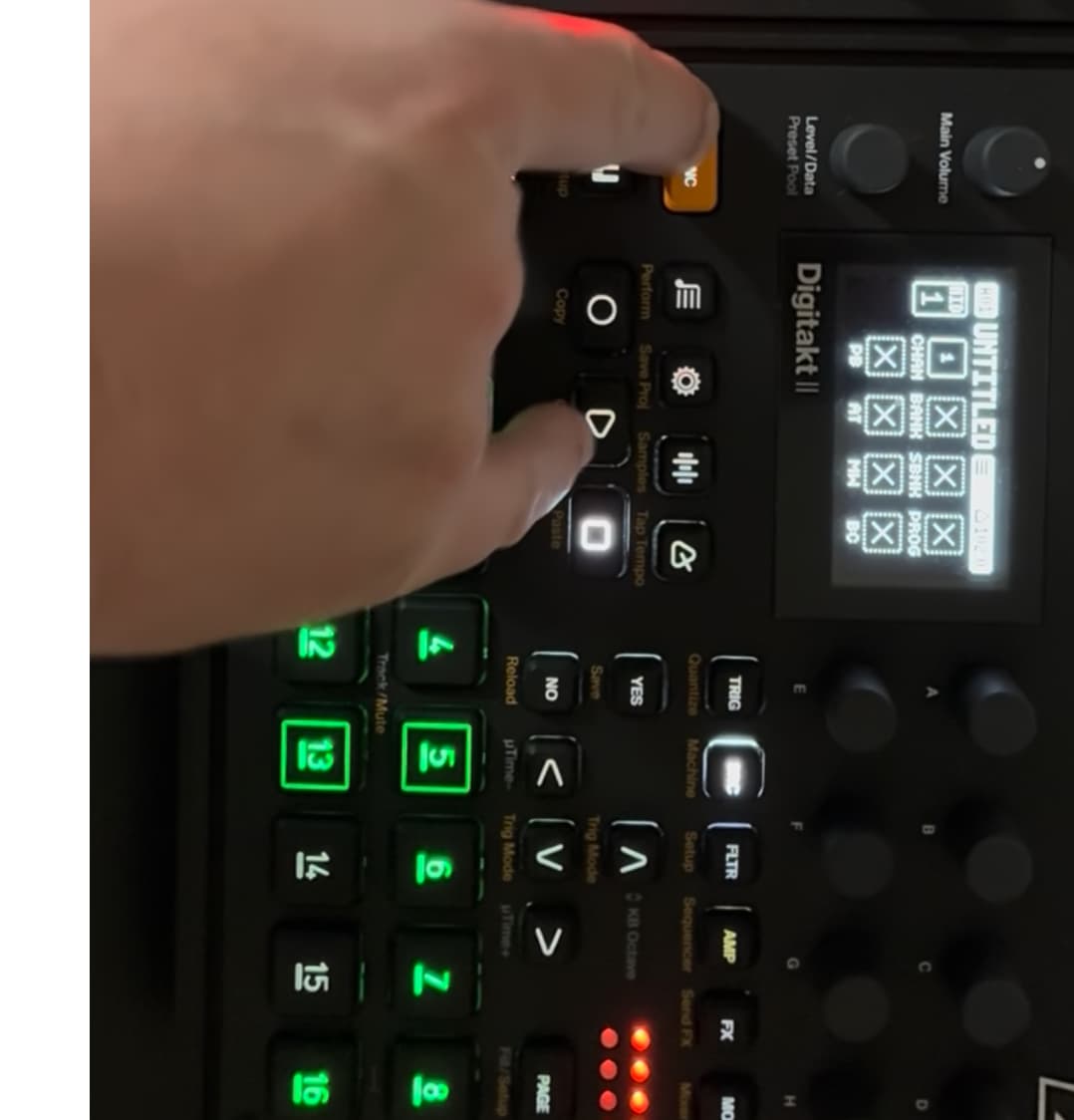
hey everyone, I need some help thinking through this issue.
I have 4 devices:
roland a70 (MIDI controller - talking on MIDI chan 10) MIDI out to >
DT2 (auto chan 10) MIDI out to >
DN2 (auto chan 11) MIDI THRU to >
roland jv-1080 (MIDI chan 12)
I have track 16 on the DT set to talk to the DN on ch 11. this works great.
I have track 15 on the DT set to talk to the 1080 on ch12. this is where the problems start.
I can select ch15 (not recording) and play the 1080 just fine.
I can hit record, and while I’m actively playing the a70, the 1080 responds.
once I’m done recording, I can press the button for ch15, and the 1080 responds!
but when I put a trig on step 1, NOTHING HAPPENS. it’s like it recorded nothing.
this is maddening! one would think that when I was recording and pressing the keyboard, that note input would be recorded on the DT. and it must of saved something, b/c when I press the button for tr15, the 1080 plays. so why is it not part of my sequence/pattern? what obvious thing have I missed?
I appreciate you reading, any suggestions are welcome.
so when I hit record and play my keyboard, it does not create trigs on the track.
when I manually enter trigs, it still doesn’t play the 1080.
I manually press the 15 button, the 1080 triggers.
it’s as if my MIDI is not “directed” at the sequencer somehow? very strange. I think I might make a short video and post it so you can see what I’m talking about.
Make sure the track midi settings are correct too. I remember having similar issues with real time ext midi input. It wont spit out the midi notes if its not setup here as well as the global setting. It gets confusing and wonky. It works but its not as easy as other sequencers since its mainly designed as a stand alone groove box to be used with its own buttons and knobs . It does work though. the Digitone2 has a more robust midi edit as well, compared to Digitakt2., i miss it a lot.
Also make sure you are in realtime rec mode, and double check ALL the global settings, sometimes if one box isnt ticked on not it wont work out… I think theres one for allowing midi recieve, and in/out stuff…maybe go through the manual again (and again etc.) and search some you tube vids which could help solve it.
Maybe in your project midi settings, receive notes ticked? …
99% of the time its user error, double check your midi settings, from my modest knowledge the set up as you describe it should work just fine. I don’t have the set up to test it for you unfortunately.
hey @unclejebb I have a specific question about this - I know how to record on a DT, I press the REC button. but what you’re calling out seems to be not that, but something different. I went into the System settings > Personalize and the option Live Rec Overdub is not checked, is that what you’re referring to?
I want to be clear: I don’t expect you to do my research, please feel free to just say “go look up this,” I’m not trying to take advantage of your time. I just want to make sure I know what your’e talking about.
Not sure but i think thats a separate setting. Sorry i havent touched my studio in afew months due to being obsessed and lost in the wasteland of fallout 76… Please send help, i may never return, lol.
Real time recording is when you hit Rec + Play and if you keep holding Rec and press Play again you switch quantisation mode. Then you will see that play lits up and that rec is flashing and the sequencer is running.
I twiddled and changed channels until it started working. yay! then I added another device, and it started showing the same issue.
then, I rebooted the device, and now nothing is working.
I’m hooking this thing up to a MIDI sensor, as I am convinced that there is something funky going on with this machine with MIDI numbers greater than 11.
Another thing I thought of, you might have to also adjust the Port Config Output channel to Track (not auto)
I think that will mean you can still use the key board on the auto channel but the track will iutput on what you have the track channel set too
hey @aaanicholls thank you for responding, I really appreciate it. I haven’t heard a word from Elektron, which either means 1) I’ve found a legit issue, or 2) I’m a legit idiot.
if you change the 1080/DT2 to MIDI ch1, everything works perfectly. there’s nothing I’ve been able to do that will make it work on higher MIDI channels, which leads me to believe that there is something intercepting the data, or it just doesn’t work.
elektron so far hasn’t responded at all, but I opened the ticket over the weekend, hopefully I’ll hear something soon.
I’ll say this: expecting everything in a studio to talk on MIDI ch1, or to expect there to be no other MIDI devices in a studio, is not a reasonable expectation in my opinion. if we can’t use all 16 MIDI channels, why provide them?
thanks to anyone that reads/comments, I really do appreciate it.
EDIT: and a YT video to show what I’m talking about:
We are all able to use all of our midi channels with this same device… daily. I use it to send to all sorts of gear via all midi and it works flawlessly. It’s very strange that it doesn’t work on yours and that may be the case. However, I wouldn’t be surprised if it’s your settings. It can take a minute to learn how to setup a midi based studio. Troubleshooting tip #1 start over from scratch ie start a new project with all default settings. Start with less devices and check each channel if needed. There’s a lot of settings to go through on all the machines. It’s really bizarre that this midi problem only exists on your machine. Good luck!
You do not need to do either of these things:
in the channel settings on DT, set track 15 to channel 12 [I would put this back to off]
adjust the Port Config Output channel to Track (not auto) [this only affects data entry knob behavior]
In the MIDI Port config page there is a kind of AUTO CHANNEL setting ive been messing with a couple days ago. (Tried to control a couple of external devices too) I realized that if auto channel was “on command” of midi, all tracks will send their midi messages through that auto channel.
 I just want to make sure I know what your’e talking about.