Just a sanity check and I’m not familiar with song mode, but make sure you’re not in a different mute mode? I don’t remember their names but there are two or three different modes and one will ignore the scene’s mutes in preference of your current mutes when you switch, although I think you’d have to go out of your way to turn that mode on so it’s likely not it.
When I write Songmode I mean pressing the button Song. As I said, it’s strange when things doesn’t do as expected. I expected pressing the button Song would play the Scenes as they were saved. It does that, but not the first time you play it which is nothing to be upset about, but I would like to see that Song played the Scenes exactly as they were saved from the beginning and not the second time I start the song over.
You mean Mute Hold? That’s rather easy to turn on by accident, you press SHIFT+SCENE to toggle between OFF, Next, and LOCK.
1 Like
What’s your firmware? I have 1.22 E.
Same here.
1 Like
yep meant to make a video this week on how they work together but it’s a very cool combo! I have a Push template with different synths set to specific music channels and then cirklon instrument defs for each of those instruments.
Will hopefully get to the video this upcoming week.
2 Likes
Cant wait to see is yours the standalone version?
yep standalone! also meant “midi channels”, not “music” in my previous post. assuming the auto correct got me bc I know my midi from my music!
1 Like
You can change the instrument port. There is no need to create a new One. It’s one of the shift combos I only Remember when working with the cirklon (muscle memory) but it’s def possible.
1 Like
Shift • click on instrument name (twice)
2 Likes
Thanks!  You only need to click the instrument name once (chose the instrument and then shift + enter).
The discount is definitely helpful, and I wanted the Drum Mux which is now back in stock, so I took the upgrade to v2.
Which actually looking at it is basically a whole new Cirklon that you fit to the case yourself.
Leaving a deconstructed Cirklon lying around.
Does anyone have an idea of what to do with this? Fit it to a custom box and … sell it? Donate to some music school so someone else benefits?
Hack it? I am sure there are quite some possibilities …
1 Like
it’s not really a fully functional Cirklon that you’re left with. it’s like half of it (I think the main board and display?). someone asked this in the forum a while back and Colin never responded I don’t think. it’d be cool if they’d make something to do with these spare parts (still have mine sitting around from three years ago). even if it’s “send it back and we’ll make a V1 Cirklon so someone can buy it for cheap.”
4 Likes
I think because mine was serial # under 100 that an additional board needed replacing (and the new colour screen of course)
Let’s see if what’s left after it arrives and is fitted
2 Likes
ah! that makes sense. mine’s closer to 1000. I think they’re pretty different upgrades.
1 Like
This would be awesome.
1 Like
Thinking about this, too. A bit on the fence because even with the discount, it’s still €680 for my (rather old) Cirklon, and I don’t see any any significant new features in the Cirklon 2 builds so far, so it’s mostly an investment in the longevity of my device that comes with a fancy color screen and a USB port.
OS v1.3 should be interesting, though, but there wasn’t a single word from Colin on the beta thread in the last 5 months, even though the last build (1.3b8 from April 30) still causes crashes and other problems for some people
Here's what 1.3 will bring for CK2
1.3 BETA (up to version 8)
Source Routing
Received midi messages are either routed directly for fixed soft-thru, or fed to track input stream for edit track, or any track with configured sources
- added “SRC1” and “SRC2” values to track page, to select input SOURCEs, for permanent soft-thru and record source; create and edit sources like instruments;
- added “thru while edtrk only” [ET] and “apply TCVs” [V] options for track sources (TCVs applies all transpose including scene xpos and FTS)
- added midi port option to ignore incoming clock - on MIDI port config menu hold SHIFT and press encoder 6 to toggle setting;
*after port number shows option is enabled - added source definitions included in “all insts” file
Track Delay
Each track’s output now runs through a dedicated stream, with independent delay time.
- added “Tdl ms” track value - (track delay ms) delay individual track outputs in steps of 0.25ms negative delay only available while master clock
- added dynamic pre-delay, matches most negative track delay value, for absolute delay value of zero
- added user config option “pre-delay ext clock 25ms”; adds fixed 25ms delay to all track output to enable negative track delay while running from external clock source, you must apply pre-delay of 25ms to external clock source to align sync
Other Changes
- changed ck pattern rotate to allow inf. pattern shift unless events would wrap to end
- added user config option “ck edit, reverse ROW encoder”
- added rec count option for 2, 1 or 0 bars while metronome active to metronome config page
- deprecated use of player_note_map in player assign
- added device sysex dump handler; MENU → Card/Sysex → sysex dump
- receive and send sysex dumps on the selected port; save and load SYX files of the dump to/from SD card or internal
BTW, on the Sequentix forum I came across this excellent video, anyone wants a short walkthrough of the Cirklon and experience what it looks like when a machine is used proficiently, this is it.
He starts with a factory-reset Cirklon and ends up with a full track after 23 minutes. It’s amazing how much information is packed into only 23 minutes.
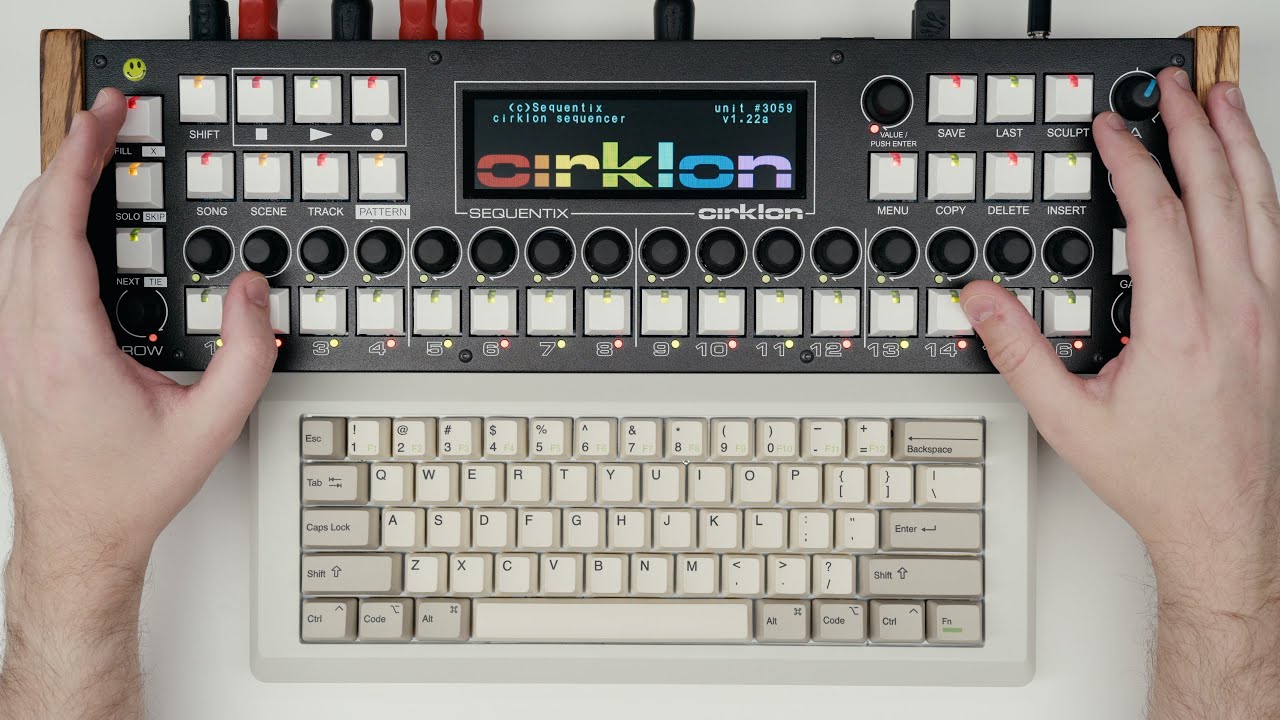
I wish this was available when I bought my Cirklon, you can learn everything you need to make tracks with Cirklon from this video alone, and even if you thik you know the machine quite well, you might pick up a thing or two.
8 Likes
This video was one of the reasons why i bought one 
2 Likes
Exactly what I think
1 Like
What’s definitely nice is using an keyboard for naming things. Not €680-nice, but maybe €100-nice in the long run.
1 Like