I’m not sure what I’ve done maybe it’s been a long day,
But I’m having trouble just changing patterns when I press bank A then press the pattern I want sometimes it just flashes then goes back to the pattern I was playing?
I have it set to 64 steps and only seem to have about 2 seconds to hit it to get it to change?
Maybe chain mode is on? Possibly
Nope… I’ve loaded a new project and it’s not doing it…
Must be something to do with how I set multi map
You don’t have to set multi map to change patterns.
3 different pattern change modes :
PATTERN MODES
When changing patterns, different modes affecting the way the active pattern will be changed exist. Toggle between the PATTERN modes by pressing [FUNCTION] + [BANK GROUP]. The LED indicates which mode is selected. Three PATTERN modes exist.
DIRECT START will immediately change patterns. The new pattern will start playing from the beginning. This mode is indicated by a red LED.
DIRECT JUMP will immediately change patterns. The new pattern will start playing from the position where the previous pattern left off. This mode is indicated by a green LED.
SEQUENTIAL will change patterns after the currently playing pattern reaches its end. This mode is the default mode. It indicated by an unlit LED.
1 Like
they were all working correctly except sequential it only would flash and not change every time
Im starting to wonder if having problems because of being a beta os will try again tomorrow if still not working correctly I will have to email Elektron because multi map doesn’t seem to be working properly
Do you use bank buttons + trigs or multi map?
Different approach. Multi map pattern changes are controlled by notes (A4/AK keyboard or external midi).
1 Like
I’m putting midi notes into ableton clip view to change transpose and pattern change midi channel 8
Try direct jump method.
ive tried it, pattern changes will only respond to C3 no matter how i set things…
and it interrupts the pitch and transpose
Could you list / post a picture of your multi map settings?
1 Like
Uploading: DB44B51E-0963-4583-A358-65D92B6F55CA.jpeg… Uploading: 94C5BA90-B262-4EF6-B8D6-99D8E7A00E9E.jpeg… Uploading: 40193FC6-6A73-4DBF-90CC-DD2DD6512DA2.jpeg… Uploading: B2F0547A-C20A-4112-A957-E44D97C608CA.jpeg… Uploading: 2BDED4CA-C89D-4208-B344-7858F865BED2.jpeg…
I’ve just set this up,
transpose works as I want it to. pattern change does not and hasn’t yet worked …
When I set a entry for pattern change it plays a note and interferes with the transpose…
It’s like there is no difference between transpose and pattern change like it’s not making the split.
It changes the pattern but ruins the transpose
I’ve tried every combination of settings…
You can test with A4 Keyboard.
Couldn’t open your pictures.
Don’t you send several notes at the same time?
Is there a track midi channel common with channel 8?
Check with A4 Keyboard first. Use Up / Down arrows with a combo (don’t remember) to change octave range.
1 Like
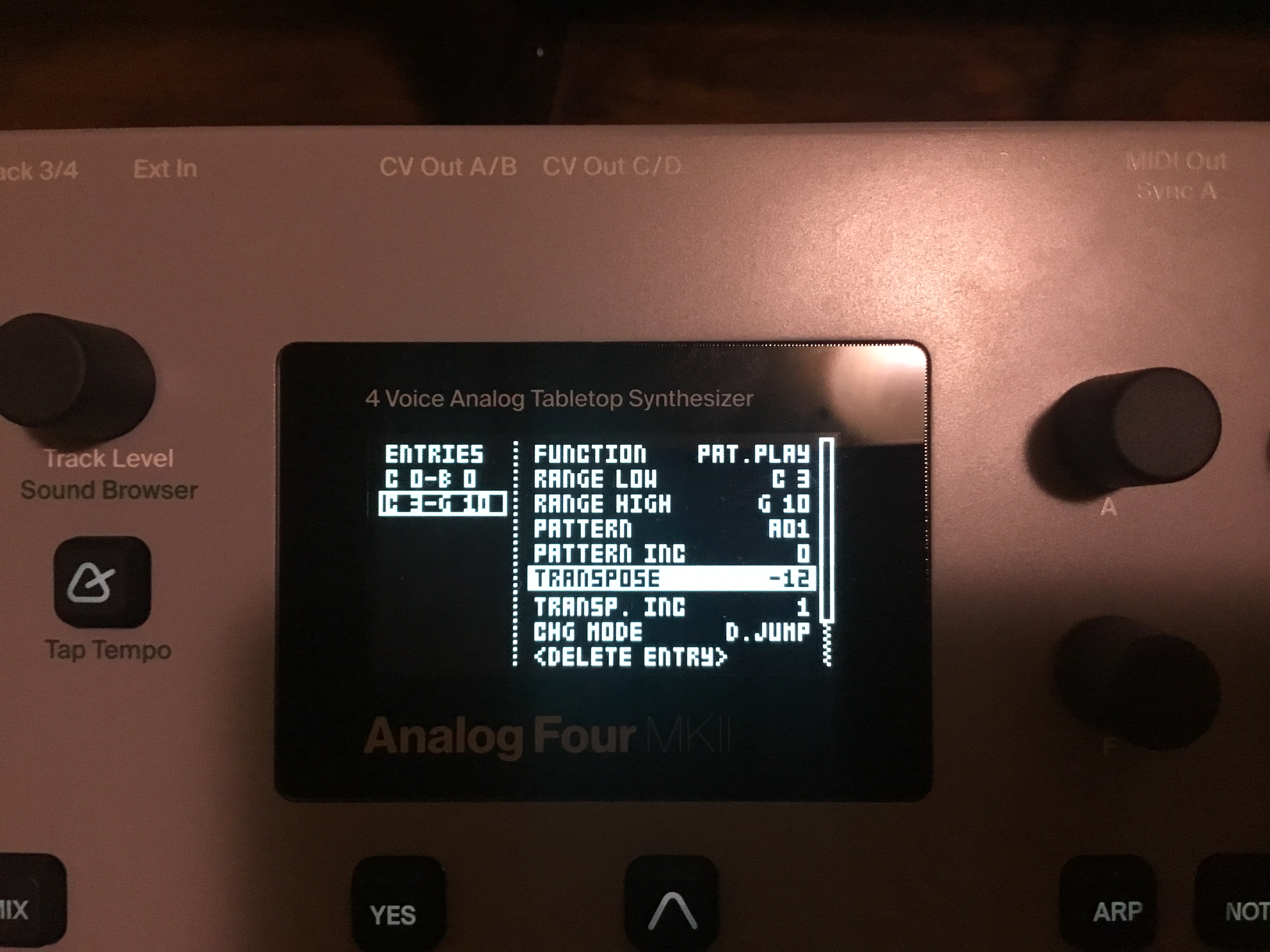
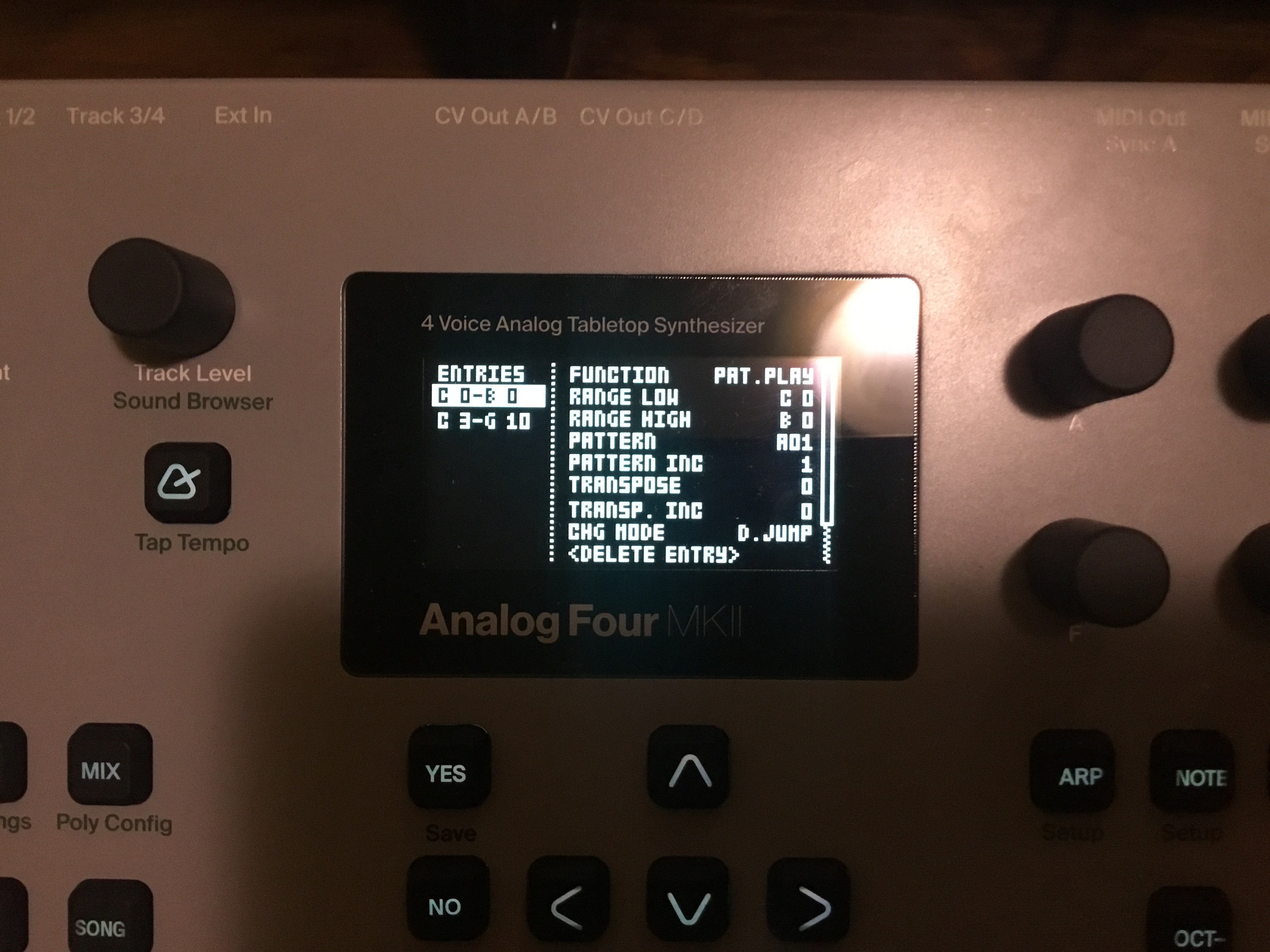
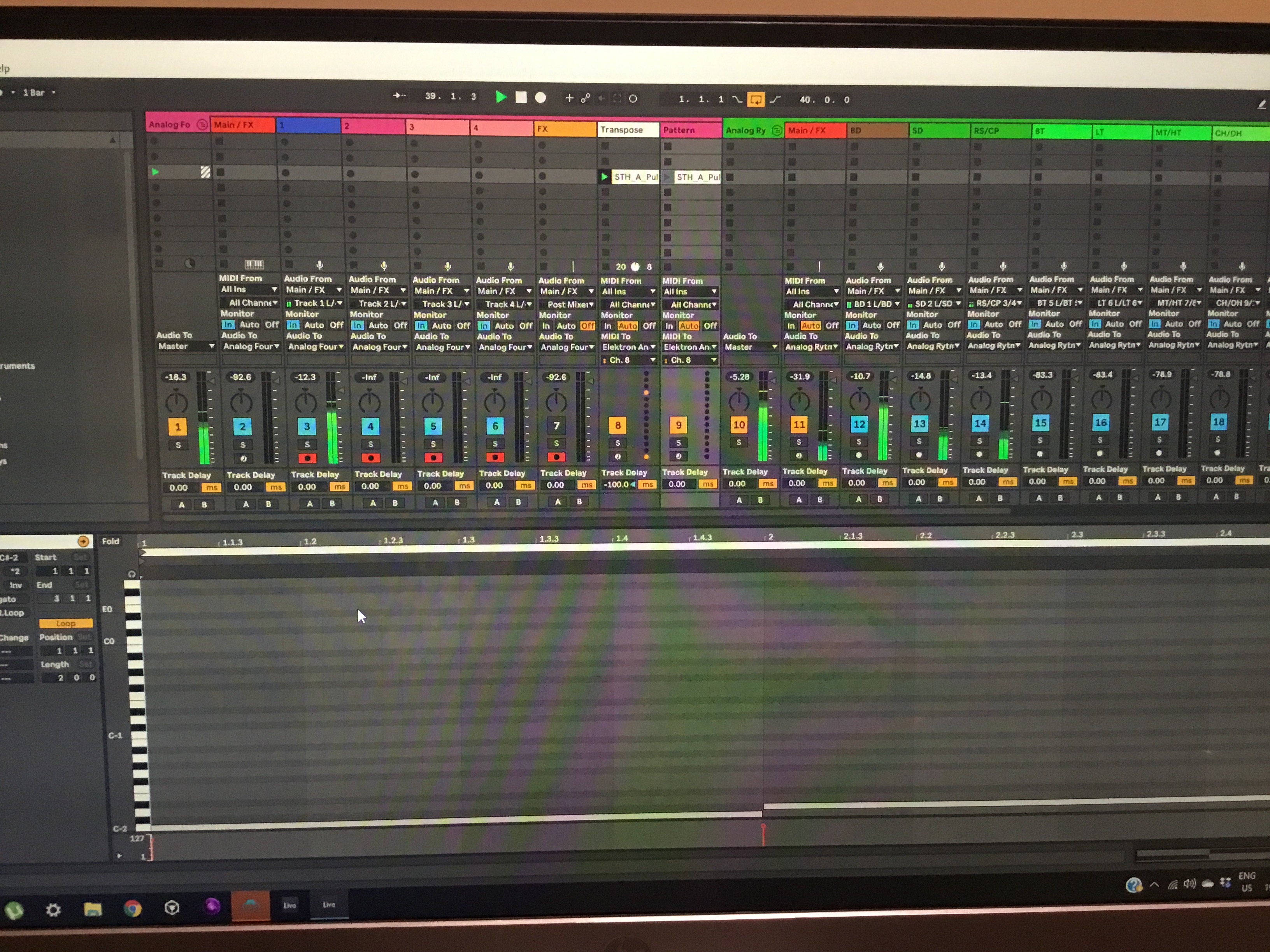
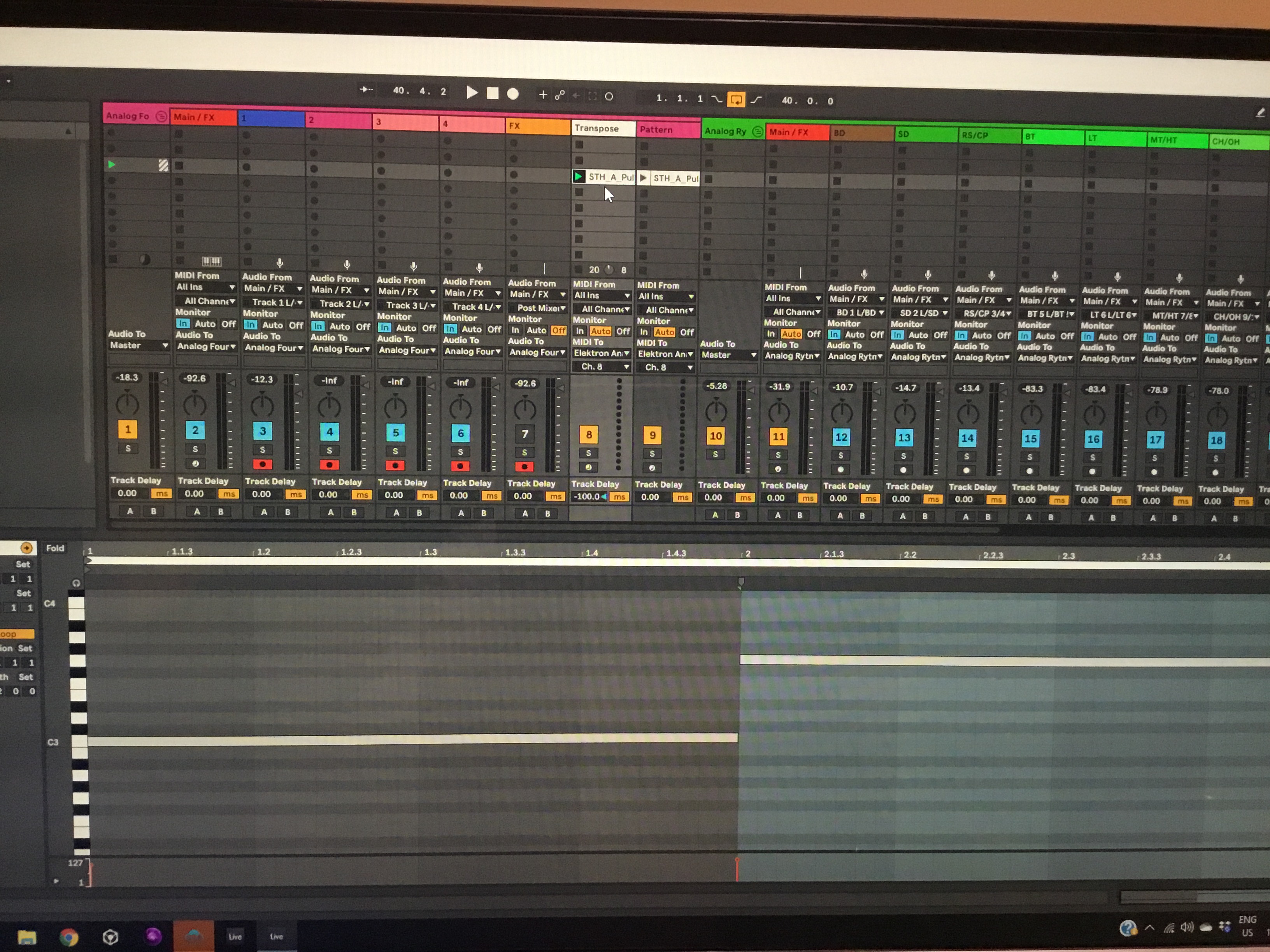
My goal is to be able to compose the patterns on the Rytm and A4
and sequence the patterns and transpose in ableton then record it all through overbridge
but having no luck with pattern change in multi map mode
or with program changes as they don’t always work
and you have to place them early which makes it a headache
and they still don’t fire exactly when I want them too.
 Do you use the 2 entries at the same time?
You can’t combine them with those settings.
Any note concerning Pattern Play entries will override the previous one.
C3/G10 will allways load pattern A1, with cromatic transpose depending on notes.
C0/B0 will load A1-A12 without transpose.
1 Like
What? I’m quite sure I could do both… But perhaps my memory is failing me.
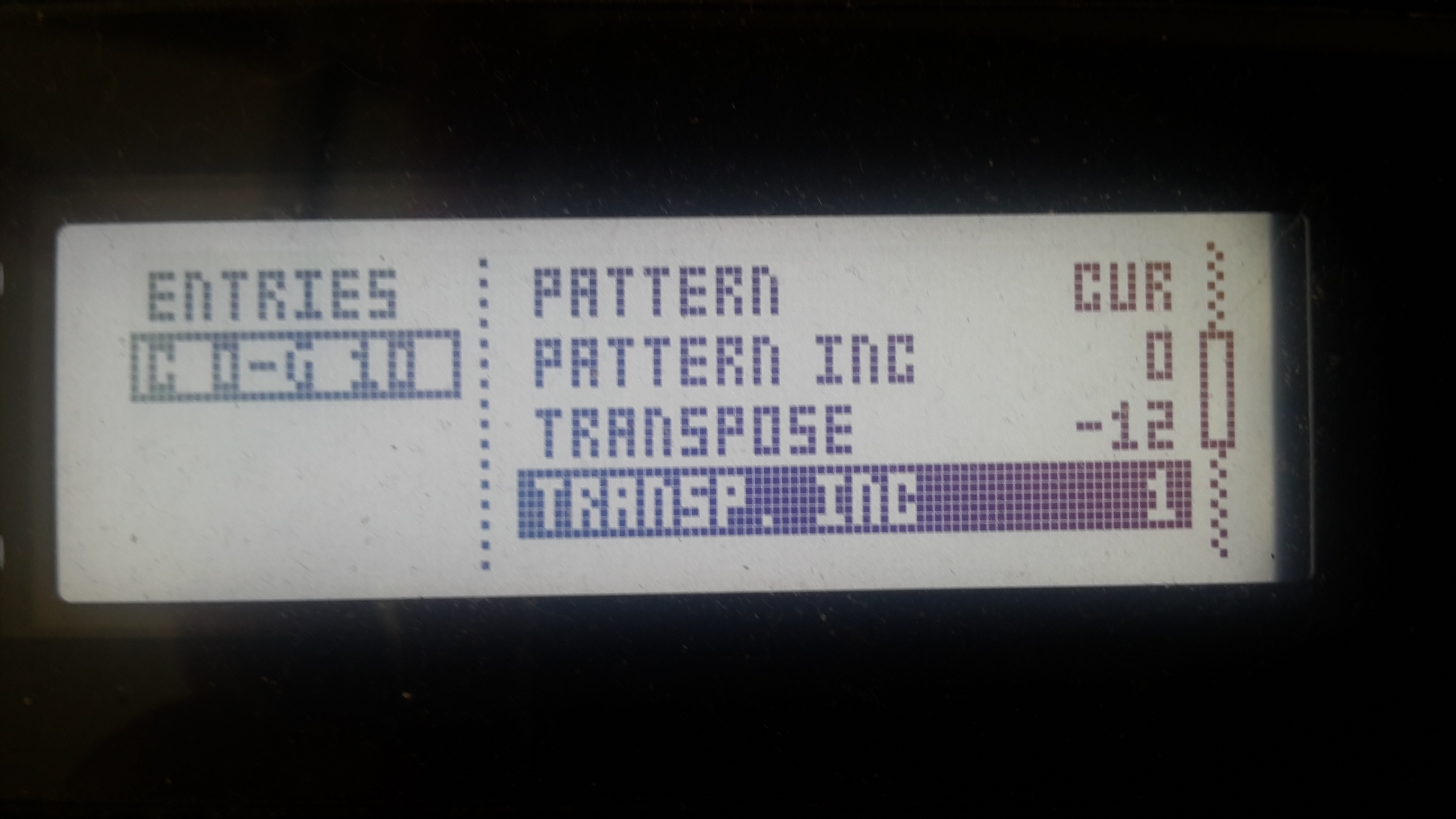
Remember that C0 within Ableton isn’t necessary C0 in the A4, because octave numbers of notes are not standardized and vary between manufacturers.
Update: Ableton uses C-2 for MIDI note value 0, while the A4 starts its naming with C0 (also MIDI note value 0).
So I guess you are simply sending the wrong notes in respect to your multi map.
(Updated: replaced OT -> with A4)