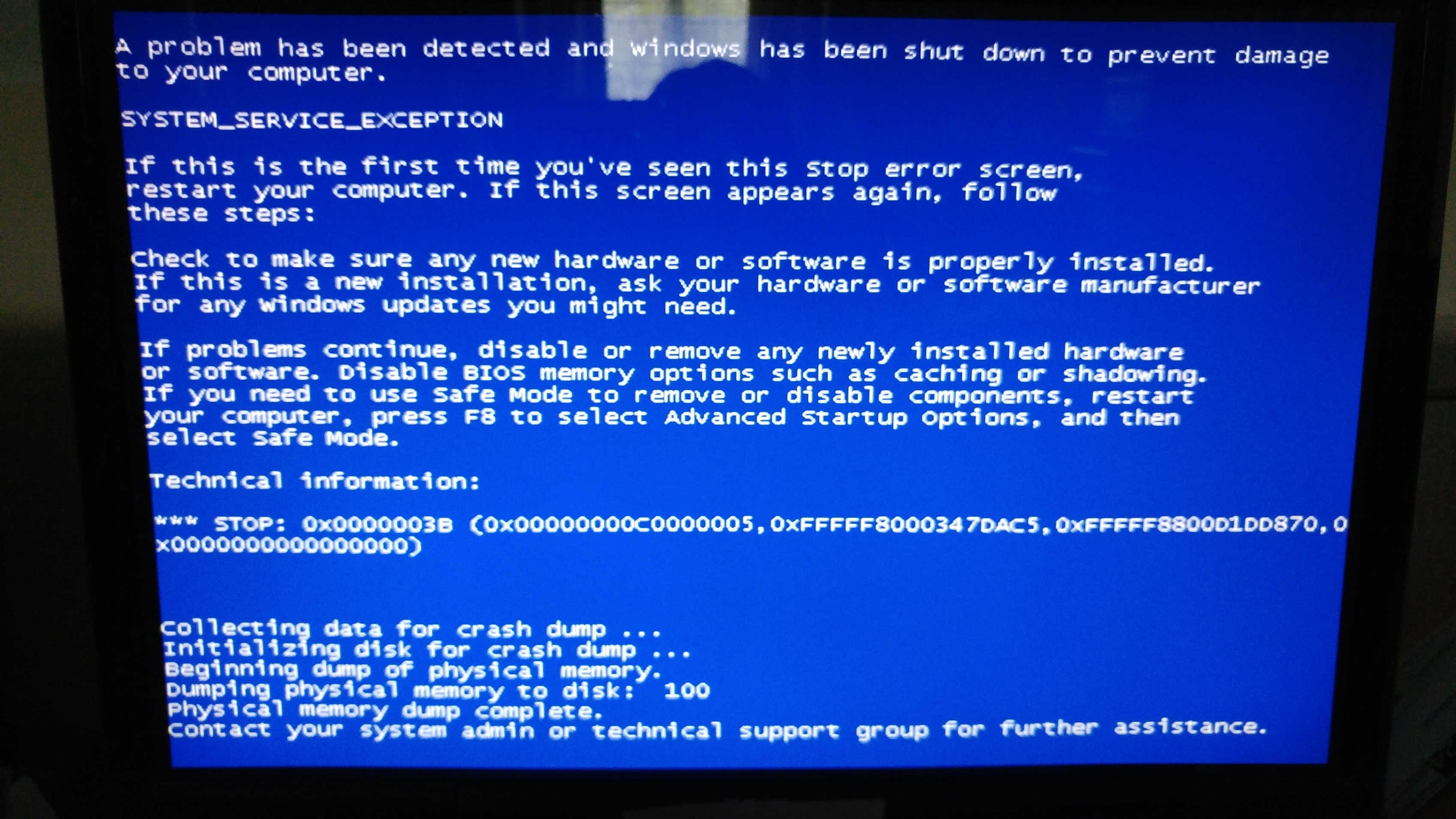
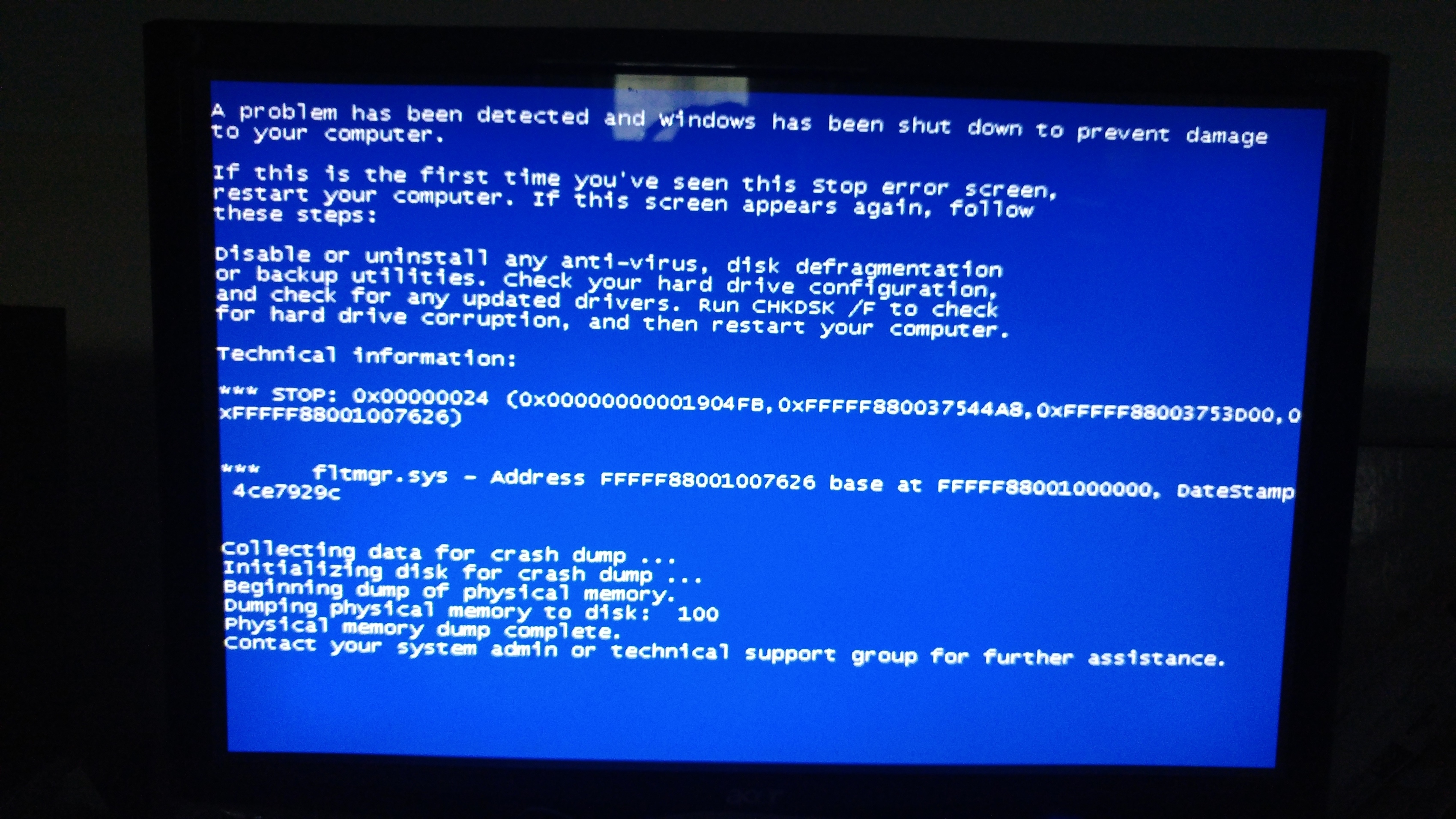
Had to switch back to my desktop for a while and getting BSOD. Wouldn’t post on here normally but I’m getting different instructions on the BSOD each time. One says about one of the drives (F). The other doesn’t mention any drives. Never had common problems on this computer before now. Wondering if anyone can shed some light on probabls cause? Drive failing maybe? Sounds kinda noisey lately…
Thanks!
Edit - BSOD seems to be happening out of the blue when working on sessions with a lot of tracks/plugs. Doesn’t seem to be happening when system is idle or low track/plugs count daw sessions…
According to Microsoft the fltmgr.sys related error might point to a problem of the “file system filter manager” and that the OS has encountered difficulties to get access to your file system.
This can be a software issue only and it could also be the reason for other issues you have suffered. If data are not read/written correctly from/to the disk or memory, errors are pre-programmed …
It could be possible that resetting your OS to an earlier state via system recovery/restore can help you out of this. There might a system file or service be corrupted only and might work fine after recovery. Since you are reporting such errors only under cerain circumstances, a recovery should be no problem. It would also be advisable to do a virus check … we never know … just to be safe and an update of drivers and your OS would also be a good idea.
And as @rex_mundii advises, perform a memory and HDD check in any case … just to be sure.
A faulty memory stick can give you strange problems. The fact that the problem only occurs on larger projects could indicate a memory problem. I suggest you download a program called memtest (it is free) and check your memory.
it could be your ram, how many sticks do you have in your system? My recommendation would be to take out a ram stick one or two at a time (depending on your config) and see if you can isolate which is the faulty module. Sometimes, reseating the ram modules and swapping their position fixes the problem, but as mentioned above running memtest first is probably your best bet
i would do what the screen suggests: chkdsk /f this way at least you’ll know if there’s anything wrong with the HDD or any other device, maybe a damaged sector or even not…then i would take it from there
[edit] just saw the bit about you saying one of the drives sounds noisy. Back up everything right now, don’t bother checking anything further until you’ve got that done.
What @nirun said about the memory is bang on, especially removing parts to figure out which is the bad component. If the problem goes away after removing something, you’ve found the bad part.
I’d back up everything valuable on the machine now before you go further though (if you’re not doing so already), both for peace of mind, and if you need to go the reinstall route.
faulty RAM is super rare these days… very uncommon for that problem, although it happens from time to time
however, bad sectors on a physical HDD are extremely common, and almost inevitable in any computer that is used heavily over a long period of time - and if your drive is making noise, its possible there are other mechanical failures happening instead - most notably the actuator arm could be dying, and once it goes down that will kill the whole drive for sure … the worst sound to hear in this case would be a “clicking” type noise
make a backup, then find a diagnostic tool for doing a “surface scan” of your HDD, which will check for physical errors… if there are only 1 or a few bad sectors, you could try your luck at remapping them and then restoring your backup
ultimately tho - you really want to get an SSD instead… its a big deal, pretty necessary for any real time priority stuff like audio
SSD makes an old computer like new.
Even if your good old hard drive wasn’t showing desperate signs to get replaced asap, it would still be mandatory !
Thanks for the info/advice everyone. I’m pretty clueless on computer stuff, never built one or installed an OS etc. Find it a little intimidating tbh. In past I’ve just bought purpose built audio machines from Scan and things have been good til now…
I back up pretty regular and will get recent stuff backed up then look at the mentioned troubleshooting.
Think I’m going to prioritise getting pc modernised before grabbing the mpc live that I was planning on…
It’s an ok system, i7, 16gb ram etc, always been enough for my needs. But it’s locked on windows 7 (never connected it to internet, not even sure if I can do… Have tried via my phone plugged USB, no joy. That works on my laptop…) and has old Harddrives.
Thinking totally fresh setup - update to windows 10 (like buy it and totally fresh install) and put two SSD drives in and totally remove all the old drives (3 of them, I can put those in enclosures and use as external drives if I want right? Just for reference occasionally and pulling old daw sessions across).
What’s the current thinking on where to put different stuff on multiple internal drives? Like I have Sonar/Ableton, ton of plugins, ton of Kontakt sample libraries, ton of my own samples, ton of daw projects. Just trying to figure out what size SSD drives I need and how many?
As big as you can is good, so that you don’t have to worry much about stockage.
An additional hard drive (not necessarily SSD) is recommended for backuping your work, if you record a lot.
On OSX, one uses Time Machine, I guess there are similar apps on Windows.
Yeh not planning on getting a new motherboard/enclosure etc. But want to get rid of all the old drives. They’ve been used A LOT and ssd seems much quicker from using them on my laptop.
So I’ll need to install Windows 10 OS fresh on the new SSD right? I just want to do whatever is the most convenient/simplest way to turn my current pc in to a ‘new’ one. ie- totally fresh canvas and new SSD drives… Stuff like drivers for the internal components freaks me out tho. Like I don’t know how to find out what I need etc. Might just speak to Scan and ask if I can send the desktop back to them and have them do it all…
You should upgrade to 10 over a copy of windows 7 otherwise you wont be recognised for the upgrade. Once that is done, add the ssd and reinstall 10. Unless you have your win 7 license number available.
Cheers. Already on 64bit (win7). Yeah might try to upgrade the current machine/drive to win10 before I do the SSD’s refit etc. Not sure how I’d do it tho as I’ve never been able to get that machine online. Will look in to it again. Otherwise I’ll just bite bullet and pay out for someone else to do it at Scan (the dudes that built the pc), I know that sounds kind of frivolous with money but I really can’t deal with weeks of myself attempting troubleshooting a computer system, or it just being flakey in general and me not knowing why… would drive me insane!
IMO there is nothing wrong about asking an expert, if you are not used to do such technical stuff yourself. Better pay an expert some money, rather then mess it up to a level, where even an expert will have problems to help.
Most important is to follow @ebnts and @invisible_acropolis advice to make a backup of your noisy drive now, before going to the next step. If the drive is having an issue (hardware or software) you better want to have everything saved. If it’s a hardware problem, nobody can tell, how long your HDD might last.
A “noisy” drive does not mean that there must be a hardware issue, particularly if the HDD is of a decent quality and not ages under hard use. It depends on the kind of “noise”.
From my … yes … little … experience with HDD, I would say that a “clicking” noise might not necessarily herald a head-crash to be expected soon, which indeed would destroy many of the data physically. But it’s a clear sign that the head of the HDD can’t be positioned to data, where it expects those data to be or it can’t read or verify written data … and now … the head is searching, recalibrating, searching, recalibrating on and on … until the OS gives up and generates a read/write error. Sometimes “chkdsk” can resolve the issue, but some data might not be recovered, because they have been lost already beyond repair.
If the drive seems to have developed more of an additional continuous noise or even a high pitched siren-like sound, then most care has to be taken and an expert should be contacted, because this might be first signs of physical problems, which could damage the HDD internally. Also in this bad state, experts can often save many data.
After the origin of the errors has been eliminated and/or “repaired” an upgrade of OS and drivers might be a good idea