I’m 3 weeks in and I’m growing happier because Move for me is bit of a connection device. Unfortunately, not in the sense of OPZ/oplab but for sampling sound sources and turning them into percussive kits in Live’s format is amazing for me.
It is definitely a scratch pad device (for me) and I what I like is the accessibility of the device. It’s easy to start up and start working when the mood strikes without needing to update/problem solve (so far).
Thinking of adding the Move to use away from studio as a starter sketchpad, and when im in my studio as a simple drum machine alongside my Push3 controller and Live 12, I have many of my own Live Drum racks, is it simple enough to get them into Move along with the relevant samples?
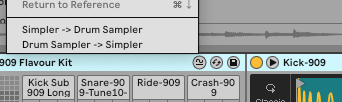
You could probably adapt your own racks to fit the template, but for me this has been the easiest way in general. There’s a setting you need to set in options.txt in Live as set out in the text, then you get a right-click option to export as a Note/Move preset.
I’ve gotten my notification that the preorder should be ready to ship in a couple of days so priority at the moment is to get it ready to fill with my own sounds, as discussed above and from experience with Note I do find the Ableton ones fine, but I want to sound more like myself. I do think it’s a bit irritating that there’s no way afaik to create a melodic sampler patch in Live - or to edit one then send it back to Note (and presumably Move). Hopefully that gets addressed in an early update.
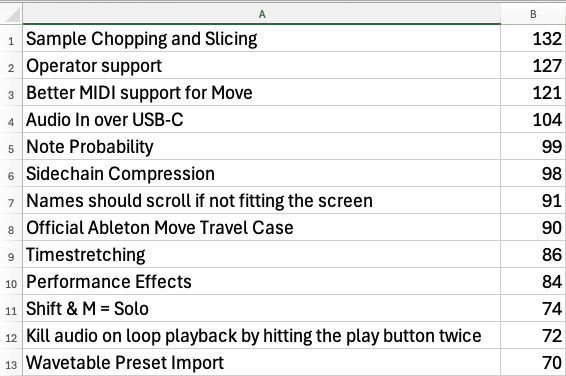
Here is a sorted list of the most popular feature requests from the wish list on Discord. Interesting that slicing is more popular than all the missing midi stuff
100% agree with all your points, apart from the missing Push 3’s MPE; just because MPE isn’t a thing for me personally.
I also really like the 4 track limit for the Move’s use case; I think 8 would make it lose some focus for me; 6 would be plenty (but would be awkward).
I had this feeling too. The ‘break out’ for me came from putting thought into what I was going to do before switching it on; otherwise Move can easily dictate what you do. I still do this too though (switch it on and play around).
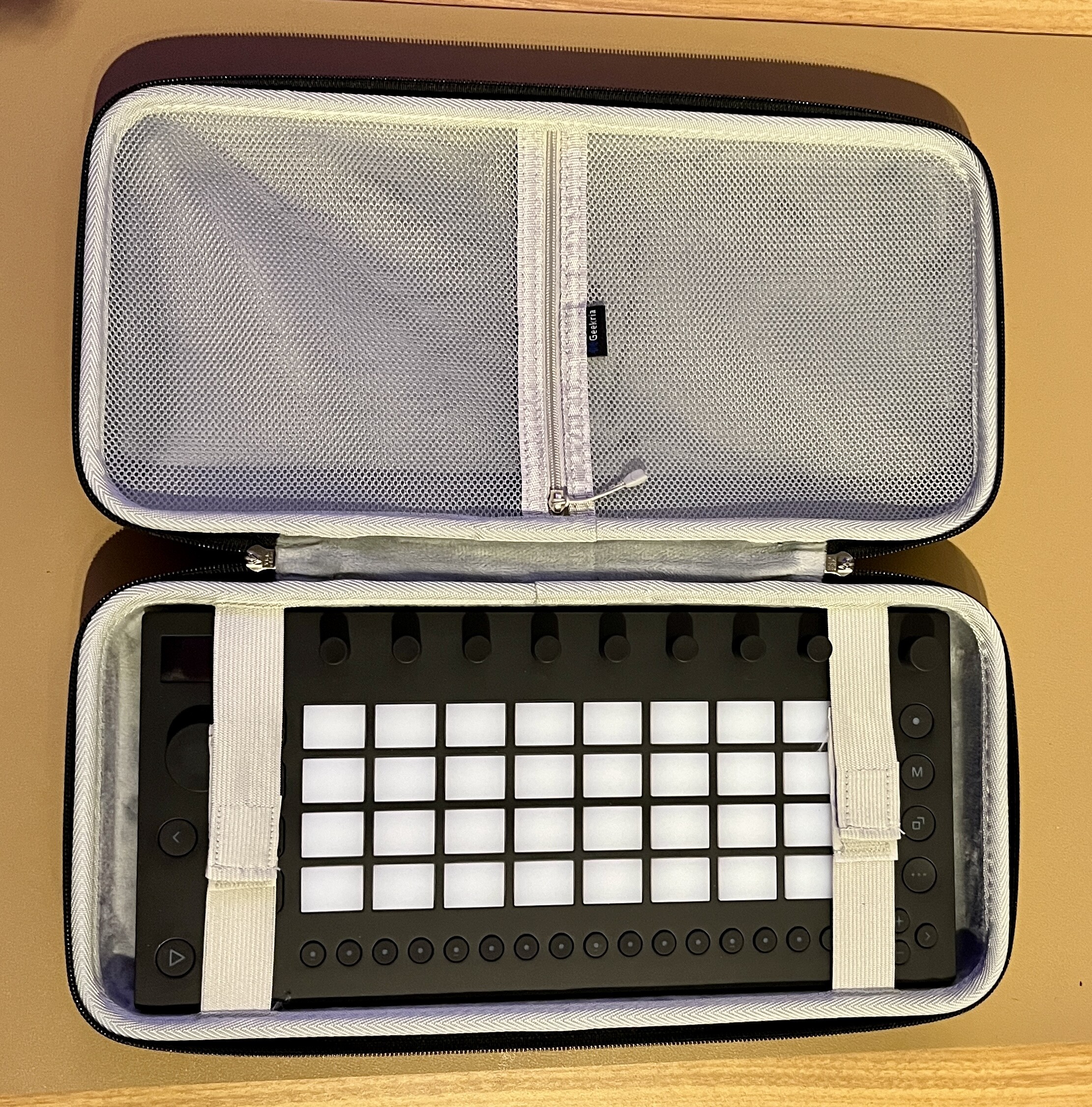
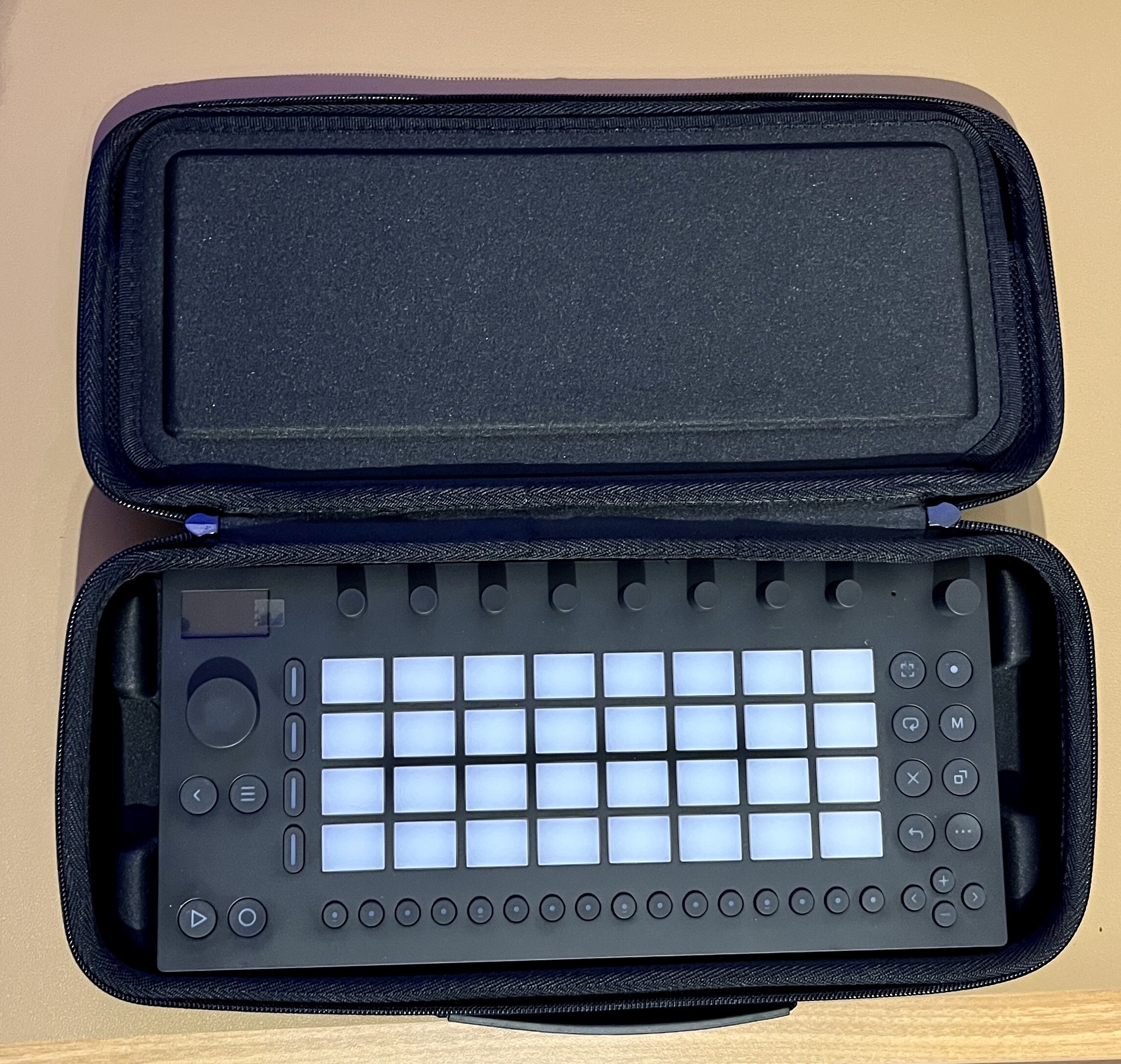
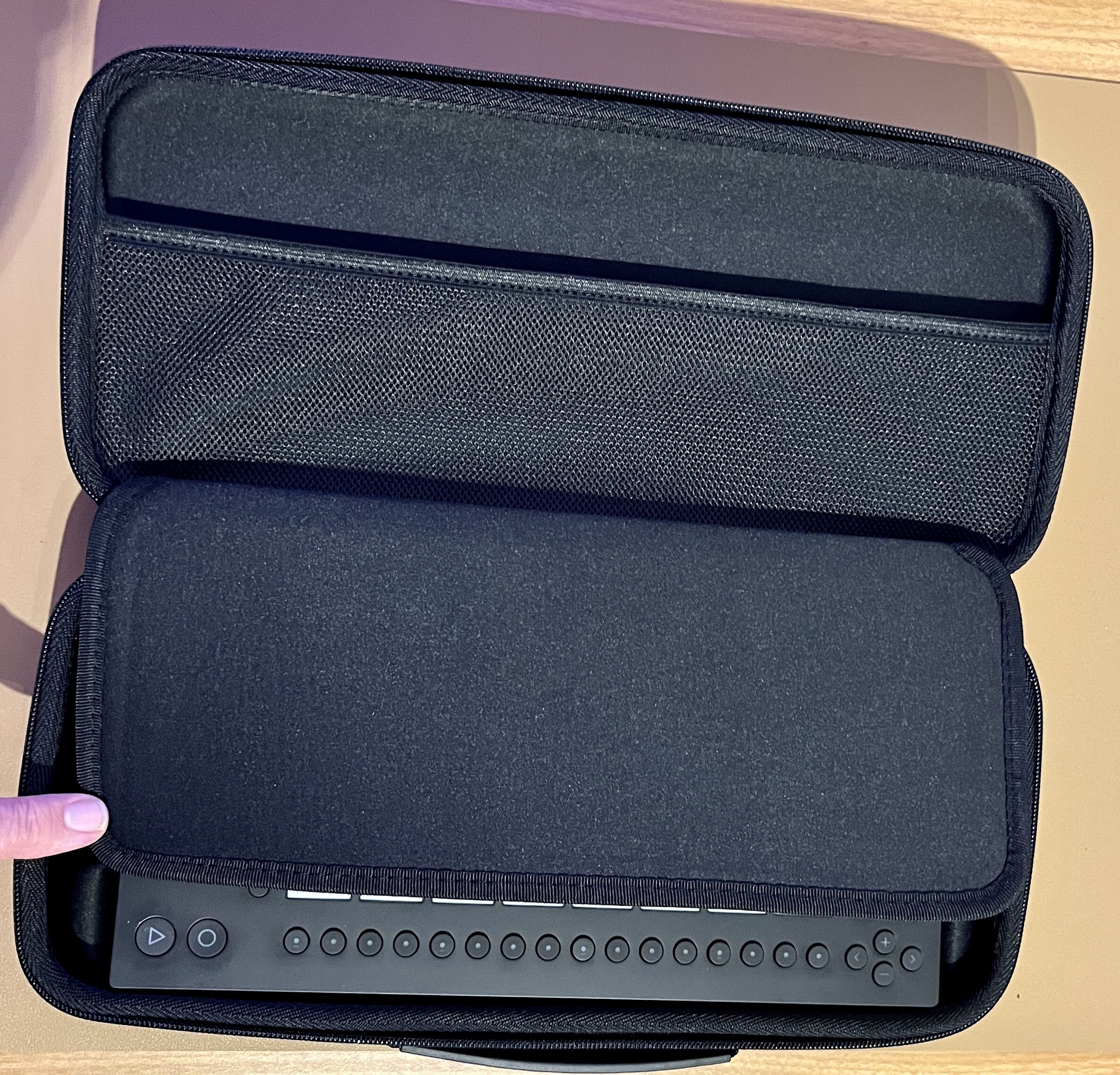
Today I was able to compare three cases from Amazon Germany (they are available in other countries too). The most important thing: The Move fits well in all three cases.
1.) It’s the most expensive … but the protection with the one big strap seems better to me than the two straps at #2:
The outer color is something between dark grey and black.
I’ve got the growalleter one too, it’s definitely the best one imho, I like that it’s fits just right in the insert as has a bit of space either end just in case of knocks or drop, it’s a bit of a bargain too price wise, there enough a room in the lid net for the usb cable and buds too…
I have that one as well and it feels pretty secure. The insert also has a slight angle to it which is nice because it compensates for the extra height of the encoders.
Move users: what synths are you using with the Move, how, and why?
I find I prefer to just sample a synth sound so I can use it in the Move. I’ve mostly been grabbing samples from my Microfreak.
I also prefer sampling into a drum rack, as it’s a lot faster, some of the samples are just effects, and I think you can load those “drum” samples into the melodic sampler anyway.
I have yet to try renaming samples in the move manager, but I guess I should start soon.
The bouncing in #3 is slightly more noticeable than in #1 and 2. As soon as there is some stuff (like a cable) in the accessory compartment, the bouncing is no longer noticeable.
As the Move sits in an insert and is additionally protected by the thick layer between the machine (see the photo with my thumb) and the lid, the shock absorption of case #3 is great. The price for this is the greater height of the case.