Hey guys, you can now design your own variations of the Alpha Juno-2 hoover sound on the Move!
I bring you… the HooverMachine! 
HooverMachine.ablpresetbundle (2.2 KB)
Have fun!
#movepresets
Hey guys, you can now design your own variations of the Alpha Juno-2 hoover sound on the Move!
I bring you… the HooverMachine!
HooverMachine.ablpresetbundle (2.2 KB)
Have fun!
#movepresets
Ah, not just me then.
yo i must be doing something wrong please help…
on a drum rack, you have 2 fx sends e.g. reverb and delay
if i press my snare pad for example, and turn the reverb wet/dry to 50%, now all my other pads have 50% reverb? surely this is utterly useless as clearly i need different wet/dry % for each pad. e.g. 0% on my kick.
hopefully i’m just being an idiot and can’t figure it out
i’ve tried scrolling the manual but too many words.
Get in! Thanks for sharing, mentasm incoming 
One is a send effect and one is an insert effect. The one on the right is an insert effect that is applied to the whole rack with a wet/dry blend. The send effect has a level amount and can be applied individually to pads within the rack.
that is super helpful thanks for explaining
Thinking about buying a move besides using it as a scatch pad to combine it with my Syntakt for polyphonic melodies and Samples.
Anybody who tried the combo already and can share some workflow and compatibility experience? 
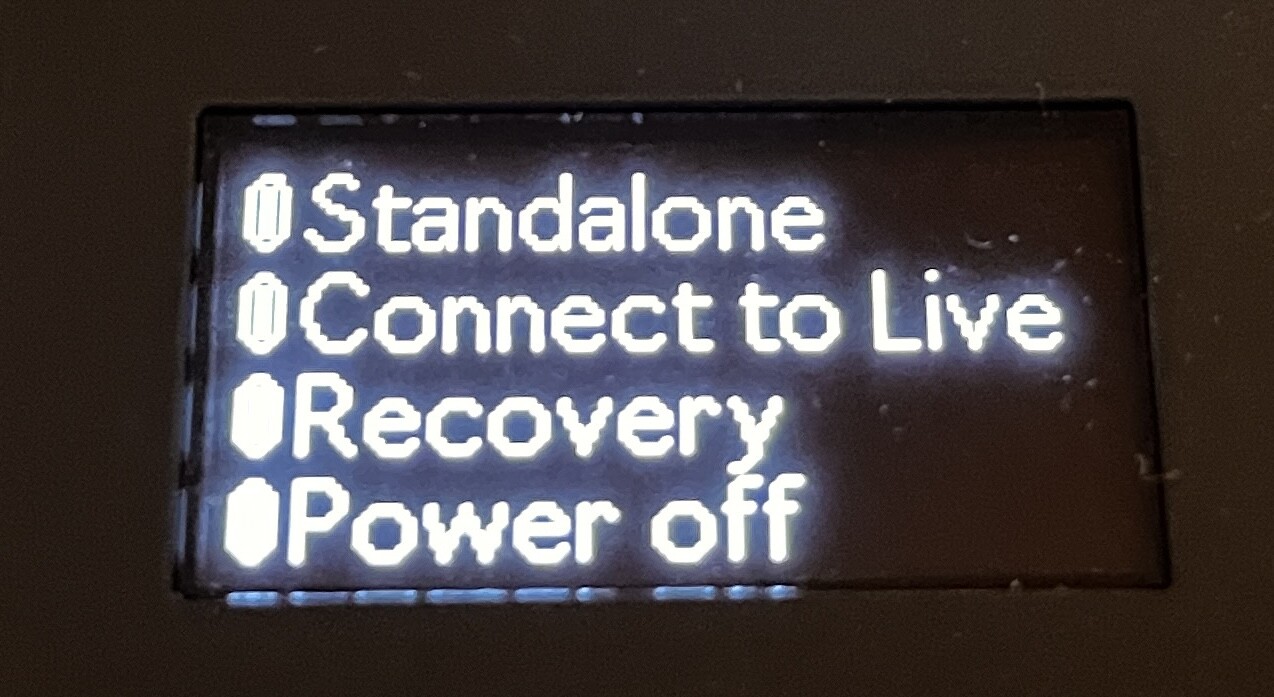
I just accidentally discovered a boot up menu that I’m pretty sure isn’t mentioned in the manual.
Holding the Sampling button down while powering on will access a boot menu that includes an option to boot directly into Control Live Mode or into a Recovery mode.
Nice! That’s very similar to the Push 3 menu that’s triggered with the user button + power on.
Ableton have told me to return my move due to the black plastic moulding line issue detailed above. Am on the fence whether I can be bothered, or just keep it.
You’ve taken the time to mention it on a random forum, so if I were you, I’d return it so it can be out of your head for good
But that’s just me as an outside observer 
I’d return it. You never know how you’ll feel about it in a year or longer. Maybe you want to sell and a defect could cost you later.
Trust me, I hate the hassle too. I have to return an EVO SP8 because the screen stopped working. I hate that I need to pay out of pocket for shipping there but it’s useless without a fixed screen.
The speaker on my Move has become completely distorted (even with soft sounds, and Saturator/Compressor are turned off).
Anyone else have a similar issue?
I have barely used the speaker so this is a bit concerning (I am in the 30 day window so will probably return it and get another one later)
yeah i was wondering about that… my speaker sounds terrible even at low volumes
Alright, Move has been out in the wild for four weeks – how are people feeling about it?
Mine arrived four weeks ago today and all my original thoughts still stand:
All in all, I’m a happy camper. However, I will also say that a lot of my Sets sound very, very similar to one another and when I want to break out of that comfort zone, I find myself switching over to Live almost immediately.
Got confirmation that more units are heading out soon.
There’s definitely an “Ableton sound” that’s kind of hard to break out of with the limited controls of the Move. I think this is inline with the vision of the device (idea starter), but I do wish I could take my ideas just a bit further before hitting that wall and feeling the need to upload to Live.
Working with samples in drum racks with the 16 pitches mode has been surprisingly nice and not quite as limiting as I expected it to be. I really need to upload my own samples this week so I can make it sound like me.
Yeah that’s the way to go, I spent the first few evenings with mine just pumping across my library, the stock presets are okay but super vanilla…
I’m torn about it, to be honest.
I love the immediacy, speed, how inspiring it can be! 
But I can’t decide between two workflows: 
In some way, Move either gives me too little to go off of, or paints me into a corner.
I have to work on it