Really struggling to see how this would work 
1 Like
Me too, but a person can dream.
1 Like
I opened a thread for Ableton Move, so we can keep this thread clean.
10 Likes
Is there a tool (Max For Live) that would study your midi and line it up to the right global scale, or make suggestions so you could do it?
Shameless plug. I spent years and years working on a workflow that culminated in the release of Monsoon, which is a Max for Live solution that - at a minimum - allows you to operate a chord track in Ableton.
Monsoon offers an ultra-smooth workflow. The user interface is minimal, as it leverages Ableton Live’s native interface and tools to manage user input. In other words, “it just works.”
What can you do with Monsoon?
-
Employ a “chord track” to control the entire harmonic content of a composition or Live set via live input or recorded notes.
-
Decouple the rhythm and harmony of an entire composition or Live set.
-
“Conduct” the harmony of a composition or Live set.
-
Effortlessly, playfully, and with limited knowledge of music theory explore western harmony.
-
Effortlessly employ modal interchange, chord substitutions, relative major/minor, chord inversions, voice leadings, and more.
-
Transpose an entire composition or Live set by mashing buttons like the endless sequencer transposition feature of a popular Swedish hardware device.


13 Likes
12.1 is out officially, release notes

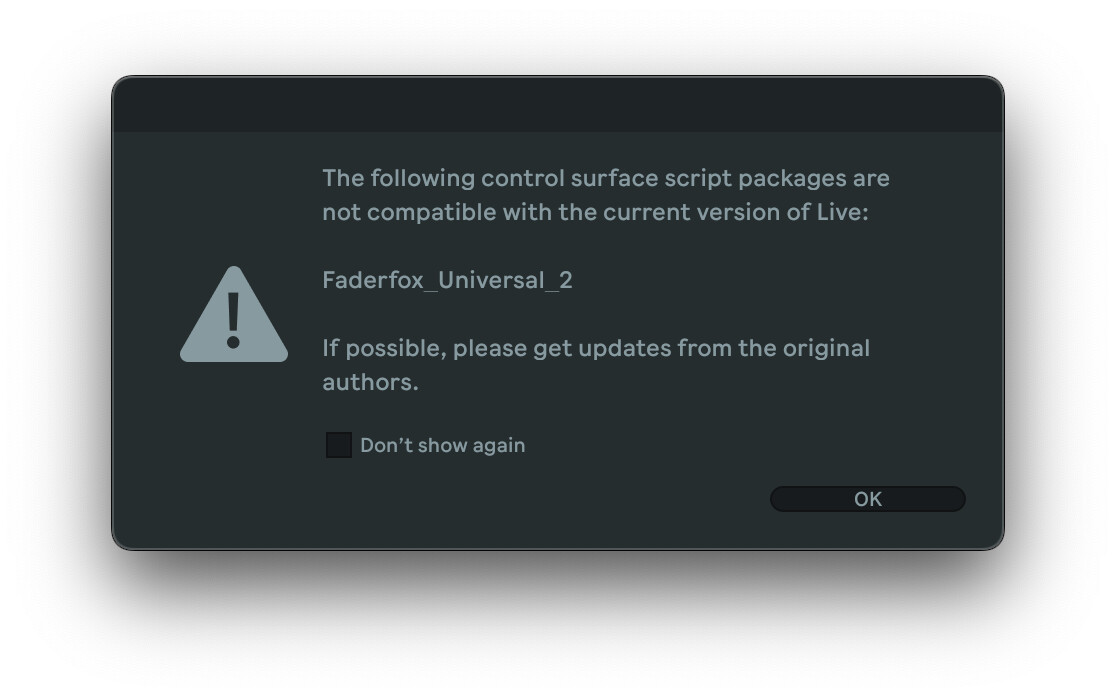
 EC4 and other midi controllers that act as surface script BEWARE, 12.1 might break your controllers, from the release notes:
The embedded Python interpreter has been updated to version 3.11.6. Because of this, remote scripts that use compiled byte code (.pyc) need to be recompiled using this python version to work properly with Live 12.1.
3 Likes
Please, let’s keep the discussions about Move in the appropriate thread. Thank you.
3 Likes
Nice bit of changes to the saturator and limiter which I use on every track. Not an auto tune guy but I did get some really interesting results messing around with it. The drum sampler mixed with modulation provides some fun results. Tis a good update I say.
8 Likes
Hoping for Move’s new chromatic sample playing in the drum rack
4 Likes
what? I thought the chromatic sample is the Melodic Sampler instrument, are you sure you can play chromatically in Drum Rack?
Drum Rack — offers 16 pads in total. Each pad contains a Drum Sampler instrument, one audio effect send, and one audio effect for the entire Rack.
Melodic Sampler — repitches a sample across the pads.
and I’m doing small experiment now with the drum rack and the new Drum Sampler, you can play it chromatically from another midi track, like this:
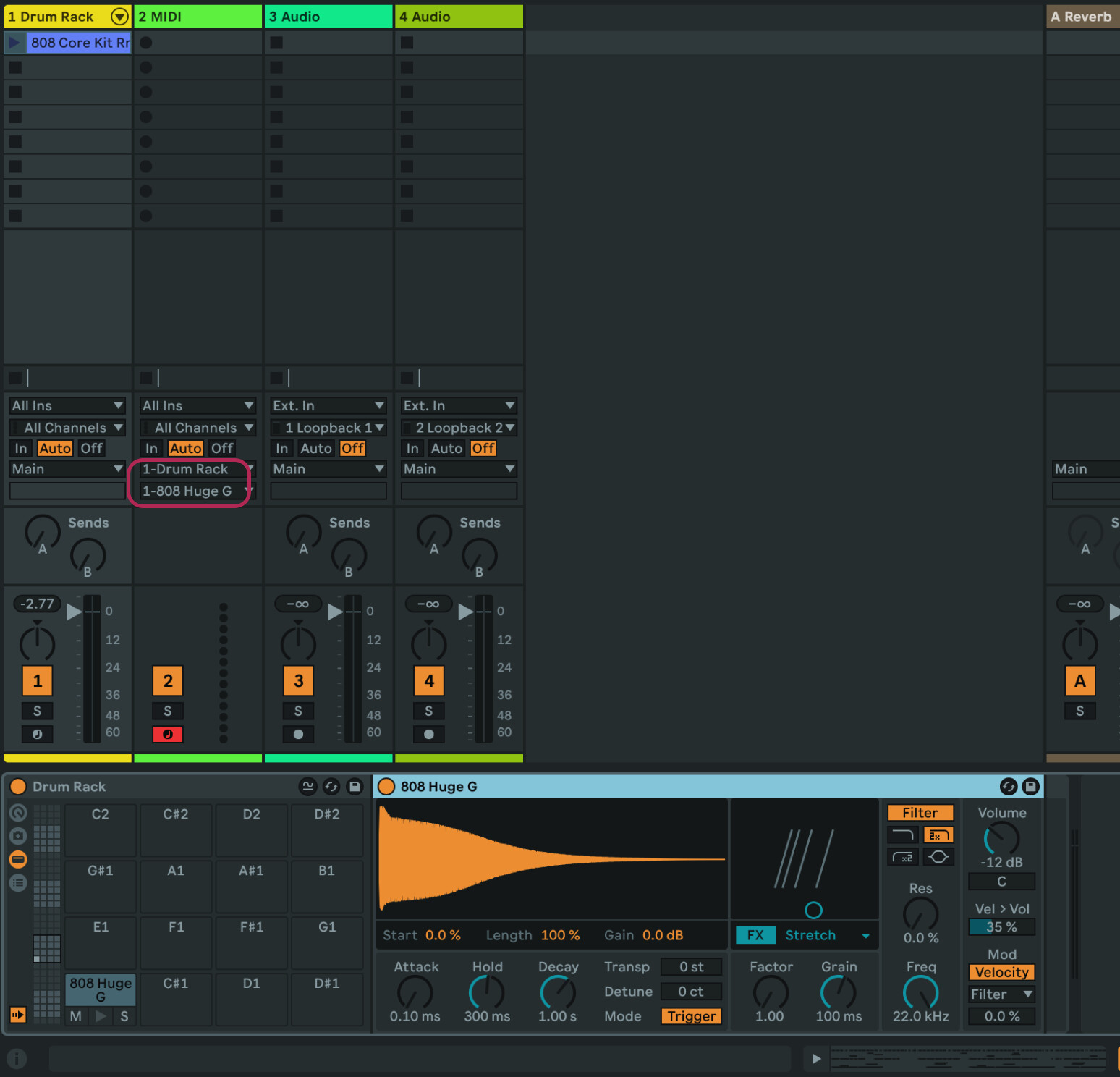
after seeing some video it seems that it is possible to play drum rack samples chromatically, pretty cool, I wonder though how it will be implemented in Live… you still would have to load a separate midi track I guess, otherwise there’s no “play mode” on drum rack to switch between chromatically/slot
2 Likes
You can go get the sequencers now as a pack.
12 Likes
thanks! I’ve been looking all over for these, it didn’t show up in the Packs section for some reason…
oh wow, Rhytmic Steps and SQ Sequencer are insane, the only thing I’m missing is mapping parameters like in Stepic/MDD_Snake
2 Likes
I’m getting this error in 12.1. I submitted a support ticket.
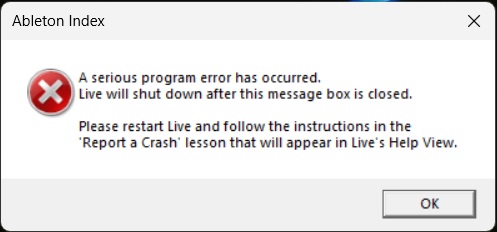
Apologies, but when I posted this several days ago there was no dedicated thread.
3 Likes
Re: live
You can send midi to individual pads in live. In live a drum rack is treated as a bunch of instrument racks. You could load anything in a drum rack slot.
Even without midi in you could, for example, use a midi effect that progresses through notes as it’s played so every time you hit a pad it plays the next note.
So if you have a three note sequence (C-C-G), an instrument would play 2 C notes followed by one G note no matter what rhythm you play.
quick question, i tried looking for this in the live 12 manual but i dont think its up to date yet,
how does the new auto tagging feature work? will it just tag stuff in the “user library” or what exactly can u make it tag?
yep you can put midi devices or sequencer before the sampler in the slot but if you want to play the sample chromatically from a keyboard you’d need to have additional midi channel pointed to the drum rack channel and then select the slot of the sampler
1 Like
I was getting that error repeatedly and it turned out to be a sample somewhere in my library that was making the scanning crash. I removed that sample and Ableton is working fine now.
2 Likes
I like 12.1 was released today but Move stole its thunder. Or did it?!
1 Like
Somewhere amid the thousand or so recent posts in the Move thread, I read that Ableton implemented it using what is either the most clever or kludgy hack I’ve ever seen in Live:
Apparently when you play a drum rack pad chromatically, the notes are saved as MPE pitch bends for each MIDI note. So if you play a bassline into the C1 drum rack slot on Move, when you open the piano roll in Live, you’ll just see a series of C1 notes, where each note has an MPE pitch offset to match the note you played on Move. It’s a… creative solution, I’ll give it that.
That said, I’d be happy if Live added an “extract pitch to new track” action. Right-click on a Drum Rack slot with your Move-pitched sample, click extract pitch to new track, and you get a new MIDI track where that sample is loaded into a fresh Drum Sampler with the MPE hack converted to regular MIDI notes.
12 Likes
Not sure what the extent of its capabilities are but in the beta it was able to automatically tag a folder of samples. I can’t remember if it could tag samples on an external drive but I wouldn’t see why not, it would just take a while. It’s good at differentiating between loops and one-shots, kicks, bass, hats, snares, etc, which is pretty much all I was using it for. I think with the more abstract tags/descriptors it’s a ymmv type situation.