Its not that uncommon after only a small number of users test the beta- as soon as it hits the unwashed masses you get a lot more bug reports. The really impressive thing is how fast Ableton fix them!
4 Likes
I think this is spot-on. I didn’t join the 12.4 beta, but I kept up with the release notes, and towards the end they were releasing only one or two fixes per update, addressing things like, “a crash that occurred when a very long name (over 1600 characters) was entered into the Name field of the Link Audio Settings.”
Ableton and the beta testers did a good job, but there are only so many use cases they can cover.
1 Like
Good, I’ve been losing (unsaved, so my own fault really…) work because of this since 12.4.
3 Likes
6 Likes
5 Likes
Nice update on an already stellar pack of modulators. Still no Push XY support on the XY modulator though. Missed opportunity really.
1 Like
This new M4L device adds support for neural amp model (NAM) files to Ableton, I’m constantly amazed by all the possibilities M4L offers:
I really love how simple it is to scroll through folders and NAM files (not yet supported on Push but I’m hoping for an update there).
Controls for volumes and EQ work great on Push but Push 3 SA does not (yet?) support the c++ external so it can’t be used without a PC.
11 Likes
That‘s surprisingly relaxing to just sit and play with NAM after I’ve limited myself to one folder with a few favourite models from different amps!
Any tips by guitarists who are using Ableton if I should look for an equally easy and good sounding signal chain with stock devices only? I really only need subtle reverb and delay but I‘d also have quite a few plugins from years of stupid collecting (SoundToys, NI, UAD, IKM…).
1 Like
ScratchAbl mix, Vinyl + Cdj
5 Likes
Roar sounds amazing on guitar, especially with some modulation, or envelope following
3 Likes
Amazing utility tool to always check which plugin is causing most latency.
Put it on your master channel, map a key, and done… Shows group latency, per track latency, per plugin, in real time.
9 Likes
I thought I had found one day something native in Ableton showing me latency per track. Can’t remember at the moment though.
You can show CPU usage per track.
If you hover over the title bar of a plugin it shows you the latency for that plugin in the bottom left, you can group all the plugins on a track to show you the latency impact from them all as well.
4 Likes
Yes in Live each plugin or group has this at the bottom, but this m4l device is all in one place. Imagine many tracks with many plugins, it’s a bit tedious to hover above each.
Also good with this m4l device is that you can set certain thresholds. For example everything above 40ms will be in red color, so you have instant indicators
3 Likes
Live 12 Beta Release Notes
12.4.5b3 Release Notes
June 2, 2026
Extensions SDK
The Extensions SDK lets you customize and expand Live’s functionality by creating your own tools using modern JavaScript and TypeScript. Extensions can interact with the elements of a Live Set, host custom UI elements, and integrate with external services like the web.
You can build Extensions to:
- Analyze song and track structure
- Transform clips
- Automate repetitive tasks
- Create unusual generative patterns
- Connect to external services
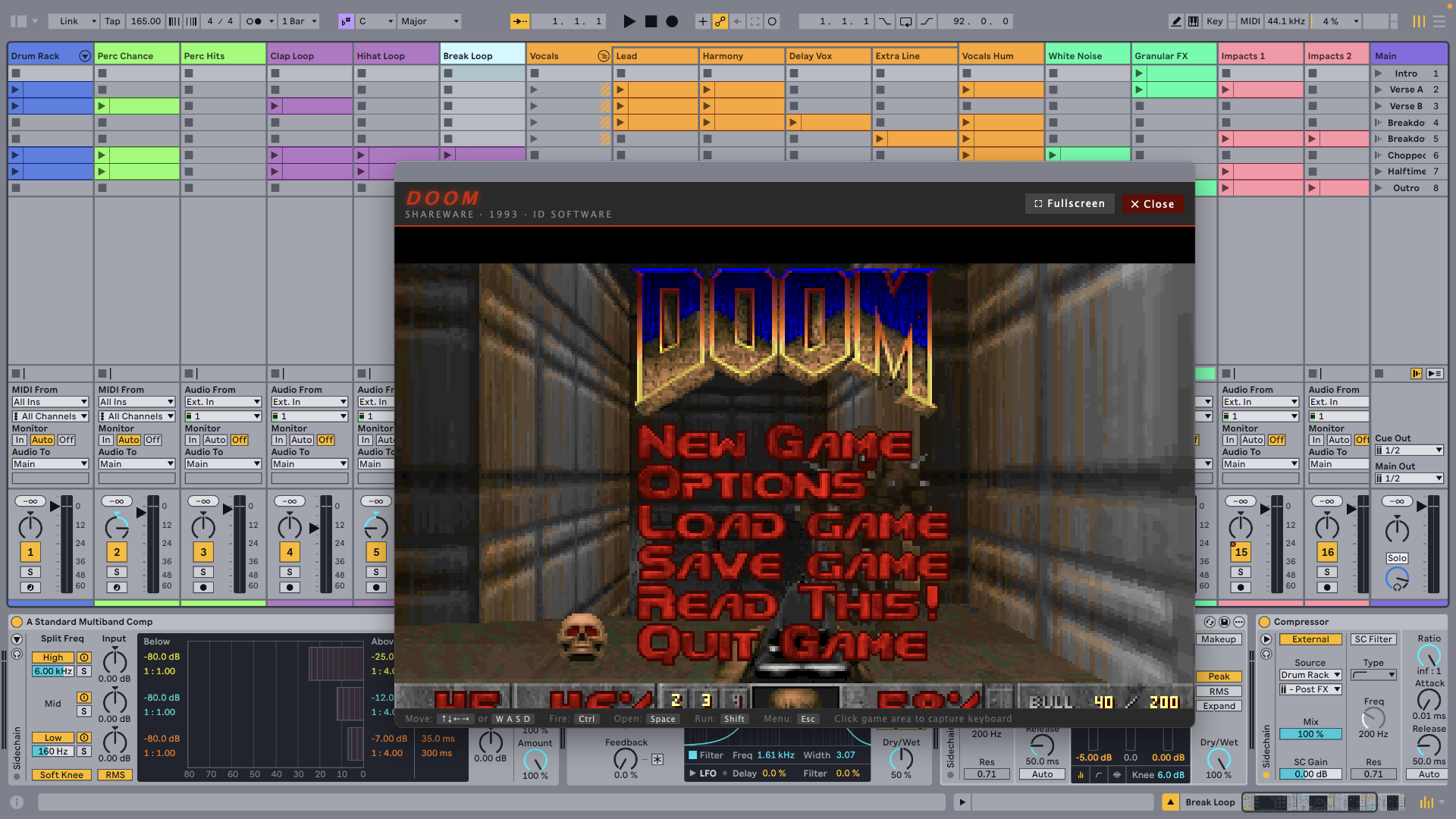
- Play games in Live
The Extensions SDK is now available as part of the12.4.5 beta. You can download it directly from Centercode to start making your own Extensions. To find out more, check out the Extensions FAQ in the Knowledge Base.
New Features and Improvements
- MPE mode is now enabled by default for the Ctrl-E plug-in from Expressive E.
- Added control surface support for the Native Instruments NKS Connect.
Bugfixes
- Fixed a crash that occurred when navigating filters in the browser while using a screen reader.
- Fixed a crash that could potentially occur with certain Link Audio peers.
- Fixed a Max for Live bug that caused an “Invalid Syntax” error in response to a getinfo message to a live.object referencing a Song.View.
- Fixed a file replacement issue that occurred when exporting a single track.
19 Likes
Cant wait to see what new stuff people come up with with this.
11 Likes
The Extensions SDK sounds interesting
2 Likes
- Added control surface support for the Native Instruments NKS Connect.
I wonder what this is? I’ve dreamed of NKS compatibility with native Live presets for years.
1 Like