Can anyone say if granulator has a ping pong looping mode. I’ve watched vids and read what I believe to be a manual and can’t find out
Ha!!! This could have saved me a few days of work while I was working on a Samplepack for Ableton… I made a set with follow actions to sample midified hardware synths…but old analog stuff with no midi it was back to “press record and edit the hell out of a long file…” gotta try out this MainStage Autosample tool!
If you have a MIDI/CV converter/interface, you can also use Autosampler in Apple Mainstage to sample your vintage analog gear 
2 Likes
I think it’s Granulator III (which comes in Live 12) that has loop modes, Granulator II has forward play only
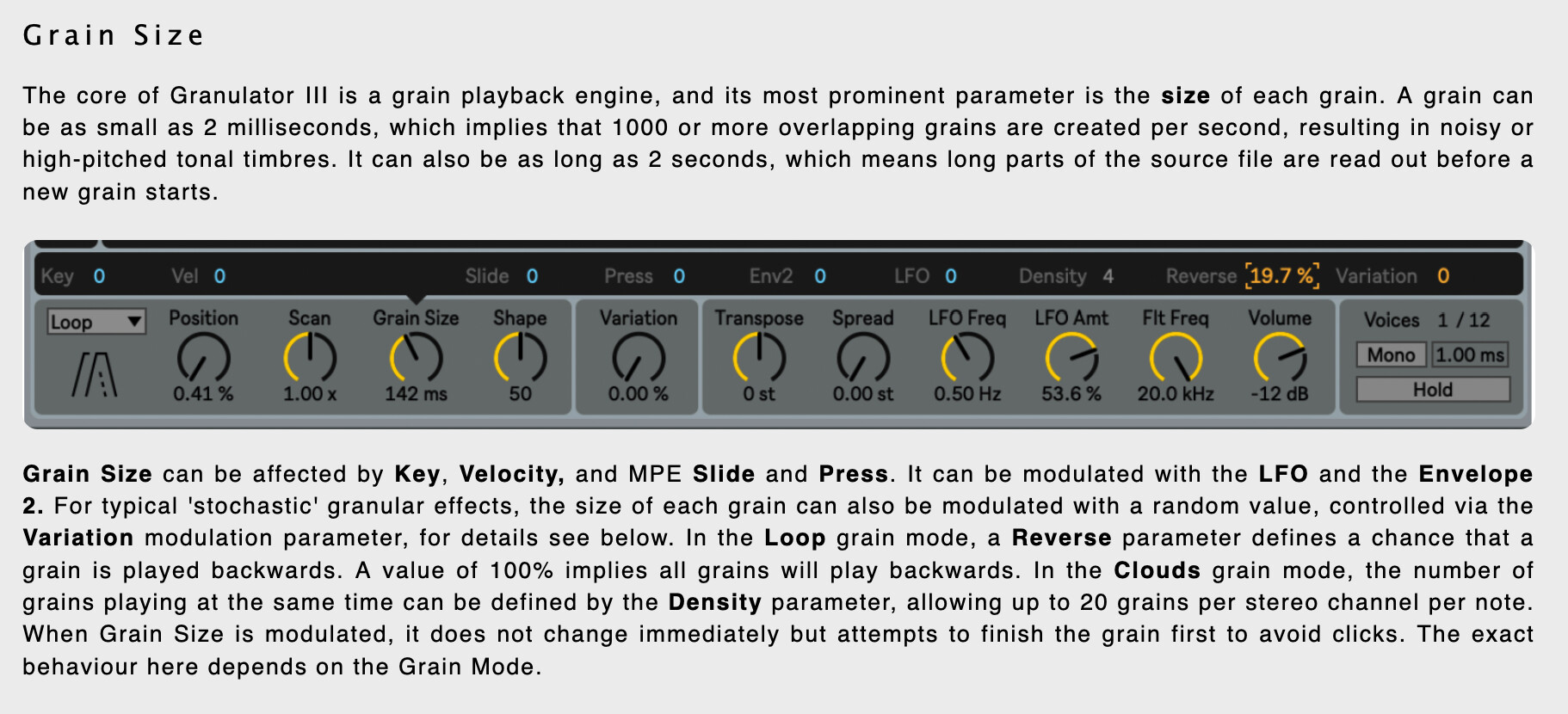
yep, it’s coming in v3:
1 Like
Yeah, I noticed that in some vids. Just dithering about getting a licence. It’s a lot for me to splash.
I know that people getting license from Thomann at a REALLY good price, so if it’s worth to you I’d check it out
1 Like
Not really. Granulator III’s reverse setting is a ‘chance’ percentage so there’s no way to get reliable fwd-rev ping-pong with it - unless you can somehow manage to modulate between 0-100% at the same rate as the grain size.
1 Like
yeah it’s not exactly ping pong… haven’t tried it yet, just saw that it has some play modes unlike the v2…
I think I’m the only one left who didn’t sign up for the beta and didn’t try 12 already lol
A question for anyone who’s used the FlexGroove Max For Live device. How does it work? Is it inline or does it just export a MIDI file you can use as a Groove?
Took a while but…
1 Like
does a computer keyboard with a 10-key add much in the way of workflow for live11? I’ve always used wider keyboards for work, etc. but I’m trying to save space on my desk. Am I sacrificing much if I get slimmer keyboard with no 10-key?
I miss having a 10 key because I name all of my projects with dates. Didn’t think that one through when I bought my Keychron.