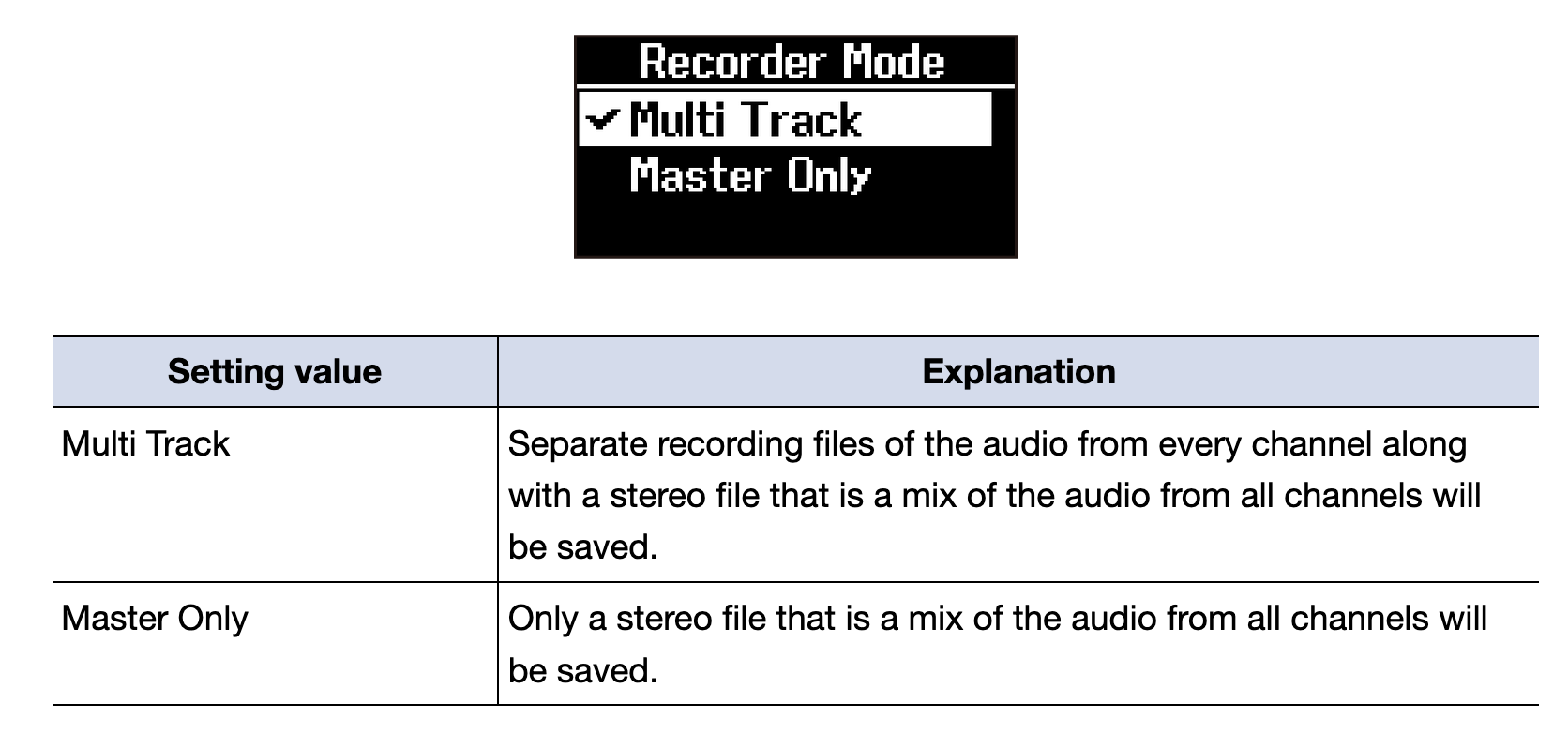
Here’s what the manual says. I agree, that seems pretty wild if that’s the case
2 Likes
Yeah, I’d read the manual but it just seemed so daft I thought it best to ask for confirmation. Could be the slightly larger L12 would suit me better.
Not ideal but I believe you can flip the L6 to “file transfer mode” after recording and delete the unused tracks via PC.
1 Like
Yeah, can just delete blank tracks later. SD cards with tons of space are dirt cheap so personally I’d rather have it record blank files than accidentally miss arming a track and the entire multitrack recording is ruined.
But, sounds like some folks would like a third option to go into a menu and manually arm each track prior to recording but I wouldn’t use it. That’s not something I want to worry about doing in the heat of the moment and prefer a single button press and knowing it’s recording anything and everything. It’s worrisome enough IMO on an H6, let along 12 tracks on an L6max.
11 Likes
Hey all, I’m new here but have been using the L6 for a while and find the knobs annoying in that I can’t get a precise level repeatedly.
So I wrote a small Android app that gives me an overlay whenever I change a value. Looking for feedback on it. Anyone would find this useful?
3 Likes
Nice job! I wish the display on the mixer would simply show what the value of the knob is for a couple of seconds when the value changes and I (we?) should send a request/feedback to Zoom. But you weren’t gonna wait around to see if that ever comes in a firmware update! But yeah, am I panned to dead center? 
Edit: feedback to Zoom sent. Also, welcome to the forum!
2 Likes
No solution to this? I’m also trying to connect the zoom and Osmo pocket 3 …
Recorded a liveset yesterday night with the L6Max.
I completely fucked up the levels in my machines, but was very happy to see that the recordings were not clipped, only extremely compressed (they are not).
Appreciate the USB-C connection to computer, it’s nice that touching the SD card is not necessary.
I definitely have to read the manual to use it properly, but overall the interface, e.g. using the SUB bus as a Cue, was very instinctive ^^
I only wish there was some way to NOT record unused tracks.
I mean, you can set the FX parameters but not choose which tracks to record, it’s weird.
7 Likes
I’m a bit confused by “extremely compressed” since the L6 doesn’t compress individual channels.
My guess is what you mean is the wave forms look like a block of extremely compressed audio, if so I would suggest finding the gain setting for the individual clips in your DAW and see what happens when you dial it right down. My understanding is that the way the 32bit audio files work, the waveforms should return to a normal shape as you reduce the gain.
I could be totally wrong, but I have a feeling the individual audio tracks are probably not compressed just look that way.
I have to double check, I did this yesterday after the show, fairly wasted ^^
Still recovering 
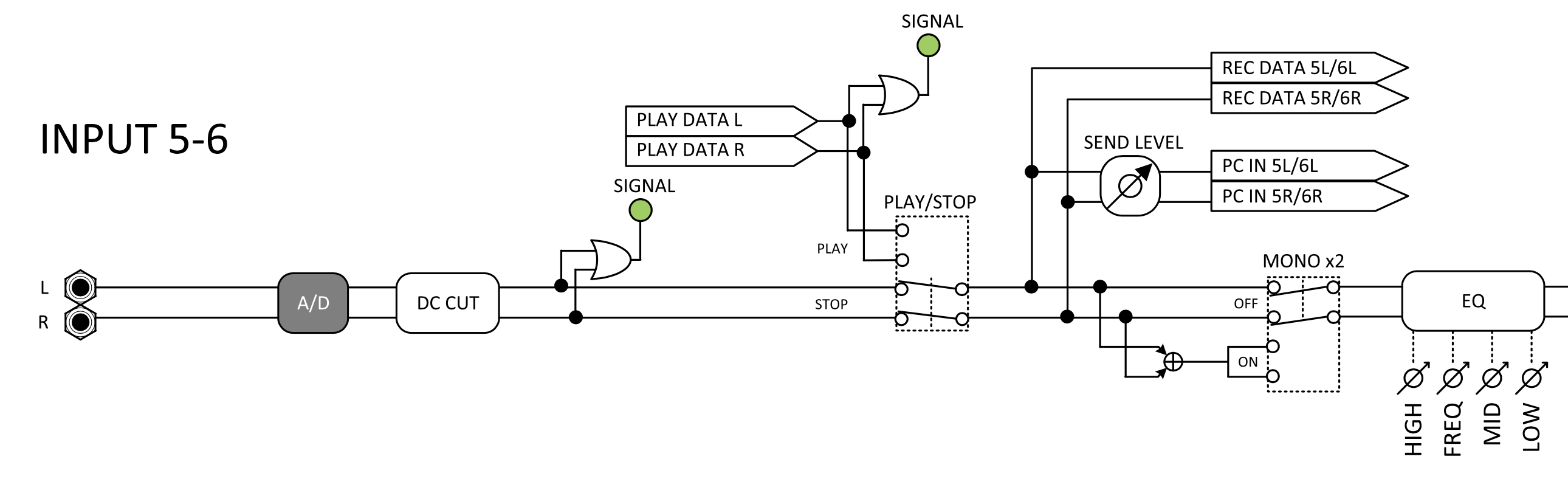
You seem to be right, no compression occurs on the recorded data in multitrack mode.
1 Like
You can delete them after, correct?
I’d prefer they all record, I’m stupid and would surely screw it up if it was left up to me!
3 Likes
that would require a compressor on each channel…
It could have been a limiter of some sort.
But no, I verified: I indeed get exactly the same waveform between my A&H Qu-16 and the L6Max.
With the difference that gain doesn’t matter for the L6Max as you get the full definition whatever gain you apply later on.
I also appreciate that you can mute a track for the sub mix without touching the gain.
That the USB-C connection to the computer can power the device.
Very impressed.
Took me to re-set my Qu-16 settings, actually.
3 Likes
Does anyone have any info about the audio interface latency on the L6max?
Since I got the l6max i can now answer to my own question:
- Using the proprietary ASIO drivers on windows with 64 block size (ofc 48 kHz sr) the round trip latency is around 16ms. Which is, unfortunately, fairly high.
- On Linux, using Pipewire, the RTL is around 13ms.
I love the L6max, I just hope Zoom will release better written drivers in the future.
P.S.: random fact i gathered by talking with Zoom’s customer support: the L6max doesn’t technically support MIDI sysex through its MIDI interface because the input buffer is too small. So if you plan on sending hefty MIDI sysex through your zoom… you will not be able to.
6 Likes
Has anyone mapped the CCs from the Livetrack L6 to a physical controller to make it easier to adjust settings? (Volume, panning, and EQ, for example?) If so, is the control smooth?
1 Like
I mapped it to a Faderfox controller in about 5 mins and it worked great. Found it much easier to use the faders then turning the tiny knobs on the mixer itself.
4 Likes