I like your new “auox” mixer
2 Likes
1+ for the Argon8.
1 Like
Here is my setup that I’m currently using:
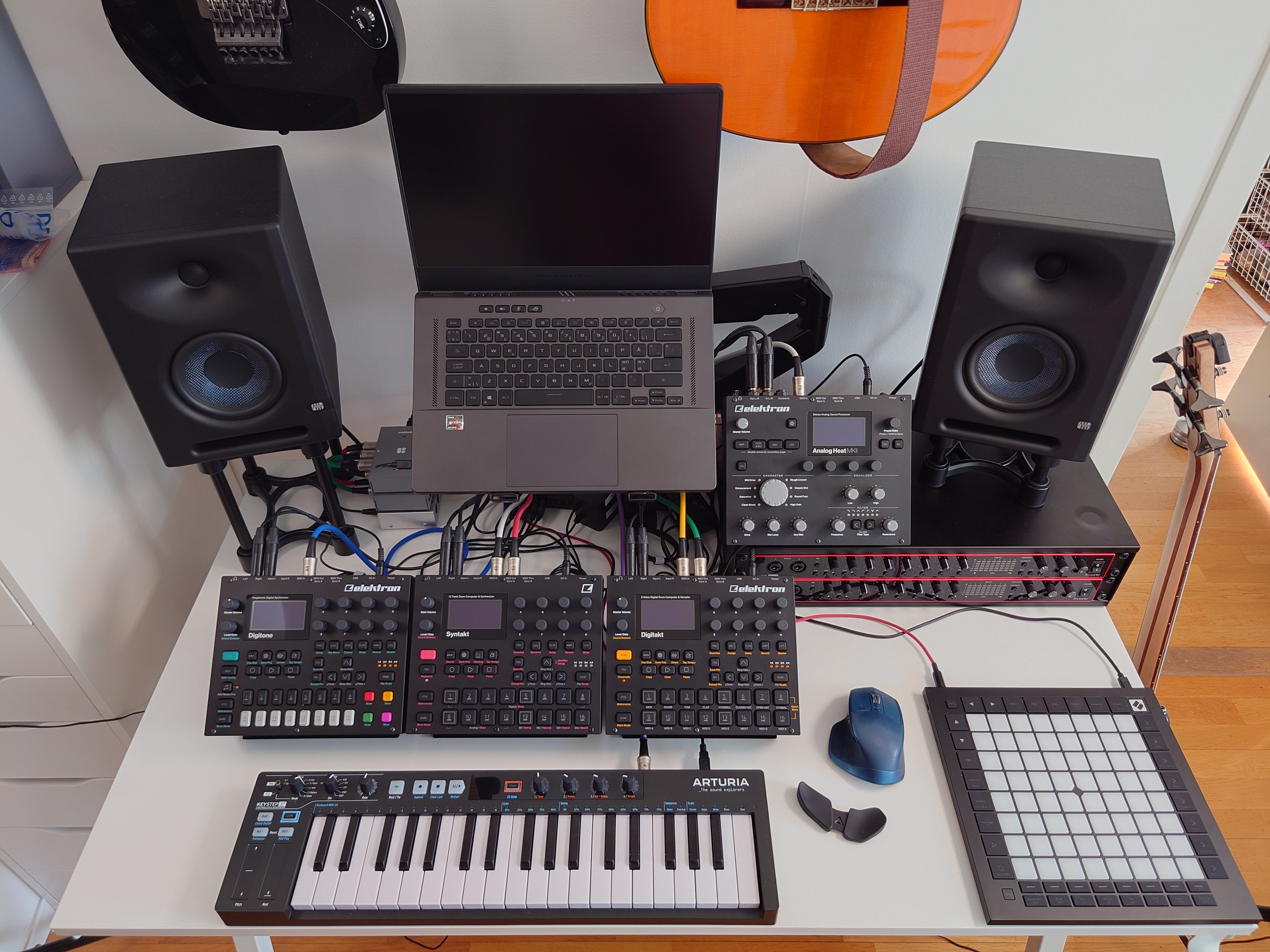
Everything is synchronized via MIDI.
The Syntakt is the clock and transport leader.
The Analog Heat is routed to the Digitakt for MIDI parameter locking.
The backbone of the MIDI routing is the combination of a Kenton Merge-4 and two Blokas Midihubs.
I have three devices that act as a controller, the Launchpad the Keystep ans the Syntakt. Both are plugged in to the merger. Luckily the merger has two outputs so I can send my merged MIDI messages to both Midihubs at the same time.
The reason I did it this way instead of daisy chaining is because there is a documented 1.5 millisecond latency introduced by the Midihub. If I daisy chain them then thay latency is going to increase. My approach would eliminate that by sending the same messages to both, at the same time. (I didn’t test if daisy chaining would have made a noticeable difference)
I can share my Midihub pipelines if there is an interest.
I set up my routing so that the Launchpad acts as a control panel. I can route the Keystep 37 to any of my Digi boxes, in any combination and it is controlled by three pads.
For those who have a Midihub, I have individual pipelines routing the messages from the Keystep to the Digi boxes, and I have mapped the bypass toggle CC messages sent by the Launchpad.
I also have individual pads assigned the tracks on the two drum machines.
Everything is color coded:
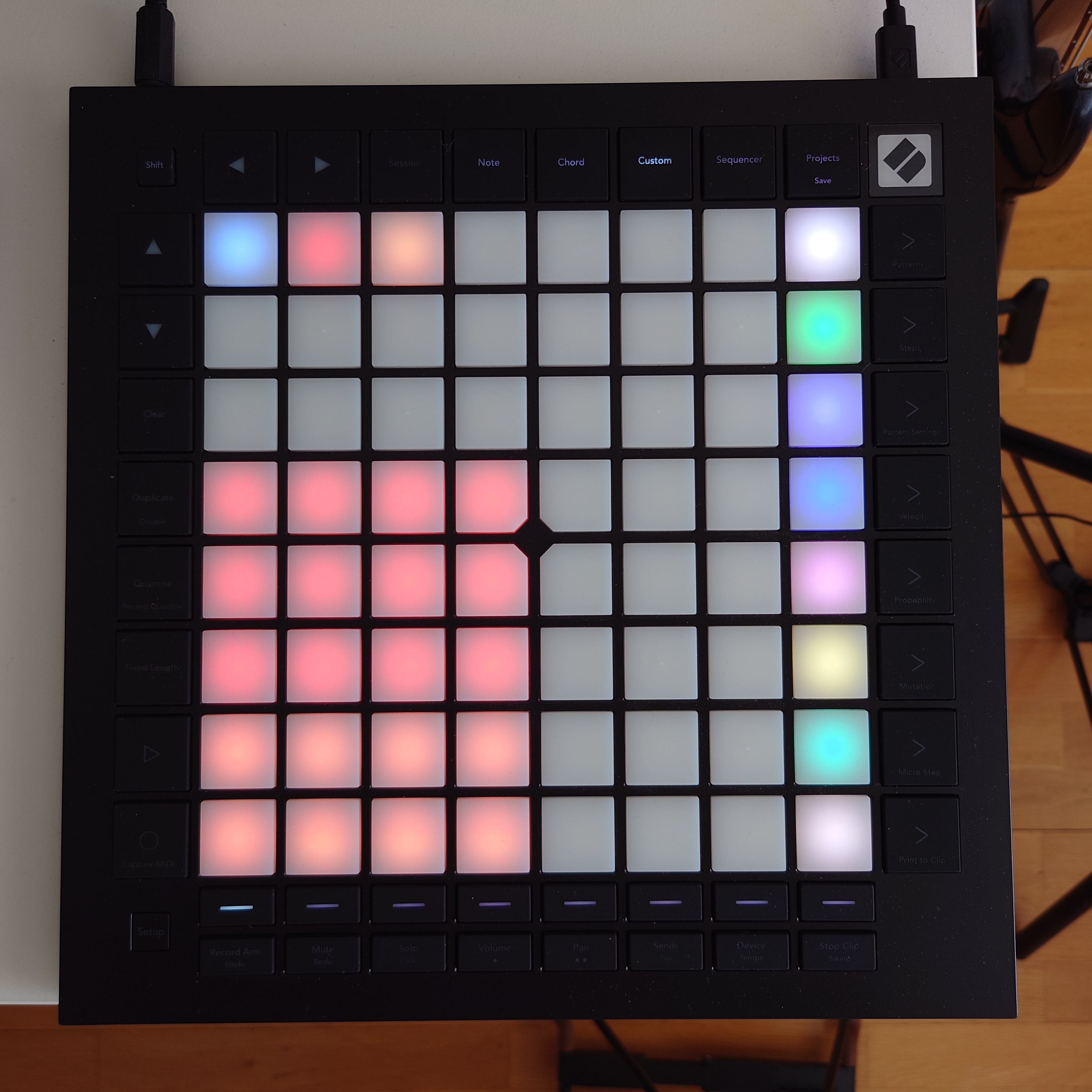
The layout is implemented via a custom layout. The only caviat is that while the Midihubs remember the state of my routing after a reboot, the Launchpad doesn’t, so I always have to remember to manually press toggle routing for each Digi box.
Mixing is done by two Focusrite Scarlett 18i20 audio interfaces merged into one via optical cables.
I use them as a standalone mixer most of the time but the idea is that I can record everything at the same time on separate tracks when I want to.
What is not visible on the pictures is a special power strip that has a sensor in it for switching. I have my audio interfaces plugged into the outlet with the sensor. This way, my audio interfaces become the main power switch for my rig.
Whenever they draw power from the power strip, the sensor is engaged and the rest of the outlets are turned on.
The idea is that if the device responsible for mixing e everything together is not turned on then there is little point for anything else to be turned on.
Additionally, due to lack of space, a Nord Lead A1 and a Nord Drum 3P has been packed away for now.
The idea is that the Nord Lead is going to be sequenced by the Digitone. The Digitone has 4 MIDI tracks and the Nord Lead has 4 tracks so it is a perfect match.
The Nord Drum is going to be sequenced by the Digitakt. This will still leave me with two more MIDI tracks, one of which could be used to parameter lock the Analog Heat and another is left unused.
I’m not planning on using the Syntakt for MIDI sequencing for now.
What is missing is a patchbay and a larger table. I didn’t need either until I got the Analog Heat.
My current patching method is to plug the cables into the back of the Digi boxes which is not ideal.
I’m open for input on where to put a patchbay. I never had one but I’m thinking that I would want one on the desk itself so that it’s easy to tweak and I can always see what is going on.
Right now the dimensions of the speaker stand and rack enclosure are just perfect to keep the two speakers at the same level.
My plan is to get a screen instead of a laptop and build an rack enclosure that can hold 4 units at an angle. I would then put that enclosure between the screen and the three Digi boxes.
18 Likes
Can you explain how the toggle works in midihub?
For those who already have tons of stuff, how to integrate the ST into your rig?
I’m on the same boat as Tchu, I love the ST on its own but I’m finding it difficult to include it in my rig. Initially bought it to replace my MD but nopeee, the MD is way too enjoyable despite its quirks. My only use for it now would be for its kick and chord machine for dub chords lol
Ae <3
There are two parts to that:
The first part involves a custom layout on the Launchpad.
The three buttons on the top tow (blue, red, orange) are assigned to be toggle buttons and they send different MIDI CC messages.
The ON message value is 127 and the OFF message value is 0. When I press one of them, they send the ON mesaage, when I press them again, they send the OFF message.
The MIDI out from the Launchpad goes into the Midihubs through the MIDI merger.
I configured the MIDI hub to accept mapping messages from the input where the MIDI merger is connected.
Now onto the Midihub.
I have a pipeline for each Digi box.
In those pipelines I have a MIDI channel filter and a generic filter that only lets Note On/Off, CC and after touch messages through.
The MIDI channel filter is set to the channel of the Keystep 37.
After the filters, I have a channel remap node that transforms the MIDI channel of the messages to 10 for the DN and DT or 14 for the ST.
Channel 10 and 14 are auto MIDI channels by default so that means MIDI messages on those channels will engage the selected track.
The last step is to set up the toggle function, which is done by mapping the “Bypass” toggle on the first node in the pipelines to the toggle buttons on the Launchpad.
You do this by pressing the “Map” button and pressing the button on the Launchpad.
The CC messages with the 0 value will bypass the pipeline by disabling the first node. The CC messGes with the 127 value will disable the bypass of the pipeline.
1 Like
Like any other Instrument. Sometimes it’s taking care of all the Drums, sometimes I only use certain Sounds. It depends on the type of Track I’m making. I don’t feel guilty if I’m not using it on a Track.
Sometimes I’m using it standalone.
2 Likes
Thanks that’s great. Sounds like you can accidentally leave two pipelines “on” right? Could those buttons just send a constant cc for each of them and then you can remap those to the various on/offs so each button disables the others?
Then in theory you could set up additional pipelines from midi hub that constantly send the correct lighting for the buttons so you will always know what one is active in midihub?
(I have a midihub which I clearly need to dig deeper into but no launchpad but now I’m talking myself into one)
1 Like
That is true. Originally I wanted to have a way to switch between the different pipelines in a mutually exclusive way. That wasn’t possible with the Midihub and it is still not possible today. This is the next best thing.
At least one good thing about it is that I can engage several music machines at the same time, kind of like layering a track onto another with the Digitone, but across several instruments.
Not quite. The the Midihub is not able to provide feedback in the form of MIDI messages.
On the other hand, the Launchpad pads will change their colors based on which position they are latched into.
I always know which instrument is enabled for the MIDI keyboard because the pads will have a white color
The only problem is that the Launchpad forgets the position if the latched pads when you turn it off, so when everything is turned on again, the Midihub and the Launchpad can be in an inconsistent state.
That is why I have to turn the routing on and off for the individual instruments (by tapping each pad twice) so that both the Midihub and the Launchpad have the same state.
I’m thinking that the Launchpad is overkill for this. I’m only using it because I already had it from an earlier setup. I would not buy it again today, just so that it can work as a glorified on/off switch that won’t even remember it’s position if you remove power.
1 Like
What’s your signal chain like?
DT - Channel 1/ Filter 1
MD - Channel 2/ Filter 2
OT - Channel 3/ Filter 2
MM - Channel 4/Filter 1
Just a few more things to figure out, like the midi routing and what to run the send & returns with. The pedals are there for measuring the space but I’m thinking I could run the Habit on Send A and the Mood on Send B but, I’m leaning towards the Mastersounds FX Unit as an all-in-one solution and having to use less cables.
I used to come on here and get major GAS. there’s some amazing setups on here!
But recently it’s changed. I’ve had a little look on the thread, and it’s the super minimal setups that have really inspired me and made me go “ooooh, nice”. It’s also really helped with GAS…. Every time I see x5 or even x3 Elektrons, or 12 massive synths and 3 other sequencers - I’ve shuddered at the thought of all that MIDI headache lol.
This is BY-NO-MEANS a dig!!! It’s just seeing a few medium/large setups, much like mine has been in the past, have made me realise I’m on the right path cutting things back, and have actually listened to my inner self lol.
Props to those that have the big ass setups, I’m in awe! But those of you with the minimal setups, I aspire to be like you. 
Currently, as I’ve a few bits out on loan and have sold a few other bits off is a Mac, interfaces, Monitors, SSL Fusion, Quadraverb, a ton of pedals and then a SP404mk2, SP303, Prophet 5 and guitars. I’m loving being able to play around in a DAW and then export to the SP and go and sit somewhere else for a while…
But my sofa setup has been super enjoyable today
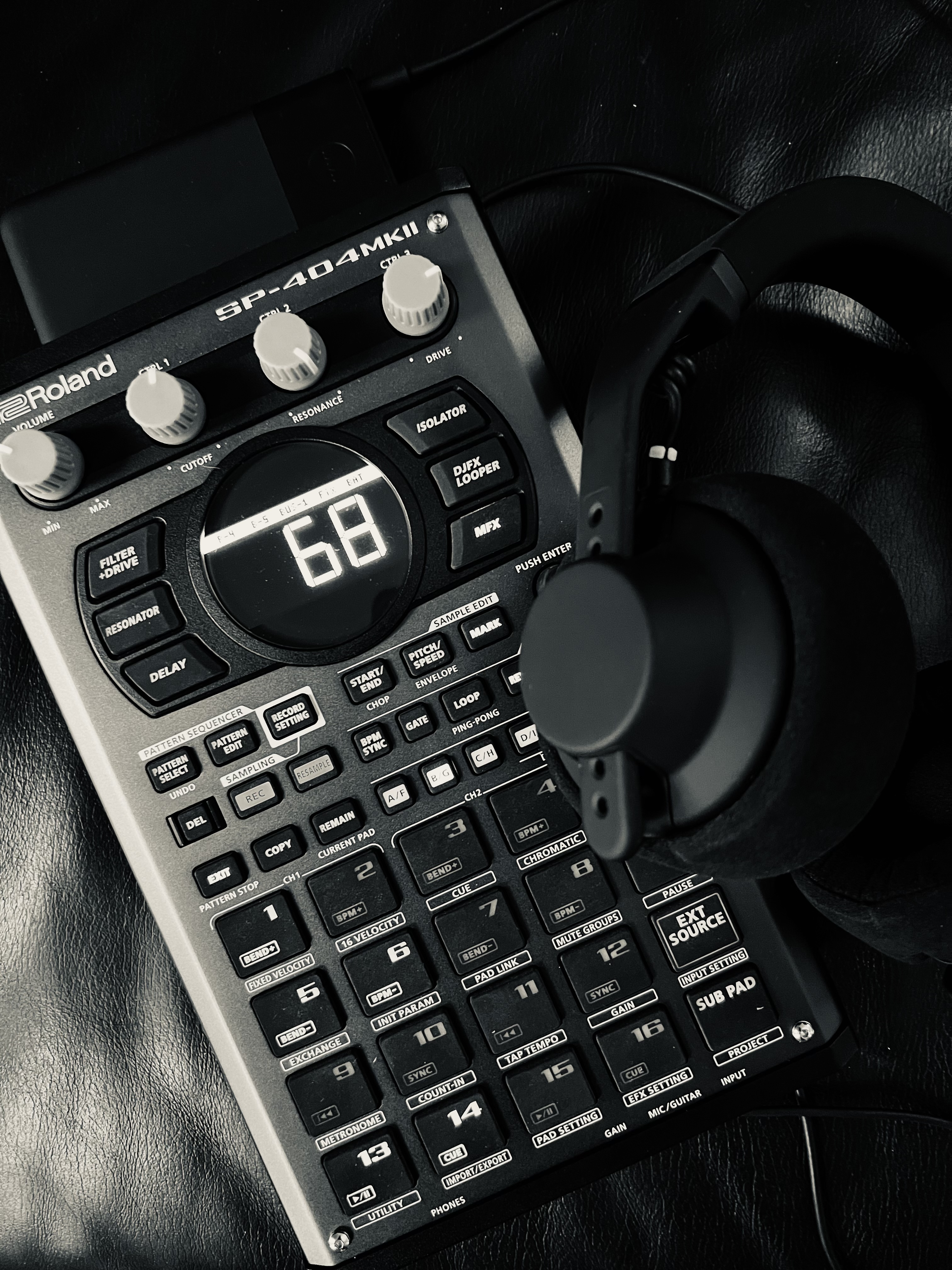
No doubt I’ll eat my words in 2 months time and my setup will have multiplied 
22 Likes
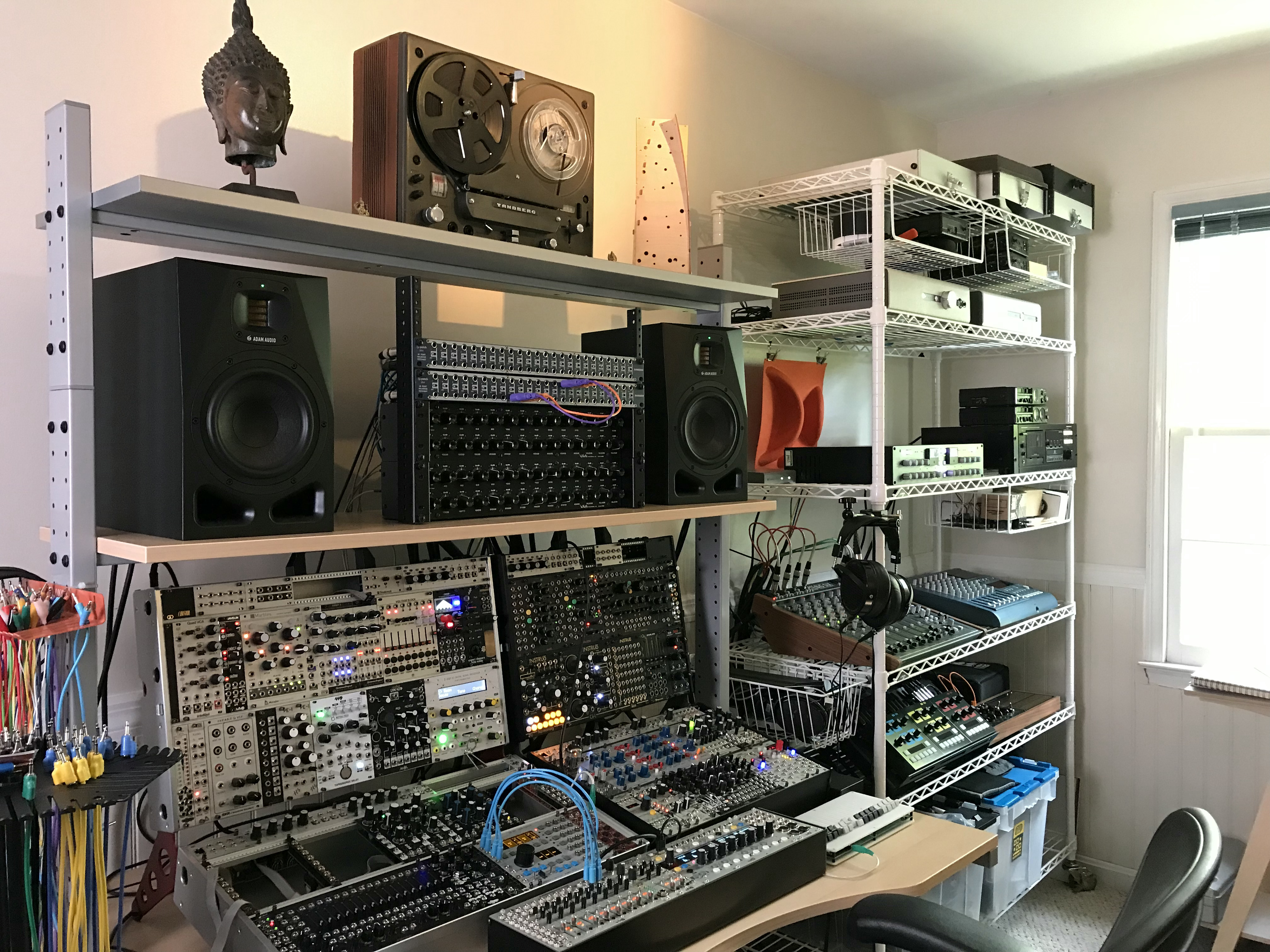
My main studio space. Modular/mixing side is more or less stable and on the other side I bring in whatever I need for individual projects.
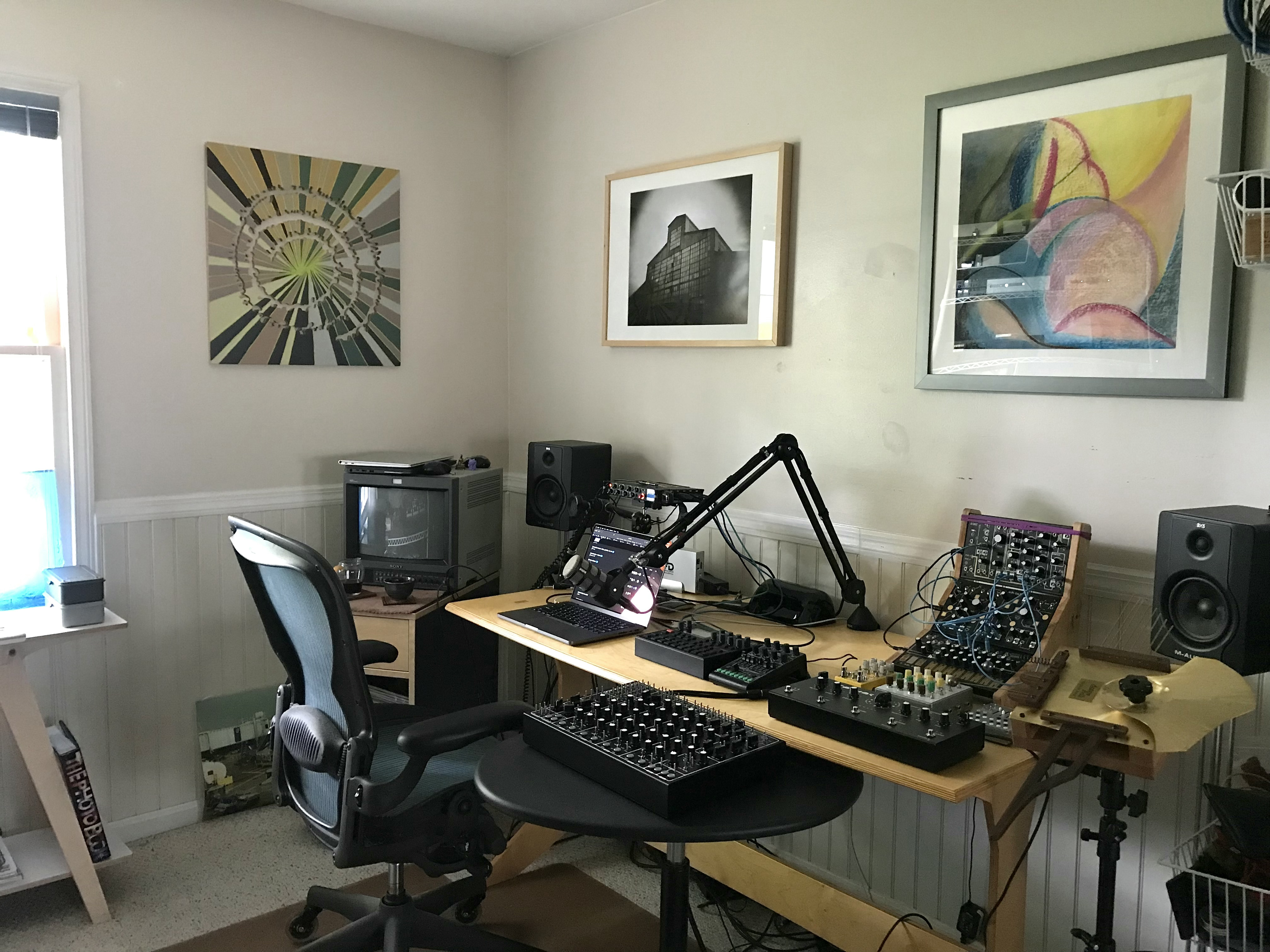
32 Likes
I see a Schiit Ragnarok and Yggdrasil. Good stuff. You ever monitor through them? I monitored through their cheapest stack (Magni/Modi) for years until I got Audeze headphones and I could hear the noisefloor in a $99 DAC from 2012, so I stepped up to the next level Magnius/Modius.
How’s the multibit megacomboburrito stuff with electronic music? I hear they mostly developed it around live instruments, so I wonder what it does for electronic stuff.
2 Likes
Good spotting there! For critical listening, I’ll at least listen to a final mix or master through the Yggy/Rag chain with my LCD-X’s. The Big Six has a pretty decent headphone amp and it drives the LCD-X’s fine, if not at the level of the Rag. So that’s what I’m using most of the time, since it’s simpler. All I can say is listening to any music is a fantastic experience with the Yggy/Rag/LCD-X. Music with acoustic instruments is more demanding because it’s a lot easier to hear if say, a flute doesn’t sound quite right compared to a synth. If a system kills it with a violin and a vocal–it’ll do the same with electronic music. It’s like having an audio microscope–you can really understand the music, but it’s not clinical or sterile–listening is intimate and emotional.
I have an original Magni/Modi in my bedroom and still love it. All the Schiit gear I’ve auditioned has been solid.
4 Likes
We call this a slick diss where I’m from.
4 Likes
Realised that, except for a few older pictures, I’ve probably never fully shared my setup here so I guess it’s due after following all great setups here for quite a few years now  . I figured that if I’m doing this, I might as well be as detailed as I can so sorry in advance for a bit long description
  .
.
Right! For starters, I’m lucky to have a dedicated place in the backyard of about 16 -17 square meters, which was purpose-built and set up semi professionally.
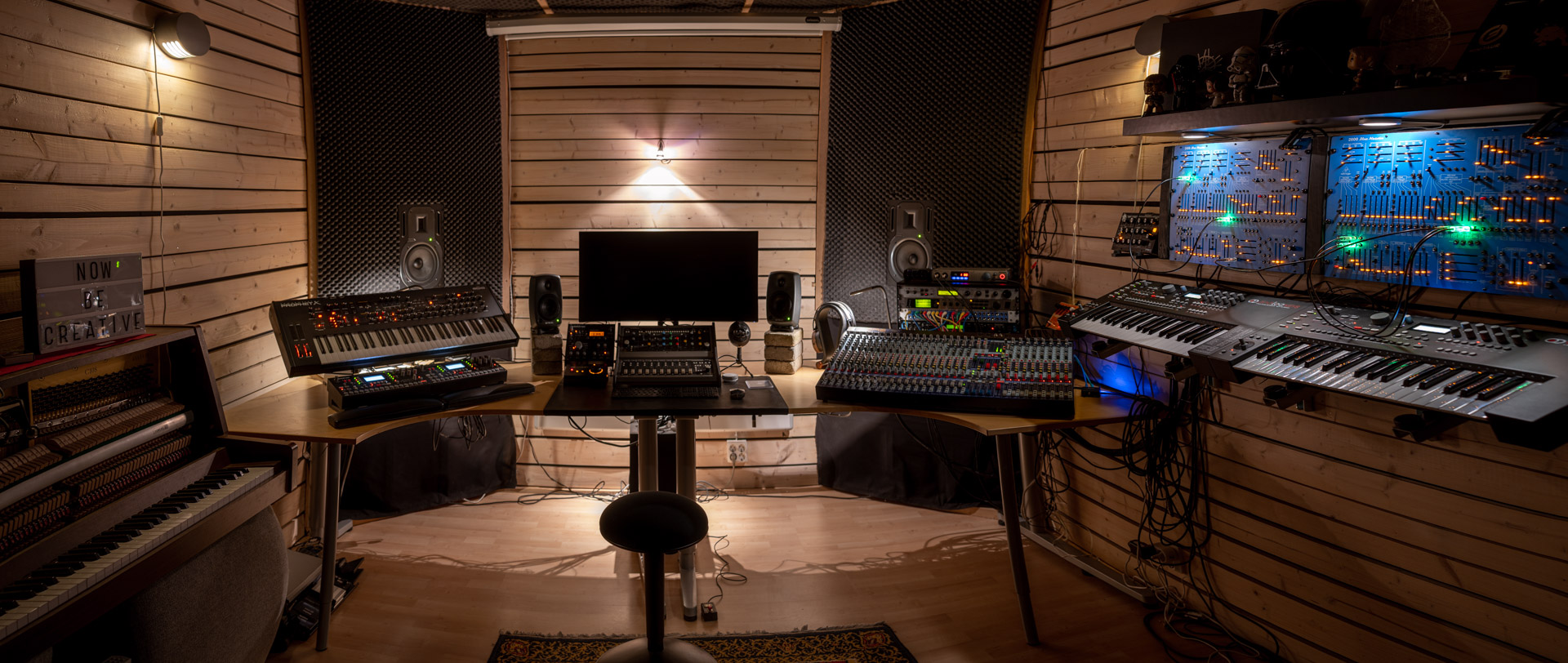
Inside, I’ve tried to create small “spaces” with different focus. There’s the synth wall where I always start, using the AK twins for sequencing not only themselves but the Marvin brothers and the Minitaur. One AK is dedicated to “rhythm” and the other to “music”. The rhythm one is slaved to the music one. Midi and CV being used across the wall.

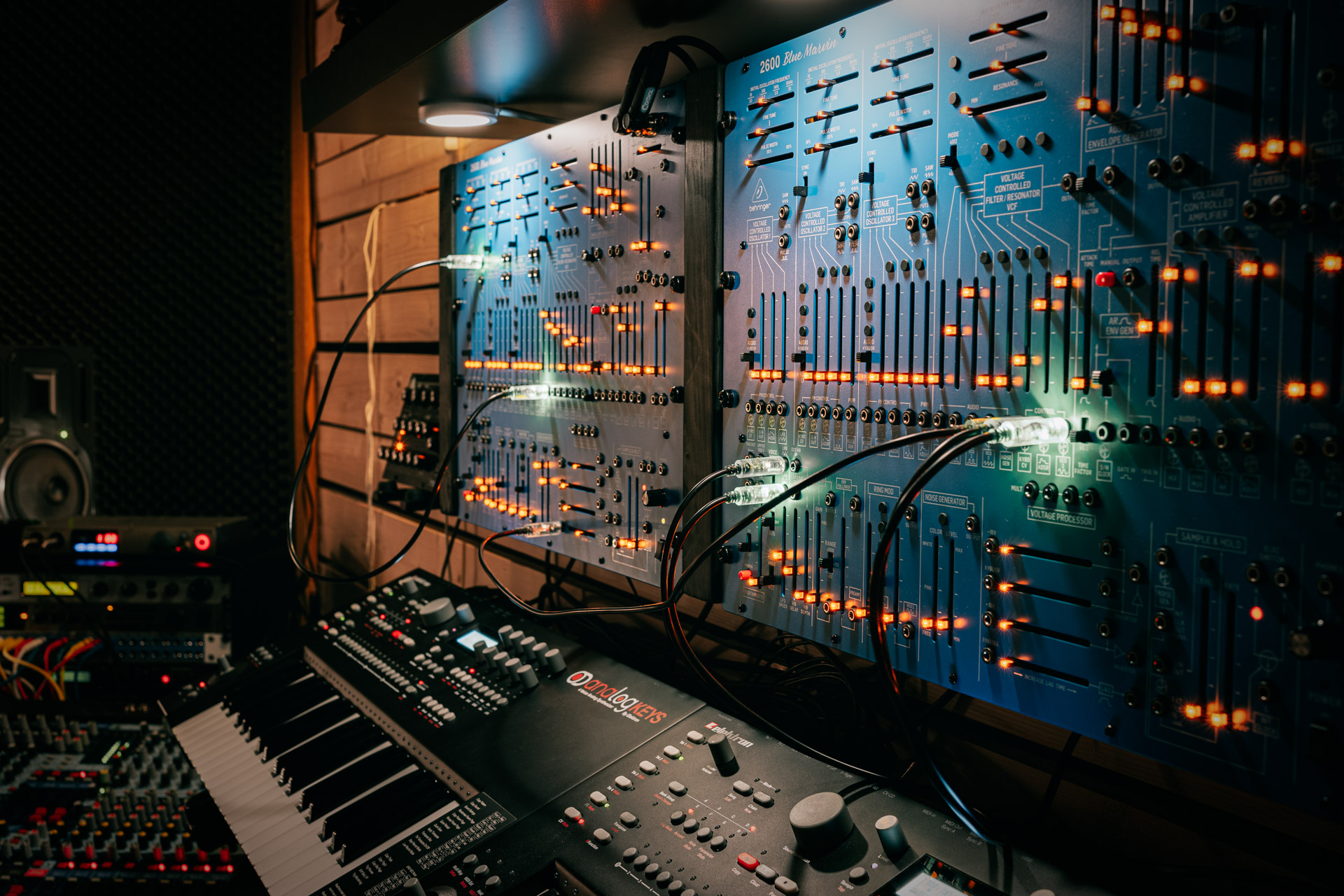
Counter-clockwise, there’s the Midas Venice 320 console, along with a small FX, patchbay & midi sync rack - including the essential USAMO box . The patchbay allows me to switch between instruments and DAW outputs. Default is 32 channels of instruments ( AKs 10 each, OTs 4 each, Prophet X 2 stereo, Arps 1 stereo each). Kurzweil Rumour is an insert on bus 1-2 and the AH is an insert on bus 3-4.
There’s a small desktop patchbay that takes the out from buses 1-4 as well as Master B, and sends them to the OTs. The Presonus Studio 192 mobile lets me track up to 22 individual channels at a time with the Creamware A16 Ultra ADAT-interface (and send out 26) which is very handy.
Mid section is the DAW recording and ITB mixing area, having a Softube Console combo center stage with the AH and KRK Ergo monitor controller to the left and a UAD quad satellite to the right. Nearfields are Genelec 8020B (with an old Event sub), midfields are Behringer B3031A (soffit mounted).
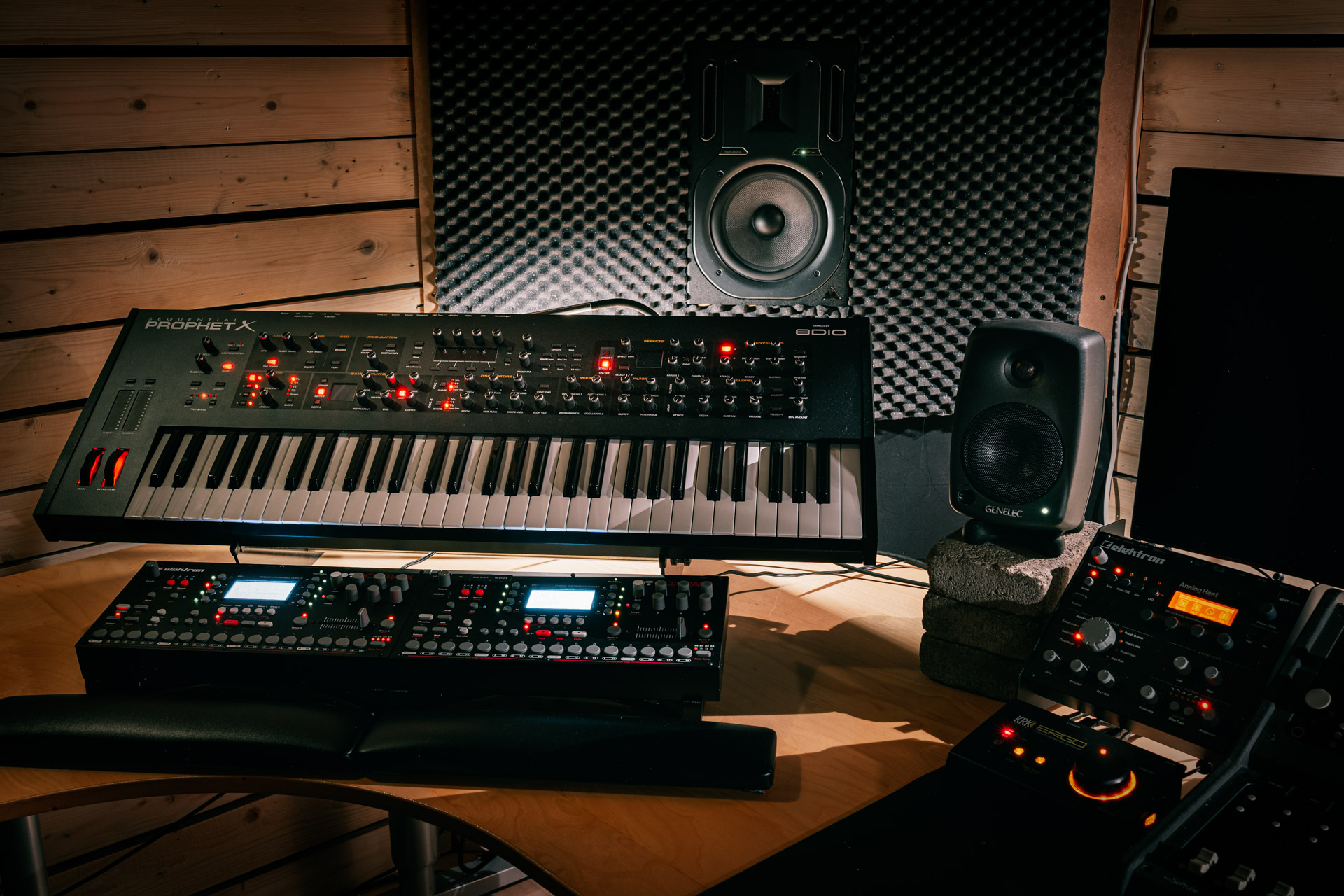
Left side starts with the “arrangement & poly synth”-section, with the OT twins and the Sequential Prophet X. The OTs have a bit of separate roles and the right one is the Jedi master for everything, including sending midi (mainly clock and CCs) to the other OT, the synth wall and FX units. The Prophet X is also the midi controller for the left OT.
Moving back the left wall, there’s an upright which I really like - in periods, this is very well used. It’s stereo mic:ed as parallels into Midas channels 1-2.
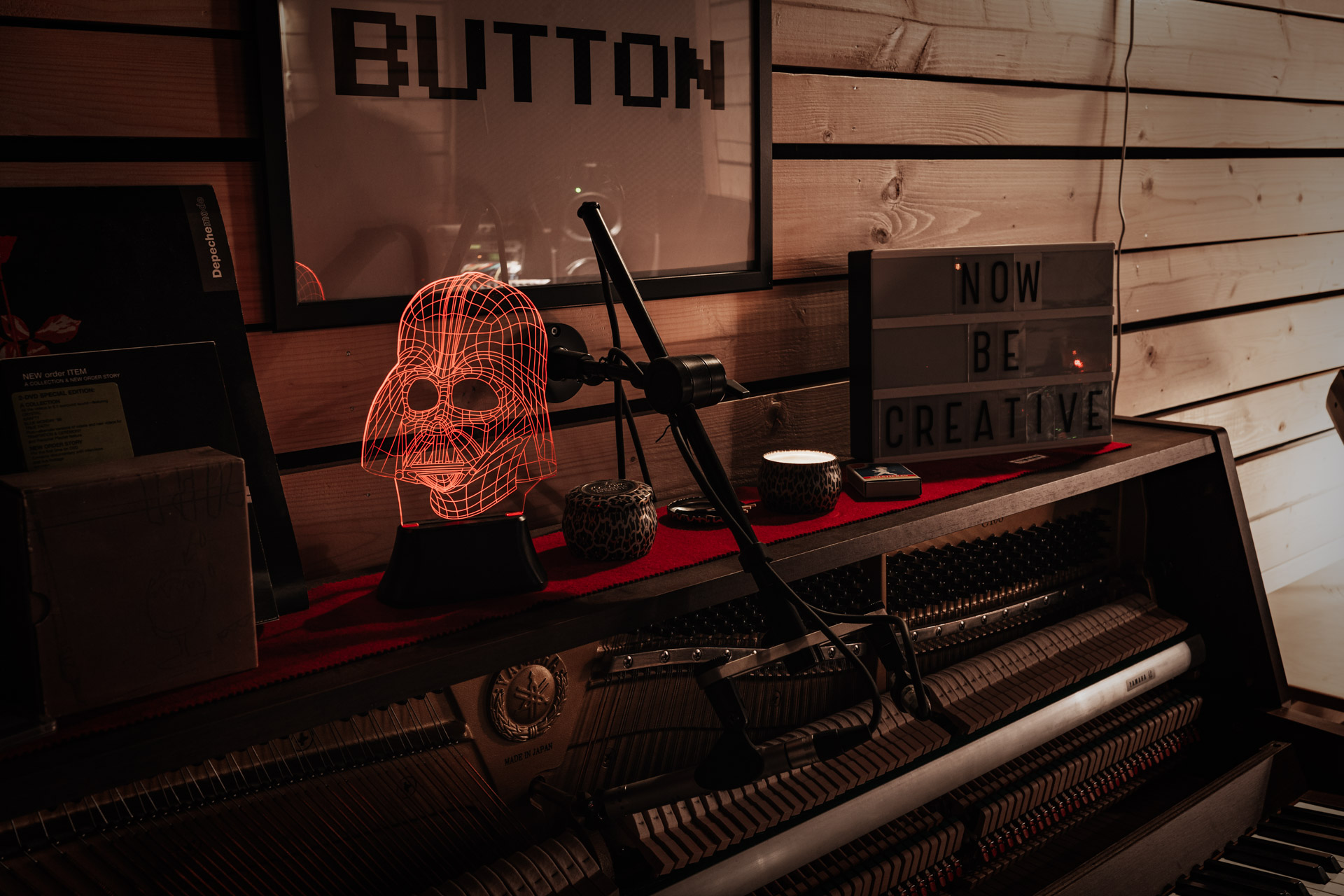
And finally, at the back of the right wall there’s an ADK Hamburg (and the very important Kraftwerk sign) for vocal recordings (there’s also a ceiling-mounted projector with motorised screen for that extra visual inspiration  ). Everything (well, almost at least) is powered on by one main switch in this corner as well.
It’s a great place not only for working alone but sometimes with my brother and mate - rotating through the “spaces” once in the zone.
I’m not really finishing much stuff but recently decided to create a cover of Yazoo’s “Don’t Go” since it’s having a 40-year anniversary on 3rd of July. I put it up on Youtube today if you’re interested:
99 Likes
Beautiful.
3 Likes
Amazing space. I’ve got a Venice 320, but have yet to really put it through its paces. How are you finding it?
Also, I’d be interested in a build thread, as I’ve got a shed studio planned in my head. 
2 Likes