Rx can batch process and output to the same folder destination, however it will not overwrite the original, but appends a number if it finds a duplicate. You have to delete the original files by yourself.
I use matlab to translate dual channel to single channel files, because there is no program that can do such a thing… it‘s always custom code. I prefer Rx if circumstances apply
Your operating systems folder allows you to sort those files accordingly. Then it‘s a bit of labor to go through the folder tree and delete those originals. It‘s reasonable time.
Otherwise if you like to use matlab, check out the audioread and audiowrite functions.
Script would be in this scheme:
Scan folder structure for .wav files
For every file:
Audioread
Audiowrite with new specs to original filepath
It would be just a few lines.
I used it to move my soundlibrary to my digitakt wich has only single channel file format and I wanted to keep track on the actual overall size of my library. I also appended some stereo files with a reversed and pitched up side portion at the end to keep the stereo information when necessary.
If you drop folder structures, it does recurse them, and when doing just straight conversions, the folder structure is maintained in the output zip file.
Granted, on folders containing many nested files (there’s a default soft limit of 750 files that can be disabled in the settings), it can get bogged down as all the samples are stored in memory while it works on them.
There’s also the dual mono to mono auto-conversion in the settings when handling stereo files.
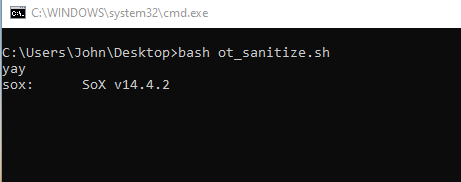
It’s not an in-place conversion though, so on large numbers of files, a command line tool like SoX is likely going to be faster.
I use DSP Quattro on Mac for this kinda work. it has batch tools and flexible sample editing. The UI’s horrible and it might not respect folder structures (can’t remember).
I do my conversions in Soundforge. While I don’t ever need to batch things, I know Soundforge has a scripting interface that can, apparently, do some sophisticated batch editing. I’ve just never found proper documentation.