I’d like to add pitch vibrato to some of my loops. I tried an LFO mapped to pitch, but it was too much even with depth on 1.
Is the chorus my next best option? It doesn’t seem perfect (can it go fully wet so it is just vibrato?), but with speed on 0 and an LFO controlling the delay time it seemed serviceable.
It’s been a minute since I used mine but I remember running into this same problem and I think you can use a second lfo at a very slow speed mapped to the first lfo’s amount with a negative value as kind of a hack to attenuate the first lfo
Thanks! I was just rereading that section. I knew it was possible, but that one isn’t an intuitive UI choice.
I did relearn that you can randomize and rotate LFOs designs, which will be useful.
And I’m definitely learning that making some project templates will be absolutely crucial for my workflow. Setting up custom LFOs for each project would drive me mad.
Me either. But this was the first secondary function I think I encountered that involved the tempo button. I didn’t even think to try that one while playing with the LFO designer a few days ago.
I played around with this some this morning using a low amplitude triangle wave. It works much better, though I did get some weird “zippering” at points in the LFO cycle. I’ll play with it more tonight.
Sure, but they do tend to lean heavily on certain buttons for secondary functions. Holding FUNC, double tapping a trig/track key, or whatever. I tried the usual suspects before realizing I needed to go back to the manual to figure it out.
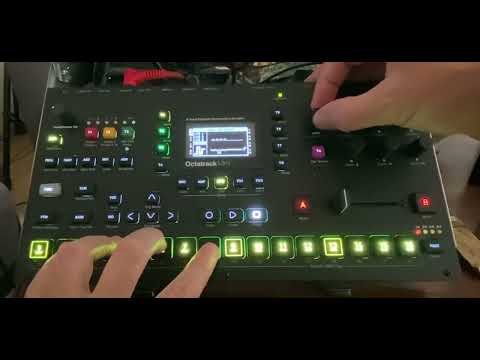
Here’s a quick demo of the sort of thing I’m doing with it. LFO designer (sine wave with max value is 32) controlling pitch with a depth of 1. Loops go through bit reduction and feed into each other. Master has a DJ eq killing everything above 2K or so, then a pretty serious compressor. Trying to get some boards of canada or z vex lo fi loop junkie aesthetic.
Personally I would slow the LFO down. Or even use the LoFi effect and really really slow amp mod. Then then use 2 custom LFOs to make wow and flutter like tape effect applied to pitch. Leaving the last LFO free to modulate the eq and get frequency dips.
 .
.