Verkbench - multi-sampling tools for Tonverk OP-XY OP1-Field [macOS]

Hi everyone, I’ve been working on something that I’ve been using for my own Tonverk multisampling needs (similar to how I started off making digichain). It’s stable enough to get some other eyes on it if anyone is interested in joining the macOS beta TestFlight, and then an iPadOS TestFlight once the macOS version has the bugs ironed out.
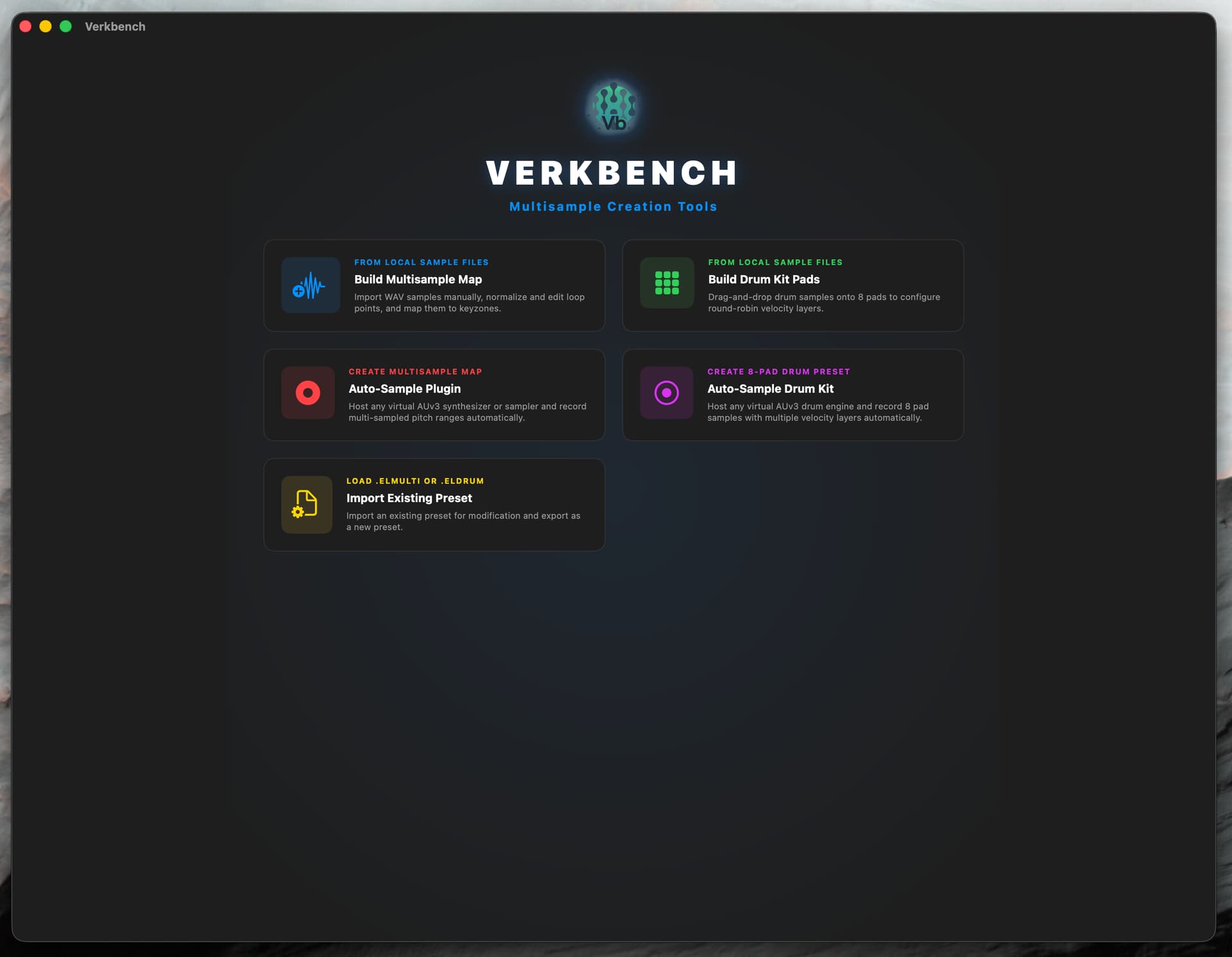
Supports sampling from AU or AUv3 - and is for macOS only (I’m still testing on iPadOS which will be AUv3 only sampling), exporting as elmulti or eldrum depending on the project type, basic sample slicing, loop section refinement.
Importing existing elmulti and eldrum (I have only added support for config flags present in the factory library presets), if the multi was made on the Tonverk, the single file will be split out to distinct files after editing and re-save.
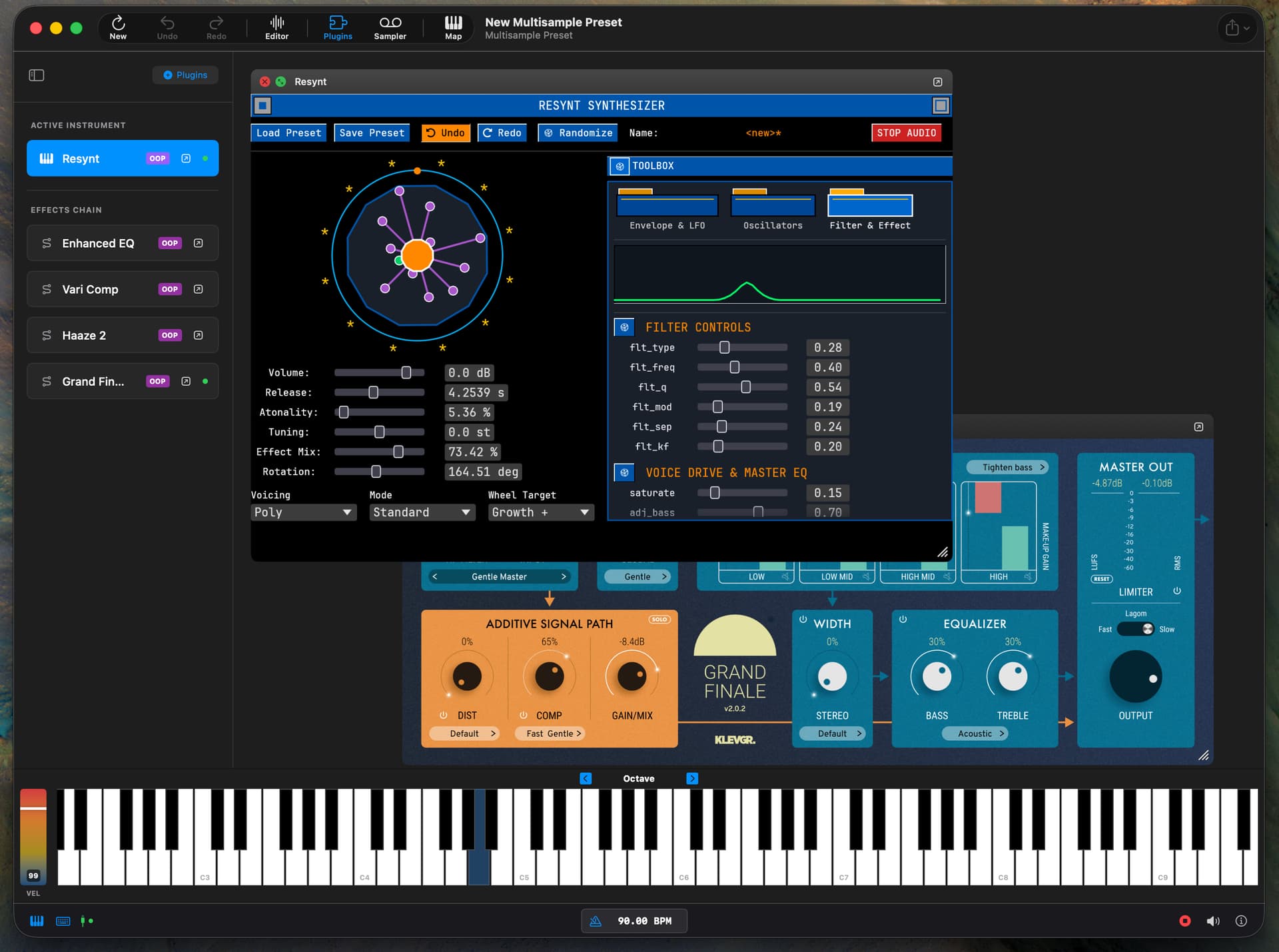
Add up to four insert effects (collapsing side panel to give the plugin UI a bit more space).
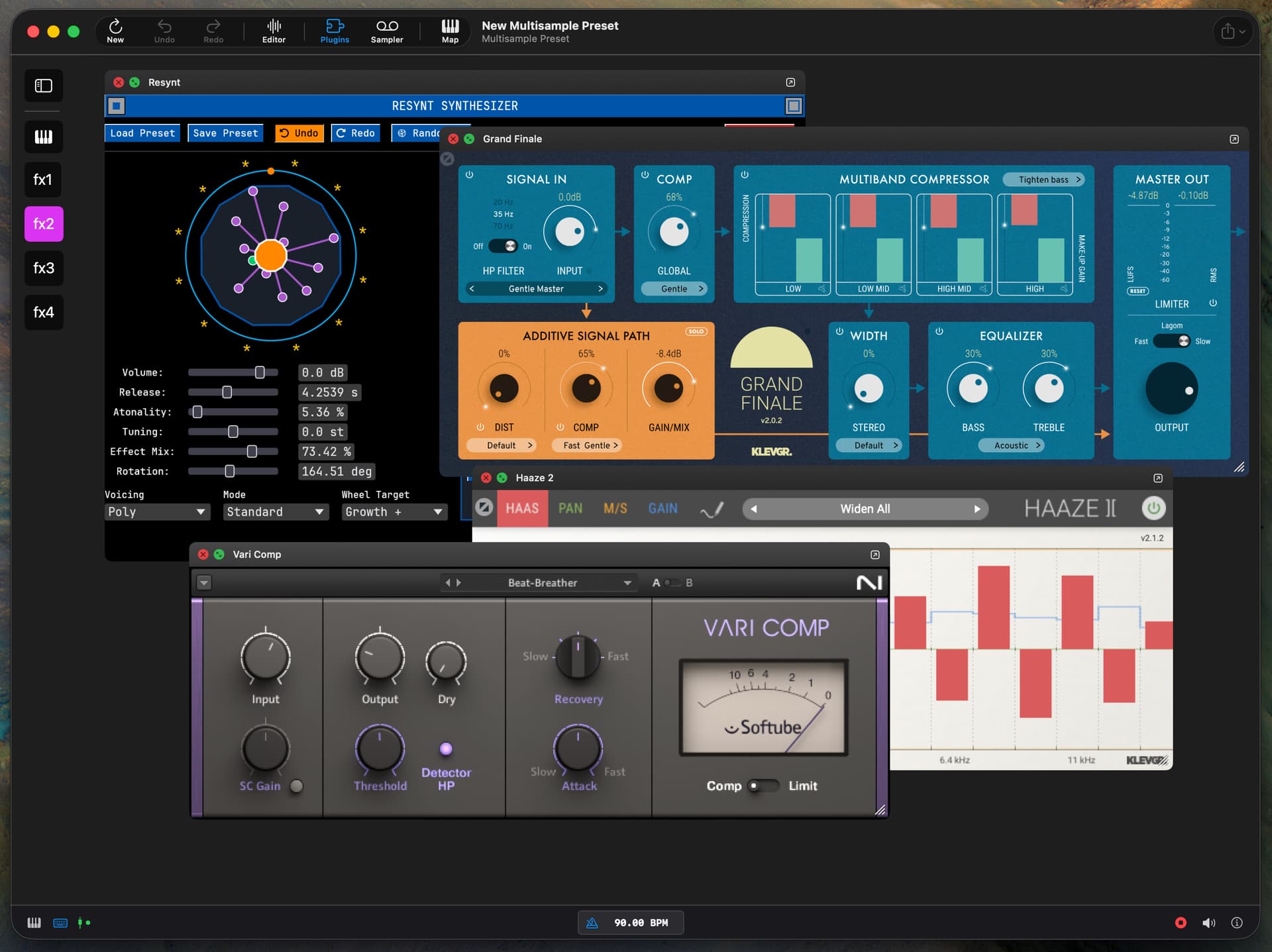
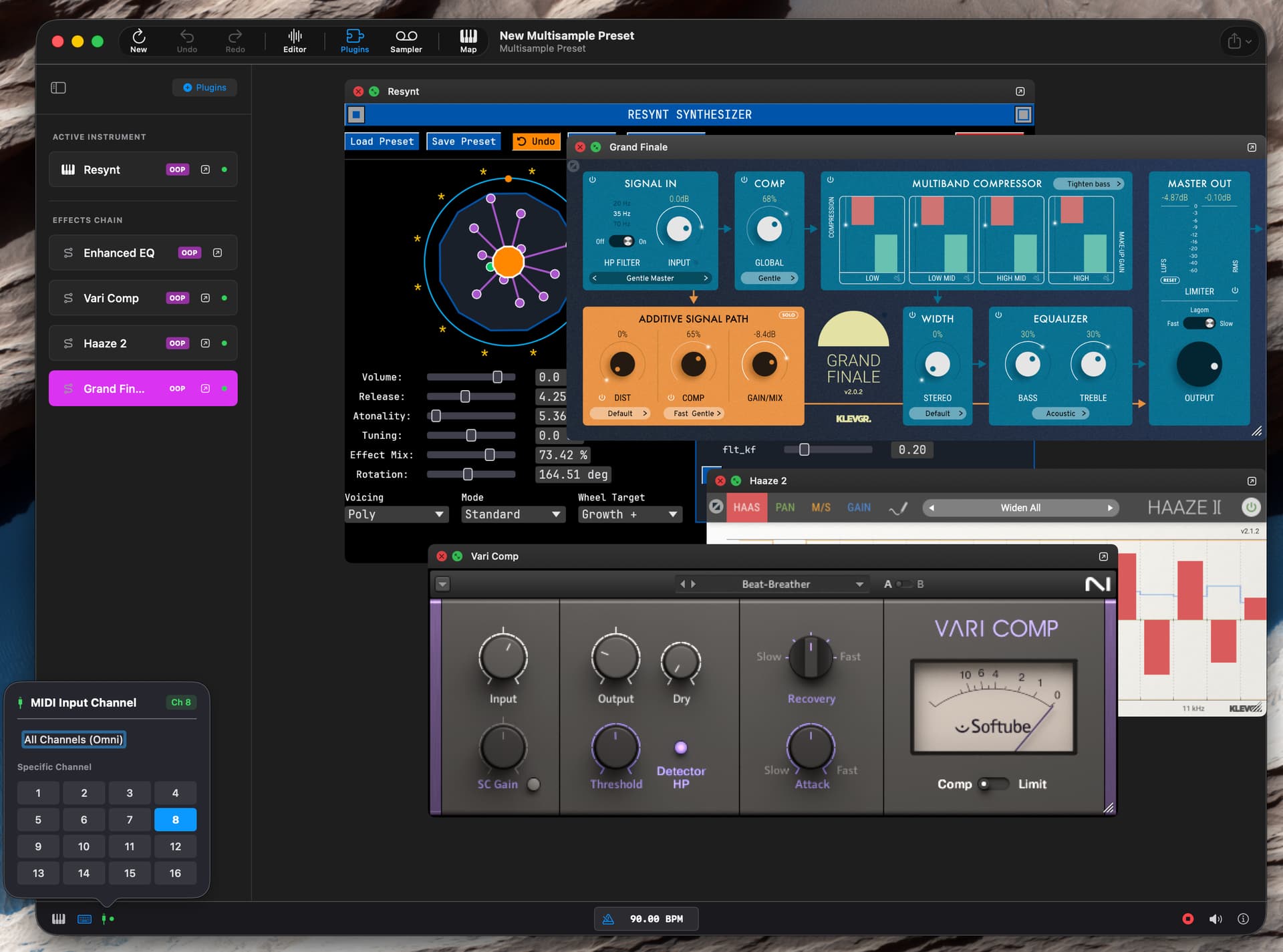
Pop-out plugins into their own window (macOS, triple click plugin on sidebar to bring back into the main container window)
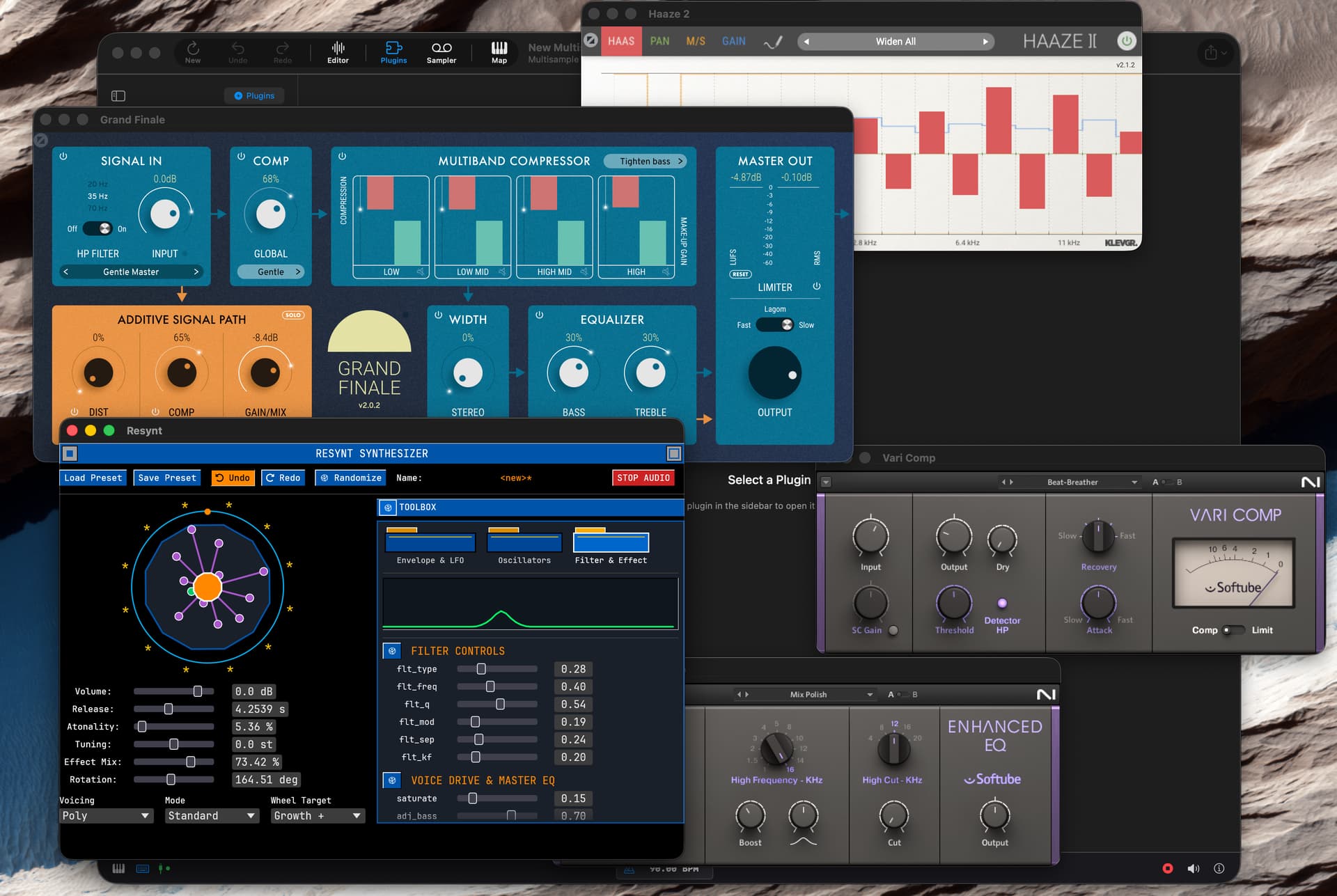
Automatic sample length calcs to threshold (with a safety max length for audio that never gets to the threshold).
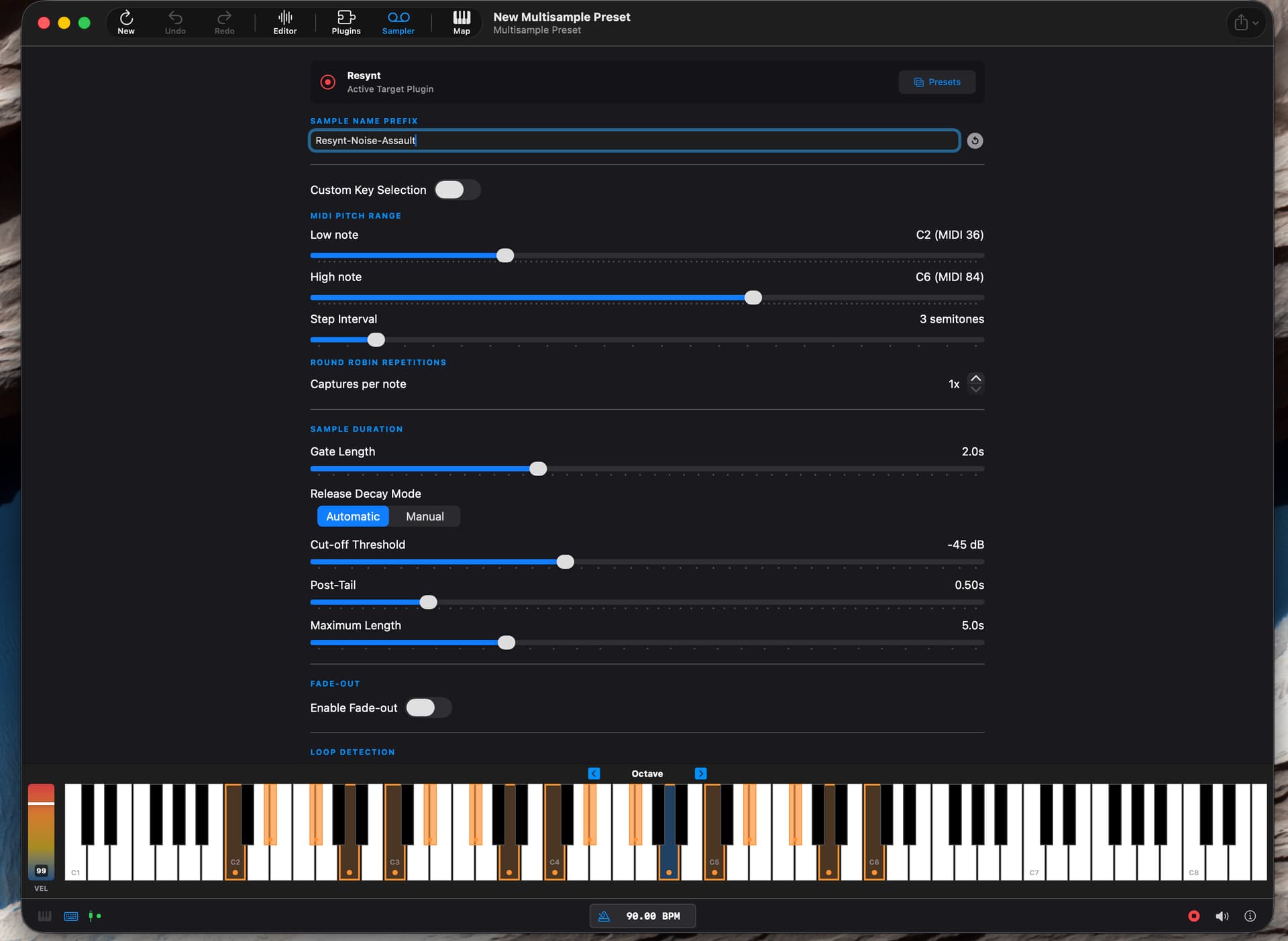
Custom key selections if you don’t want to sample to a fixed step interval.

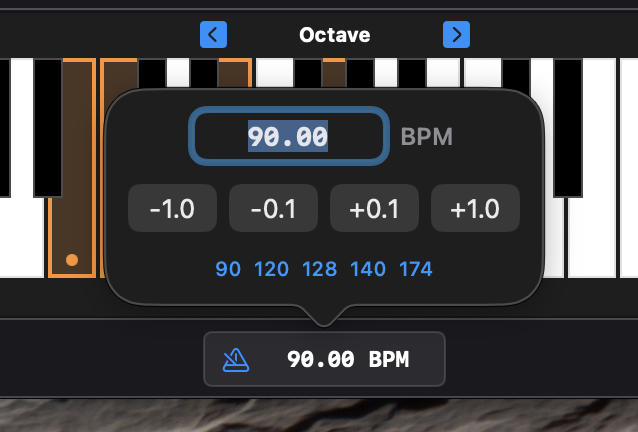
BPM passed to plugins.
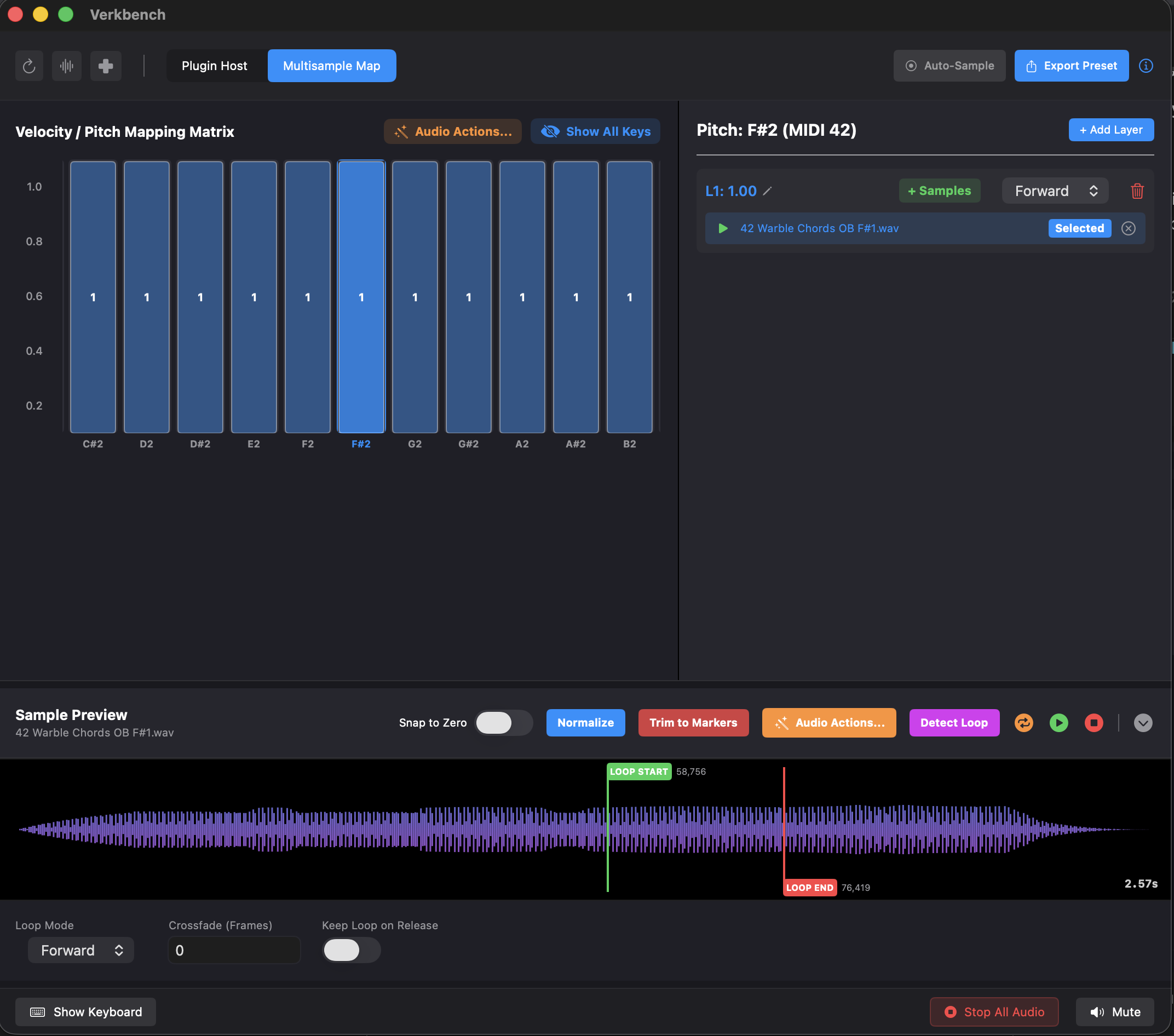
Looping point detection and clear or additive sampling to existing zones.

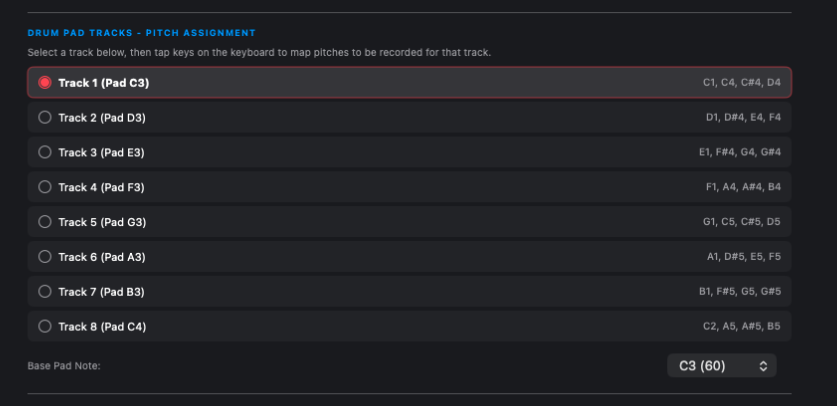
Multi-key choice when sampling to drum pads for plugins that have drum variations across the keyboard.
Velocity layer capture configuration
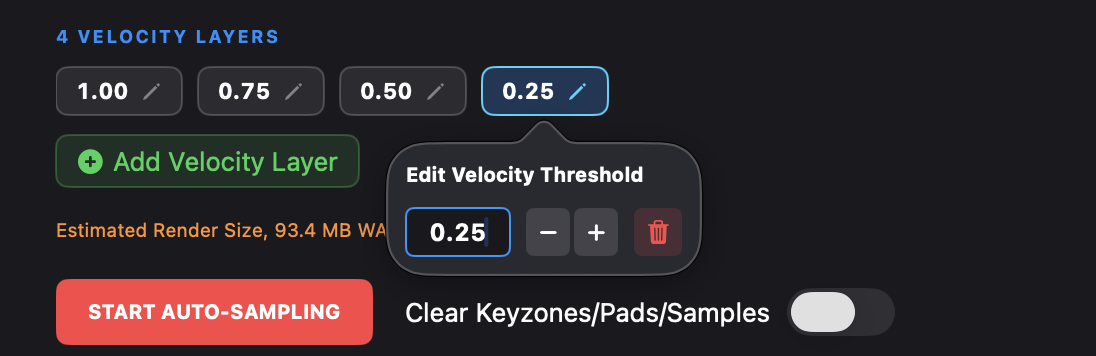
Auto-sampler presets

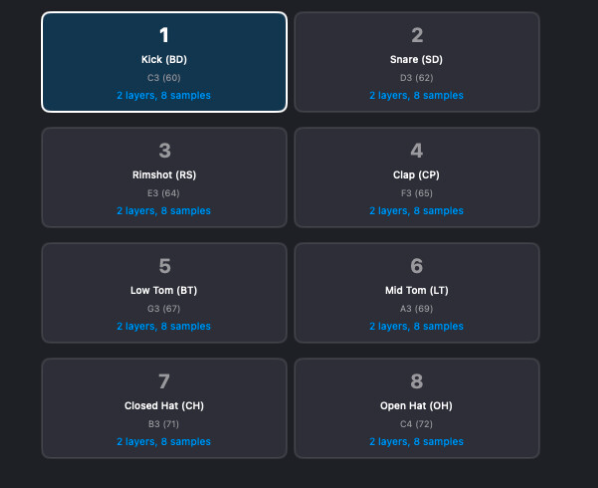
Multisample matrix or drum pad exports

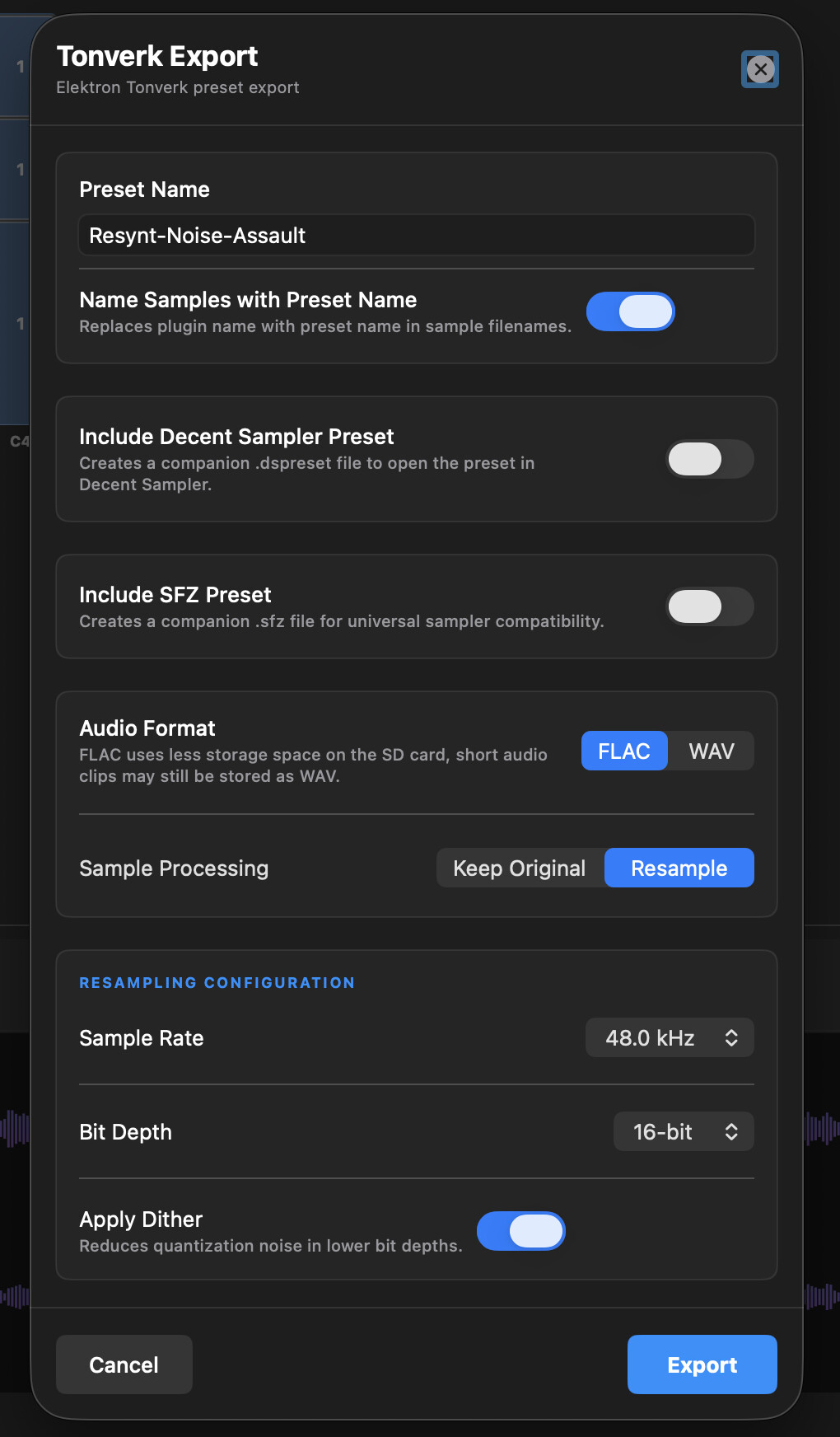
Export in FLAC or WAV with resampling and dithering, or conversion to summed/mid-side mono


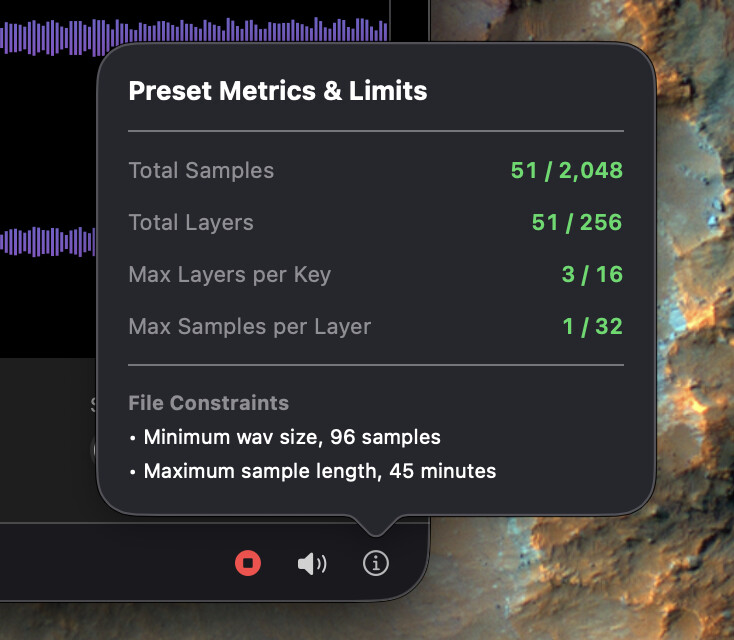
Some limits I’ve found useful adhering to to prevent the Tonverk becoming unstable trying to load very large multisample configs
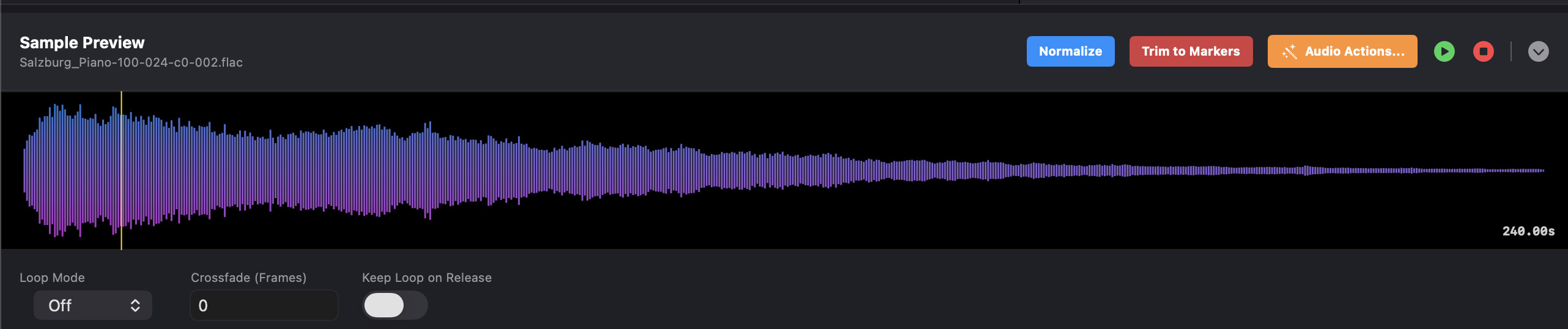
Basic sample viewer/slicer (will continue expanding this and bringing more actions over from digichain)
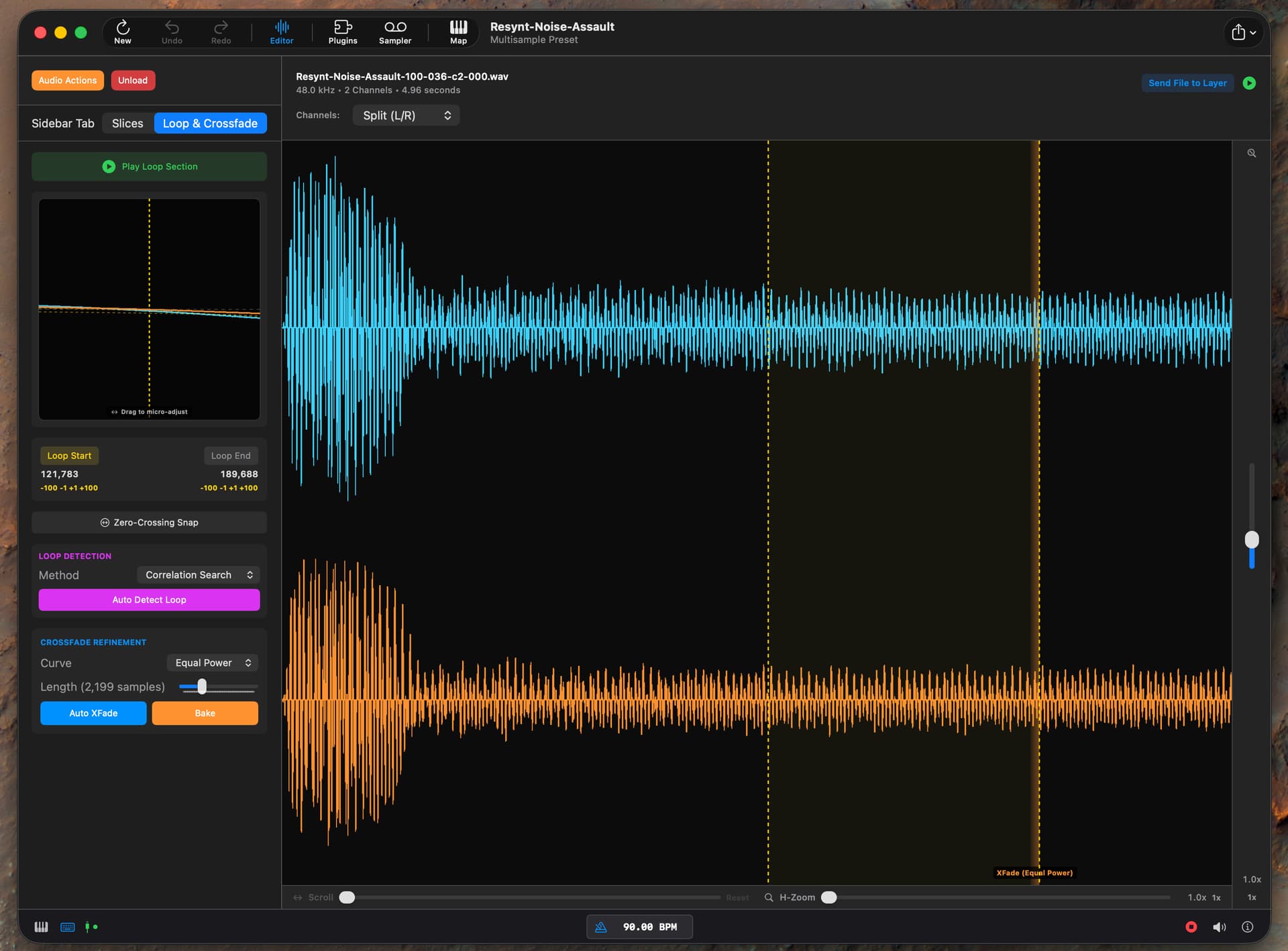
Send slices to key zone velocity layers / drum pads.

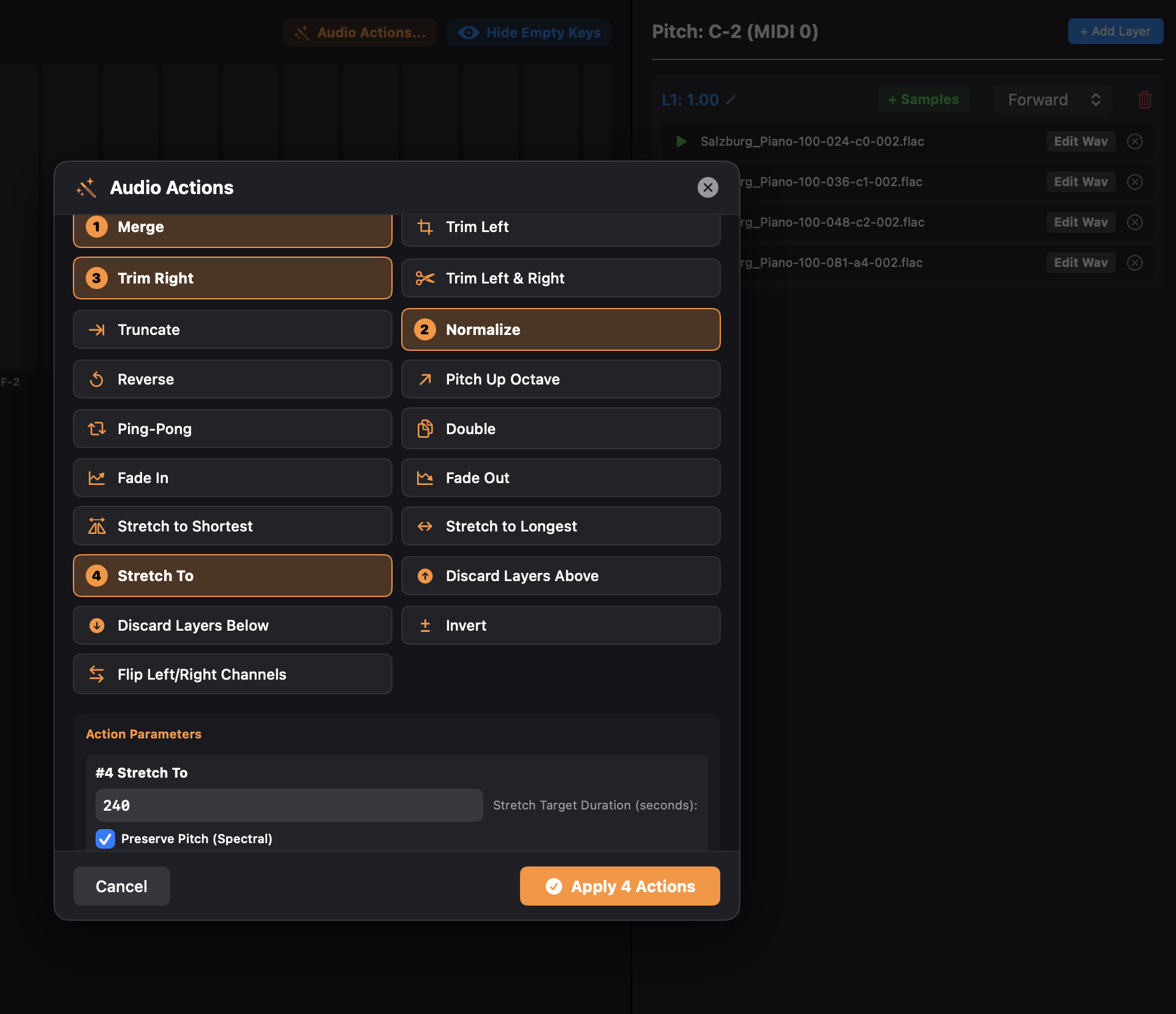
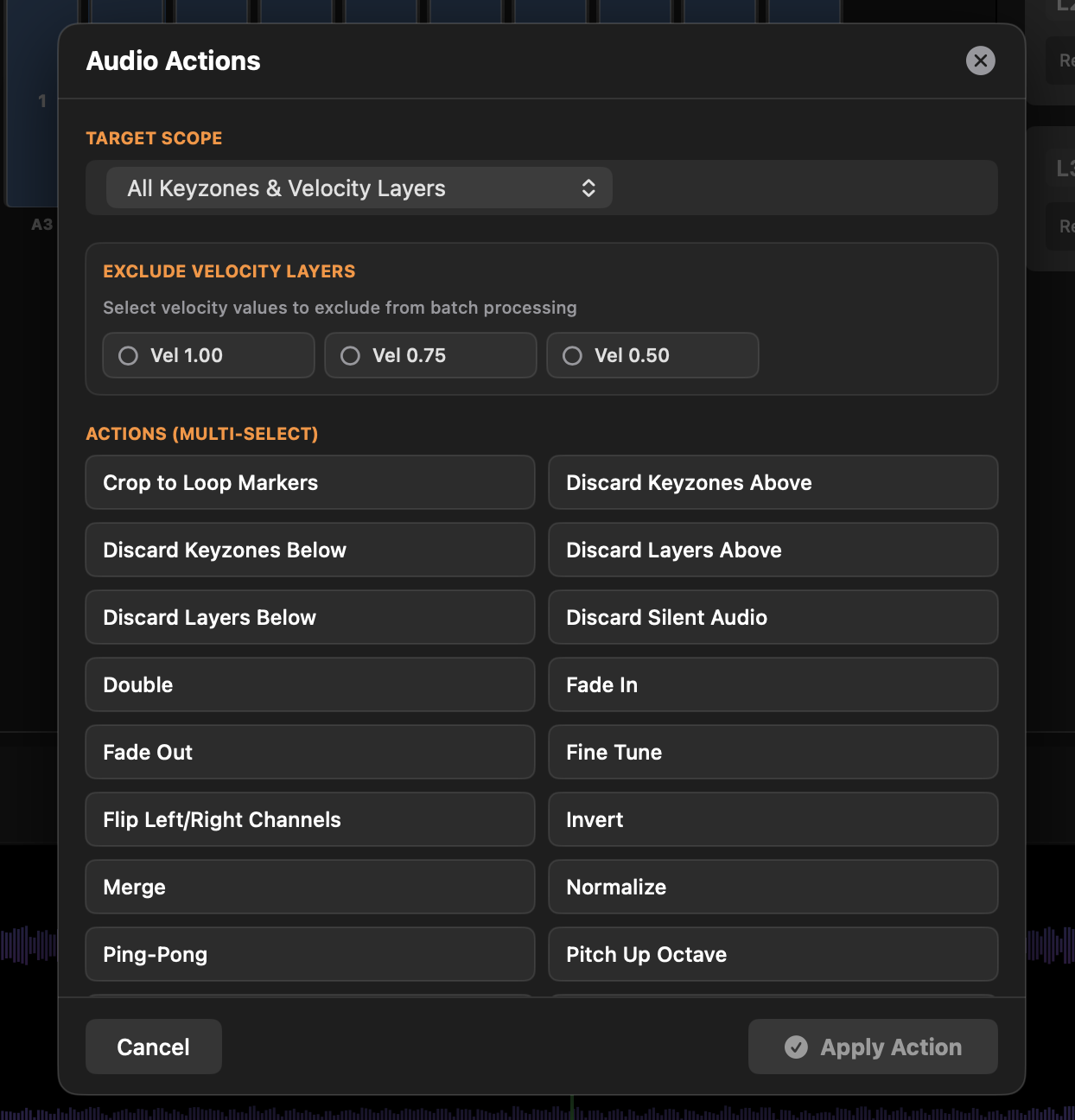
Added ‘Audio Actions’ similar to DigiChain’s selected actions, but chain-able.
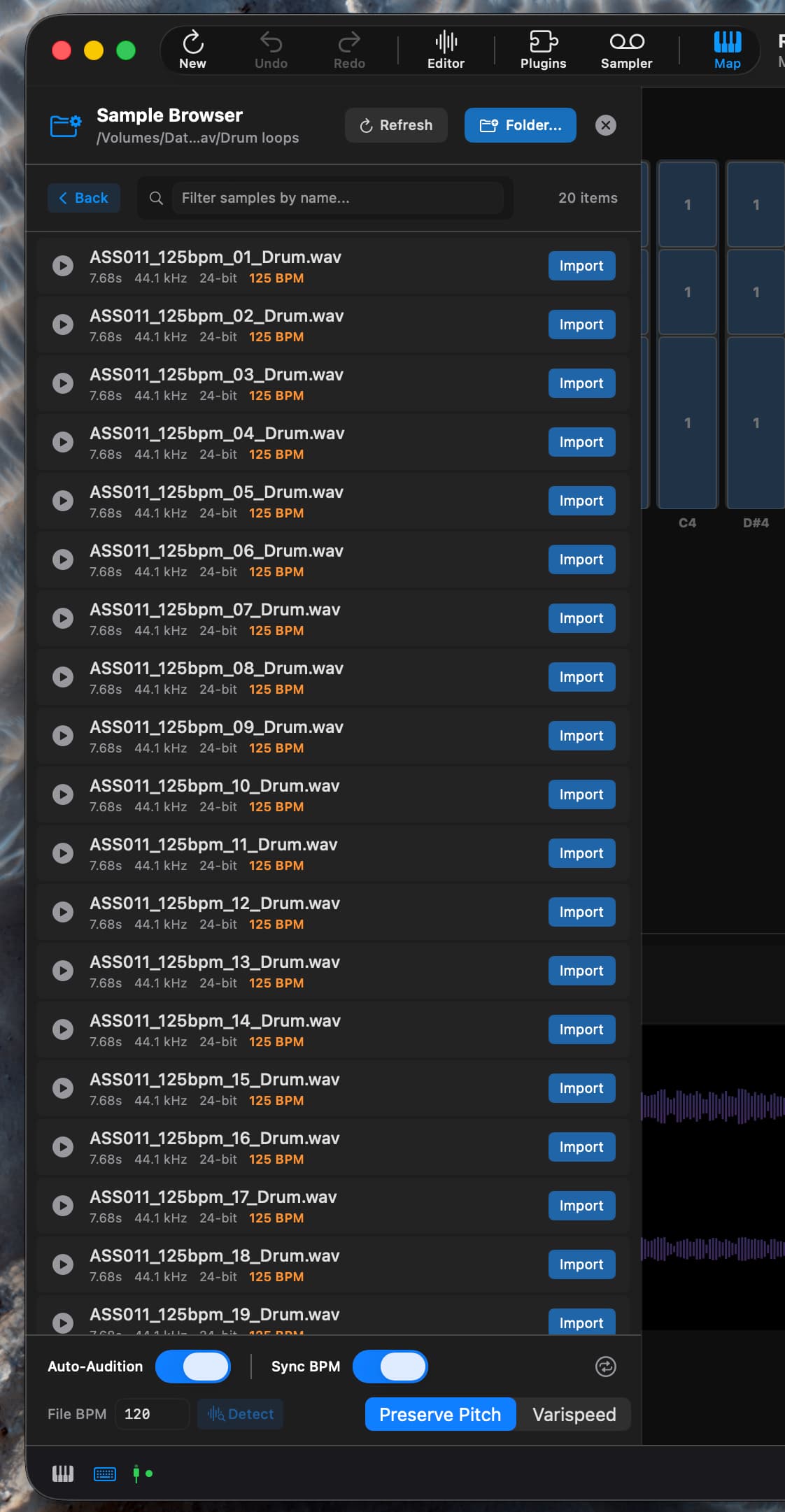
BPM sync optional file browser
Ableton Live style computer keyboard as note input

Still a few things to finish up - it’s not as comprehensive as LoopSeek, or immediate as Bonk - but is something that pulls together my own personal use-cases into a single app, as such you will see it’s highly opinionated, and like digichain, will continue to grow over the next few years lol.

Cheers!

Brian.
38 Likes

Definitely interested when the TestFlight build is ready.

3 Likes

I’m also unsure as to if I can make it useable on phones, there’s a lot going on on each screen and it’s pretty hard to use right now on such a small screen - so focus is macOS, then iPadOS and then I will look at phone support again.

8 Likes

i have time if you want another set of eyes on it.
not sure my ipad will work, but my mac should be ok … arm / 16 gig m1 pro / mac m4 mini

1 Like

Thanks! For iOS/iPadOS devices I’m thinking of setting up some limits to prevent crashes due to memory usage, an hour of stereo audio at the internal 32bit 48kHz is ~2gb and I can get the system RAM of a device with the Apple NSProcessInfo API then use that in with my other arbitrary limits I already check for as the preset is built.

5 Likes

I just got my tonverk and would love to test this out as well! One of the main reasons I got the tonverk was the possibility of using my iPad for sounds. So much to learn and discover!

2 Likes

Would like to TestFlight this when available. I have both Mac and iPad.

1 Like

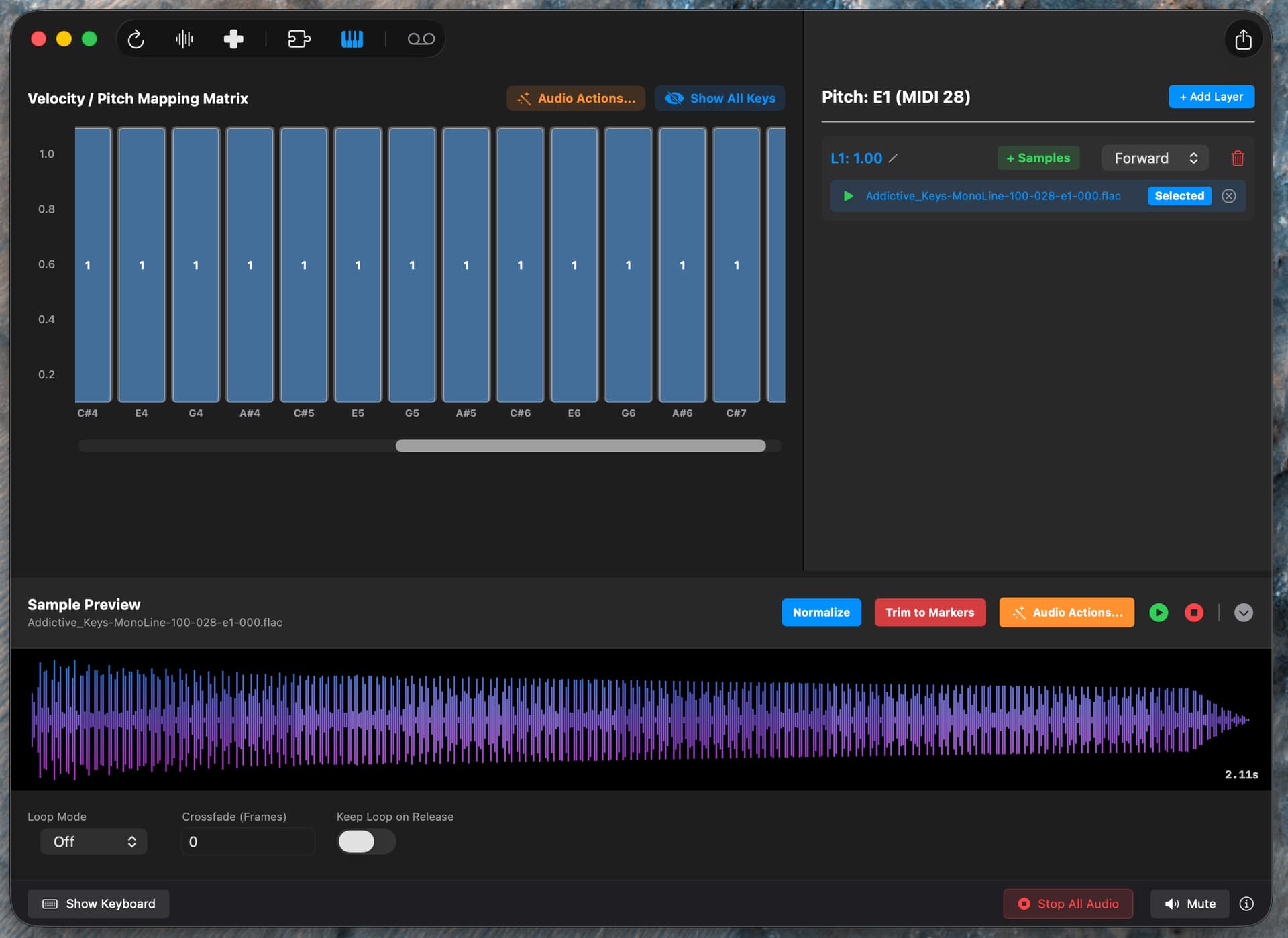
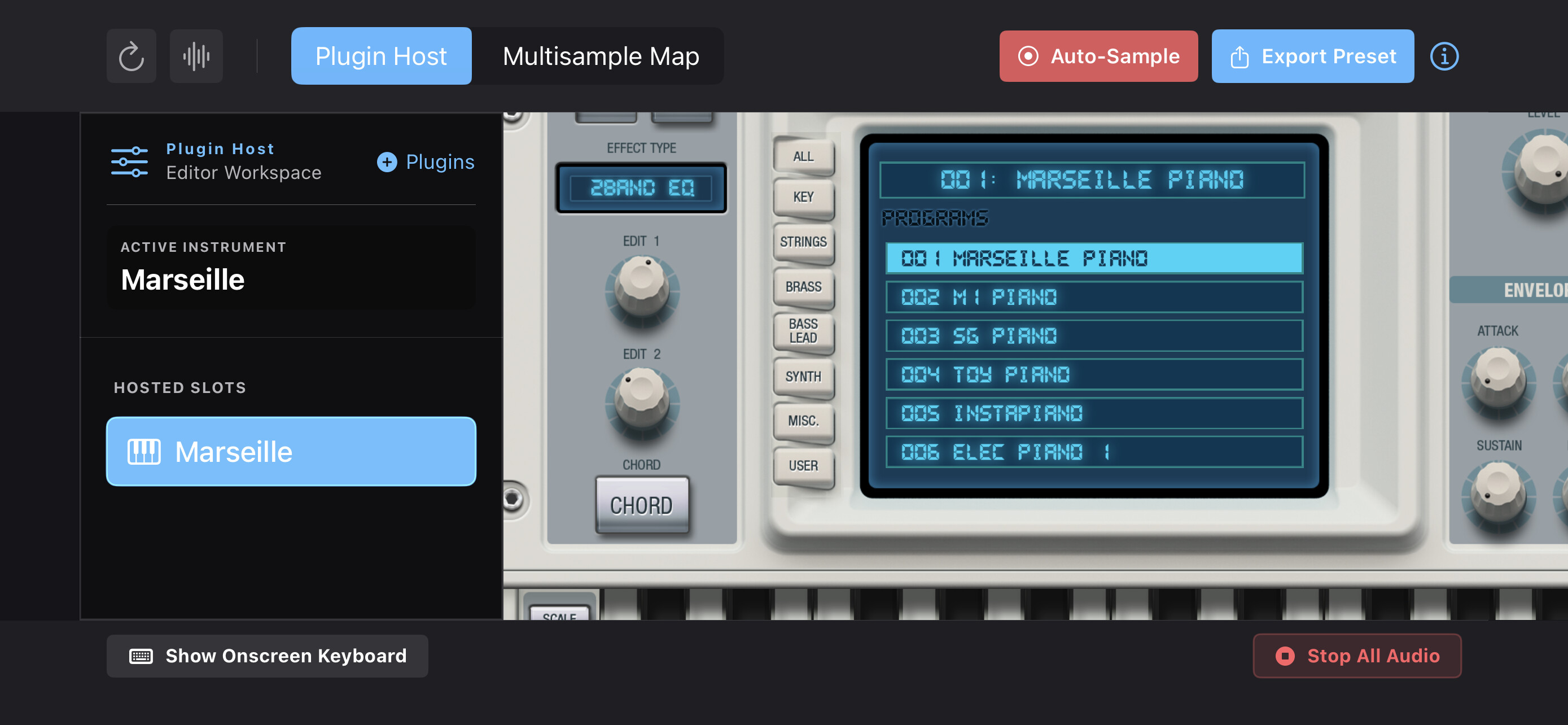
And if anyone wondered what the plugin was up there, it’s this one

2 Likes

First build approved for TestFlight, let me know if you want to test - I have sent four invites so far, but a few more would be helpful to get some feedback and identify any bugs I may have missed during my own personal testing.

Current test build is a ~3.5Mb download and ~7Mb executable once extracted to the Applications folder.

Thanks!

3 Likes

We can also do things I didn’t intend for it to do, like merging several samples into a single sample, normalize, trim, then timestretch with a spectral algorithm to preserve the pitch :sweat_smile:


2 Likes

Looks very promising! And the UI looks really polished. Looking forward to giving it a try.

1 Like

Thanks! I’ve been working on it since September last year :upside_down_face:

I originally started this in Rust using cxx-juce, but I was really struggling getting plugin hosting working, which I really wanted to be able to do that all within the app - so after learning a bit more about Swift and Objective-C and how audio is done in Swift by creating a few small macOS and iOS apps, I felt comfortable to start again with this, but focused on my own platform(s) of choice (macOS/iPadOS) but with a larger scope. I’m still using Rust for other things where it shines, like my plugin built with the truce.audio framework and DigiChain desktop for binary bundling and audio processing offload over the Rust-JS bridge.

5 Likes

I have an iPad too, so happy to test that build when it’s available.

1 Like

Hi . Just a comment on the editing of existing multi file

Basically I wanted to normalise the sounds and resave over the original file
So ideally name , file type , but depth etc
I think I typed in the same name and pointed to the folder but it did a totally new export

So - request - overwrite existing multi & associated files ? … inc existing naming convention ?

I’ve been making round robin / velocity based multis … I create it one velocity layer at a time ( untick the option to clear multi when creating it , at the bottom of the screen )

So I’ve basically got a nice 303 with built in ‘random’ parameter changes based on what I setup on the synth before each capture … not specifically just accent like normal 303 . Hitting the same key on tonverk sounds like the sound is mutating on each velocity group / round robin layer .

1 Like

I will take a look at this one, the existing .elmutli is more of an import - so I will change the wording of that button to reflect that, if Elektron decide to add new features to the multi file configs, what I create during export is only going to contain the parameters I know about, so I personally prefer to not overwrite automatically (as users generally don’t like the chance of losing data!).

There’s also the Apple sandboxing to consider, I have limited filesystem access, and reads are much more permissive than writes in the Apple walled garden.

This is my use case for this feature too, makes building layers really easy without having to deal with program changes.

Beta 3 will be heading for review, probably tomorrow evening with lots of features and fixes.

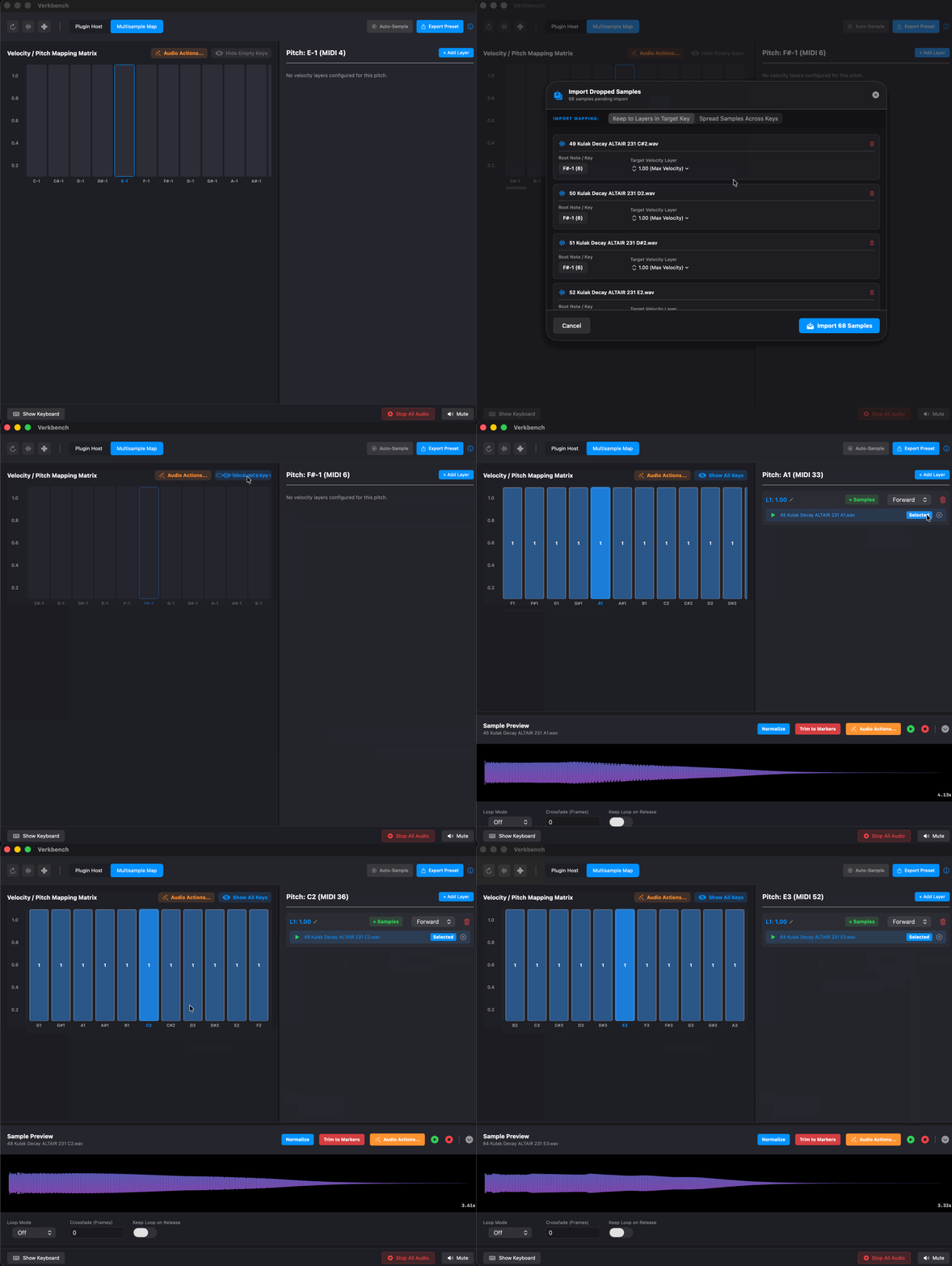
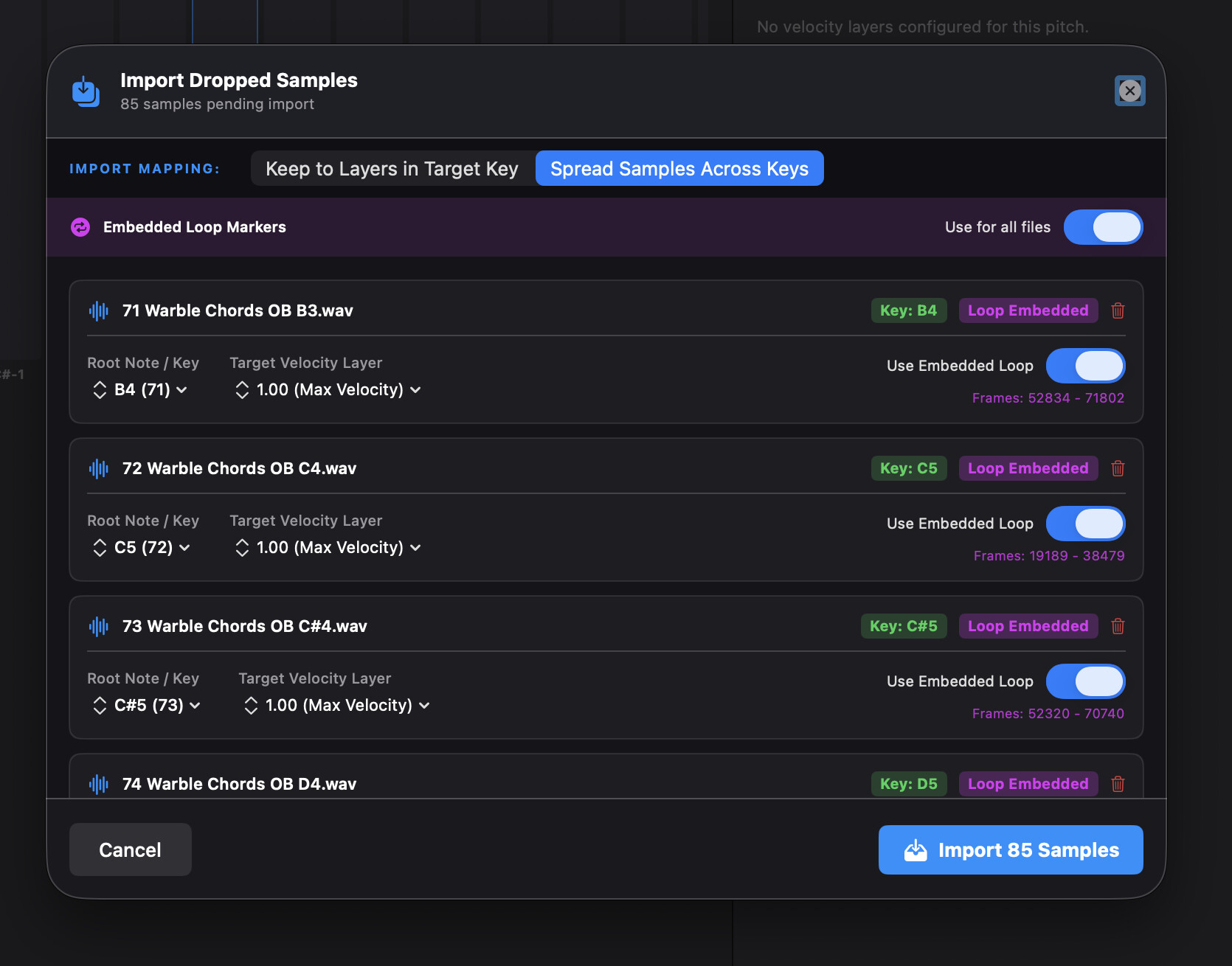
Multi-drop is one of my new favorite time savers.

verkbench_mulitdrop

Allows dropping to layers, or to spread across the multimap with key detection, it will read the wav header for rootnote meta info too.

If the dropped samples have embedded loop info that is also picked up

2 Likes

Will keep an eye out for the update

I think my other reason for the ‘replace / overwrite’ idea was that the multi was being used in a track , so I was hoping for an easy fix . I could always make the new multi and swap it in to the track manually .

1 Like

Beta 3 will be over the weekend now as I didn’t get as much time this evening as I wanted to finish up (busy day at the office!).

I did make some good progress bringing things close to the Apple Human Interface Guidelines for macOS 26 though.

Which does make things render much better on iPadOS.

8 Likes

1.0 beta 3 is available in TestFlight for macOS 26+

Changes in this beta release
  • AU plugins rendering into floating panels within the plugin host workspace.
  • Do not auto clear last plugin search results for session.
  • UI for Auto-sampler velocity layer inputs.
  • Cleaning up font size/weight between views.
  • Fix for AUv3 sandboxed permissions issue in macOS and iPadOS.
  • Made +Plugin button bordered/background colored with larger hitbox.
  • Simplified DrTV scope, reports preset potential issues only.
  • When resampling mis-matched sample rate, DrTV ignored bit-depth and outputted 24 bit, now adheres to samples original bit-depth if 16,24, or 32 bit.
  • Added fallback for all WAV to FLAC conversions, if conversion to FLAC fails, the WAV will be written instead.
  • Simplified the plugin host side panel.
  • Attempt to pull the plugin name and preset name from the hosted plugin and use in the sample filenames.
  • Support dropping multiple files onto a key for spreading across the key-zones or adding to existing layers.
  • Fixed labels being off by one-octave on keyboard view/auto-sampler label.
  • Improved Tonverk generated .elmulti import handling.
  • Adding a velocity layer from the Multisample Map will prompt for a value instead of auto-scaling existing layers, deleting a layer will no longer auto-scale existing layers.
  • Use sample name prefix as export name, or imported name if editing an imported preset.
  • Changed text toolbar to icon driven strip.
  • Audio Action “Discard Silent Audio” which discards any samples with no audio/silent audio recordings.
  • Audio Action “Remove All” which discards all keyzones, velocity layers, and samples.
  • Updated ‘Trim’ Audio Action operations, if the sample has loop information and the trim reduces the length to shorter than the loop end, loop point data is removed.
  • Updated ‘Stretch’ Audio Action operations, scales the loop points to align with the new length of the sample.
  • On the Multisample Map, if no keys have velocity layers, all keys are shown.
  • Update text to clarify how existing presets are handled.
  • Don’t allow exporting an empty project (one with no samples).

I’m looking for regression testing, things that appear broken, crash reports if any are encountered - TestFlight link if any one wants to try it out and give some feedback?

Road Map
  • Config only export.
  • Verkbench session save/load.
  • MIDI input support.
  • Logic EXS multi-sampler import. (best effort)
  • OP-XY multi-sampler import.
  • Expand features on the currently basic sample editor.
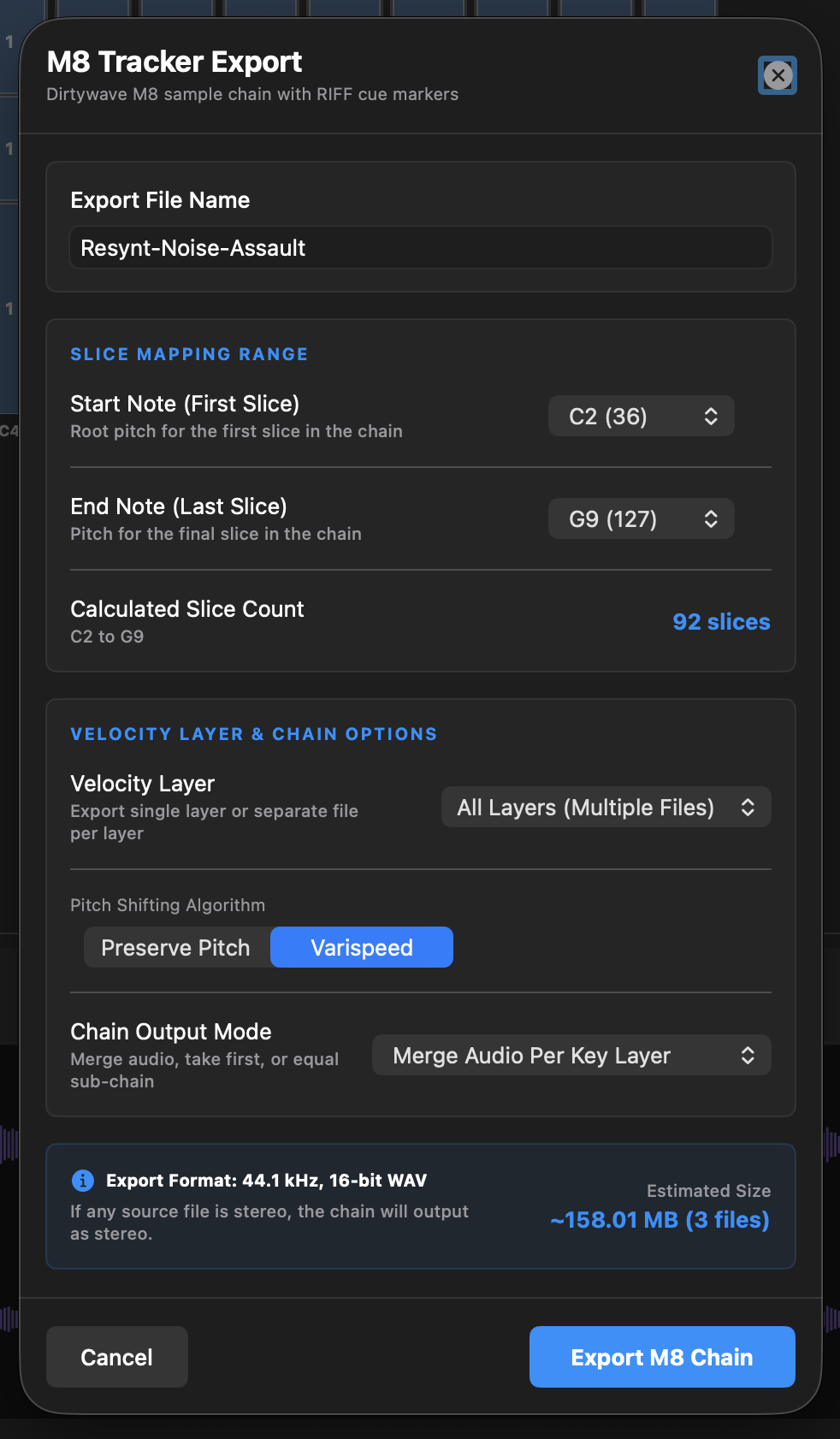
  • M8 chromatic export (layer per chain with cue markers).
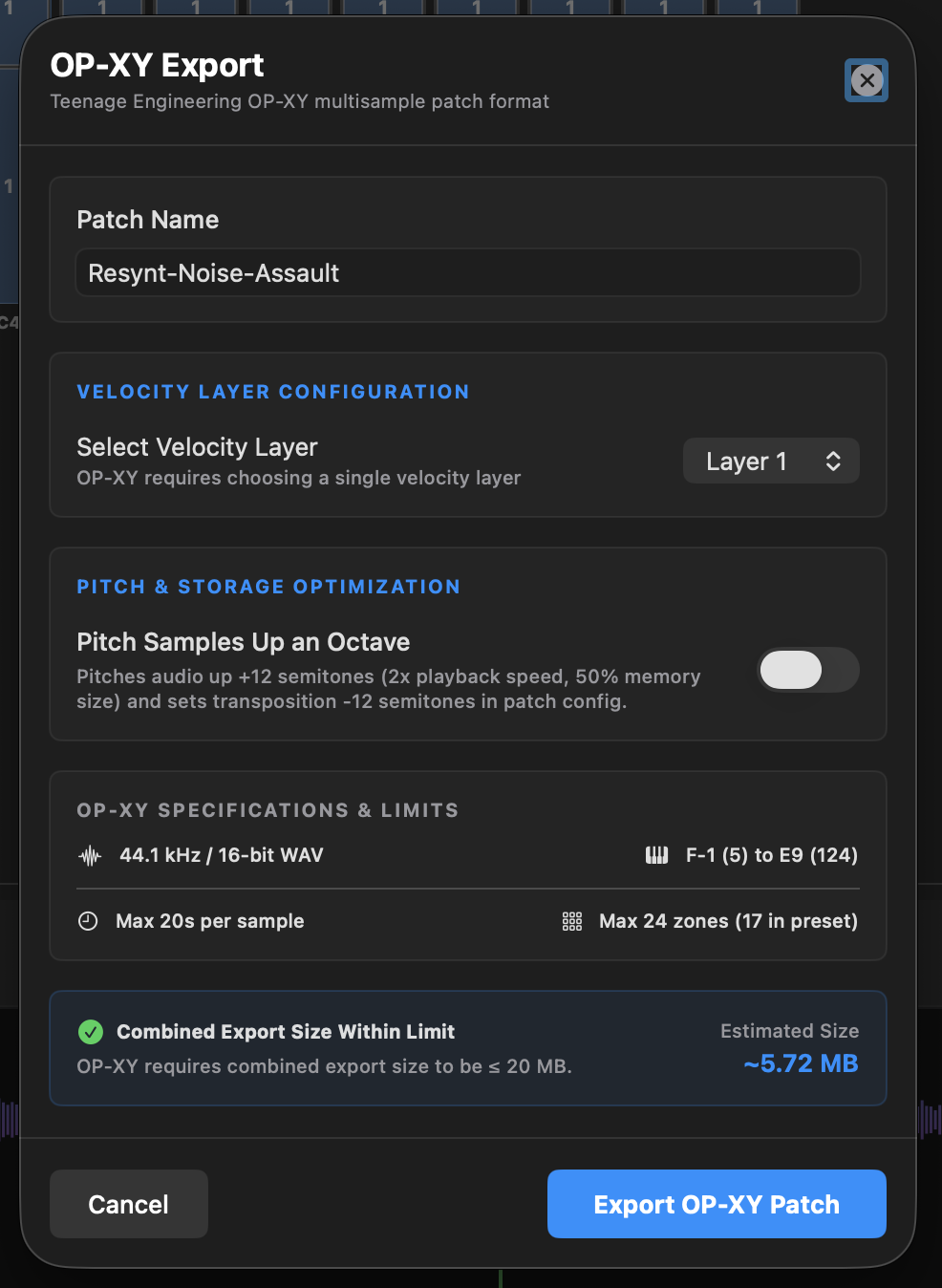
  • OP-XY export (layer per preset).
  • iPadOS support.
6 Likes

Ooh! I haven’t seen this until now, but this looks amazing. It must have taken a LOT of effort. I own a Tonverk, Mac and ipad, so if you still want another tester I’ll gladly help.

2 Likes

main initial issue - Menu bug - none of the dropdown options for synth presets will open … so i can only change preset with keyboard up/ down. … pressing the smaller arrows along the top areas for preset selection / browsing doesnt open up the popup window

also … i opened a cherry audio plugin and it popped up an advert which i couldnt close . i had to load in another plugin.

happens on arturia , cherry audio, microwave 1 (waldorf) plugins so far.
weirdly , massive X/ massive work in terms of preset menu, but … on massive X the encoders dont change … which i noticed on the last version but didnt report. … try to alter any encoder and it wont inc/dec.

sample edit bug
if you click on a key group and then = edit sample, it’ll display the current sample.
if you then click another key , the sample area will clear and the playback doesnt work anymore. you have to close the sample viewer.
expected - it’ll refresh the window to the new sample (id guess you just match any relevant velocity layer / round robin) … and it’ll play back the sample audio correctly.

m1 macbook pro - 1512x982 (default resolution) , latest tahoe

1 Like