So I’m heading into some MIDI plumbing issues, and just needed to ask a some simple (or dumb) questions in order to understand the concept better!
I’m using the OT to control my SE-02 via MIDI. System works very happily. Super easy.
Is it possible to use the keyboard of the SE-02 to also input MIDI notes into the OT midi sequencer? My guess at the moment is no, as from what I can see the SE-02 transmits and receives notes on the same midi channel, and thus creates a feedback loop.
Currently have no idea if all synths are like this, or if some offer separate transmit/receive channels?
Most synths behave like this, but most synths also provide a “switch” to turn local mode on or off. With local mode off it will not trigger its sounds directly, but sends only MIDI notes and reacts to them.
Ah, makes sense. So a local mode essentially splits the synthesizer into a Midi keyboard and a sound module.
So in answer to my broader question, I can’t really use this synth in the way I’d planned, and thus need an external MIDI keyboard for the OT? Time to find a small usb MIDI keyboard to
plug in…
Local off disables internal sounds triggering from keyboard.
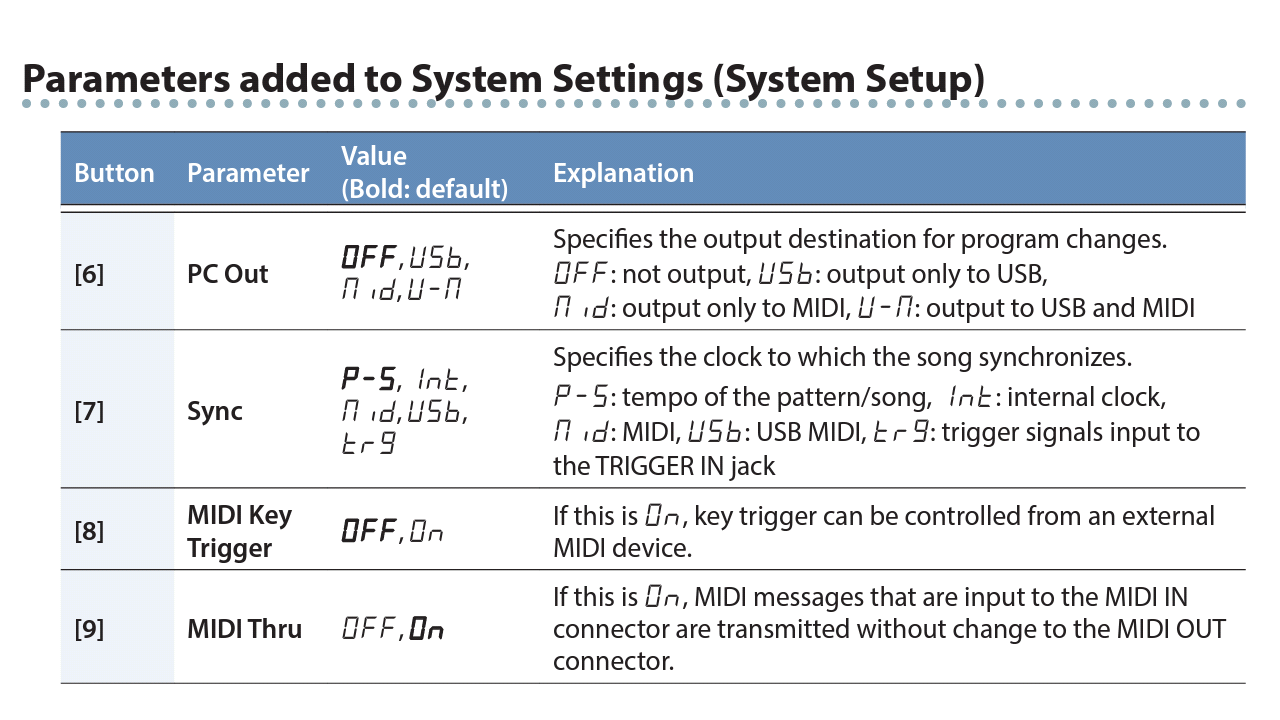
Guess : you use SE02 midi in and out, there is no thru, but a soft thru mode > feedback.
Disable soft thru in that case.
You should be able to use SE02 keyboard without feedback anyway. I don’t think Nanokeys is necessary, unless SE02’s keyboard is worse (must be really really bad in that case).
This may or may not help but is worth trying if you have not done so already. (It could be that without Local Off or differing channel numbers for MIDI send and receive, using the keyboard triggers the note locally and also via the OT.)
You could use it only if you were willing to unplug one MIDI connection at a time, to break the MIDI loop.
You will not be able to connect a USB-only keyboard (like the nanoKEY) directly to the OT, because such keyboards are USB peripherals that need to be connected to a USB Host device (either a specialist device or a computer).
You could use the nanoKEY or similar with an accompanying USB Host device, or look for a keyboard with a 5-pin-DIN MIDI output.
Based on the manual I can’t see any soft through mode within the SE-02 itself, but a good thing to know about.
Ah, now I remember about nano keys… the USB on the Octatrack is for file transfer and not Midi am I right? Meaning that any MIDI in has to go in through the MIDI in port… Seems stupidly obvious when I type that out loud…
So, it’s either a usb/midi converter box, or another keyboard with a 5-pin out!
Yes, the Keystep is a very very good keyboard for it’s price.
usb-midi, din-midi, cv/gate, aftertouch, small form factor, arp, smol sequencer - it’s sturdy and good!
MIDI Thru options were added to the SE-02 in version 1.10. There’s an “additional functions” document on Roland’s website that describes the new capabilities.