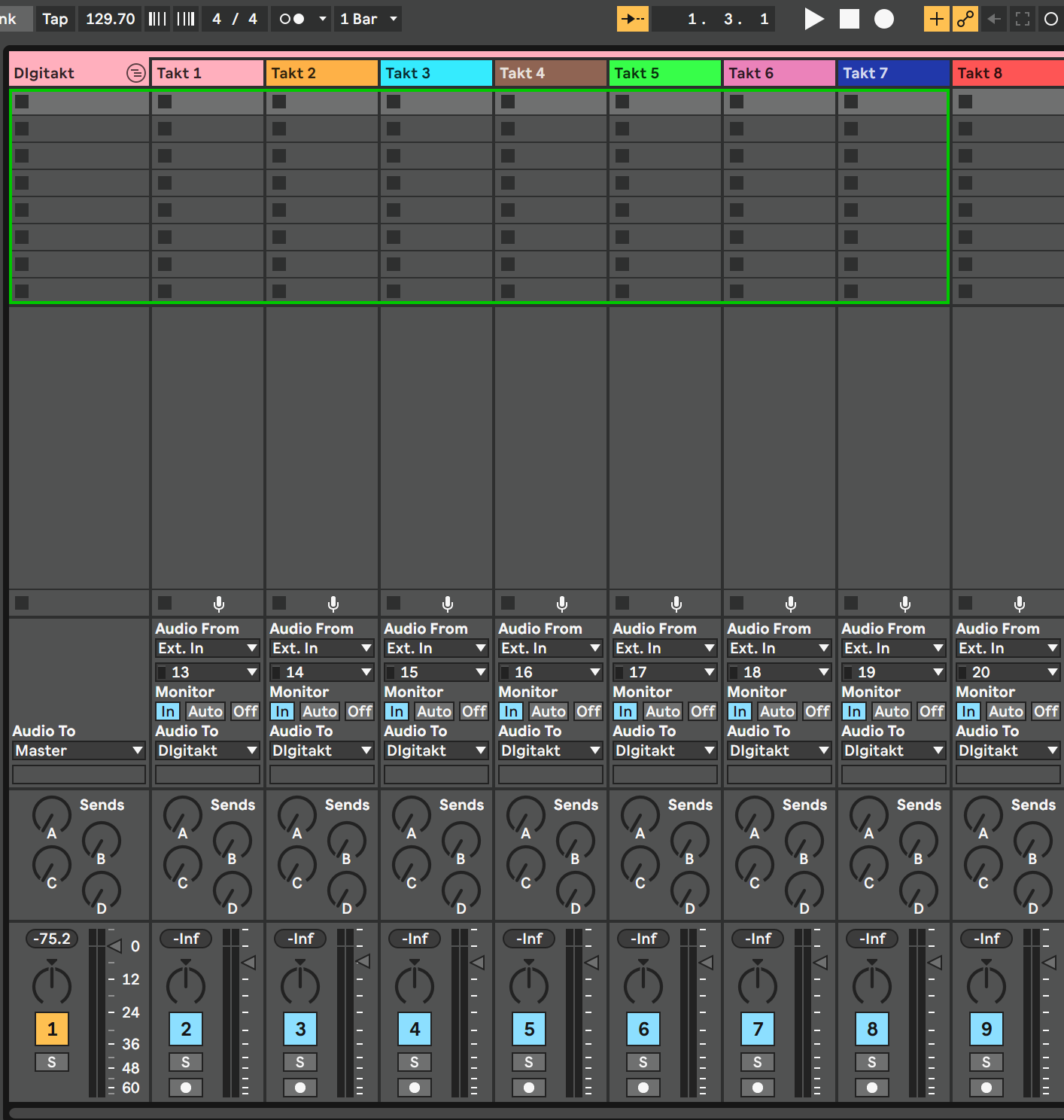
As I connected my Digitakt USB audio to Ableton I discovered that my usual audio interface was disconnected: In fact, every DAW accepts one USB input at a time. So my question was: How to merge 2 USB audio interfaces to use them into a DAW?
This is the method I found on Mac OSX, I’m quite sure there is a way to do that on Windows
MAC OSX
Applications — Utility — Audio Midi Setup
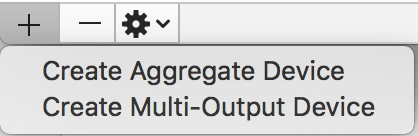
Click on the plus button in the lower left corner and select “Create aggregate device”
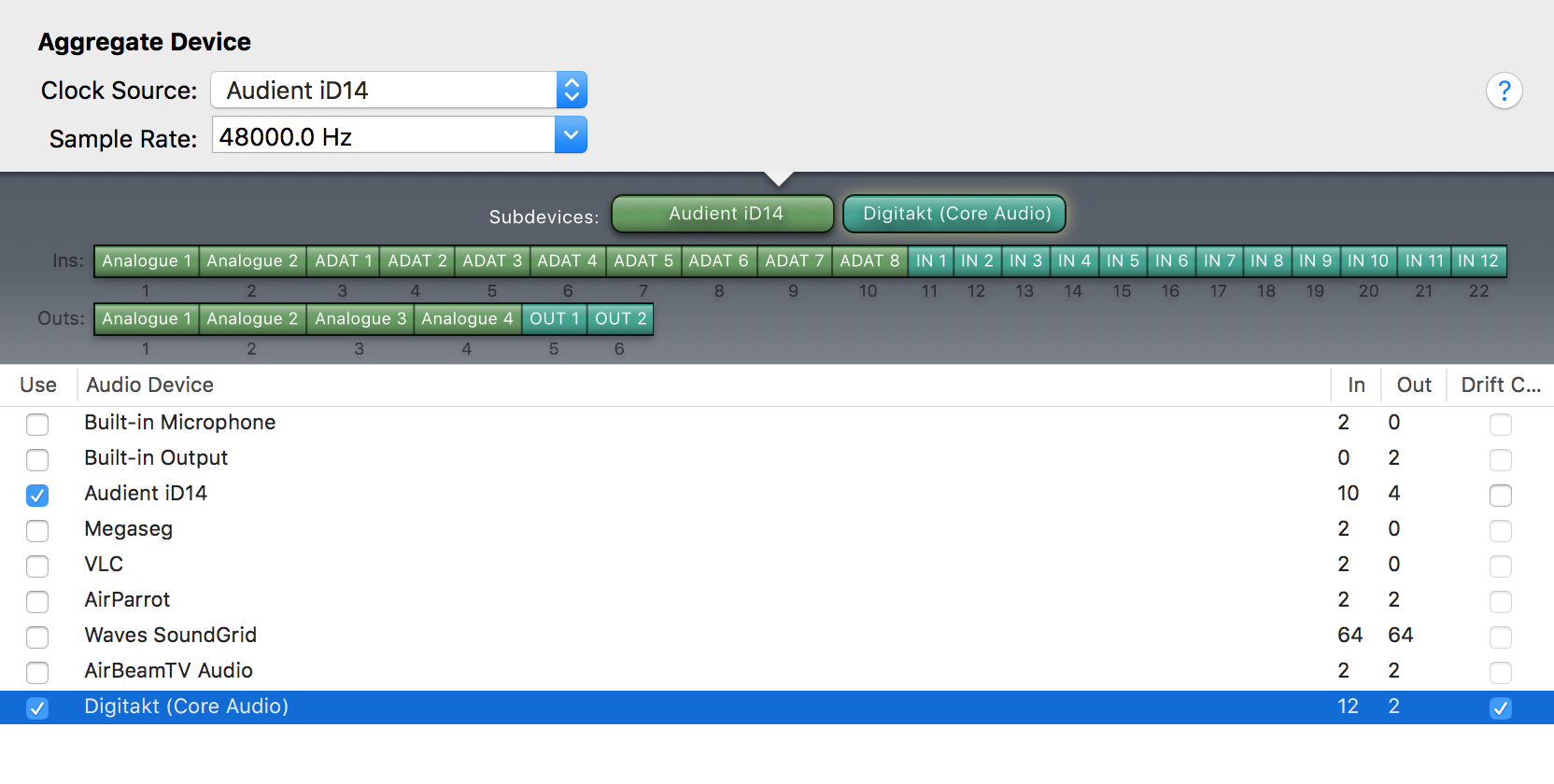
In the right panel, select the devices to merge (in my case Audient ID14 and Digitakt Core Audio)
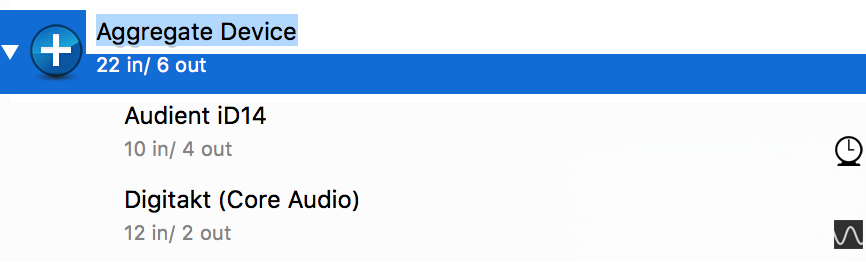
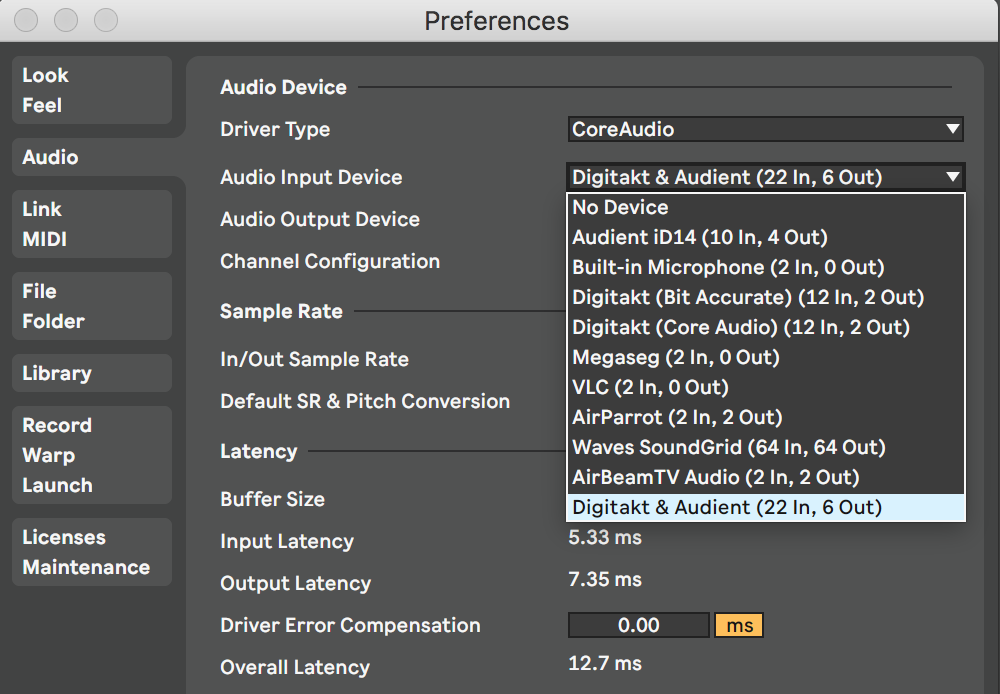
In the left panel there will be a new device with the 2 interfaces merged. It is possible to rename it, I called the new merged device “Digitakt & Audient”
But there is no need to do this at all (neither on Macs, nor on Windows). That’s what the OB2 VST plugin is made for (providing access to the audio channels of an Elektron device).
Yes is true, but the control on each track is limited: for example, with Overbridge vst I cant apply a different plugin on each channel, nor I cant move slider volumes with my ext device
I prefer the “merged devices” method, more versatile.
i don’t understand how aggregate device with it’s latency etc can possibly be more versatile so please help me understand. by using the vst or stand alone lets i can do the same things as on the actual instrument and even record any or all channels on any instrument straight up in the app. in daw i either send each audio chan to fx or stick fx on the actual audio track. if you want the internal fx they are sent to main out which you can also send vst/au audio
Sorry, maybe I missunderstand your answer, but with the OB2 VST you get even more control as with the aggregate device.
Regarding audio tracks it works the same. You set up audio tracks in the DAW and select channels from the OB2 VST as source (or destination). Then you apply as much plugins to these audio tracks as you want. Absolutely no difference here.
In addition to that you get the GUI for sound manipulations of the Elektron device.
And what’s about MIDI? Does MIDI work when you use the aggregate device? (I’m not sure about this). At least with the VST MIDI works out of the box. You just select the OB2 VST as source (or destination) on a MIDI track in the DAW and it works.
At the time I was using Digitakt OS 1.10, with an overbridge beta I got from Facebook. I got the audio aggregate device working with all my other sound cards that are not the digitakt. Every time I tried to add the digitakt to an aggregate device, it would slow my machine down like crazy - and selecting that aggregate device in Ableton would make Ableton slow down or crash.
The consensus on Facebook is that audio aggregates are not a completely trustworthy way to go.
I hope we see this need for aggregates evaded by overbridge 2.0!
Hi! very useful article, thanks !
Can you help me to understand - will I loose all the delays and reverbs in multitrack recording ?
Or I just will loose master effects of Digitakt?
I cant figure out if it could be possible to have Digitakt FX on separate overbridge outputs.
Anyway, the goal of this technique is to use all the FX from DAW