They’re keeping you safe from hackers by making sure no one can use the computer!
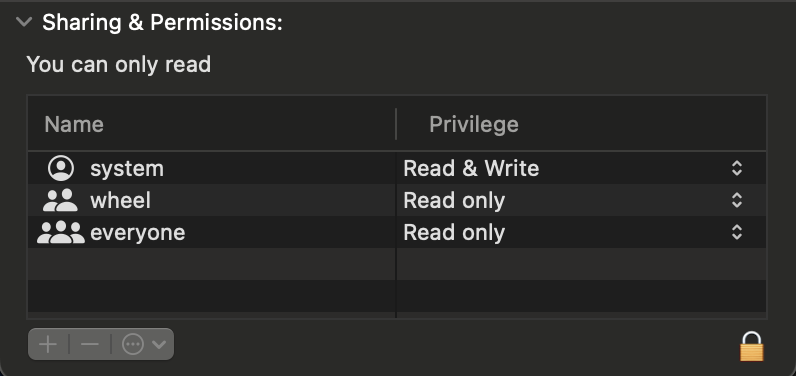
I would try deleting the old VST3 first instead of overwriting it. If that doesn’t work, try right clicking on your VST3 folder (in Library/Audio/Plugins/), then Get Info, then unlock and give yourself access
@trickyflemming - In the future would it be possible to have “kits” in Battalion that we could build up, save and then swap between while working up patterns that we like? I’m sometimes using Battalion as a sound module and sequencing it externally. I’d love to be able to simply build up kits that I use in a “go-to” fashion and then modify per project when needed. I’d also love to be able to take the presets and create kits from them when they’re in the ballpark of what I’m into. I just feel like it would enable me to use Battalion in a more fluid way.
Thanks for continuing to refine the device. It’s a great piece of work. I love what it does.
Updated betas are now up (same link as a few posts ago):
Double-clicking (or tapping) a sequencer parameter step will reset the value to a default (i.e. pitch, velocity, ratchet).
Fixed a crash when dragging a drum track onto the Voice/Performance button at the top of the channel selector.
Fixed a graphical bug where the Voice/Performance button would light up when dragging a track over it, suggesting a potential drop.
Fix for Clap engine not choking properly.
@rydan This fixes your choke issue. It turns out there wasn’t anything wrong with Channel 4 in particular, but rather the Clap engine and how I wrote the weird envelope for it. I double-checked all other engines, so now choke should work as expected everywhere.
Hit Rec on Hapax, touch a control and it’s automated and will move onscreen (on the Ipad and on the plugin on the Mac).
Each drum has an individual morph control (like P0-32!), automatable and with it’s own LFO (you automate the offset so you can have LFO and automation simultaneously). Behind the scenes it’s actually 8 instances of Microtonic!
Also a master morph with LFO which controls all the other morphs
2-way communication with Microtonic plugin, if you load a drum it’ll update the Ipad controls.
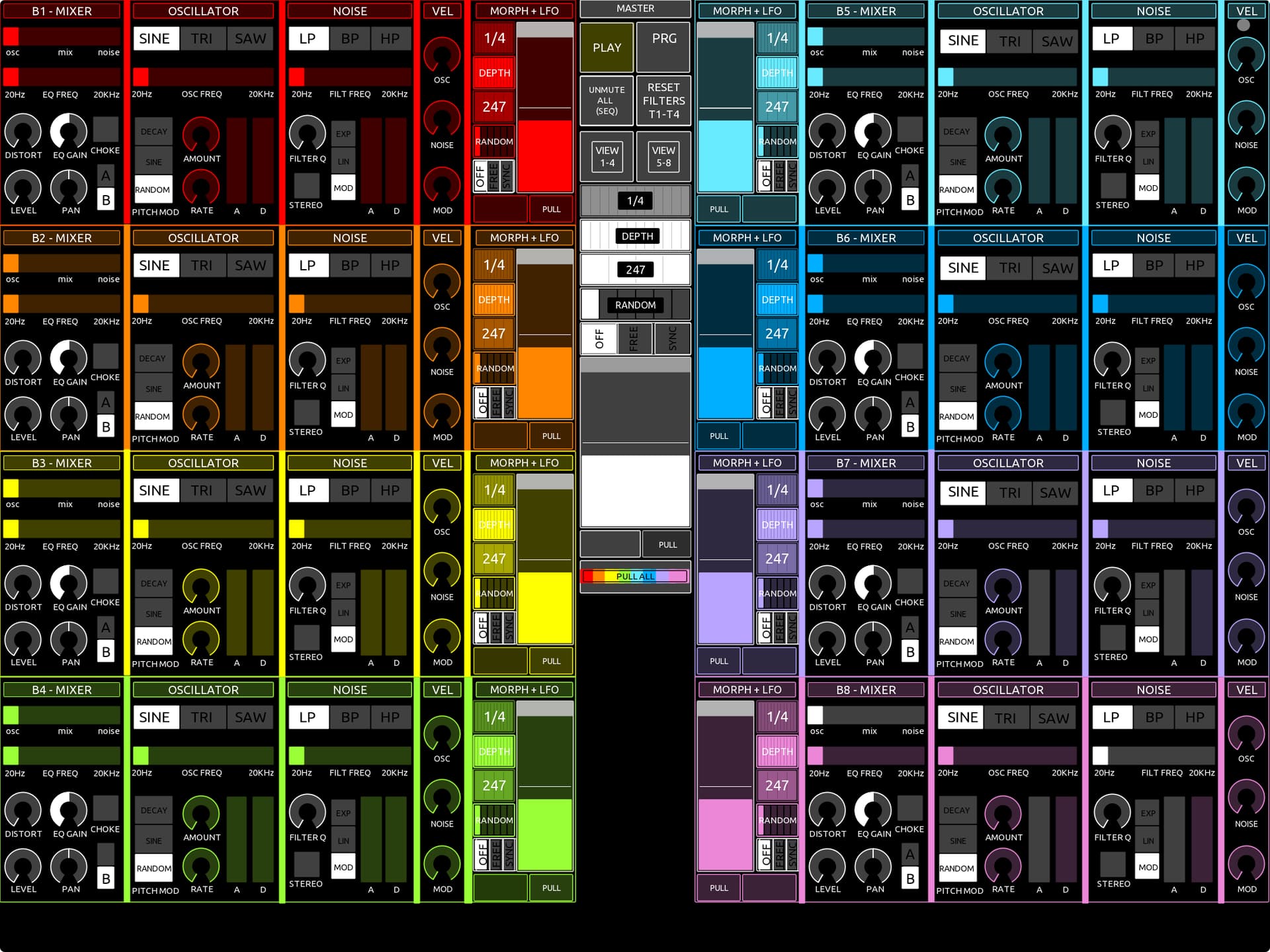
The colours match the colours on the Hapax so you easily know what you’re sequencing
I’m building something similar for Battalion, although much more complicated… it’ll mostly replicate the Ipad Batallion so it looks the same but controls Batallion on the Mac instead.
It’s gonna take a while, I’ll post a little vid when it’s done!
Can anyone help me understand some behaviour in a preset? In Vadim Vozmitsel‘s „The Depth Thickens“ patch i can‘t understand why the snare (channel 2) sounds multiple times without being triggered by a fill trigger. There are two pink fill triggers, but if you let it play for a few loops it will also trigger in other places without these triggers — and the generate/euclidean doesn‘ seem responsible….It isn‘t connected to another channel‘s trigger group either.
Thanks for any tips as it is confusing me!
Edit — solved…global density setting
So much stuff to keep track of in this program! But that‘s a good thing for me
Is it possible to add sample folders by reference rather than copying them into the user sample folder? I have a large library of samples I’d like to use with Battalion, but duplicating them would be inefficient.
With AUv3s in general, I prefer each voice being its own AUv3 for easier interaction with my “daw” (Drambo). This isn’t really how Battalion is designed, but I still want to use it because I love the engines and immediacy.
I’ve considered running multiple instances of Battalion for this, but if possible I’d love to not waste a ton of CPU. Is there anything I can do to minimize the CPU overhead? I don’t think you can disable voices or the master fx?
You know it has multi—out right? You could add a mixer module to each drambo channel and run 8 individual voices that way…maybe this isn‘t what you‘re wanting though
Yea I definitely could, I appreciate the sanity check. Problem with that is then you have to have the plugin in windowed mode to have the plugin showing while sequencing.
That sounds minor, but I fell off iOS music for a while because of having to scroll and drag all the time. Its a huge creativity killer for me. I’m coming back to the space now with the principle that it has to be as immediate as possible. At least when I’m not doing deep patch creation from scratch in Drambo.
I’m having trouble deciding on which parameters to make externally automatable (via Hapax).
I’m dedicating 2 channels so in total, 240CC’s.
22 performance CC’s (not needing the sequencer ones).
Leaves 218CCs. Divided by 8 drums. So 27CC’s per drum.
But… there’s at least 33 parameters on the voice page I neeeeeeeeed to have (even leaving aside cool stuff like being able to lfo/automate the engine type).
Please help me decide which parameters to have and which to leave!
EDIT - this is purely about MIDI automation… I’ll have hands-on control of every parameter using OSC so I’ll still be able to tweak those, just not automate them!
1 Env, 1 LFO, automatable. The 2nd Env and LFO, not.
The reason, I can send an extra LFO or Env to any parameter, using the Hapax, and as I’m using 2 tracks there’ll be plenty of MIDI FX slots to do it with!
Getting closer to my dream of having Battallion and Microtonic fully integrated in my hybrid setup. Finished the Hapax ID files.
Work on the Battalion TouchOSC template is going well… although it looks a bit like a supermarket-brand Battallion
Some of it has been hard to replicate. The little icons showing the engine types had to be left out… could re-create them using basic shapes but f-that for a game of soldiers!
I’ll miss the sequencer for sure… there are advantages to sequencing externally as well though. Ideally I’d like to have both!
I dream of this, right: (@trickyflemming get your pad out mate and start making notes )
The Ipad version, has a special ‘controller mode’ setting. You enable it, and plug your Ipad into your Mac.
You load your DAW and drop a Battalion on a track. You select ‘Connect to Ipad’… it waits a few seconds then boom! ‘CONNECTION ESTABLISHED MASTER! PREPARE FOR DRUM-BASED BOOM TING!’ (or something).
Then Battalion on the Ipad, acts as a controller for the Desktop version.
IT SHOULD BE EASY TO CODE! I’LL SEE YOU NEXT TUESDAY
Download today on IPad 2025.
Works nicely, and the latency is perfect using midi/audio with an old zoom U-24 usb sound card and sequenced with Elektron.
My hope on the future for this app would be midi CC and some « project » management UI for sound/pattern/kit. Right now on this part it’s workable, but could be way more intuitive. The menu system might me not the right choice for pattern/sound : does not fit the screen.



 )
)